Zavedení
This manual provides essential information for setting up, operating, maintaining, and troubleshooting your NIMO 15.6" IPS FHD Business Laptop. Please read this manual thoroughly before using your device to ensure optimal performance and longevity.
Co je v krabici
- 1 x Nimo N154 Laptop
- 1 x Type-C 65W PD Fast Charger
- 1 x Uživatelská příručka (tento dokument)
- Windows 11 Home (předinstalovaný)
- Warranty Information (2 Years Warranty, 90 Days Return)
Konec produktuview
Familiarize yourself with the key components and features of your NIMO laptop.

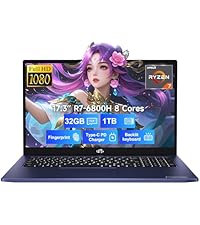
Obrázek 1: NIMO 15.6" Laptop Front View s klíčovými vlastnostmi
This image displays the NIMO 15.6-inch laptop from the front, showcasing its full HD IPS display. Icons on the screen highlight key features including the Intel Core i3-1215U 6-core processor, 8GB RAM, 256GB SSD, fingerprint reader, Type-C PD charger, and backlit keyboard. An eagle graphic is prominently featured on the screen.
Porty a konektory

Obrázek 2: Laptop Ports and Connectors
This image illustrates the various ports available on the NIMO laptop. On the left side, from left to right, are the Micro SD card slot, USB 2.0 port, USB 3.0 port, headphone combo jack, and Kensington lock slot. On the right side, from left to right, are a Type-C (charge only) port, USB 3.0 port, HDMI port, Type-C (multifunction) port, and a Charge LED indicator.
- Levá strana: Micro SD Card Slot, USB 2.0, USB 3.0, Headphone Combo Jack, Kensington Lock
- Pravá strana: Type-C (Charge Only), USB 3.0, HDMI, Type-C (Multifunction), Charge LED
Průvodce nastavením
1. Počáteční nabíjení
Before first use, fully charge your laptop. Connect the provided 65W Type-C PD fast charger to the Type-C (Charge only) port on the right side of the laptop and to a power outlet. The Charge LED will indicate charging status.

Obrázek 3: 65W Type-C PD Fast Charger
This image shows the compact NIMO 65W Type-C PD fast charger with its accompanying Type-C cable. It highlights the charger's versatility, indicating it can be used for laptops, tablets, and iPhones. Below, a comparison graphic contrasts the single, organized Type-C charger with a cluttered power strip filled with multiple, tangled chargers, emphasizing the convenience of the NIMO charger.
2. Zapnutí
Open the laptop lid. Press the power button, typically located on the top right of the keyboard, to turn on the device. The laptop will boot into Windows 11 Home.
3. Počáteční nastavení systému Windows
Follow the on-screen prompts to complete the Windows 11 Home setup. This includes selecting your region, language, connecting to a Wi-Fi network, creating a user account, and setting up security features like the fingerprint reader.
4. Fingerprint Reader Setup
During Windows setup or later via Windows Settings, configure the integrated fingerprint reader for secure and quick login. This feature is located on the touchpad area.

Obrázek 4: Fingerprint Reader and Webcam Privacy Shield
This image highlights two security features of the NIMO laptop. The upper left section shows a close-up of the touchpad with a glowing fingerprint icon, indicating the integrated fingerprint scanner for seamless security integration. The lower right section displays the laptop's webcam with a physical privacy shield, emphasizing privacy-focused camera convenience.
Návod k obsluze
Klávesnice a touchpad
Your NIMO laptop features a full-size keyboard with a numeric keypad and a backlit function for use in low-light conditions. The large trackpad supports multi-touch gestures.

Obrázek 5: Funkce klávesnice
This image displays the NIMO laptop's keyboard, highlighting its features for effortless typing in any environment. Icons above the keyboard represent the backlit keyboard, webcam shield, fingerprint reader, and numeric keypad. Insets show the backlit keyboard in use in a dimly lit setting.
Zobrazit
The 15.6" Full HD (1920x1080) IPS display offers vibrant colors and wide viewing angles. Adjust brightness and display settings through Windows settings.

Obrázek 6: Živý Full HD displej
This image showcases the NIMO laptop's vivid Full HD display, featuring a vibrant image of a jellyfish on the screen. Icons above the display highlight its key attributes: FHD 1920x1080 resolution, IPS technology, Bright View, and Eye Protection. The screen-to-body ratio is indicated as 85%.
Konektivita
- Wi-Fi 6: Connect to high-speed wireless networks.
- Bluetooth: Pair with Bluetooth-enabled devices such as headphones or mice.
- USB porty: Pro připojení externích zařízení využijte porty USB 2.0 a USB 3.0.
- HDMI: Připojení k externím monitorům nebo projektorům.
Údržba
Čištění notebooku
- Použijte měkký hadřík, který nepouští vlákna dampDisplej opláchněte vodou nebo čističem obrazovek.
- Na klávesnici a šasi použijte měkký hadřík. Nepoužívejte agresivní chemikálie.
- Periodically use compressed air to clear dust from vents to ensure proper cooling.
Péče o baterie
- Vyhněte se častému úplnému vybíjení baterie.
- Pokud notebook delší dobu nepoužíváte, skladujte jej na chladném a suchém místě.
- Use only the provided NIMO 65W Type-C PD charger.
Storage and Upgrades
The laptop comes with 8GB DDR4 RAM and a 256GB SSD. Both RAM and SSD are upgradeable, offering flexibility for future performance enhancements.

Obrázek 7: RAM and SSD Configuration
This image shows the NIMO laptop screen displaying various applications, illustrating its multitasking capabilities. Below the laptop, three boxes highlight its memory and storage specifications: 8GB DDR4 RAM, 256GB PCIe 4.0 SSD, and the presence of Dual RAM Channels, indicating support for upgrades and expansion.
Odstraňování problémů
This section addresses common issues you might encounter with your NIMO laptop.
Notebook se nezapne
- Ujistěte se, že je nabíječka bezpečně připojena k notebooku i k funkční zásuvce.
- Check if the Charge LED illuminates when connected to power.
- Zkuste podržet tlačítko napájení po dobu 10-15 sekund, abyste provedli tvrdý reset.
Baterie se rychle vybíjí
- Upravte jas obrazovky na nižší nastavení.
- Zavřete nepotřebné aplikace běžící na pozadí.
- Ensure Windows is updated, as updates often include power management improvements.
- Check power settings in Windows to optimize battery usage.
Applications Freeze or Laptop is Slow
- Close any applications that are not in use.
- Restartujte notebook.
- Zkontrolujte Správce úloh (Ctrl+Shift+Esc) a zjistěte, zda procesy spotřebovávají hodně CPU nebo RAM.
- Ujistěte se, že máte aktuální operační systém a ovladače.
- Consider upgrading RAM or SSD if performance issues persist, as the laptop supports upgrades.
Problémy s připojením k Wi-Fi
- Restartujte Wi-Fi router a modem.
- Vypněte a znovu povolte Wi-Fi na notebooku.
- Ensure Wi-Fi drivers are up to date.
- Zapomeňte na síť a znovu se připojte.
Specifikace
Detailed technical specifications for your NIMO N154 laptop.
| Funkce | Specifikace |
|---|---|
| Značka | NIMO |
| Název modelu | Nimo N154 |
| Velikost obrazovky | 15.6 palce |
| Rozlišení obrazovky | 1920 x 1080 pixelů (Full HD IPS) |
| Procesor | Intel Core i3-1215U (6 jader, až 4.4 GHz) |
| BERAN | 8 GB DDR4 (Upgradeable) |
| Rychlost paměti | 3200 MHz |
| Pevný disk | 256 GB SSD (Upgradeable) |
| Grafický koprocesor | Intel Integrated Graphics |
| Operační systém | Windows 11 Home |
| Bezdrátový typ | Wi-Fi 6 (802.11a/b/g/n/ac), Bluetooth 5.2 |
| USB porty | 1x USB 2.0, 3x USB 3.0, 2x Type-C (1x Charge Only, 1x Multifunction) |
| Jiné porty | HDMI, Headphone Combo Jack, Micro SD Card Slot, Kensington Lock |
| Speciální funkce | Fingerprint Reader, HD Audio, Memory Card Slot, Numeric Keypad, Backlit Keyboard, Webcam Shield |
| Hmotnost položky | 3.8 libry |
| Rozměry produktu | 14.07 x 8.98 x 0.76 palce |
| Průměrná životnost baterie | 5 Hours (54Wh Smart Battery) |
| Zdroj napájení | Battery Powered, 65W Type-C PD Charger |
Záruka a podpora
NIMO is committed to providing reliable products and excellent customer service.
- Záruka: Your NIMO laptop is covered by a 2-year warranty.
- Vrácení: You may return the product within 90 days of purchase.
- Zákaznická podpora: Our 24/7 support team is available to provide assistance.
- Kontakt: For support inquiries, please visit the official NIMO webwebu nebo kontaktu service@nimopc.com.

Obrázek 8: Professional Customer Assistance
This image depicts a customer service representative wearing a headset, symbolizing the availability of professional customer assistance via phone and live chat.
Obrázek 9: 2letá podpora
This image shows a technician working on a laptop's internal components with tools, representing the 2-year support coverage for Nimo products.

Obrázek 10: Zásady vrácení zboží do 90 dnů
This image illustrates a delivery person handing a package to a customer, signifying the 90-day return policy for Nimo products.


