1. Konec produktuview
The CYCPLUS GPS Bike Computer M3 is a high-performance cycling computer designed to provide accurate and comprehensive ride data. Paired with the robust Z1-New bike mount, it offers a stable and user-friendly experience for all cyclists.
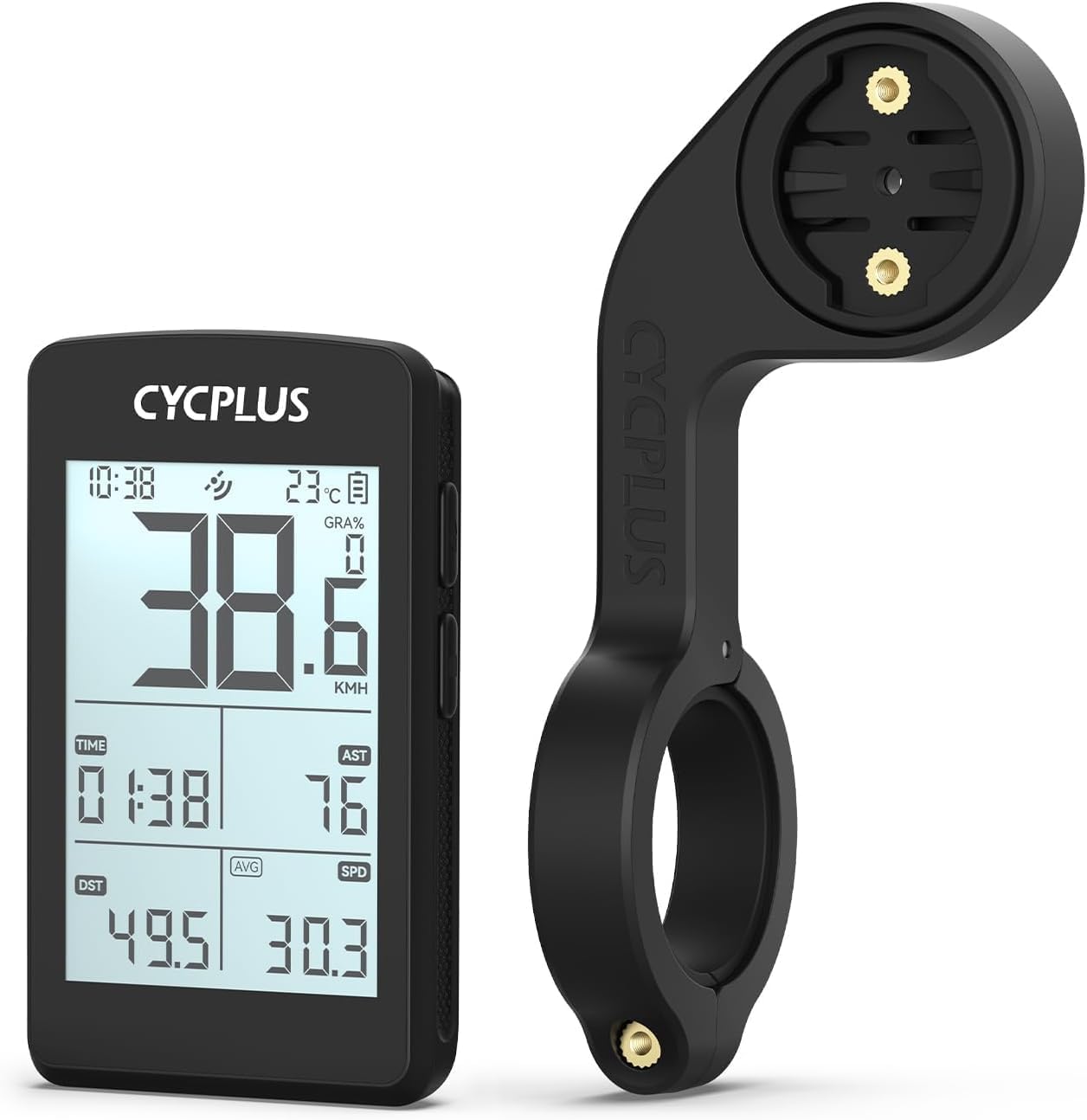
Image 1.1: The CYCPLUS GPS Bike Computer M3 and its accompanying Z1-New Bike Mount.
2. Obsah balení
Prosím, ověřte, zda jsou v balení přítomny všechny položky:
- CYCPLUS GPS Bike Computer M3 (x1)
- CYCPLUS Bike Mount Z1-New (x1)
- Nabíjecí kabel USB-C (1x)
- Screwdriver (for mount installation) (x1)
- Uživatelská příručka (tento dokument) (x1)
3. Instalace
3.1. Bike Mount Installation
The CYCPLUS Z1-New handlebar mount is designed for easy installation on 31.8 mm handlebars. Follow these steps:
- Position the mount on your bicycle's handlebar at the desired location.
- Use the included screwdriver to tighten the screw on the mount until it is securely fastened to the handlebar. Ensure it is firm and does not rotate freely.

Image 3.1: Visual guide for installing the Z1-New bike mount on handlebars.

Image 3.2: Demonstrating the tightening of the mount screw for secure attachment.
3.2. Bike Computer Attachment
Once the mount is secure, attach the M3 bike computer:
- Align the back of the M3 bike computer with the mounting interface on the Z1-New mount.
- Gently push and twist the computer clockwise until it clicks securely into place.

Image 3.3: The CYCPLUS M3 computer securely attached to the Z1-New mount.
4. První použití a nastavení
4.1. Initial GPS Positioning
For the first use, the M3 bike computer requires an initial GPS lock. This process may take 3-5 minutes. Ensure you are outdoors with a clear view oblohy pro optimální příjem signálu.
The M3 supports 5 major satellite systems: GPS, GLONASS, Galileo, QZSS, and BeiDou, ensuring dynamic, fast, and accurate positioning.

Image 4.1: The M3 utilizes multiple satellite systems for rapid and precise positioning.
4.2. CYCPLUS FIT APP
To minimize waiting time for GPS positioning, you can download offline ephemeris data via the CYCPLUS FIT APP. This app also allows for data synchronization and further customization of your device.
5. Provoz
5.1. Funkce displeje
The M3 features a 2.8-inch segment code FSTN glass screen, designed for sunlight readability. Key data is displayed clearly at a glance. The device automatically senses the environment to activate the backlight for improved visibility in low-light conditions.

Image 5.1: The 2.8-inch screen provides clear data visibility during rides.
5.2. Data Displayed
The M3 bike computer can display a wide range of cycling metrics. Some data points require additional sensors (not included) for measurement.

Obrázek 5.2: Konecview of data metrics available on the M3 display.
- Rychlost: Aktuální rychlost, průměrná rychlost, maximální rychlost
- Vzdálenost: Trip Distance (DST), Odometer (ODO)
- Čas: Clock, Trip Time
- Altitude & Gradient: Nadmořská výška, sklon, stoupání
- Environmentální: Temperature, AUTO Backlight status
- Performance (requires additional sensors): Cadence, Heart Rate, Power
6. Nabíjení a výdrž baterie
The M3 bike computer is equipped with a built-in 1500mAh rechargeable lithium battery, providing up to 100 hours of runtime on a single charge. This extended battery life is suitable for both leisurely rides and daily commutes.
Charging is done via a USB-C port. A full charge takes approximately 2.5 hours.

Image 6.1: The M3 features a USB-C charging port and offers up to 100 hours of battery life.
7. Řešení problémů
- Slow GPS Positioning: If the device takes longer than expected to acquire a GPS signal, ensure you are outdoors with a clear view of the sky. For first-time use, it can take 3-5 minutes. Downloading offline ephemeris via the CYCPLUS FIT APP can significantly reduce this time.
- Baterie se nenabíjí: Ensure the USB-C cable is properly connected to both the device and a power source. Use a standard USB charger. If the issue persists, try a different cable or power adapter.
- Displej nereaguje: Try restarting the device. If unresponsive, ensure the battery is charged.
- Nepřesné údaje: Ensure the device has a strong GPS signal. For sensor-based data (Cadence, Heart Rate, Power), verify that the external sensors are properly paired and functioning.
8. Specifikace
| Funkce | Detail |
|---|---|
| Název modelu | M3 + Z1-NEW |
| Velikost obrazovky | 2.8 Inches (FSTN glass) |
| Životnost baterie | Až 100 hodin |
| Typ baterie | 1500mAh dobíjecí lithium |
| Nabíjecí port | USB-C |
| Systémy GPS | GPS, GLONASS, Galileo, QZSS, BeiDou |
| Typ montáže | Handlebar Mount (Z1-New) |
| Kompatibilita s řídítky | 31.8 mm |
| Montáž Hmotnost | 0.98 oz (27.86 g) |
| Zahrnuté komponenty | GPS bike computer, bike mount |

Image 8.1: Dimensions of the Z1-New bike mount (115mm/4.5in length, 31.8mm/1.25in handlebar clamp, 45mm/1.8in width).
9. Péče a údržba
- Čištění: Wipe the device and mount with a soft, damp tkanina. Vyhněte se používání agresivních chemikálií nebo abrazivních čisticích prostředků.
- Skladování: Pokud zařízení nepoužíváte, skladujte ho na chladném a suchém místě. Nevystavujte extrémním teplotám.
- Péče o baterie: For long-term storage, it is recommended to charge the battery to approximately 50% to prolong its lifespan.
10. Záruka a podpora
Information regarding product warranty and customer support is typically provided with your purchase documentation or available on the manufacturer's official webwebu. Podrobné záruční podmínky a kontaktní informace pro technickou pomoc naleznete v těchto zdrojích.


