1. Úvod
Thank you for choosing the Tiqvi 10-inch Digital Photo Frame. This device allows you to easily display and share your cherished memories with family and friends. Featuring a vibrant IPS display, Wi-Fi connectivity, and integration with the Frameo app, this digital photo frame offers a convenient way to enjoy your photos and videos. This manual provides detailed instructions for setup, operation, maintenance, and troubleshooting to ensure you get the most out of your new device.

Image 1.1: Tiqvi 10-inch Digital Photo Frame with Frameo App.
This image shows the Tiqvi 10-inch Digital Photo Frame displaying a family photo on its screen. Next to it, a smartphone screen illustrates the Frameo application interface, demonstrating how photos can be managed and shared with the frame.
2. Co je v krabici
Po vybalení zkontrolujte obsah balení, abyste se ujistili, že jsou přítomny všechny položky:
- Tiqvi 10-inch Digital Photo Frame
- Napájecí adaptér
- Stánek
- Uživatelská příručka (tento dokument)

Obrázek 2.1: Obsah balení.
This image displays the items included in the product package: the Tiqvi 10-inch Digital Photo Frame, its power adapter, and a stand. Dimensions of the frame (26cm width, 18cm height) are also indicated.
3. Konec produktuview
The Tiqvi Digital Photo Frame is designed for ease of use and vibrant display of your memories.
Klíčové vlastnosti:
- 10palcový IPS displej: Offers vivid colors and sharp details for photos and videos.
- Wi-Fi připojení: Enables easy sharing of photos and videos via the Frameo app.
- Frameo App Compatibility: Share memories with up to 500 users.
- 32GB interní paměť: Stores thousands of photos and videos, expandable with a microSD card.
- Rozhraní dotykové obrazovky: Intuitive navigation and easy operation.
- Automatické otáčení: Adjusts photo orientation for perfect display in portrait or landscape mode.
- Možnosti montáže: Includes a stand and supports wall mounting.
- Energeticky účinný: Navrženo pro nízkou spotřebu energie.

Image 3.1: Frame in a home setting.
This image shows the Tiqvi Digital Photo Frame placed on a white desk in a minimalist room, displaying a family photo. It highlights the frame's aesthetic integration into a home environment.
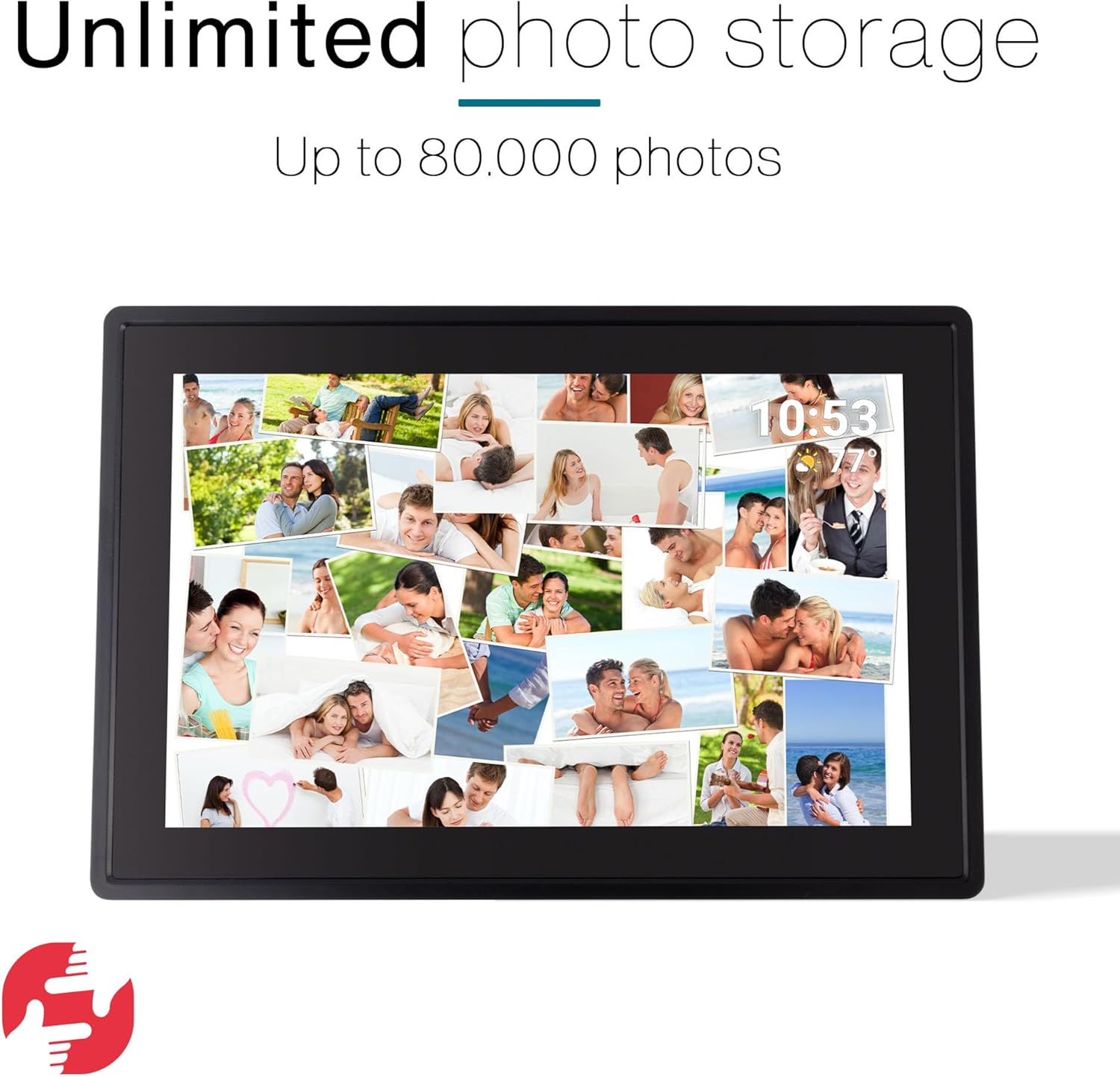
Image 3.2: Unlimited Photo Storage.
The image depicts the digital photo frame filled with a collage of numerous personal photos, emphasizing its large storage capacity for up to 80,000 photos.
4. Nastavení
4.1 Počáteční zapnutí
- Unpack the digital photo frame and all accessories.
- Attach the stand to the back of the frame, or prepare for wall mounting if desired.
- Connect the power adapter to the frame's power port and then plug it into a power outlet.
- Rám se automaticky zapne a zobrazí se úvodní obrazovka nastavení.
4.2 Wi-Fi připojení
- Na úvodní obrazovce nastavení vyberte preferovaný jazyk.
- Follow the on-screen prompts to connect to your Wi-Fi network. Select your network from the list and enter the password.
- Once connected, the frame will synchronize with the current date and time.
4.3 Nastavení aplikace Frameo
- Download the Frameo app from the Google Play Store or Apple App Store on your smartphone or tablet.
- Otevřete aplikaci Frameo a vytvořte si účet.
- On your digital photo frame, locate the unique code (usually found in the settings under 'Add friend' or 'Connect').
- In the Frameo app, enter this code to link your device to the frame.

Image 4.1: Connect with the Frameo App.
This image shows the Tiqvi Digital Photo Frame displaying a scenic landscape. Above the frame, the Google Play and App Store logos are visible, indicating where users can download the Frameo application to connect with the device.
5. Návod k obsluze
5.1 Navigace na dotykové obrazovce
The Tiqvi Digital Photo Frame features a responsive touchscreen for easy navigation:
- Výpad: Přejetím doleva nebo doprava můžete procházet fotografie.
- Klepněte na: Tap on a photo to view it in full screen or access options.
- Přiblížení/zvětšení prsty: Use two fingers to zoom in or out on a photo.
- Nastavení: Access the settings menu by swiping down from the top of the screen or tapping the gear icon.
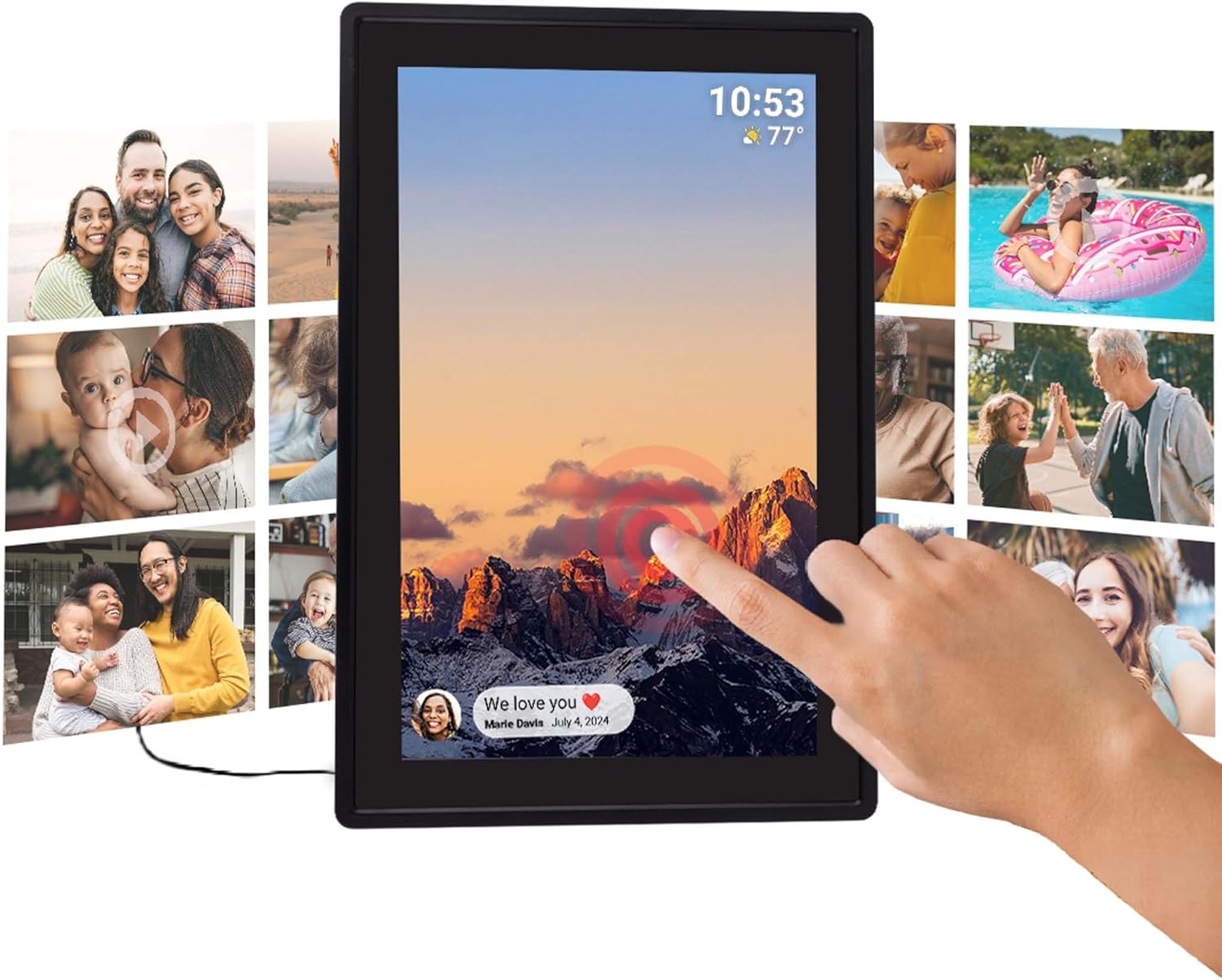
Image 5.1: Touchscreen Interaction.
This image illustrates a hand touching the screen of the Tiqvi Digital Photo Frame, which displays a mountain landscape and a notification bubble at the bottom left, demonstrating the interactive touchscreen functionality.
5.2 Přidávání fotografií a videí
Photos and videos can be added to your frame primarily through the Frameo app. Refer to Section 6 for detailed instructions on using the app.
You can also transfer media via a microSD card (not included). Insert the microSD card into the designated slot on the frame. The frame will prompt you to import photos/videos from the card.
5.3 Automatická rotace
The frame features an auto-rotate function that automatically adjusts the orientation of your photos and videos to match how the frame is positioned (portrait or landscape). This ensures your content is always displayed correctly.

Image 5.2: Auto-Rotate Function.
This image shows two Tiqvi Digital Photo Frames side-by-side, one in landscape orientation and the other in portrait. Both frames display the same mountain sunset image, illustrating the automatic rotation feature that adjusts the display based on the frame's physical orientation.
5.4 Správa nastavení
Access the settings menu to customize various aspects of your frame, including:
- Zobrazit: Upravte jas, režim spánku a interval prezentace.
- Wi-Fi: Change or connect to new Wi-Fi networks.
- Skladování: View využití a správa úložiště files.
- Přátelé: Manage connected Frameo users.
- O: View device information and check for software updates.
6. Frameo App Integration
The Frameo app is the primary method for sending photos and videos to your Tiqvi Digital Photo Frame. It allows you to share moments instantly with connected frames, no matter where you are.
6.1 Odesílání fotografií a videí
- Otevřete aplikaci Frameo na svém chytrém telefonu nebo tabletu.
- Vyberte fotografie nebo videa, která chcete odeslat, z galerie vašeho zařízení.
- Choose the Tiqvi frame (or multiple frames) you want to send the media to.
- Add a caption if desired and tap 'Send'.
- The photos/videos will appear on your digital photo frame shortly, provided it is connected to Wi-Fi.

Image 6.1: Sharing via Frameo App.
This image shows the Tiqvi Digital Photo Frame displaying a family photo. A smartphone next to it shows the Frameo app interface, demonstrating the process of selecting and sharing photos to the frame.
6.2 Connecting with Friends and Family
The Frameo app allows you to connect with up to 500 users, enabling multiple people to send photos to your frame. Each user needs to download the Frameo app and use the unique code from your frame to establish a connection.

Image 6.2: Connect with Anyone.
This image illustrates the global sharing capability of the Frameo app. The digital photo frame displays a selfie, while a smartphone shows a person sending a photo from America to a frame located in the Netherlands, highlighting the ability to share photos and videos with anyone, anywhere.
7. Údržba
7.1 Čištění obrazovky
Dotykovou obrazovku jemně otřete měkkým hadříkem, který nepouští vlákna. V případě odolných šmouh ji lehce otřeteampen the cloth with water or a screen-cleaning solution. Avoid using harsh chemicals or abrasive materials, as these can damage the screen.
7.2 Obecná péče
- Keep the frame away from direct sunlight, extreme temperatures, and high humidity.
- Avoid dropping the frame or subjecting it to strong impacts.
- Ensure proper ventilation around the frame to prevent overheating.
- Nepokoušejte se zařízení rozebírat ani opravovat sami. V případě problémů kontaktujte zákaznickou podporu.
8. Řešení problémů
If you encounter any issues with your Tiqvi Digital Photo Frame, please refer to the following common solutions:
| Problém | Možné řešení |
|---|---|
| Rám se nezapne. | Ujistěte se, že je napájecí adaptér bezpečně připojen k rámu i k funkční zásuvce. Zkuste jinou zásuvku. |
| Nelze se připojit k Wi-Fi. | Check if your Wi-Fi router is on and working. Re-enter the Wi-Fi password carefully. Move the frame closer to the router. Restart the frame and your router. |
| Fotografie se na rámečku nezobrazují. | Verify the frame is connected to Wi-Fi. Ensure the Frameo app is linked correctly and photos were sent successfully. Check the frame's storage capacity. |
| Dotyková obrazovka nereaguje. | Restartujte rámeček odpojením a opětovným zapojením napájecího adaptéru. Ujistěte se, že je obrazovka čistá a bez nečistot. |
| Frame is slow or freezing. | Restart the frame. Clear some storage space if it's nearly full. Check for and install any available software updates. |
9. Specifikace
| Funkce | Detail |
|---|---|
| Číslo modelu | TVH10006 |
| Značka | Tiqvi |
| Velikost obrazovky | 10 palců |
| Typ zobrazení | IPS dotykový displej |
| Konektivita | Wi-Fi |
| Vnitřní paměť | 32 GB (rozšiřitelné pomocí microSD karty) |
| Zdroj napájení | Elektrický |
| Rozměry produktu | 35 x 20 x 2.51 cm |
| Hmotnost produktu | 7.1 g |
| Země původu | Čína |
10. Záruka a podpora
For warranty information, please refer to the documentation provided at the time of purchase or contact your retailer. Tiqvi is committed to providing quality products and customer satisfaction.
If you require technical assistance or have questions not covered in this manual, please contact Tiqvi customer support through the contact information provided on the official Tiqvi webweb nebo vaše nákupní platforma.
Software updates are provided as available; please check the frame's settings for the latest updates to ensure optimal performance and features.


