1. Úvod
The Autel MaxiDiag MD909 Pro is a 2025 wireless all-system diagnostic tool designed for comprehensive vehicle analysis and maintenance. This device combines advanced diagnostic capabilities with essential service functions, offering extensive vehicle coverage for US, Asian, and European models from 1996 onwards. It features a user-friendly Android-based touchscreen interface and supports modern communication protocols like CAN FD and DoIP.
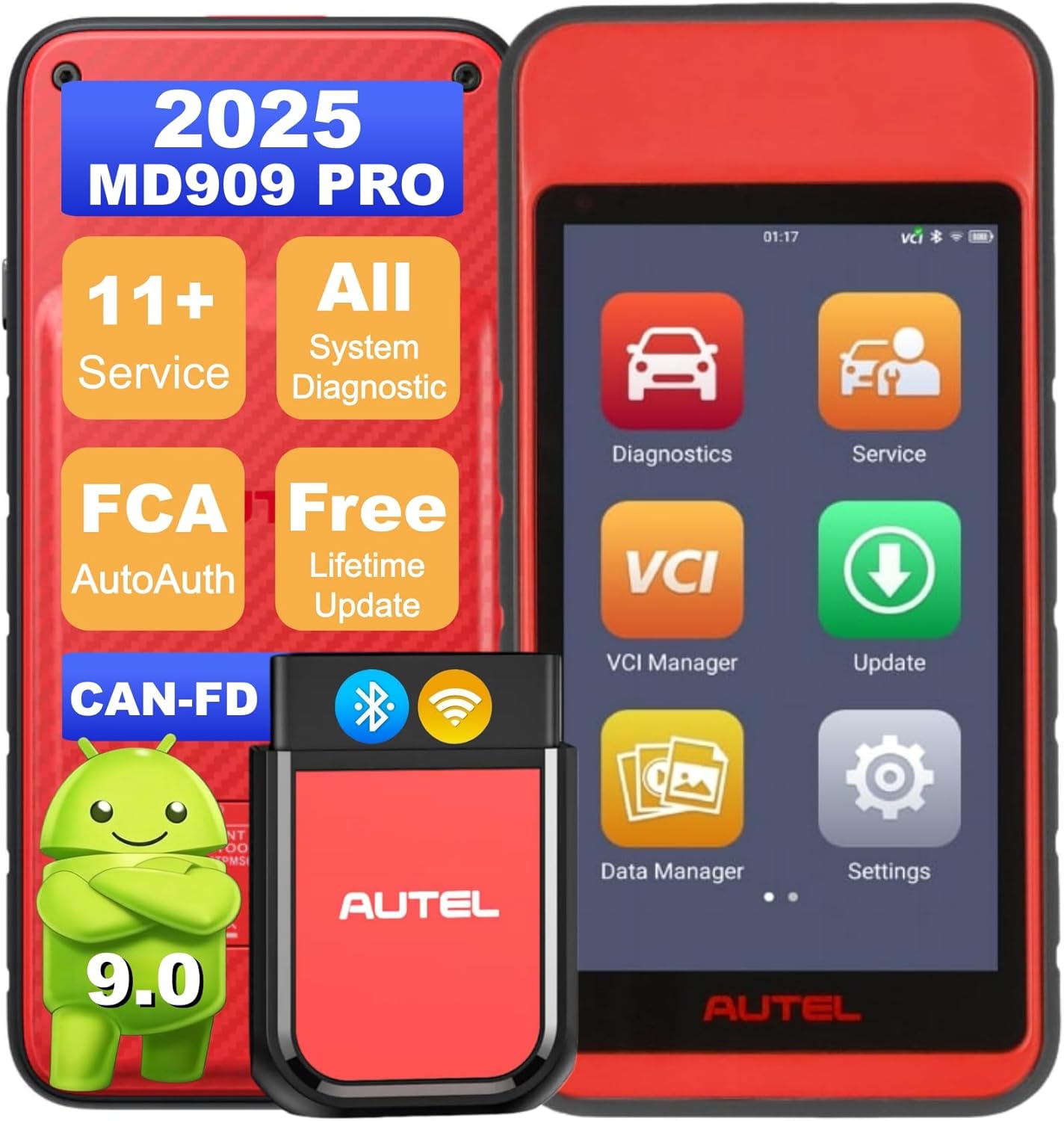
Image 1.1: Autel MaxiDiag MD909 Pro main unit and VCI module.
2. Konec produktuview a klíčové vlastnosti
The MD909 Pro is engineered to provide professional-grade diagnostics and service functions in a portable, wireless format. Its robust hardware and intuitive software make it suitable for both DIY enthusiasts and professional repair shops.
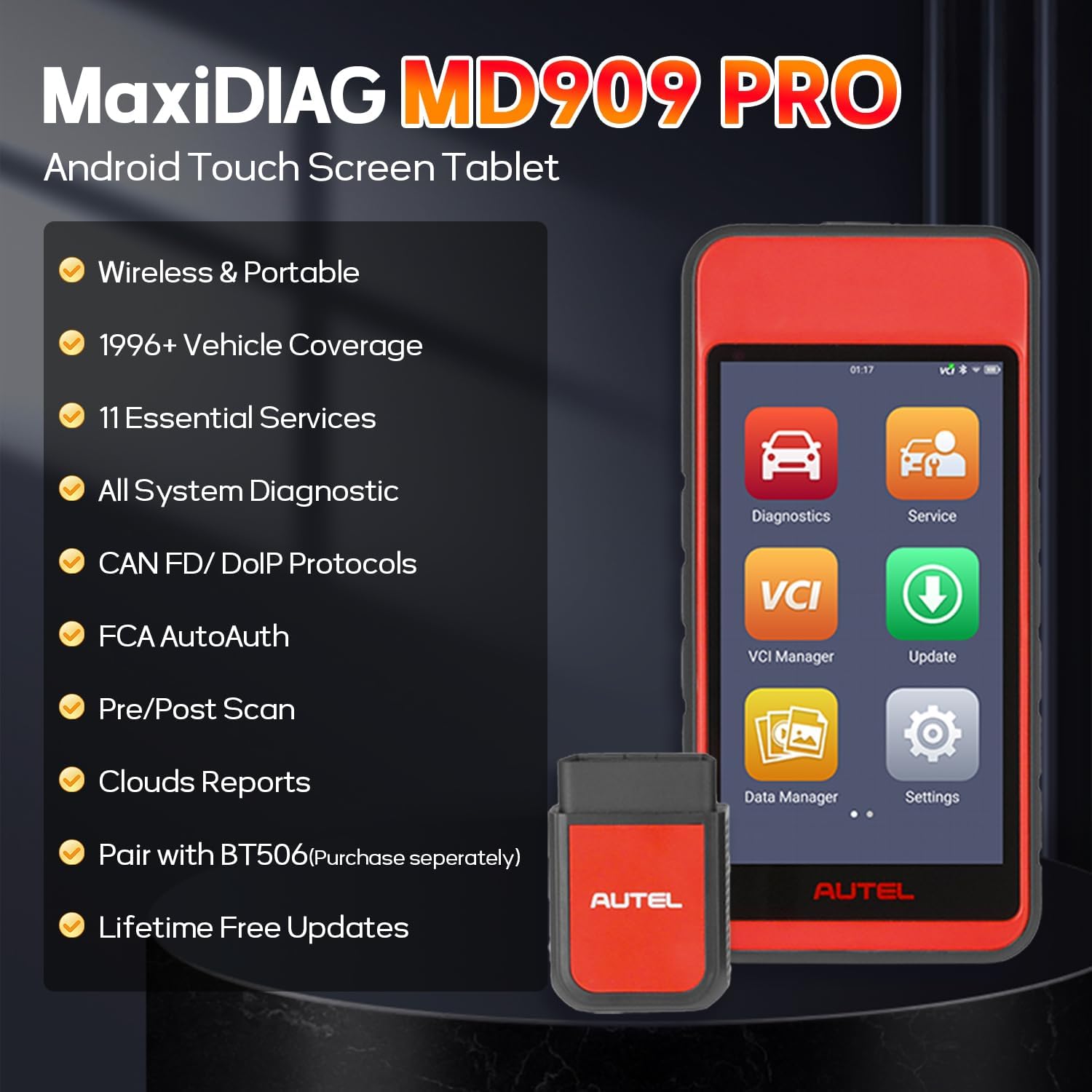
Obrázek 2.1: Konecview of Autel MaxiDiag MD909 Pro features.
2.1. Core Diagnostic Capabilities
- Veškerá diagnostika systému: Scans all available vehicle systems and subsystems including Engine, ABS, SRS, EPB, PCM, ECM, EPS, PDM, etc.
- Čtení/mazání kódů DTC: Retrieves and clears Diagnostic Trouble Codes.
- Živá data: Views real-time data streams such as transmission temperature, cylinder balance, and engine speed.
- Data zmrazeného snímku: Captures a snapshot of sensor values when a fault occurs.
- Informace o ECU: Retrieves Electronic Control Unit information.
- 10 Modes OBD2 Functions: Performs all 10 modes of OBD2 tests for emission conditions, including O2 monitor test and on-board monitor test.

Image 2.2: All-Systems Diagnostic capabilities.
2.2. Essential Service Functions
The MD909 Pro supports over 11 common maintenance functions to streamline routine repairs.
- Reset oleje: Resetuje systém životnosti motorového oleje.
- Resetování EPB: Resetuje elektronickou parkovací brzdu.
- Reset SAS: Resetuje snímač úhlu řízení.
- Opětovné naučení TPMS: Relearns Tire Pressure Monitoring System sensors.
- Brake Bleed: Performs ABS brake bleeding.
- Regenerace DPF: Manages Diesel Particulate Filter regeneration.
- Registrace baterie: Registers new batteries.
- Přeučení škrticí klapky: Relearns throttle body settings.
- Air Fuel Ratio Reset: Adjusts air/fuel ratio settings.
- Kódování vstřikovačů: Kóduje nová čísla vstřikovačů.
- Vedoucíamp Nastavení: Adjusts headlamp pozice.
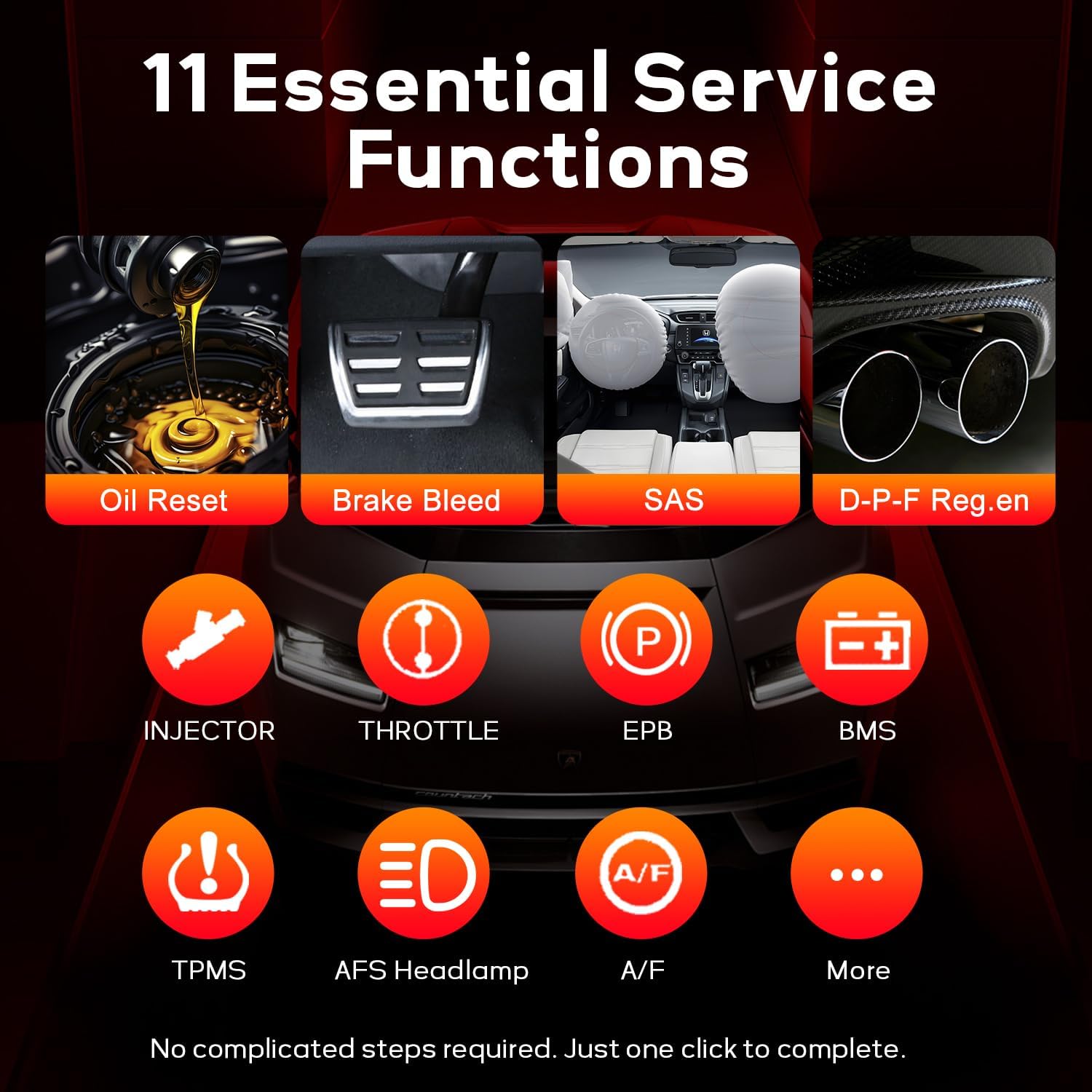
Image 2.3: 11 Essential Service Functions.
2.3. Advanced Connectivity and Protocols
- CAN FD & DoIP Support: Compatible with newer vehicle models using advanced communication protocols.
- Automatické ověřování FCA: Allows access to security gateways on select Dodge, Chrysler, Jeep, RAM, Alfa Romeo, Fiat, Maserati, and Nissan vehicles (AutoAuth account required).
- Bluetooth VCI: Wireless connectivity for flexible operation.

Image 2.4: CAN FD/DoIP Support & Security Gateway Access.
2.4. Reporting and Data Management
- Pre/Post-Scan Reporting: Generates reports before and after repairs for comparison.
- Cloud Management Storage: Stores diagnostic reports in the cloud for easy access and retrieval.
- Sdílení hlášení: Share reports via email or SMS.
- Bezdrátový tisk: Supports wireless printing of diagnostic reports.

Image 2.5: Pre/Post-Scan Reporting & Cloud Sharing.
2.5. Hardwarové specifikace
- Zobrazit: 5.5palcová dotyková obrazovka.
- Skladování: 64 GB.
- Baterie: 5000mAh for up to 8 hours of continuous use.
- Operační systém: Android 9.0.
3. Nastavení
Follow these steps for initial setup of your Autel MaxiDiag MD909 Pro:
- Nabijte zařízení: Connect the main unit to the power adapter using the USB Type-C cable and charge it fully before first use.
- Zapnutí: Stisknutím a podržením tlačítka napájení zapněte zařízení.
- Připojení VCI: Plug the MaxiVCI 150 Lite into the vehicle's OBD2 port. Ensure the vehicle's ignition is in the ON position.
- Pair VCI: The main unit will automatically attempt to pair with the VCI via Bluetooth. Follow any on-screen prompts to confirm the connection.
- Internetové připojení: Connect the MD909 Pro to a Wi-Fi network to enable software updates and cloud services.
4. Návod k obsluze
The MD909 Pro features an intuitive Android interface. Navigate through the main menu to access various functions.
4.1. Diagnostika
To perform vehicle diagnostics:
- From the home screen, tap on the 'Diagnostics' icon.
- Select the vehicle manufacturer from the list.
- Choose 'Auto Scan' to automatically identify the vehicle and scan all systems, or select specific systems for diagnosis.
- Review the displayed DTCs, live data, or freeze frame information.
- Use the 'Clear Codes' function to erase DTCs after repairs are completed.
Video 4.1: Autel MD909 Pro Full System Diagnostic Tool Overview. This video demonstrates the device's diagnostic capabilities, including vehicle selection, auto-scanning, and viewživá data.
4.2. Servisní funkce
To access maintenance and service functions:
- From the home screen, tap on the 'Service' icon.
- Select the desired service function (e.g., Oil Reset, EPB Reset).
- Follow the on-screen instructions to perform the specific service task.
Video 4.2: Autel MaxiDiag MD909 Pro Menu Function Introduction. This video provides a walkthrough of the device's menu, including how to access and utilize various service functions.
4.3. Battery Testing (with BT506, sold separately)
The MD909 Pro can be paired with the Autel BT506 Battery Tester for comprehensive battery and charging system analysis.
- Ensure the BT506 is connected to the vehicle's battery terminals.
- On the MD909 Pro, navigate to the 'Battery Test' function.
- Select 'In-Vehicle Test' or 'Out-of-Vehicle Test' as appropriate.
- Follow the on-screen instructions to perform the battery health (SOH) analysis, voltage detection, and adaptive conductance test.

Image 4.3: Expandable Battery Testing with BT506.
5. Údržba
To ensure the longevity and optimal performance of your Autel MaxiDiag MD909 Pro:
- Udržujte v čistotě: Regularly wipe the touchscreen and device body with a soft, damp tkanina. Vyhněte se agresivním chemikáliím.
- Aktualizace softwaru: Connect the device to Wi-Fi regularly and perform available software updates to ensure compatibility with new vehicle models and features.
- Skladování: Přístroj skladujte na chladném a suchém místě, mimo dosah přímého slunečního záření a extrémních teplot.
- Péče o baterie: Vyhněte se častému úplnému vybíjení baterie. Zařízení pravidelně nabíjejte, i když jej nepoužíváte, aby se baterie udržela v dobrém stavu.
6. Řešení problémů
If you encounter issues with your MD909 Pro, consider the following common solutions:
- Zařízení se nezapíná: Ujistěte se, že je baterie nabitá. Připojte napájecí adaptér a zkuste to znovu.
- VCI se nepřipojuje: Verify the VCI is securely plugged into the vehicle's OBD2 port and the vehicle's ignition is ON. Check Bluetooth settings on the main unit to ensure the VCI is paired.
- Žádná komunikace s vozidlem: Confirm the vehicle is OBD2 compliant (1996 or newer for US, Asian, European models). Check the vehicle's battery voltage. Ensure the VCI is properly connected and the device software is up to date.
- Problémy s aktualizací softwaru: Ensure a stable Wi-Fi connection. If an update fails, try restarting the device and attempting the update again.
- Dotyková obrazovka nereaguje: Restart the device. If the issue persists, contact Autel support.
7. Specifikace
| Funkce | Detail |
|---|---|
| Výrobce | Autel |
| Model | Autel MaxiDiag MD909 PRO |
| Hmotnost položky | 2 libry |
| Rozměry balení | 12.99 x 9.84 x 3.9 palce |
| Operační systém | Android 9.0 |
| Konektivita | BT-enabled VCI 150-Lite (Bluetooth) |
| Baterie | 5000 XNUMX mAh |
| Skladování | 64 GB |
| Obrazovka | 5.5palcový dotykový displej |
| Automotive Fit Type | Univerzální střih |
| UPC | 792499190989 |
8. Co je v krabici
The Autel MaxiDiag MD909 Pro package includes the following items:
- Main Unit (Autel MaxiDiag MD909 PRO)
- MaxiVCI 150 Lite
- Kabel USB typu C
- Napájecí adaptér
- Stručná referenční příručka
- Balící krabice

Image 8.1: Contents of the Autel MaxiDiag MD909 Pro package.
9. Záruka a podpora
The Autel MaxiDiag MD909 Pro comes with lifetime free software updates, ensuring your tool remains current with the latest automotive technologies and vehicle models.
For detailed warranty information, technical support, or service inquiries, please refer to the official Autel website or contact Autel customer service directly. Keep your purchase receipt for warranty claims.


