1. Úvod
This manual provides comprehensive instructions for the installation, operation, and maintenance of your Eonon GMX7 Android 14 Car Stereo. Please read this manual thoroughly before using the product to ensure proper function and to maximize your user experience. Keep this manual for future reference.

Image 1.1: Eonon GMX7 Car Stereo displaying the Apple CarPlay interface.
2. Kompatibilita produktů
The Eonon GMX7 car stereo is designed for specific Chevrolet, GMC, and Buick models. Ensure your vehicle is listed below for proper fitment and functionality.
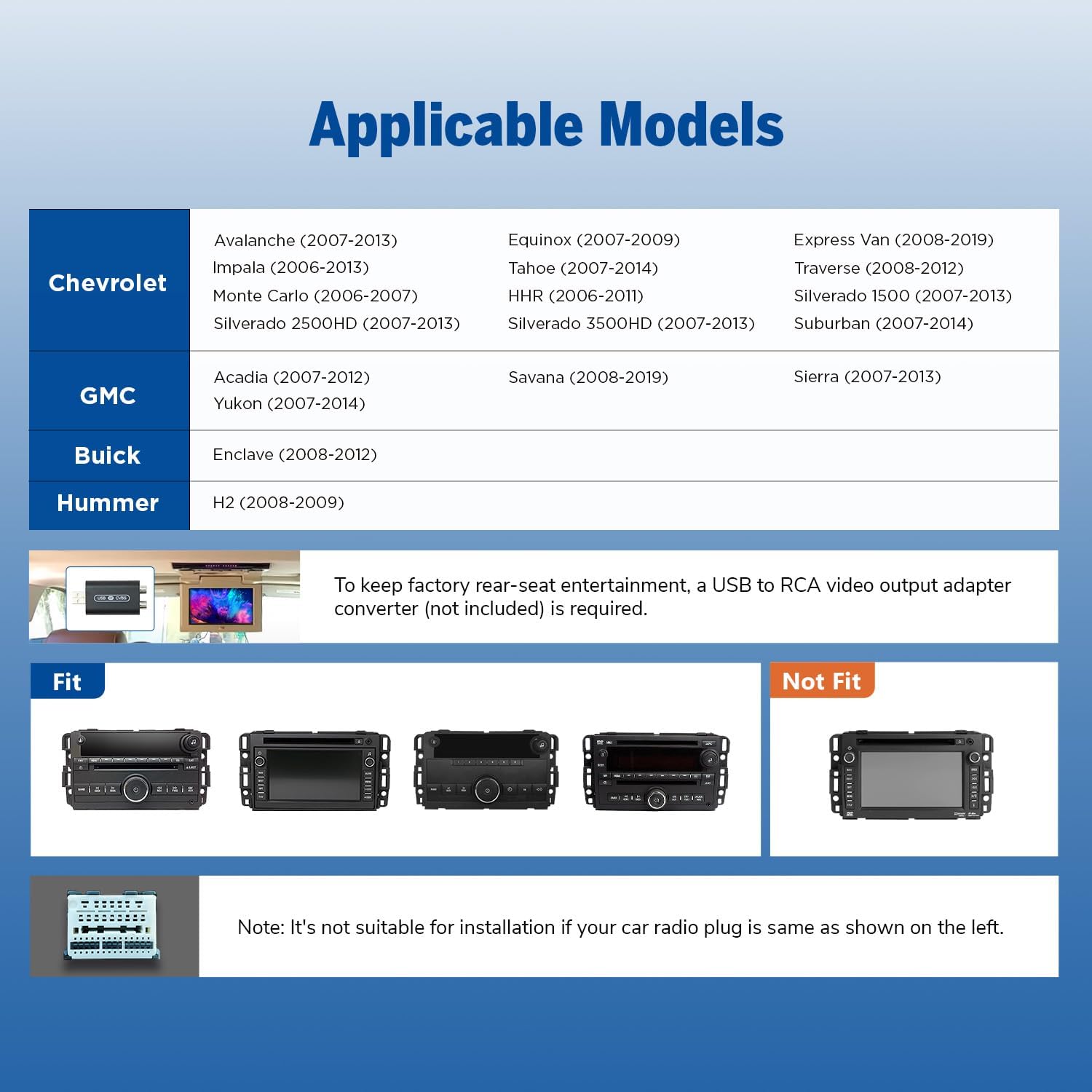
Image 2.1: Applicable vehicle models and years for the Eonon GMX7.
2.1 Kompatibilní modely
- Chevrolet: Silverado/Avalanche (2007-2013), Tahoe (2007-2014), Impala (2006-2013), Traverse (2008-2012), Suburban (2007-2012), Express Van (2008-2019), Equinox (2007-2009), Monte Carlo (2006-2007), HHR (2006-2011), Silverado 1500 (2007-2013), Silverado 2500HD (2007-2013), Silverado 3500HD (2007-2013).
- GMC: Sierra (2007-2013), Yukon (2007-2014), Acadia (2007-2012), Savana (2008-2019).
- Buick: Enclave (2008-2012).
- Hummer: H2 (2008-2009).
Poznámka: To retain the factory rear-seat entertainment system, a USB to RCA video output adapter converter (not included) may be required. Please verify your vehicle's original radio plug type. If your car radio plug matches the 'Not Fit' example shown in Image 2.2, this unit is not suitable for installation.

Obrázek 2.2: Příkladamples of compatible and incompatible car radio plug types.
3. Co je v krabici
Verify that all components listed below are included in your package before beginning installation.

Image 3.1: Contents of the Eonon GMX7 package.
- Eonon GMX7 Head Unit
- A0125 Reversing Camera
- Napájecí kabel
- GPS anténa
- Adaptérový kabel USB (x2)
- Kabel audio/video adaptéru (x2)
- Reverse Video Input Cable
- Pojistka 15A
- Externí mikrofon
- CANBUS Decoder
- Uživatelská příručka
- Double-sided Adhesive Sticker
- Adaptér rádiové antény
- Reproduktor
4. Nastavení a instalace
The Eonon GMX7 is designed for plug-and-play installation, retaining many original vehicle features. Professional installation is recommended if you are unfamiliar with car audio systems.
4.1 Schéma zapojení
Refer to the wiring diagram below for correct connections. Ensure all cables are properly connected to avoid issues with steering wheel controls or the backup camera.

Image 4.1: Eonon GMX7 Wiring Diagram with numbered connections.
4.2 Retained OEM Features
The CANBUS system ensures compatibility with your vehicle's original functions:
- Steering Wheel Controls (SWC)
- Bose Audio System
- OnStar
- Informační displej dveří
- Factory Reverse Camera Support

Image 4.2: Visual representation of retained factory features.
4.3 Rozměry
Ensure the dimensions of the head unit are suitable for your vehicle's dashboard opening.

Image 4.3: Eonon GMX7 unit dimensions.
5. Návod k obsluze
5.1 Uživatelské rozhraní a displej
The GMX7 features an 8-inch IPS display with 1280x720 resolution, offering a 178° viewing angle and precise capacitive touch response.
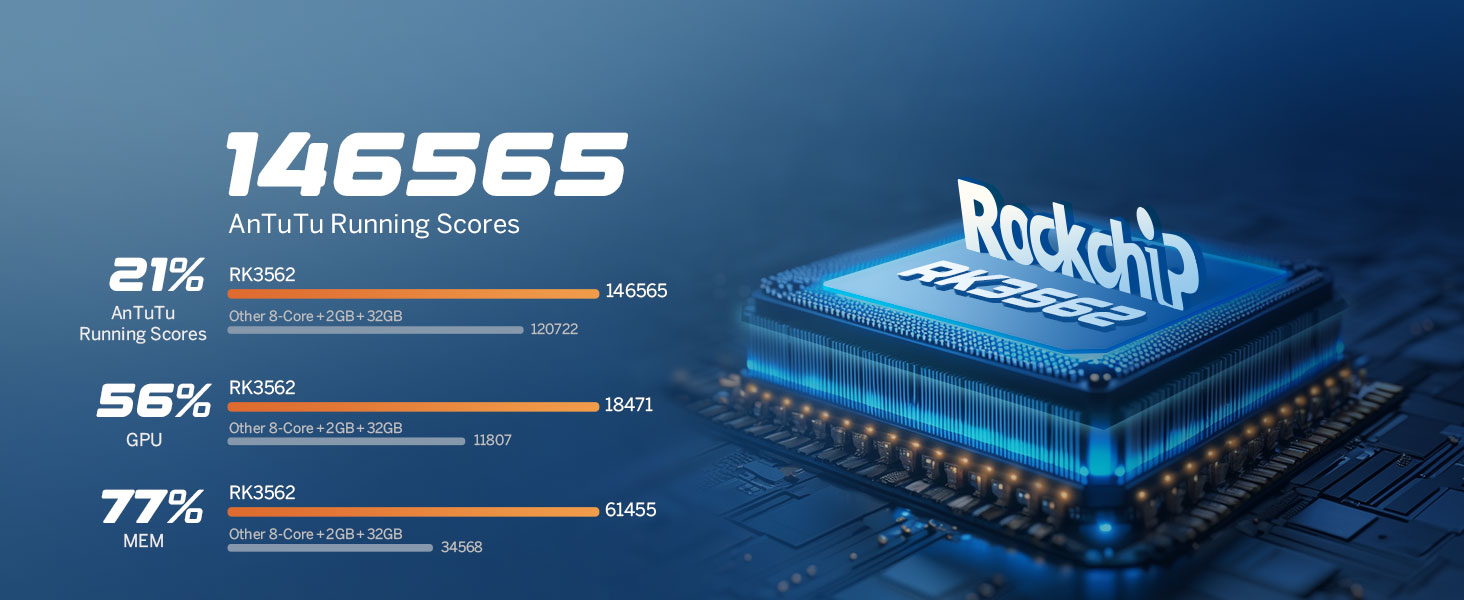
Image 5.1: Display features of the Eonon GMX7.
Systém 5.2 Android 14
The unit operates on the Android 14 system, providing access to various applications and features. Firmware updates are available online without requiring a USB stick.

Image 5.2: Android 14 interface and system performance details.
5.3 Bezdrátové CarPlay a Android Auto
Connect your smartphone wirelessly for Apple CarPlay or Android Auto functionality. Use voice commands for navigation, calls, messages, and music.

Obrázek 5.3: Bezdrátové CarPlay a Android Auto v provozu.
5.3.1 Bezdrátové připojení Apple CarPlay
- Klikněte na aplikaci Zlink5 na autorádiu.
- Zapněte na iPhonu Wi-Fi a Bluetooth.
- Find 'EONON' in your phone's Bluetooth device list and enter '0000' to pair.
- Once connected, tap 'Use CarPlay'.
- Počkejte několik sekund, než se připojení dokončí.

Obrázek 5.4: Postup bezdrátového připojení Apple CarPlay.
5.3.2 Bezdrátové připojení k systému Android Auto
- Klikněte na aplikaci Zlink5 na autorádiu.
- Zapněte Wi-Fi a Bluetooth na svém telefonu s Androidem.
- Find 'EONON' in your phone's Bluetooth device list, enter '0000' to pair, and click 'OK'.
- Počkejte několik sekund, než se připojení dokončí.

Obrázek 5.5: Postup bezdrátového připojení k systému Android Auto.
5.4 Připojení Bluetooth
The built-in Bluetooth 5.4 system supports hands-free calls, contact synchronization, and music playback. An external microphone is included for clear call quality.
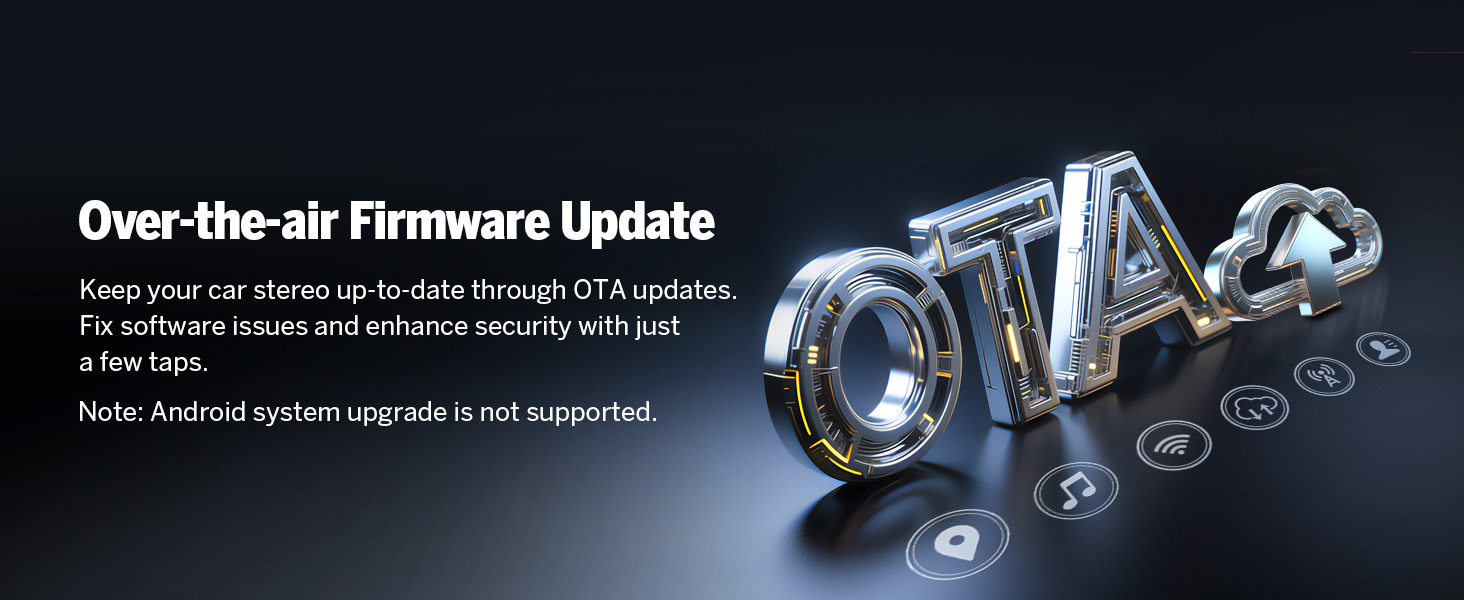
Image 5.6: Bluetooth features and benefits.
5.5 Provoz rádia
The unit includes a high-quality FM/AM radio with RDS support, powered by a Silicon Labs SI4755 radio module.

Image 5.7: FM Radio interface.
5.6 Zrcadlení obrazovky
Mirror your smartphone's screen onto the car stereo display.
5.6.1 Screen Mirroring for iOS
- Klikněte na autorádiu na aplikaci Zlink5. Nastavte autorádio do režimu bezdrátového zrcadlení obrazovky iPhonu.
- Zapněte hotspot iPhonu a připojte se k autorádiu.
- Zapněte funkci zrcadlení obrazovky iPhonu a vyberte „zj-airplay“.

Image 5.8: iOS Screen Mirroring connection steps.
5.6.2 Screen Mirroring for Android
- Klikněte na autorádiu s aplikací Zlink5. Nastavte autorádio do režimu bezdrátového zrcadlení obrazovky systému Android.
- Turn on your phone's Bluetooth. Find 'EONON' in your phone's Bluetooth device list, enter '0000' to pair.
- Zapněte hotspot telefonu a připojte se k autorádiu.
- Nainstalujte si do telefonu aplikaci Zplus. Zapněte aplikaci a vyberte „bezdrátové připojení“.

Image 5.9: Android Screen Mirroring connection steps.
5.7 Digitální zvukový procesor (DSP)
The built-in DSP allows for precise audio adjustments, including a 36-band equalizer and 4x45W output, to optimize sound quality within your vehicle.

Image 5.10: Built-in DSP features.
5.8 Navigace
The unit supports online and offline maps, offering a full-view navigation mode. Compatible with popular navigation apps like Google Maps, Apple Maps, Waze, and Sygic.

Image 5.11: Navigation interface with various map options.
NIKDY Přizpůsobení
Personalize your stereo's appearance by changing the boot logo, button colors, and wallpaper.

Obrázek 5.12: Možnosti přizpůsobení uživatelského rozhraní.
5.10 Další funkce
- Rychlé spuštění: 1-second quick boot-up.
- USB porty: Three USB ports for flash drive use.
- Wi-Fi: 5GHz Wi-Fi connectivity.
- RCA výstup: For external audio/video connections.
- Vstup pro couvací kameru: Supports HD 720P/1080P backup cameras. The A0125 reversing camera is included.
- Front Camera Input: For optional front camera connectivity (camera not included).
- OBD Scanner Connectivity: Supports OBD2 scanners for vehicle fault diagnosis and real-time status (scanner not included).

Image 5.13: Included A0125 Backup Camera features.

Image 5.14: OBD2 Scanner connectivity for vehicle diagnostics.
6. Údržba
To ensure the longevity and optimal performance of your Eonon GMX7 car stereo, follow these maintenance guidelines:
- Čištění: K čištění obrazovky a vnějšího povrchu používejte měkký, suchý hadřík. Nepoužívejte abrazivní čisticí prostředky ani rozpouštědla.
- Aktualizace softwaru: Regularly check for and install online firmware updates provided by Eonon to ensure the system is running the latest software and security patches. Note that Android system upgrades are not supported via OTA.
- Podmínky prostředí: Nevystavujte jednotku extrémním teplotám, delšímu přímému slunečnímu záření nebo nadměrné vlhkosti.
- Připojení kabelů: Pravidelně kontrolujte všechna kabelová připojení, abyste se ujistili, že jsou bezpečná a nepoškozená.

Image 6.1: Over-the-air firmware update process.
7. Řešení problémů
If you encounter issues with your Eonon GMX7, refer to the following common troubleshooting steps:
- Bez napájení: Check all power connections and the 15A fuse. Ensure the vehicle's ignition is on.
- Žádný zvuk: Verify speaker connections, volume levels, and audio output settings. Check if the mute function is active.
- Dotyková obrazovka nereaguje: Perform a soft reset by pressing the RST button (if available) or power cycle the unit.
- CarPlay/Android Auto se nepřipojuje: Ensure Wi-Fi and Bluetooth are enabled on your phone and the stereo. Re-pair the devices. Check the Zlink5 app settings.
- Ovládání na volantu nefunguje: Confirm the CANBUS decoder is correctly installed and connected.
- Nezobrazuje se couvací kamera: Check the reverse video input cable connection. Ensure the camera is powered and functioning.
- Problémy se signálem GPS: Ujistěte se, že je GPS anténa správně nainstalována a má volný view z nebe.
If problems persist after attempting these steps, contact Eonon customer support for further assistance.
8. Specifikace
| Funkce | Specifikace |
|---|---|
| Název modelu | GMX7 |
| Operační systém | Android 14 |
| Velikost displeje | 8 palce |
| Rozlišení obrazovky | 1280x720 IPS |
| Procesor | Rockchip (8-core) |
| BERAN | 3 GB |
| Interní úložiště | 32 GB |
| CarPlay / Android Auto | Bezdrátové/Drátové |
| Verze Bluetooth | 5.4 |
| Wi-Fi | 5 GHz |
| Zvukový výstupní výkon | 4x45W |
| Ekvalizér | 36-band (DSP) |
| USB porty | 3 |
| Vstup pro záložní kameru | HD 720P/1080P |
| Hmotnost položky | 4.4 libry |
| Rozměry balení | 11.34 x 6.93 x 6.46 palce |
9. Informace o záruce
The Eonon GMX7 car stereo comes with a 2-letá záruka. For warranty claims or service, please retain your proof of purchase and contact Eonon customer support.
10. Podpora
For additional support, technical assistance, or inquiries, please visit the official Eonon website or contact their customer service department. Refer to the contact information provided with your product packaging or on the Eonon brand store page.


