1. Úvod
This manual provides comprehensive instructions for the Jennov 5MP Wireless Security Camera System P48 Add-On Camera. This camera is designed for both outdoor and indoor surveillance, offering 5MP ultra-HD resolution, night vision, motion detection, and IP66 weatherproofing. It operates as an add-on unit for the Jennov P48 System (ASIN: B0FC22WYKN) and requires a dedicated outlet power source for continuous operation. Please read this manual thoroughly before installation and use to ensure optimal performance and safety.
2. Co je v krabici
Pečlivě vybalte krabici a ujistěte se, že jsou všechny položky přítomny a v dobrém stavu. Pokud některé položky chybí nebo jsou poškozeny, kontaktujte zákaznickou podporu.
- 1 x Security Camera Outdoor Wireless
- 1 x napájecí adaptér pro kameru
- Sada montážních šroubů
- Uživatelská příručka
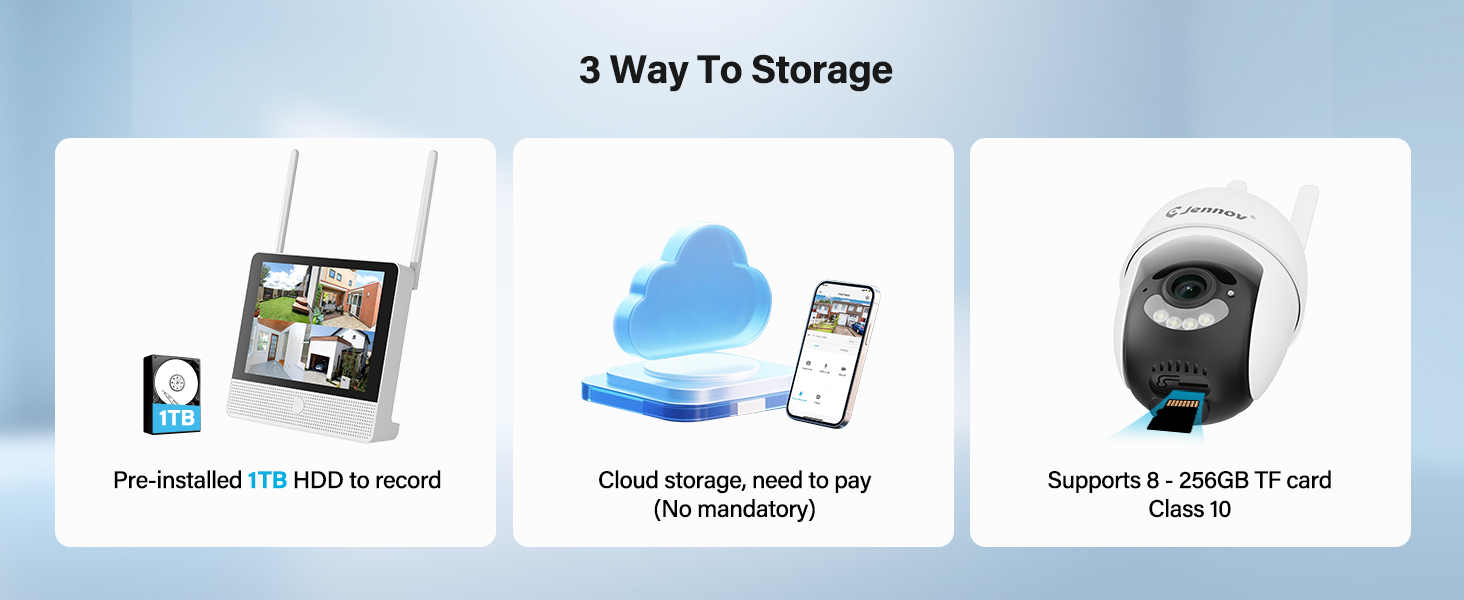
Figure 2.1: Included Components (Note: This product is an add-on camera, not the full system shown.)
3. Konec produktuview
The Jennov P48 Add-On Camera is a high-performance wireless security camera designed to expand your existing Jennov P48 NVR system. It features advanced imaging and connectivity for reliable surveillance.
3.1 Klíčové vlastnosti
- Rozlišení 5MP Ultra HD: Poskytuje jasné a detailní videozáznamytage.
- Bezdrátové připojení: Connects to the NVR without complex wiring.
- Plug-and-Play Power: Each camera is powered by an independent outlet adapter for uninterrupted operation.
- Inteligentní detekce: Motion detection with instant alerts and recording.
- Noční vidění: Poskytuje jasné footage in low-light conditions up to 15 meters.
- IP66 Odolnost proti povětrnostním vlivům: Designed to withstand various outdoor weather conditions (-20°C to 60°C).
- Obousměrný zvuk: Umožňuje komunikaci v reálném čase prostřednictvím kamery.
- Funkce otáčení/naklápění: Nabízí rotaci 355° horizontálně a 90° vertikálně pro komplexní pokrytí.
3.2 Součásti kamery

Figure 3.1: Jennov P48 Add-On Camera
- Objektiv fotoaparátu: Zachytí video footage.
- Infračervené LED diody: Zajistěte osvětlení pro noční vidění.
- Spotlight LEDs: Enhance color night vision and act as a deterrent.
- Mikrofon: Zaznamenává zvuk pro obousměrnou komunikaci.
- Reproduktor: Výstup zvuku pro obousměrnou komunikaci.
- Antén: Pro bezdrátový přenos signálu.
- Napájecí port: Připojuje se k napájecímu adaptéru.
- Montážní základna: Pro instalaci na stěnu nebo strop.
4. Pokyny k nastavení
This section guides you through the physical installation and initial connection of your add-on camera to the Jennov P48 NVR system.
4.1 Výběr místa
Vyberte si místo, které poskytuje požadované viewing angle and is within range of your Jennov P48 NVR's wireless signal. Ensure a power outlet is accessible for the camera's power adapter. The camera is IP66 weatherproof, suitable for outdoor use.
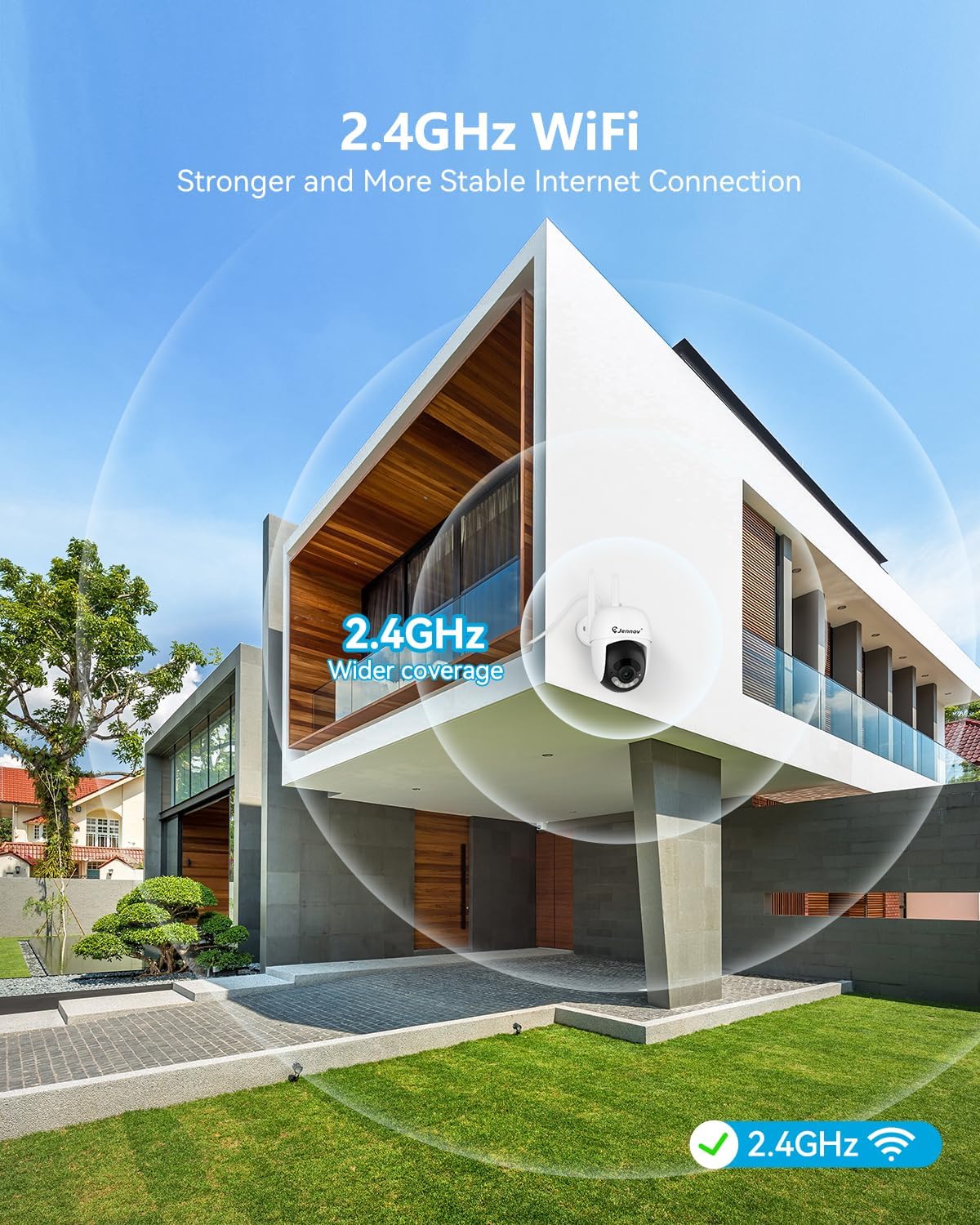
Figure 4.1: Optimal Camera Placement for 2.4GHz WiFi Coverage
4.2 Fyzická instalace
- Označte vrtné body: Use the provided hole sticker or camera base as a template to mark the screw positions on the wall or ceiling.
- Vrtací otvory: Drill pilot holes at the marked positions. Insert wall anchors if installing on masonry or drywall.
- Montáž kamery: Připevněte montážní základnu kamery k povrchu pomocí dodaných šroubů.
- Upravit úhel: Povolte nastavovací šrouby na těle kamery a nastavte požadovanou viewúhel a poté je utažením zajistěte.

Figure 4.2: Installation Options (Ceiling-mounted and Wall-mounted)
4.3 Připojení napájení
Connect the camera's power adapter to the camera's power port, then plug the adapter into a standard electrical outlet. The camera will power on automatically.
4.4 Pairing with NVR (Add-On Camera)
The Jennov P48 Add-On Camera is designed to automatically pair with your existing Jennov P48 NVR system. Once powered on, the camera should establish a wireless connection with the NVR. If the camera does not appear on your NVR monitor:
- Access the NVR's menu and navigate to the 'Camera Management' or 'Channel Setup' section.
- Select an unused channel and initiate the 'Add Camera' or 'Wireless Pairing' function.
- The NVR will search for available cameras. Once detected, select your camera to add it to the system.

Obrázek 4.3: Schéma zapojení systému NVR
5. Návod k obsluze
This section details how to utilize the various features of your Jennov P48 Add-On Camera through the NVR system and the mobile application.
5.1 Živě View a Nahrávání
Once connected to the NVR, you can view the live feed from your camera on the NVR's connected monitor. The system will automatically record footage based on your NVR's settings (e.g., continuous, motion-triggered).
Obrázek 5.1: Živý přenos z více kamer View na NVR
5.2 Detekce pohybu a upozornění
The camera features smart motion detection. When motion is detected, the system can trigger recording, send alerts to your mobile device, and activate the camera's spotlight and siren.
- Nastavení detekčních zón: Through the NVR or mobile app, you can define specific areas within the camera's view for motion detection, minimizing false alarms.
- Alert Configuration: Customize alert types (push notifications, email) and schedules.

Figure 5.2: Customized Detection Areas
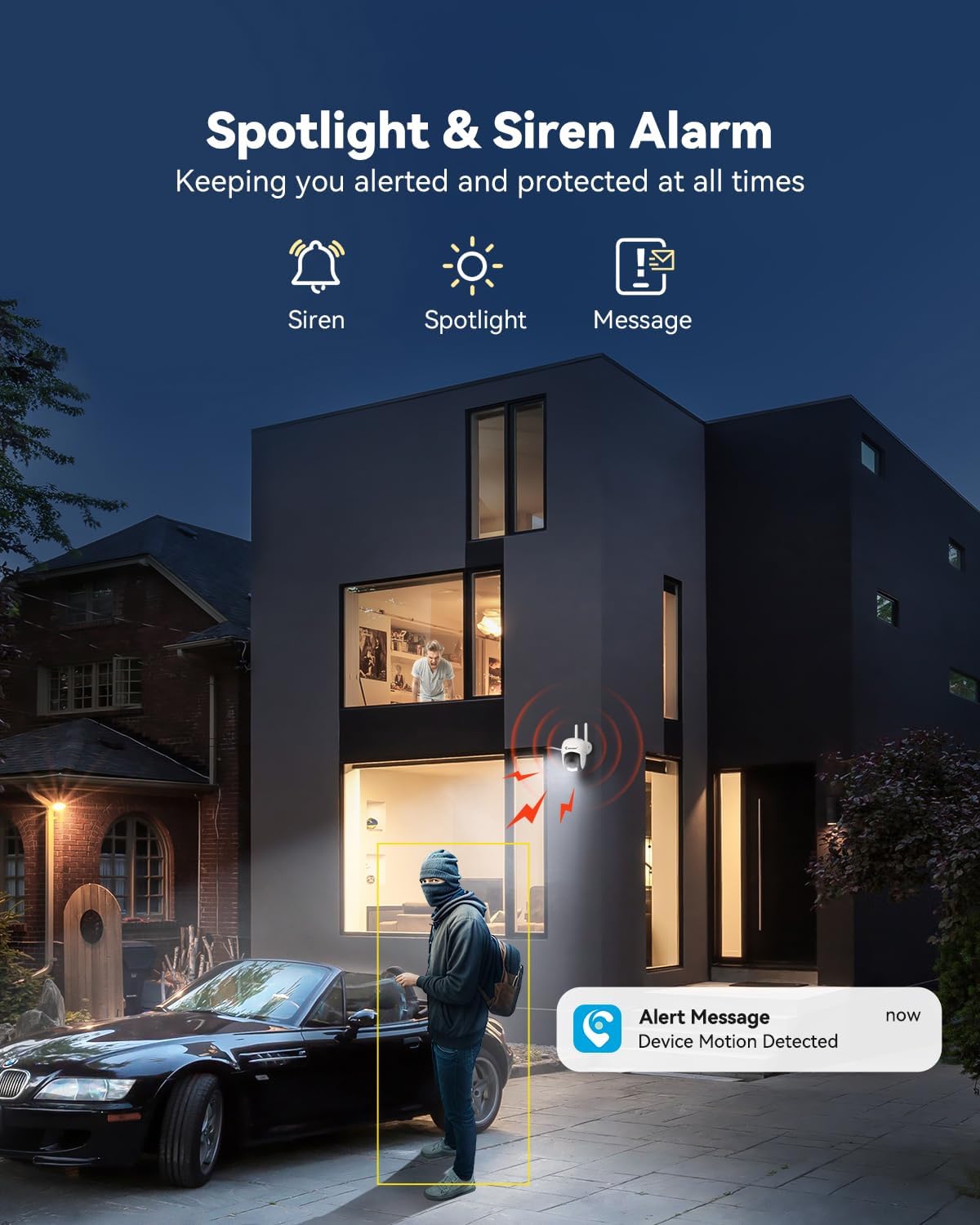
Figure 5.3: Spotlight and Siren Alarm in Action
5.3 Noční vidění
The camera automatically switches to night vision in low-light conditions. It supports both infrared (black and white) and color night vision, enhanced by its built-in spotlights.

Figure 5.4: Color Night Vision vs. IR Night Vision
5.4 Obousměrný zvuk
Utilize the built-in microphone and speaker for real-time two-way communication. This feature is accessible through the NVR interface or the Jennov mobile application.

Figure 5.5: Real-Time Two-Way Audio
5.5 Remote Access (Jennov App)
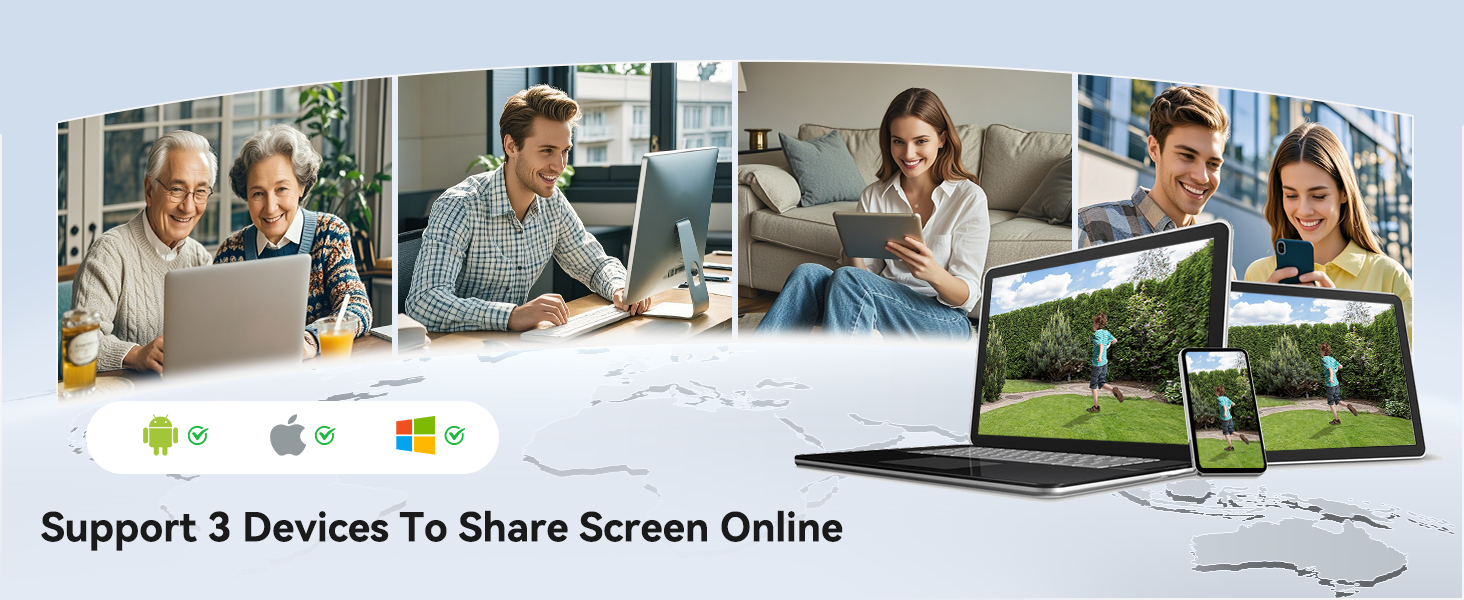
Download the Jennov app on your smartphone or tablet to access live feeds, playback recordings, and manage camera settings remotely. The app supports multiple users and devices for screen sharing.
- Stažení aplikace: Hledat "Jennov" in your device's app store.
- Párování zařízení: Follow the in-app instructions to add your NVR system and connected cameras.

Figure 5.6: Remote Access via Jennov App
5.6 Možnosti úložiště
Your Jennov P48 system offers multiple storage solutions for recorded footage:
- Pre-installed 1TB HDD: The NVR comes with a 1TB hard disk drive for local storage.
- Cloudové úložiště: Optional cloud storage plans are available for off-site backup (subscription may be required).
- TF karta: The camera supports 8-256GB TF cards (Class 10) for local edge recording.
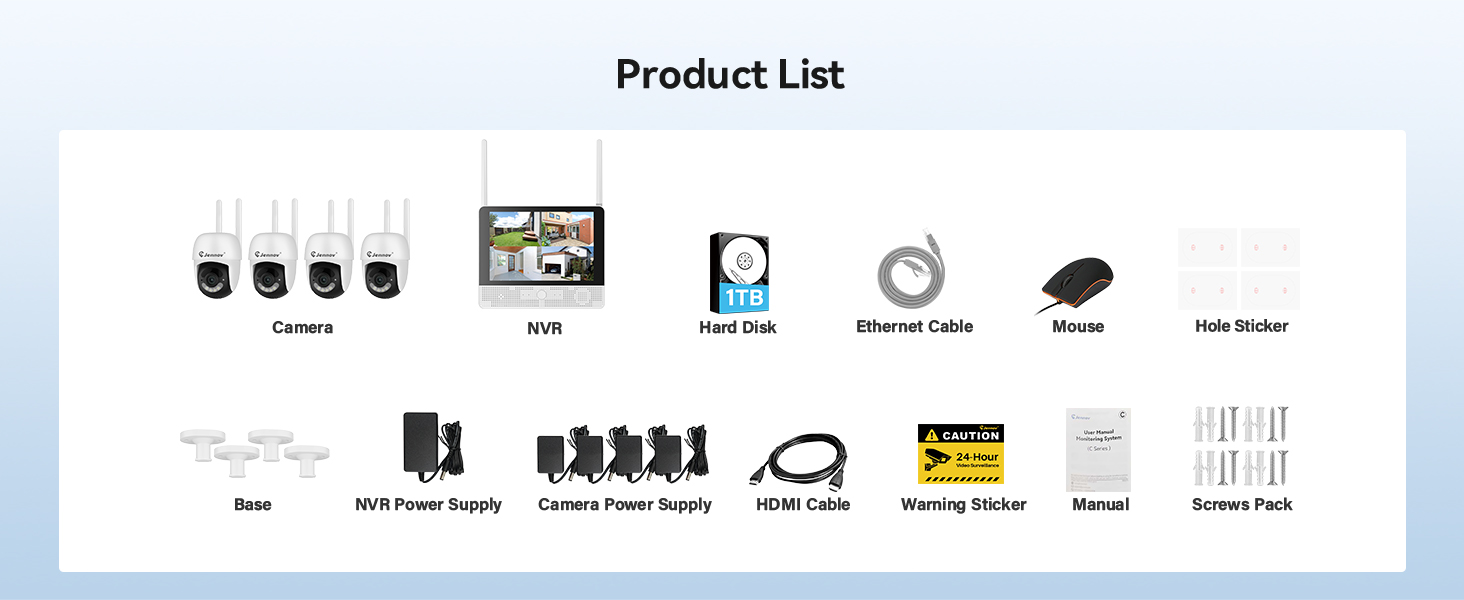
Figure 5.7: Available Storage Options
6. Údržba
Regular maintenance ensures the longevity and optimal performance of your security camera.
- Čištění: Pravidelně čistěte objektiv fotoaparátu měkkým, suchým hadříkem, abyste odstranili prach a šmouhy. Nepoužívejte agresivní chemikálie.
- Aktualizace firmwaru: Check the Jennov website or app for available firmware updates for your NVR and cameras. Keeping firmware updated ensures access to the latest features and security enhancements.
- Kontrola napájení: Ensure the power adapter and cable are free from damage and securely connected.
- Kontrola prostředí: For outdoor cameras, periodically check for obstructions to the camera's view, such as overgrown foliage, and ensure the mounting is secure.
7. Řešení problémů
If you encounter issues with your Jennov P48 Add-On Camera, refer to the following common problems and solutions.
| Problém | Možná příčina | Řešení |
|---|---|---|
| Camera not displaying on NVR | No power; Out of wireless range; Not paired; NVR channel limit reached. | Check power connection; Relocate camera closer to NVR; Manually pair camera via NVR settings; Ensure NVR has available channels (max 8). |
| Špatná kvalita obrazu | Dirty lens; Low light conditions; Poor wireless signal. | Clean the camera lens; Ensure sufficient lighting or check night vision settings; Improve wireless signal by reducing distance or obstructions. |
| Detekce pohybu nefunguje | Detection sensitivity too low; Detection zones not set correctly; Schedule not active. | Adjust motion detection sensitivity; Configure detection zones; Check motion detection schedule. |
| Cannot access camera on mobile app | NVR not connected to internet; App not configured correctly; Incorrect login credentials. | Ensure NVR is connected to your router via Ethernet; Verify app settings and NVR pairing; Double-check login information. |
| Nefunguje obousměrný zvuk | Microphone/speaker blocked; Volume settings too low; App permissions. | Check for obstructions on microphone/speaker; Adjust volume settings on NVR/app; Grant necessary microphone permissions to the app on your mobile device. |
8. Specifikace
| Funkce | Detail |
|---|---|
| Značka | Jennov |
| Číslo modelu | P48HC55-3-FAS |
| Technologie připojení | Bezdrátový |
| Rozlišení záznamu videa | 5MP Ultra-HD |
| Speciální funkce | Easy to Install, Image Sensor, Night Vision, Video Recording, Weatherproof, Two-Way Audio, Motion Detection |
| Barva | Bílý |
| Zdroj napájení | Elektrický kabel |
| Rozměry položky (D x Š x V) | 4.96 x 3.15 x 4.61 palce |
| Hmotnost položky | 15.5 unce |
| Doporučená použití | Venkovní |
| Technologie nízkého osvětlení | Noční barva |
| Odolnost vůči povětrnostním vlivům | IP66 |
| Provozní teplota | -20 °C až 60 °C |
9. Záruka a podpora
Jennov is committed to providing reliable products and responsive customer support. While specific warranty details are not provided in this manual, Jennov products typically come with a manufacturer's warranty covering defects in materials and workmanship.
9.1 Zákaznická podpora
For technical assistance, troubleshooting, or warranty inquiries, please contact Jennov customer support through the following channels:
- Jennov Official Webmísto: Visit the official Jennov webweb s nejčastějšími dotazy, zdroji podpory a kontaktními informacemi.
- E-mailová podpora: Refer to your product packaging or the Jennov webweb s vyhrazenou e-mailovou adresou podpory.
- Online chat: Some regions may offer online chat support via the Jennov webmísto.
Please have your product model number (P48HC55-3-FAS) and purchase information ready when contacting support.


