Uživatelská příručka bezdrátové herní myši DIERYA M1
Model: M1
Zavedení
Thank you for choosing the DIERYA M1 Wireless Gaming Mouse. This manual provides detailed instructions on setting up, operating, maintaining, and troubleshooting your new mouse. The M1 offers flexible tri-mode connectivity, a high-precision optical sensor, customizable RGB lighting, and an ergonomic design for optimal performance in both gaming and professional environments.
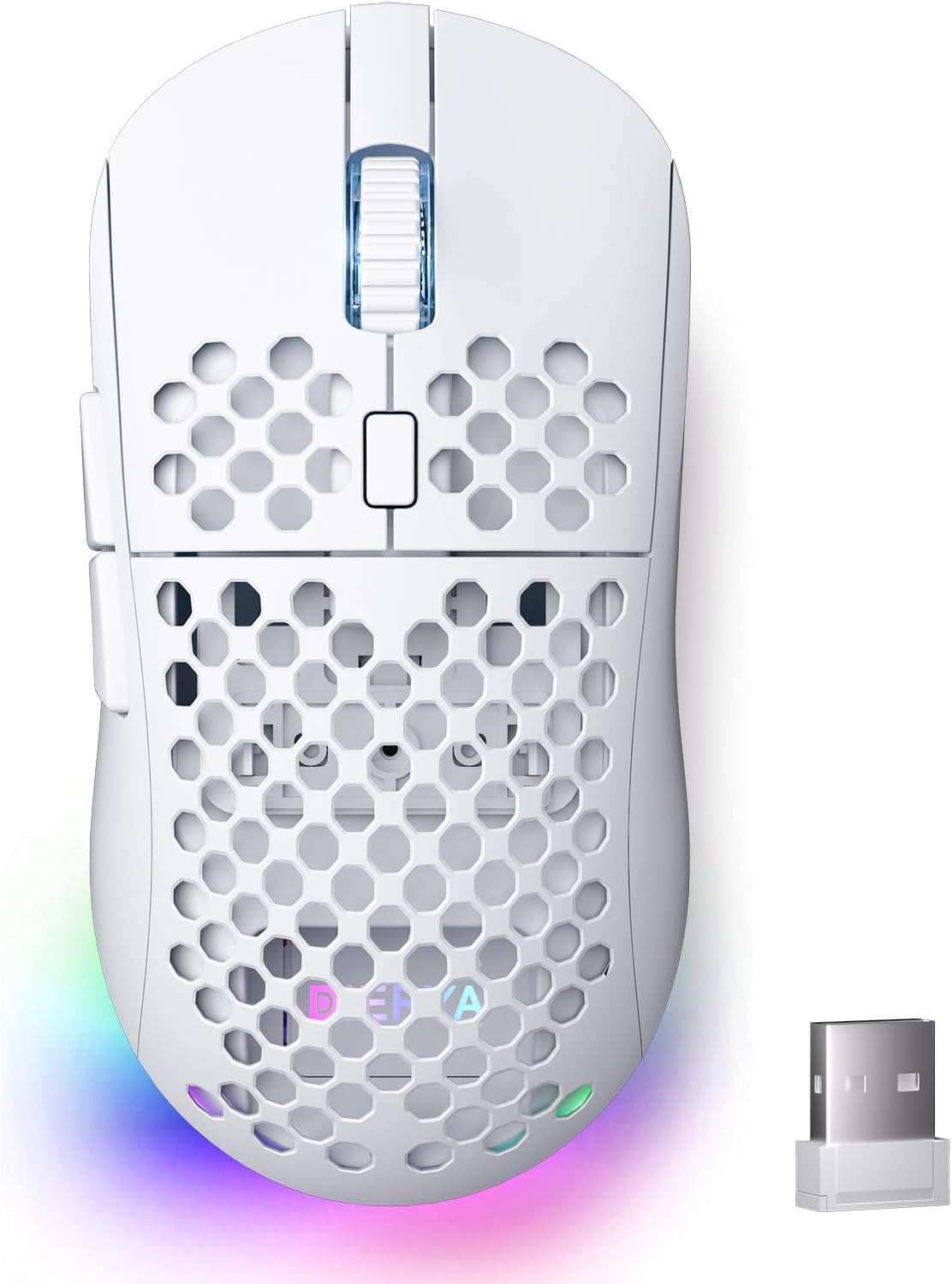
Figure 1: DIERYA M1 Wireless Gaming Mouse
Obsah balení
- M1 Wireless Mouse x1
- Nylon USB-A to C Cable x1
- Uživatelská příručka x1
Konec produktuview
Familiarize yourself with the various components of your DIERYA M1 mouse:
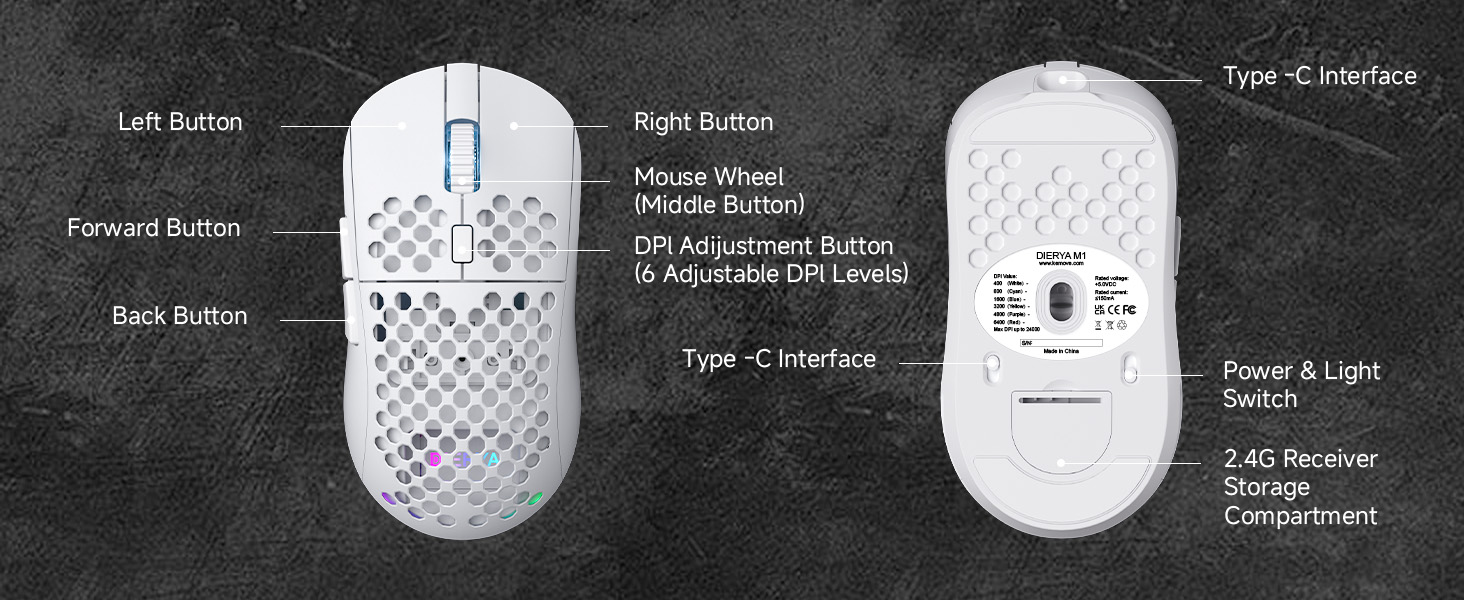
Figure 2: DIERYA M1 Mouse Components
- Levé tlačítko: Standardní funkce levého kliknutí.
- Pravé tlačítko: Standardní funkce kliknutí pravým tlačítkem myši.
- Mouse Wheel (Middle Button): Scroll up/down, click for middle-button function.
- Tlačítko pro nastavení DPI: Cykluje mezi přednastavenými úrovněmi DPI.
- Tlačítko vpřed: Naviguje vpřed web prohlížeče nebo aplikace.
- Tlačítko Zpět: Naviguje zpět web prohlížeče nebo aplikace.
- Rozhraní typu C: Pro kabelové připojení a nabíjení.
- Power & Light Switch: Turns the mouse on/off and controls RGB lighting.
- 2.4G Receiver Storage Compartment: Stores the USB receiver when not in use.
Nastavení
Nabíjení myši
Connect the provided USB-A to C cable to the mouse's Type-C interface and a USB power source (e.g., computer USB port, wall adapter). The mouse features a 1000mAh rechargeable battery. A full charge takes approximately 1 hour.
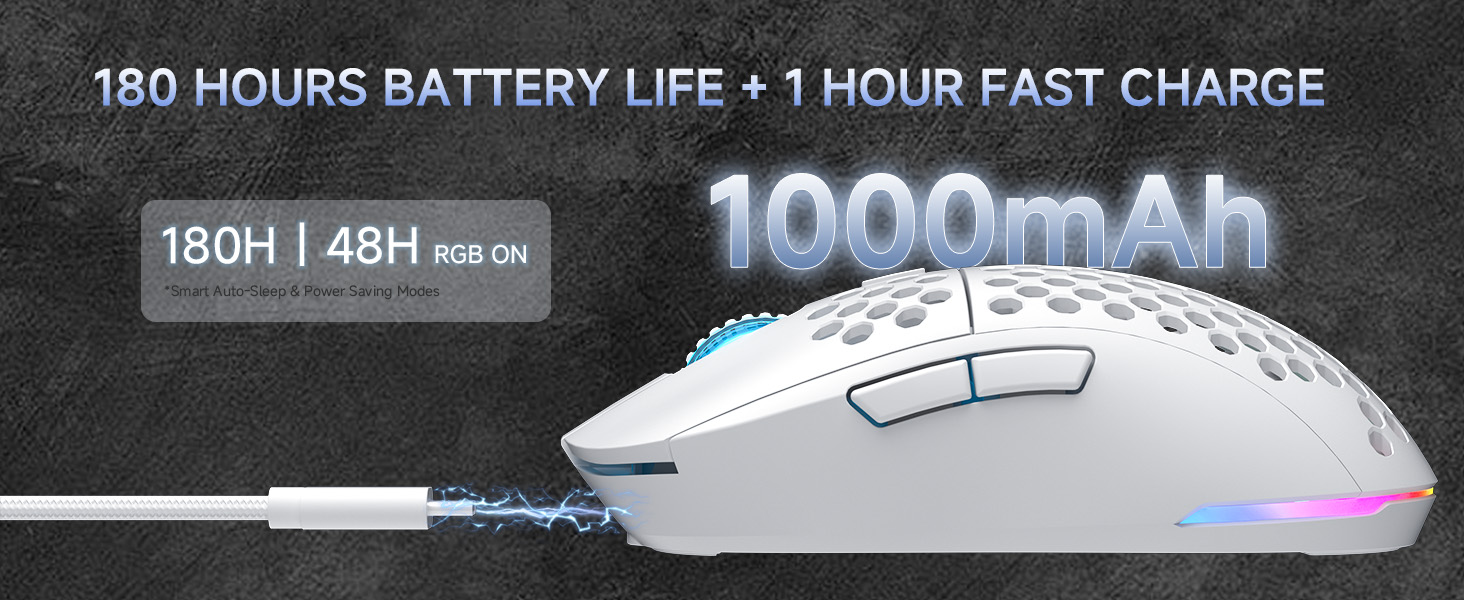
Obrázek 3: Nabíjení a výdrž baterie
Connecting the Mouse (Tri-Mode Connectivity)
The DIERYA M1 mouse supports three connection modes: 2.4GHz wireless, Bluetooth 5.2, and USB-C wired. Use the switch on the bottom of the mouse to select your desired mode.
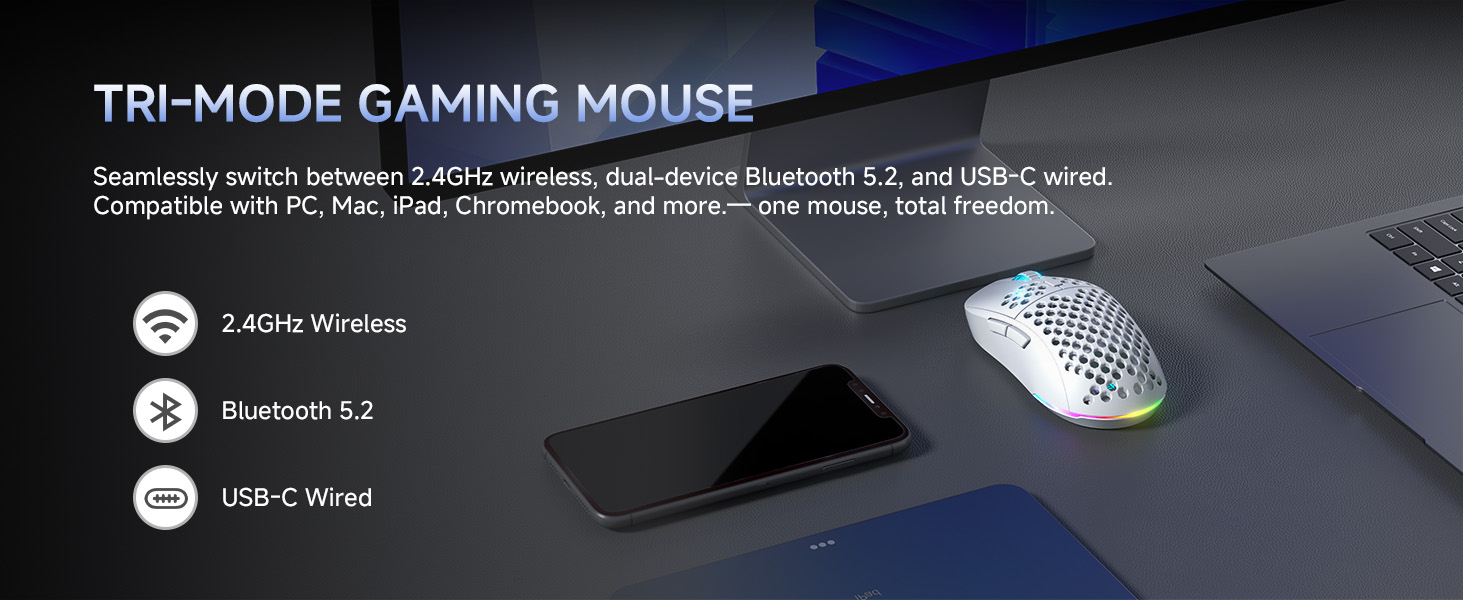
Obrázek 4: Možnosti třírežimového připojení
Bezdrátový režim 2.4 GHz
- Take out the 2.4G USB receiver from the storage compartment on the bottom of the mouse.
- Zapojte USB přijímač do volného USB portu na vašem počítači.
- Nastavte přepínač na spodní straně myši do polohy „2.4 G“.
- Myš se automaticky připojí k počítači.
Režim Bluetooth 5.2
- Set the switch on the bottom of the mouse to the 'BT' position.
- V počítači nebo zařízení otevřete nastavení Bluetooth a vyhledejte nová zařízení.
- Select 'DIERYA M1' from the list of available devices to pair. The mouse supports dual-device pairing in Bluetooth mode.
USB-C Wired Mode
- Connect the provided USB-A to C cable to the mouse's Type-C interface and to a USB port on your computer.
- Myš se automaticky přepne do kabelového režimu a začne se nabíjet.
Návod k obsluze
Úprava DPI
The mouse features a 24,000 DPI sensor with six preset levels. Press the DPI adjustment button (located behind the scroll wheel) to cycle through the following DPI settings:
- 400 DPI
- 800 DPI
- 1600 DPI
- 3200 DPI
- 4800 DPI
- 6400 DPI
The scroll wheel LED and RGB lighting strip provide instant color-coded feedback to indicate the current DPI level.
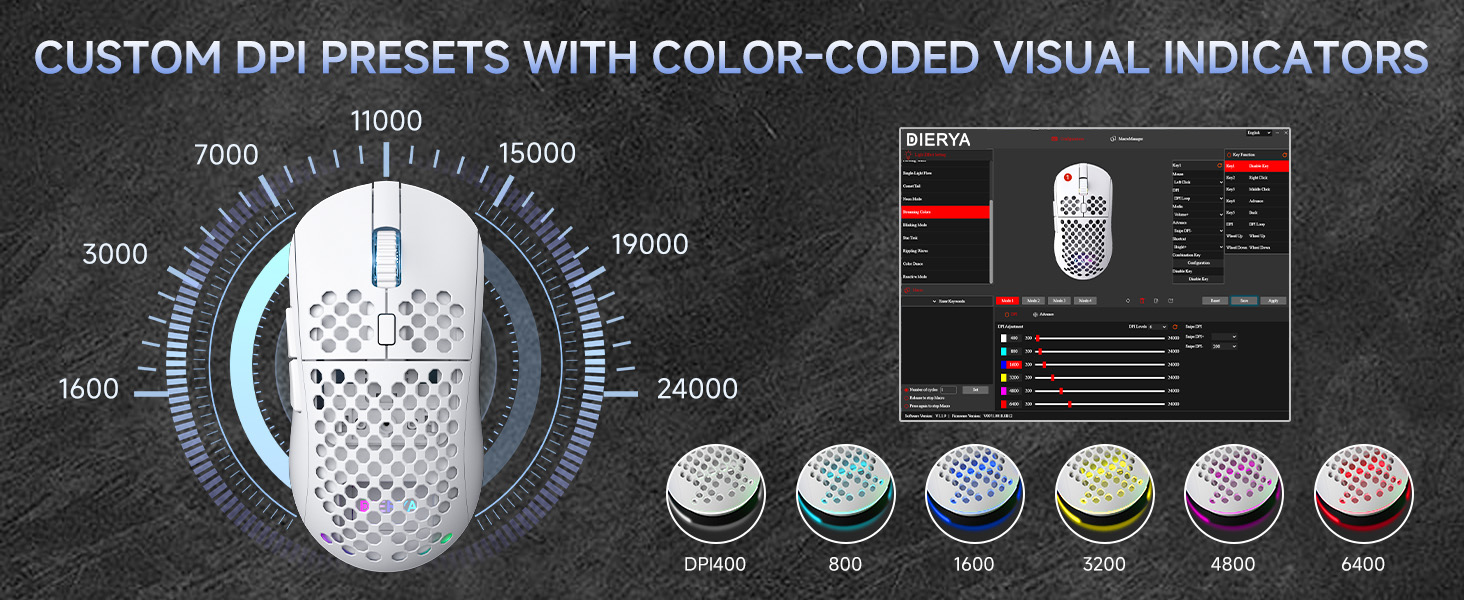
Figure 5: Custom DPI Presets and Color Indicators
Programovatelná tlačítka
The DIERYA M1 mouse features 6 programmable buttons. To customize button functions, create macros, or remap controls, download and install the dedicated driver software from the official DIERYA webmísto.
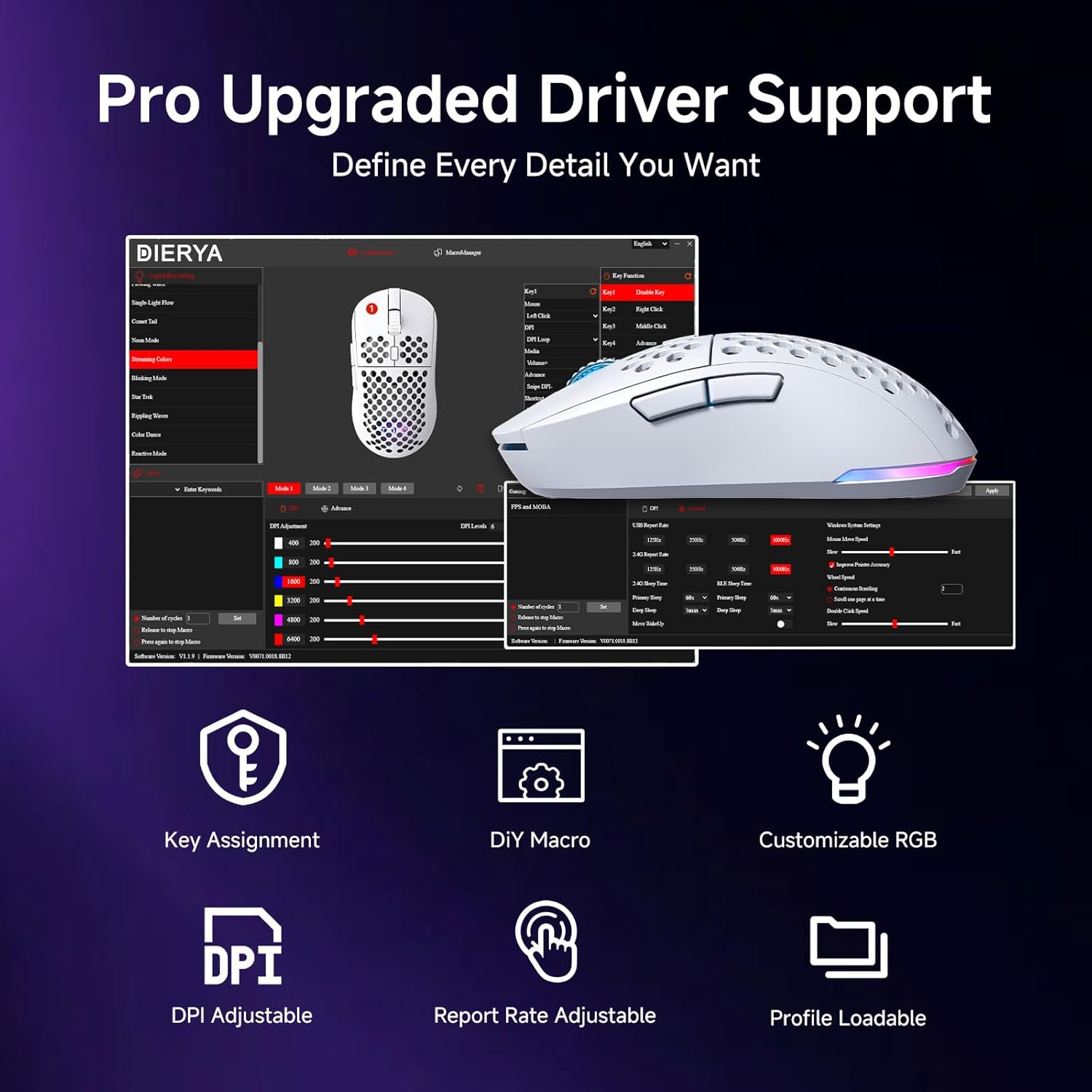
Figure 6: Driver Software Interface for Customization
Ovládání osvětlení RGB
The mouse features vibrant 16.8 million color RGB lighting with 13 different effects (e.g., Breath, Static, Flow, Starlight). Lighting effects can be customized and controlled via the dedicated driver software.
Správa napájení
The M1 mouse is designed for efficient power consumption. It features intelligent sleep modes that activate after 1 and 5 minutes of inactivity to conserve battery life. You can quickly resume use by moving or clicking the mouse. Sleep timers can be customized through the driver software.
Údržba
- Čištění: Use a soft, dry cloth to wipe the mouse. For stubborn dirt, slightly dampOtřete hadřík vodou nebo jemným čisticím roztokem. Vyhněte se agresivním chemikáliím nebo abrazivním materiálům.
- Skladování: Myš skladujte na chladném a suchém místě mimo dosah přímého slunečního záření a extrémních teplot.
- Péče o baterie: Chcete-li prodloužit životnost baterie, vyhněte se častému úplnému vybíjení myši. Nabíjejte ji, když je indikátor baterie nízký.
Odstraňování problémů
- Myš nereaguje: Ensure the mouse is charged. Check the power switch on the bottom of the mouse. Re-plug the USB receiver (for 2.4GHz) or re-pair Bluetooth. Try wired mode to confirm functionality.
- DPI se nemění: Ensure the mouse is powered on. Press the DPI button firmly. If using custom profiles, check settings in the driver software.
- RGB osvětlení nefunguje: Check the power & light switch on the bottom of the mouse. Ensure the mouse is not in ECO mode (which may disable RGB). Adjust settings in the driver software.
- Lag or disconnections in wireless mode: Ensure the USB receiver is not obstructed and is close to the mouse. Avoid interference from other wireless devices. Try a different USB port.
- Tlačítka nefungují podle očekávání: Check the button assignments in the driver software. Reset to default settings if necessary.
Specifikace
| Funkce | Detail |
|---|---|
| Rozměry produktu | 4.39 x 2.48 x 0.1 palce (125 x 63 x 41 mm) |
| Hmotnost položky | 5.6 unce (90 gramů) |
| Technologie připojení | Bezdrátové připojení 2.4 GHz, Bluetooth 5.2, kabelové USB-C |
| Rozsah DPI | 200 - 24,000 DPI (6 preset levels: 400/800/1600/3200/4800/6400) |
| Míra hlasování | 125-1000Hz (2.4G/USB-C), 125Hz (Bluetooth) |
| Rychlost sledování | 300 IPS |
| Akcelerace | 35G |
| Kapacita baterie | 1000 XNUMX mAh |
| Životnost baterie | Up to 180 hours (ECO mode), 48 hours (RGB on) |
| Spínače | Huano Micro Switches (20 million clicks) |
| Programovatelná tlačítka | 6 |
| RGB osvětlení | 16.8 Million Colors, 13 Effects |
| Kompatibilní systémy | PC, Mac, Laptop (Windows, macOS, Chrome OS, iPadOS) |
Záruka a podpora
For warranty information and technical support, please refer to the warranty card included in your product packaging or visit the official DIERYA website. You can also contact DIERYA customer service for assistance with any product-related inquiries or issues.


