Zavedení
Thank you for choosing the STRICH SEP-150S 88-Key Digital Piano. This manual provides essential information for the proper setup, operation, and maintenance of your instrument. Please read it thoroughly before use to ensure optimal performance and longevity.

Image: The STRICH SEP-150S 88-Key Digital Piano, showcasing its full size, semi-weighted keys, and bundled accessories including headphones, a sustain pedal, and a music rest.
Co je zahrnuto
Carefully unpack your STRICH SEP-150S Digital Piano and ensure all items listed below are present. If any items are missing or damaged, please contact customer support.
- STRICH SEP-150S 88-Key Digital Piano
- Sustain pedál
- Sluchátka
- Music Rest (Sheet Music Holder)
- Power Adapter (Power Line)
- Samolepky na klávesnici
- Uživatelská příručka (tento dokument)

Image: A visual representation of all components included in the STRICH SEP-150S Digital Piano package.
Nastavení
1. Umístění
Place the digital piano on a stable, flat surface. Ensure adequate space for playing and access to power outlets. Avoid direct sunlight, extreme temperatures, and high humidity.
2. Připojení napájení
- Locate the power input port on the rear panel of the piano.
- Connect the power adapter cable to the power input port.
- Zapojte napájecí adaptér do standardní elektrické zásuvky.
- Stiskněte tlačítko Moc button to turn on the instrument.
3. Připojení příslušenství
- Sustain pedál: Connect the sustain pedal cable to the "Sustain Pedal" input jack on the rear panel.
- Sluchátka: For private practice, plug the headphones into the 3.5mm "Headphone Output" jack. The internal speakers will automatically mute.
- Hudební odpočinek: Insert the music rest into the designated slots on the top panel of the piano.

Obrázek: Podrobný view of the rear panel connections for the STRICH SEP-150S, illustrating where to connect power, pedals, and audio devices.
Návod k obsluze
1. Základní ovládací prvky
- Vypínač: Turns the piano on or off.
- Volume Knob/Buttons: Upravuje celkovou výstupní hlasitost.
- Výběr tónu: Use the "Tone" button and "Select" buttons or numerical keypad (if present) to choose from 200 available tones.
- Výběr rytmu: Use the "Rhythm" button and "Select" buttons to choose from 700 built-in rhythm styles.
- Tempo: Adjusts the speed of rhythms and demos.
- Start/Stop: Initiates or halts rhythm playback.

Image: Close-up of the control panel, showing buttons for various functions like Tone, Rhythm, Tempo, and Start/Stop.
2. Pokročilé funkce
- Metronom: Activates a click track for timing practice. Refer to the display for tempo settings.
- Režim akordů: Enables automatic chord accompaniment based on keys played.
- Režim záznamu: Allows recording and playback of your performances.
- Function + Key Combinations: Certain advanced settings are accessed by holding the "Function" button and pressing a specific key. Consult the detailed manual for a full list of these combinations.
- Demo skladby: Play through the 110 built-in demo songs to explore the instrument's capabilities.

Obrázek: Overview of the multi-function control panel, illustrating features like metronome, chord, record mode, and the number of available tones and rhythms.
3. Connectivity with External Devices
- USB 2.0 / MIDI Output: Connect the piano to a computer or other MIDI-compatible devices using a USB cable for MIDI data transfer. This allows for use with music software and applications.
- Audio vstup/výstup: Use the audio input to connect external audio sources (e.g., MP3 player) and play along. The audio output can be used to connect to external ampmixážní pulty, mixážní pulty nebo nahrávací zařízení.
The SEP-150S supports various music learning applications such as Flowkey, Synthesia, POP Piano, and Garage Band, enhancing your learning and creative experience.
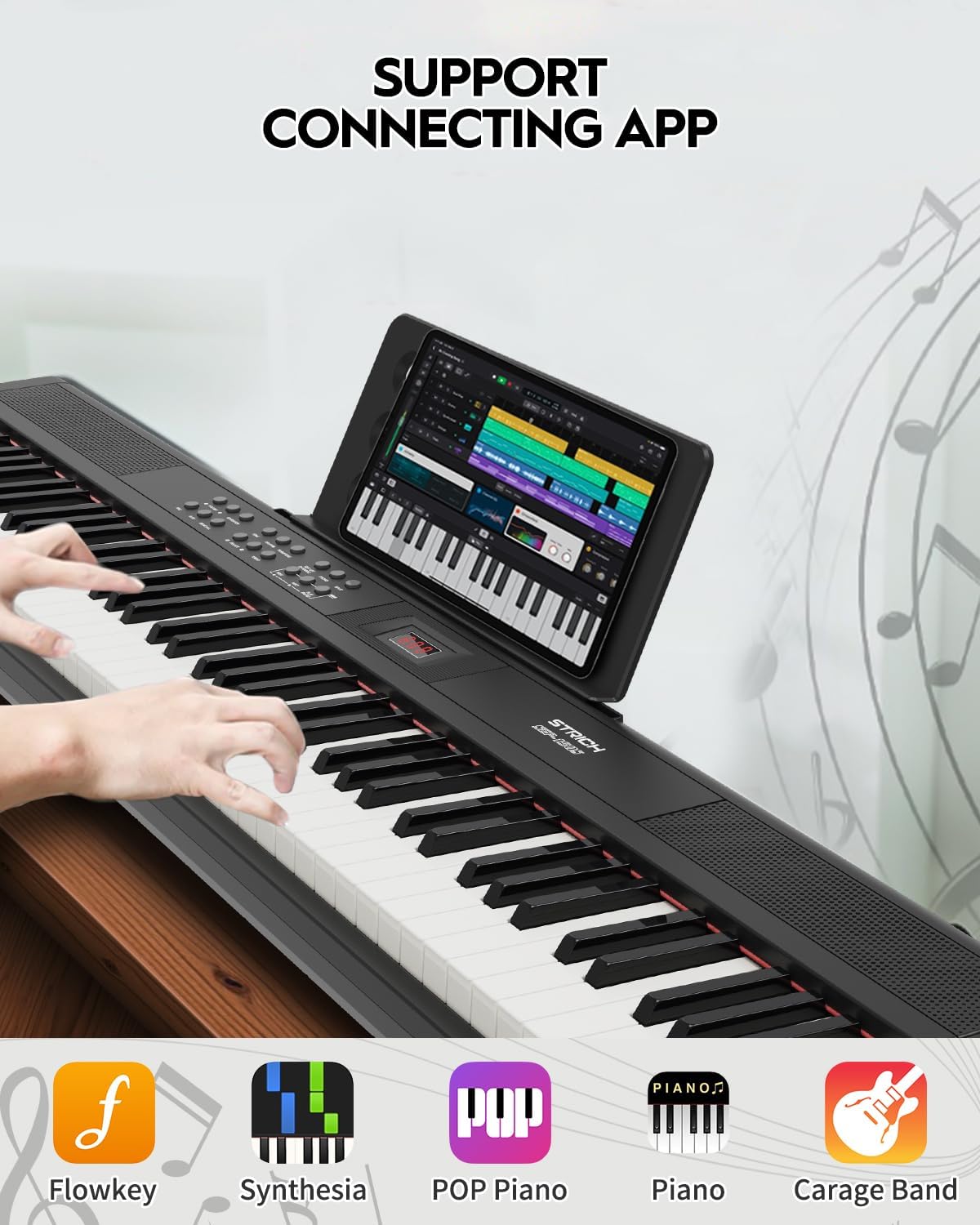
Image: The digital piano connected to a tablet running a music application, demonstrating its compatibility with various learning and production software.
Údržba
- Čištění: K otření povrchu klavíru použijte měkký, suchý hadřík. V případě odolné nečistoty lehceamphadřík vodou. Nepoužívejte abrazivní čisticí prostředky, rozpouštědla ani vosky.
- Skladování: When not in use for extended periods, cover the piano to protect it from dust. Store in a cool, dry place away from direct sunlight and heat sources.
- Zacházení: Always lift the piano by its base. Avoid dropping or subjecting it to strong impacts.
- Moc: Disconnect the power adapter from the wall outlet when the piano is not in use or during electrical storms.
Odstraňování problémů
| Problém | Možná příčina | Řešení |
|---|---|---|
| Žádný zvuk |
|
|
| Keys not responding or inconsistent touch sensitivity |
|
|
| Sustain pedál nefunguje |
|
|
| No sound from external speakers/mixer |
|
|
If the problem persists after attempting these solutions, please contact STRICH customer support.
Specifikace
| Funkce | Detail |
|---|---|
| Název modelu | SEP-150S |
| Počet klíčů | 88 kláves plné velikosti |
| Typ klíče | Semi-Weighted, Velocity-Sensitive |
| Tóny | 200 |
| Rytmy | 700 |
| Polyfonie | 128-bit (Max) |
| Demo písně | 110 |
| Reproduktory | 2 x 10W (Built-in three-dimensional surround sound) |
| Konektivita | MIDI Output, USB 2.0, 3.5mm Headphone Jack, Audio Input, Audio Output, Three-pedal input |
| Zdroj napájení | Elektrický kabel (napájecí adaptér je součástí balení) |
| Rozměry (D x Š x V) | 50.79" x 10.63" x 4.33" (129 cm x 27 cm x 11 cm) |
| Hmotnost | 9.9 lb (4.5 kg) |

Image: Size information diagram for the STRICH SEP-150S, detailing its length, width, and height.
Záruka a podpora
STRICH products are designed for reliability and performance. For warranty information, technical support, or service inquiries, please refer to the contact details provided with your purchase documentation or visit the official STRICH webmísto.
Uschovejte si prosím doklad o koupi pro uplatnění záruky.


