Zavedení
This manual provides detailed instructions for the setup, operation, maintenance, and troubleshooting of your DAREU EK75 Wired Mechanical Keyboard. Please read this manual thoroughly to ensure proper use and to maximize your experience with the product.
Nastavení
Follow these steps to set up your DAREU EK75 keyboard:
- Rozbalte klávesnici: Carefully remove the keyboard and the included USB-C cable from its packaging.
- Připojení kabelu USB-C: Insert the USB-C end of the cable into the port on the back of the DAREU EK75 keyboard.
- Připojení k počítači: Plug the standard USB-A end of the cable into an available USB port on your computer (PC or Laptop).
- Instalace ovladače: The keyboard is plug-and-play. Your operating system (Windows, macOS, etc.) should automatically detect and install the necessary drivers. No additional software installation is typically required for basic functionality.

Návod k obsluze
The DAREU EK75 keyboard features a 75% compact layout, an integrated volume knob, and customizable backlighting.
Keyboard Layout and Keys
The EK75 features an 81-key 75% compact layout, which optimizes desk space while retaining essential keys like arrow keys and function row. All 81 keys support N-key rollover, ensuring every keystroke is registered accurately, even during rapid input.


Ovladač hlasitosti
The keyboard includes a dedicated rotary knob for convenient audio control:
- Otáčet po směru hodinových ručiček: Zvyšuje hlasitost.
- Otočit proti směru hodinových ručiček: Snižuje hlasitost.
- Stiskněte knoflík: Toggles mute/unmute or play/pause functionality.

Ovládání podsvícení
The EK75 features rainbow backlighting and RGB side light strips. You can customize the lighting effects to suit your preferences:
- The keyboard offers 7 distinct backlight modes for the keys.
- There are 3 different side light strip modes.
- Specific key combinations (e.g., Fn + a designated key) are used to cycle through modes or adjust brightness. Refer to the quick start guide or keyboard legends for exact key combinations.
- The backlight can be turned off if not desired.
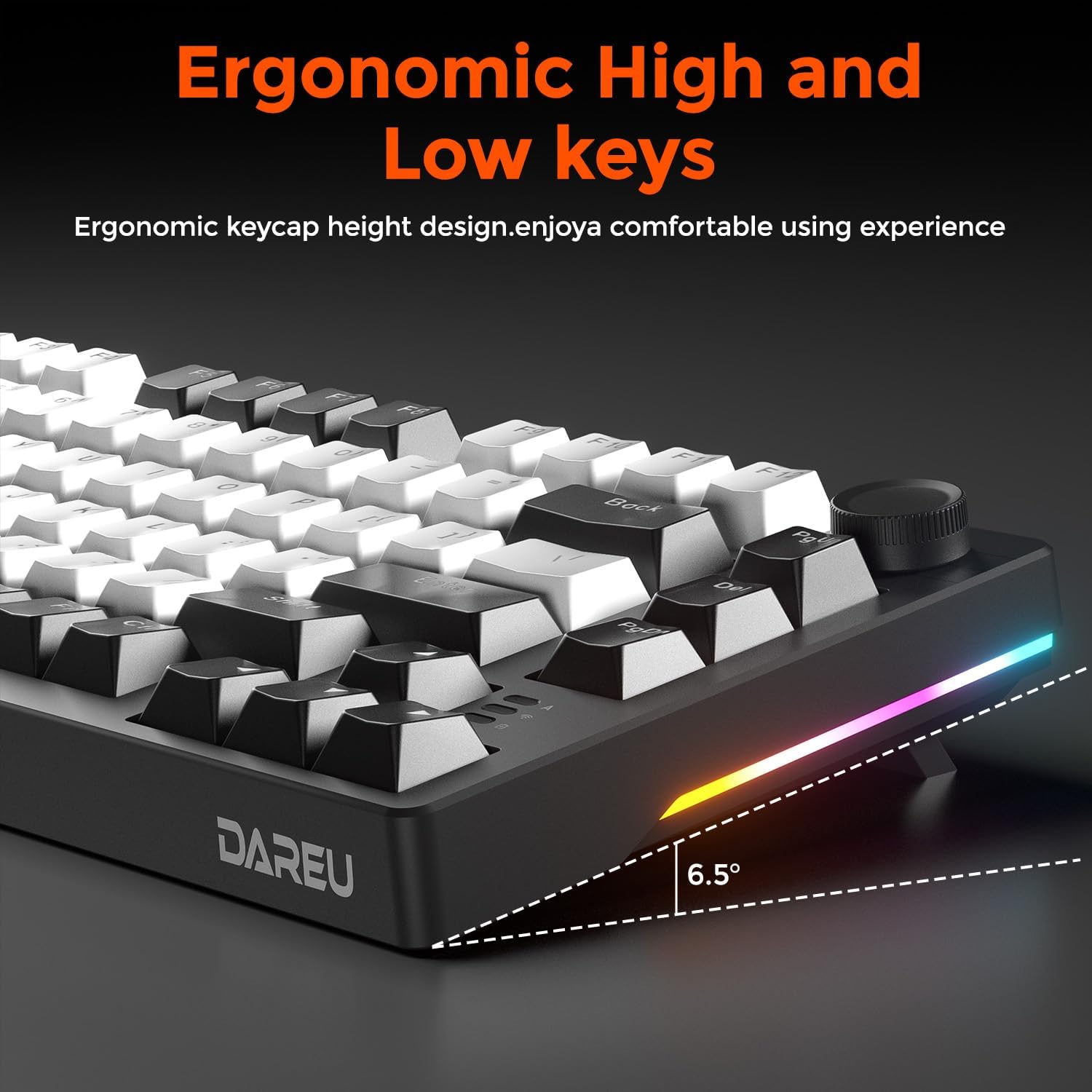
Ergonomický design
The keyboard is designed with ergonomic high and low key profiles to provide a comfortable typing experience, reducing strain during extended use.

Údržba
Proper maintenance ensures the longevity and performance of your DAREU EK75 keyboard.
Čištění
- Před čištěním odpojte klávesnici od počítače.
- Použijte měkký hadřík, který nepouští vlákna dampened with water or a mild cleaning solution to wipe the keycaps and chassis. Avoid excessive moisture.
- Pro odstranění prachu a nečistot mezi klávesami použijte stlačený vzduch.
- Do not use harsh chemicals, abrasives, or solvents, as these can damage the keyboard's finish and keycap legends.
Keycap and Switch Care
The DAREU EK75 features durable PBT keycaps and Linear Dream Switches. While designed for longevity, care should be taken during cleaning or customization.
- If removing keycaps for deep cleaning or replacement, use the included keycap puller tool to avoid damaging the keycaps or switches.
- Gently pull keycaps straight up. Do not twist or apply excessive force.
- When reattaching, align the keycap stem with the switch stem and press down firmly until it clicks into place.


Odstraňování problémů
If you encounter issues with your DAREU EK75 keyboard, refer to the following common solutions:
- Klávesnice nereaguje:
- Ujistěte se, že je kabel USB-C bezpečně připojen ke klávesnici i k počítači.
- Zkuste zapojit klávesnici do jiného USB portu na počítači.
- Restartujte počítač.
- Otestujte klávesnici na jiném počítači, abyste vyloučili problém specifický pro systém.
- Podsvícení nefunguje nebo je nesprávné:
- Check if the backlight is simply turned off. Use the designated Fn key combinations to cycle through lighting modes or adjust brightness.
- Ensure no software conflicts are present if you are using third-party lighting control applications.
- Knoflík hlasitosti nefunguje:
- Verify that the keyboard is properly connected and recognized by your system.
- Check your computer's audio settings to ensure the correct output device is selected.
- Restartujte počítač.
- Klávesy se neregistrují nebo se píší dvakrát:
- Ujistěte se, že jsou klávesy správně usazeny na přepínačích.
- Clean around the affected switch using compressed air to remove any debris.
- If the issue persists, it may indicate a switch malfunction. Contact DAREU support for further assistance.
Specifikace
| Funkce | Detail |
|---|---|
| Název modelu | EK75-BK |
| Rozložení | 75% kompaktní (81 kláves) |
| Konektivita | Kabelové USB-C |
| Spínače | Linear Dream Switch |
| Klíčenky | PBT Keycaps |
| Styl montáže | Konstrukce s těsněním |
| Podsvícení | Rainbow Backlit + RGB Sidelit |
| Speciální funkce | Volume Control Knob, N-Key Rollover, Anti-Ghosting, Ergonomic Design |
| Rozměry produktu | 12.99 x 5.5 x 1.57 palce (33 x 14 x 4 cm) |
| Hmotnost položky | 1.85 libry (0.84 kg) |
| Kompatibilní zařízení | Notebook, PC, Tablet |
| Zahrnuté komponenty | USB kabel |
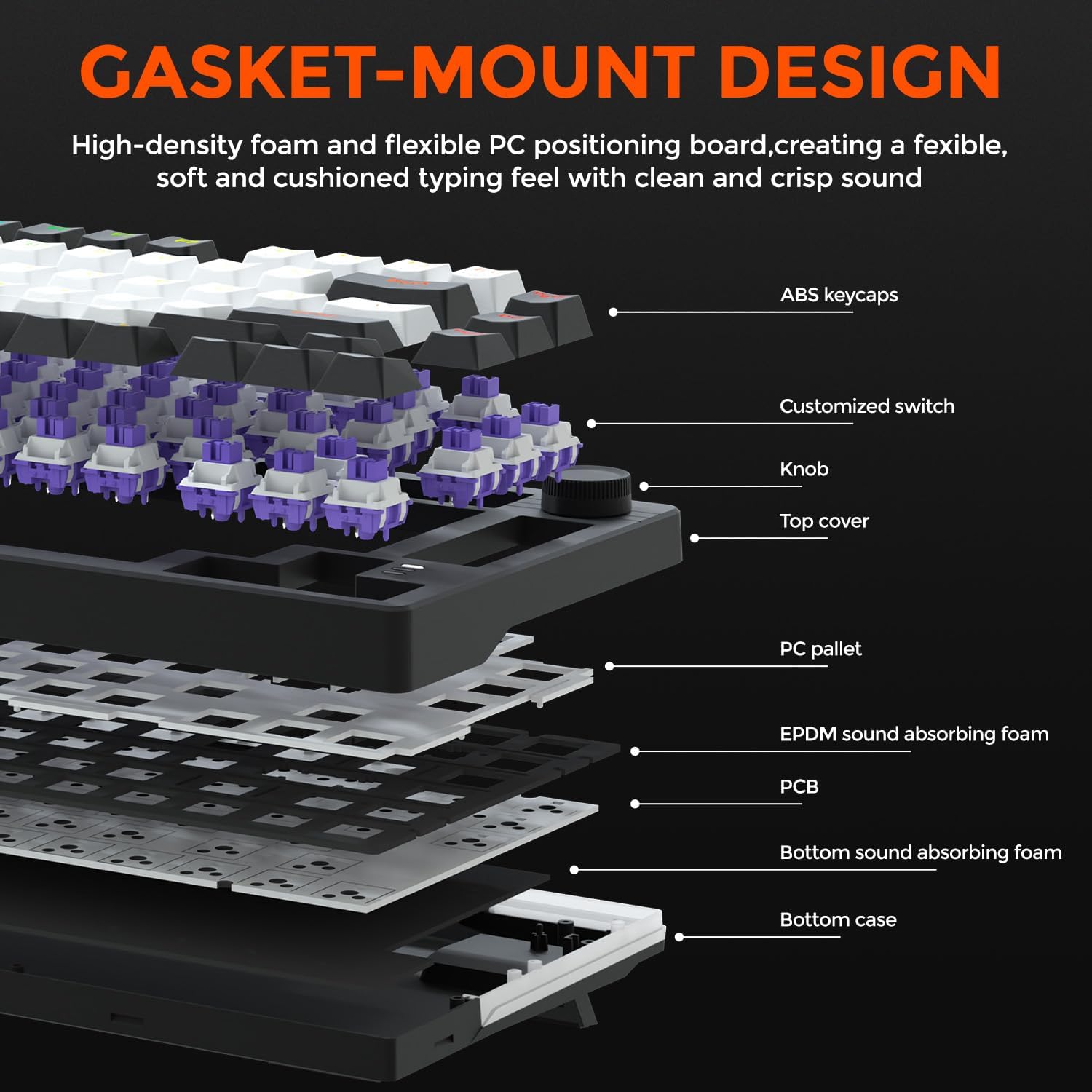
Konstrukce s těsněním
The DAREU EK75 utilizes a gasket-mounted design, where gaskets are strategically placed around the positioning plate. This construction isolates the plate from the keyboard case, resulting in a softer, more cushioned typing feel and a purer sound profile by reducing harsh impacts and vibrations.
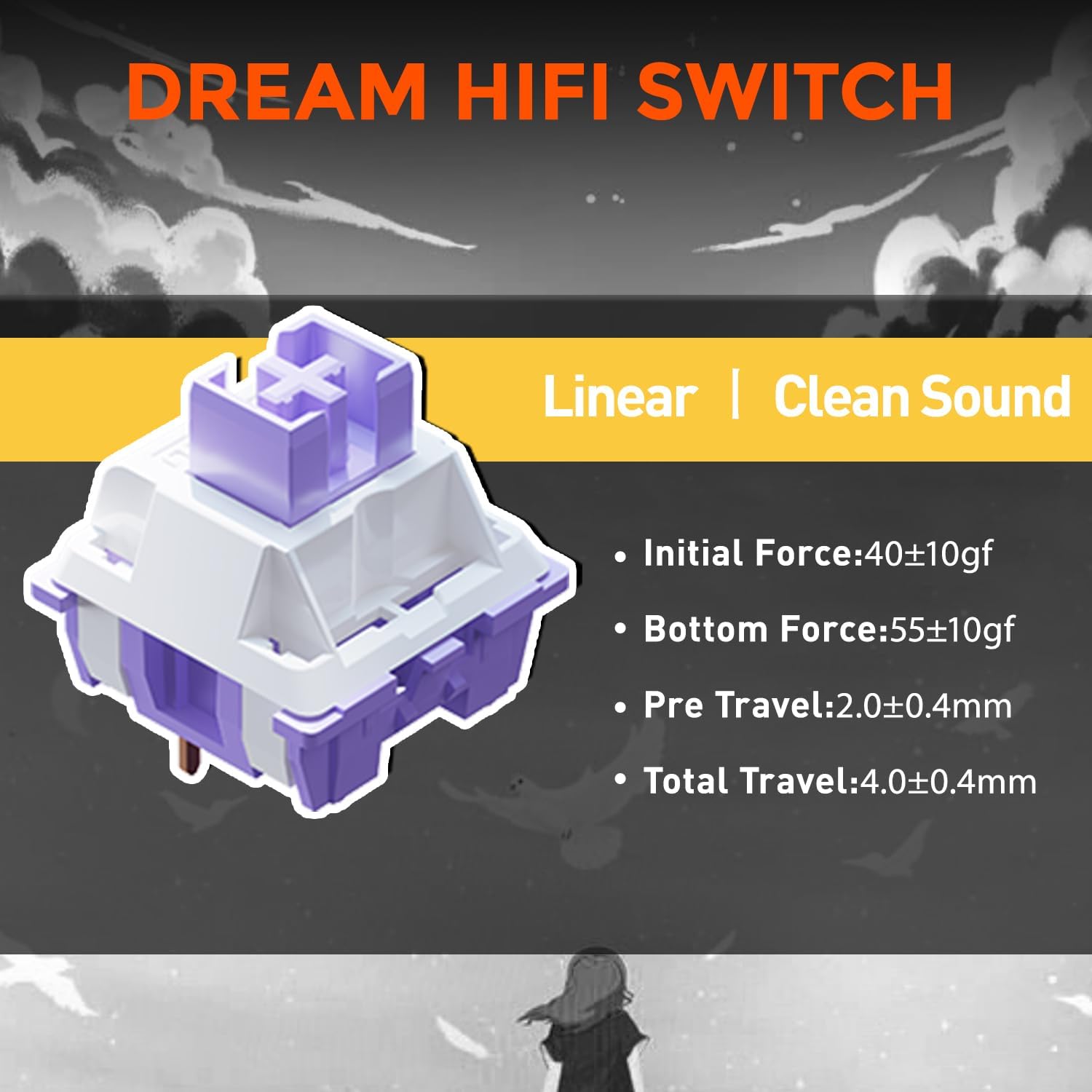
Linear Dream Switches
The keyboard is equipped with DAREU's Linear Dream Switches, known for their smooth and consistent keystroke without a tactile bump. These switches provide a clean sound and are ideal for both typing and gaming.
- Počáteční síla: 40±10gf
- Bottom Force: 55±10gf
- Pre Travel: 2.0±0.4 mm
- Celková cesta: 4.0±0.4 mm
Záruka a podpora
For warranty information, technical support, or service inquiries regarding your DAREU EK75 keyboard, please refer to the official DAREU website or contact DAREU customer service directly. Details regarding specific warranty periods and terms are typically provided with your purchase documentation or on the manufacturer's support pages.
Additional protection plans may be available for purchase from your retailer. Please consult your retailer for details on these extended service options.


