1. Úvod
Thank you for choosing the Pro Breeze 40L Smart Dehumidifier. This manual provides important information regarding the safe operation, installation, use, and maintenance of your appliance. Please read this manual thoroughly before use and retain it for future reference.
This dehumidifier is designed to efficiently remove excess moisture from the air, helping to prevent mold, mildew, and condensation in spaces up to 50 m².
2. Důležité bezpečnostní pokyny
Při používání elektrických spotřebičů vždy dodržujte základní bezpečnostní opatření, abyste snížili riziko požáru, úrazu elektrickým proudem a zranění.
- Před použitím spotřebiče si pečlivě přečtěte všechny pokyny.
- Zajistěte zvtagNapětí uvedené na štítku s výkonem odpovídá hlasitosti vaší elektrické sítě.tage.
- Neponořujte spotřebič, napájecí kabel ani zástrčku do vody ani jiných kapalin.
- Nepoužívejte spotřebič s poškozeným kabelem nebo zástrčkou, ani po jeho poruše, pádu nebo jakýmkoli jiným poškození.
- Udržujte spotřebič mimo dosah dětí a domácích zvířat.
- Always unplug the appliance when not in use, before cleaning, or before moving.
- Ujistěte se, že je spotřebič umístěn na stabilním rovném povrchu.
- Neblokujte vstupy ani výstupy vzduchu. Kolem jednotky udržujte volný prostor alespoň 20 cm.
- Tento spotřebič je určen pouze pro vnitřní použití.
- Do not use in bathrooms or other excessively humid environments where water may splash onto the unit.
3. Konec produktuview
3.1 Komponenty
The Pro Breeze 40L Smart Dehumidifier features a compact design with integrated controls and a water tank. It includes a continuous drainage option and mobility wheels for easy placement.
Obrázek: Přední strana view of the Pro Breeze 40L Smart Dehumidifier, highlighting its dimensions (52cm height, 28cm depth, 35.5cm width) and key features like smart app control, laundry mode, 5.5L tank, and low energy consumption.
3.2 Ovládací panel a displej
The dehumidifier is equipped with an intuitive touch control panel and an LED display for easy operation and monitoring of humidity levels.

Image: A hand interacting with the touch control panel of the dehumidifier, showing the digital display and various function buttons.
4. Nastavení
4.1 Vybalení
- Opatrně vyjměte odvlhčovač z obalu.
- Odstraňte veškerý obalový materiál, včetně ochranných fólií nebo pásek.
- Zkontrolujte spotřebič, zda nejeví známky poškození. Pokud je poškozen, nepoužívejte jej a kontaktujte zákaznickou podporu.
4.2 Umístění
Place the dehumidifier on a firm, level surface in the desired room. Ensure there is at least 20 cm of clear space around all sides of the unit to allow for proper airflow.

Image: A person easily moving the dehumidifier across a wooden floor in a living room, demonstrating its portability with four swivel wheels.
4.3 Připojení napájení
Zapojte napájecí kabel do uzemněné elektrické zásuvky. Ujistěte se, že zásuvka splňuje požadavky na napájení uvedené v části „Specifikace“.
4.4 Průběžné odvodnění (volitelné)
For continuous operation without needing to empty the water tank, attach the included drainage hose. Connect one end to the drainage port on the back of the unit and the other end to a suitable drain or container that is lower than the drainage port.

Obrázek: Detail view of the dehumidifier's side, showing the continuous drainage hose connected and leading to a floor drain.
5. Návod k obsluze
5.1 Zapnutí/vypnutí
Stiskněte tlačítko Moc tlačítko na ovládacím panelu pro zapnutí nebo vypnutí jednotky.
5.2 Nastavení požadované vlhkosti
The dehumidifier features an automatic sensor that continuously measures room humidity. Use the Vlhkost tlačítky nastavte požadovanou úroveň vlhkosti mezi 30 % a 80 %.

Image: A family relaxing in a living room with the dehumidifier operating. An overlay illustrates the humidity indicator lights: Blue for >50% (Low), Green for 50-70% (Medium), and Red for <70% (High).
5.3 Provozní režimy
- Automatický režim: The unit will automatically adjust its operation to maintain the set humidity level.
- Nepřetržitý režim: The dehumidifier will operate continuously regardless of the humidity level, ideal for very damp podmínky.
- Režim praní: This mode is designed to accelerate the drying of clothes indoors by running at maximum fan speed and continuous dehumidification.
- Režim spánku: Reduces fan speed and dims the display for quiet operation during the night.

Image: A woman smiling while placing clothes on a drying rack next to the dehumidifier, illustrating the accelerated laundry drying feature.

Image: A family watching television in a dimly lit living room, with the dehumidifier operating quietly in the foreground, indicating its silent operation and night mode features.
5.4 Funkce časovače
Použijte Časovač button to set a 24-hour timer for automatic power on or off. This allows you to schedule operation according to your needs.

Image: A close-up of a smartphone screen displaying the Pro Breeze app's 24-hour timer function, allowing users to schedule the dehumidifier's operation.
6. Připojení k Wi-Fi a ovládání aplikací
The Pro Breeze 40L Smart Dehumidifier can be controlled remotely via the free Pro Breeze app, compatible with both Alexa and Google Home.
6.1 Instalace a párování aplikace
- Download the Pro Breeze app from your smartphone's app store.
- Follow the in-app instructions to create an account and pair your dehumidifier.
- Ensure your dehumidifier is powered on and your smartphone is connected to a 2.4GHz Wi-Fi network during the pairing process.
6.2 Funkce dálkového ovládání
Prostřednictvím aplikace můžete:
- Turn the dehumidifier on/off.
- Upravte nastavení vlhkosti.
- Select operating modes (Auto, Continuous, Laundry, Sleep).
- Set and manage the 24-hour timer.
- Monitor current room humidity.

Image: A woman using a smartphone to control the dehumidifier, with icons for Amazon Alexa and Google Home indicating voice control compatibility.
7. Údržba
Pravidelná údržba zajišťuje optimální výkon a dlouhou životnost vašeho odvlhčovače.
7.1 Čištění vzduchového filtru
Vzduchový filtr by se měl čistit každé dva týdny nebo častěji v závislosti na používání a kvalitě vzduchu.
- Vypněte a odpojte odvlhčovač.
- Vyjměte vzduchový filtr ze zadní strany jednotky.
- Filtr omyjte teplou mýdlovou vodou. Důkladně jej opláchněte a před opětovným vložením nechte zcela uschnout na vzduchu.
- Do not operate the dehumidifier without the filter installed.
7.2 Vyprázdnění a čištění nádrže na vodu
When the water tank is full, the unit will automatically shut off and an indicator light will illuminate. Empty the tank and clean it regularly to prevent mold and bacteria growth.
- Opatrně vytáhněte nádržku na vodu z přední strany jednotky.
- Nashromážděnou vodu vylijte.
- Clean the tank with mild detergent and water. Rinse thoroughly.
- Reinsert the dry tank firmly into the dehumidifier.

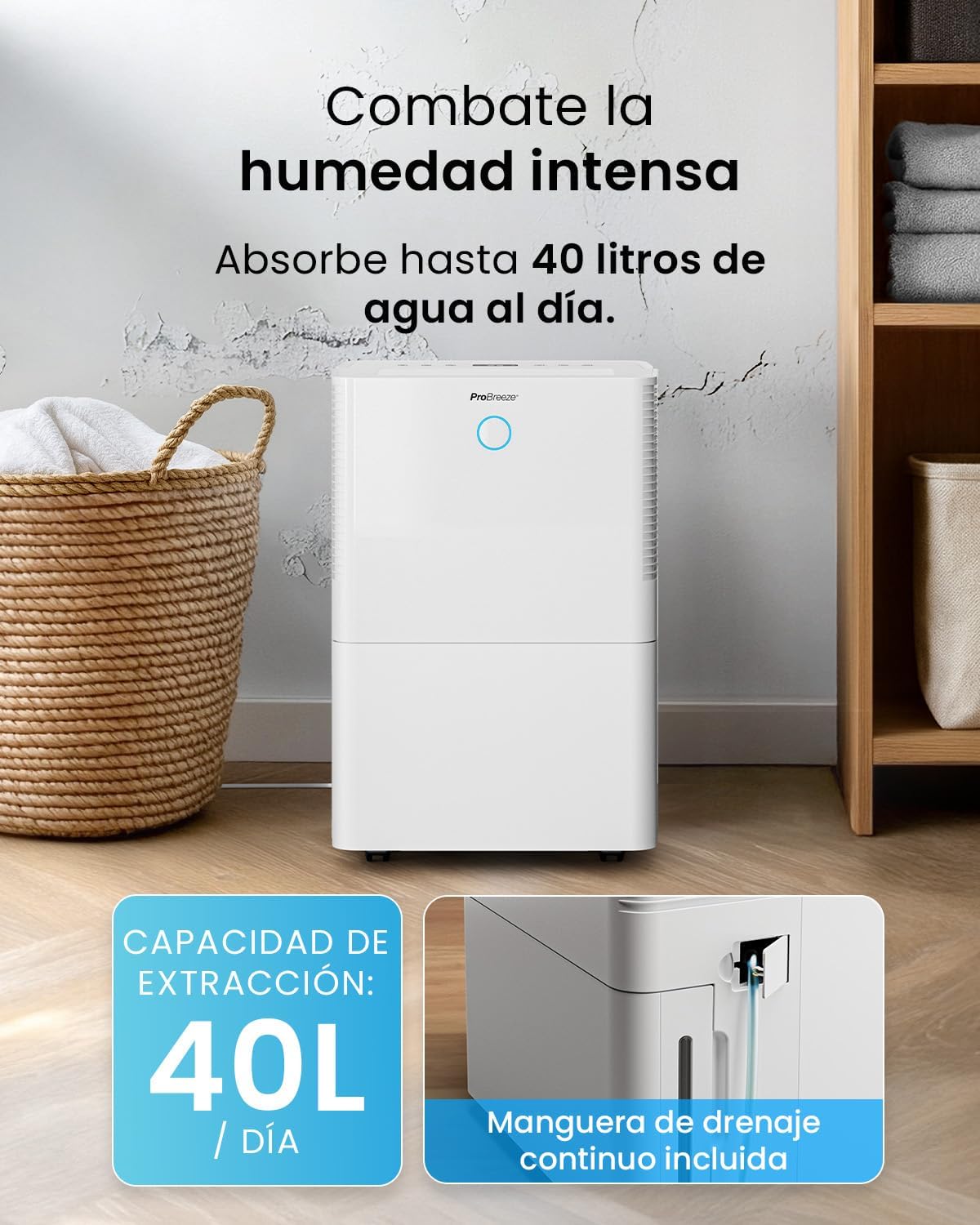
Image: The dehumidifier in operation, with an overlay indicating its 40L/day extraction capacity and the continuous drainage hose option.
7.3 Vnější čištění
Otřete vnější část odvlhčovače měkkým, damp tkanina. Nepoužívejte abrazivní čisticí prostředky nebo rozpouštědla.
8. Řešení problémů
If you encounter issues with your dehumidifier, refer to the following table before contacting customer support.
| Problém | Možná příčina | Řešení |
|---|---|---|
| Odvlhčovač se nezapne. | No power; Power cord not plugged in; Water tank full or not correctly inserted. | Check power supply; Plug in power cord; Empty and reinsert water tank correctly. |
| Nebyla shromažďována žádná voda. | Room humidity too low; Temperature too low; Air filter blocked; Continuous drainage hose connected. | Increase desired humidity setting; Ensure room temperature is above 5°C; Clean air filter; Disconnect continuous drainage hose if collecting water in tank. |
| Jednotka je hlučná. | Unit not on a level surface; Air filter blocked; Fan obstruction. | Place on a flat, stable surface; Clean air filter; Check for obstructions in fan area. |
| Problémy s připojením k Wi-Fi. | Incorrect Wi-Fi password; Not connected to 2.4GHz network; Router too far. | Verify password; Connect to 2.4GHz Wi-Fi; Move unit closer to router or use a Wi-Fi extender. |
9. Specifikace
- Značka: Pro Breeze
- Název modelu: PB-D-32W-W
- Moisture Extraction: Až 40 litru/den
- Kapacita vodní nádrže: 5.3 litrů
- Doporučená velikost pokoje: Až 50 m² (7 300 čtverečních stop)
- Rozměry (D x Š x V): 27.5 x 35.5 x 52.2 cm
- Hmotnost: 16.36 kg
- Počet rychlostí: 3
- Speciální vlastnosti: Smart App Control, Automatic Humidity Sensor, Automatic Shut-off, 24-hour Timer, Laundry Mode, Sleep Mode, Continuous Drainage
- Hladina hluku: <49dB
10. Záruka a podpora
For warranty information and customer support, please refer to the documentation included with your purchase or visit the official Pro Breeze website. Ensure you have your model number (PB-D-32W-W) and proof of purchase available when contacting support.
Výrobce: Jedna maloobchodní skupina


