1. Úvod
This manual provides detailed instructions for the TECKNET Bluetooth Wireless Mouse (Model: TK-MS058). This versatile mouse offers dual-mode connectivity (Bluetooth 5.2/3.0 and 2.4G USB Receiver), adjustable DPI settings, silent clicks, and a comfortable ergonomic design, making it ideal for various computing environments.
2. Obsah balení
Upon unboxing your TECKNET Bluetooth Wireless Mouse, please ensure all the following items are included:
- TECKNET Bluetooth Wireless Mouse (Model: TK-MS058)
- Nabíjecí kabel USB-C
- 2.4G USB přijímač (uložený uvnitř myši)
- Uživatelská příručka
Video: Rozbalení a iniciály nahořeview of the TECKNET Silent Thin Bluetooth Mouse, showing package contents including the mouse, USB-C charging cable, and user manual.
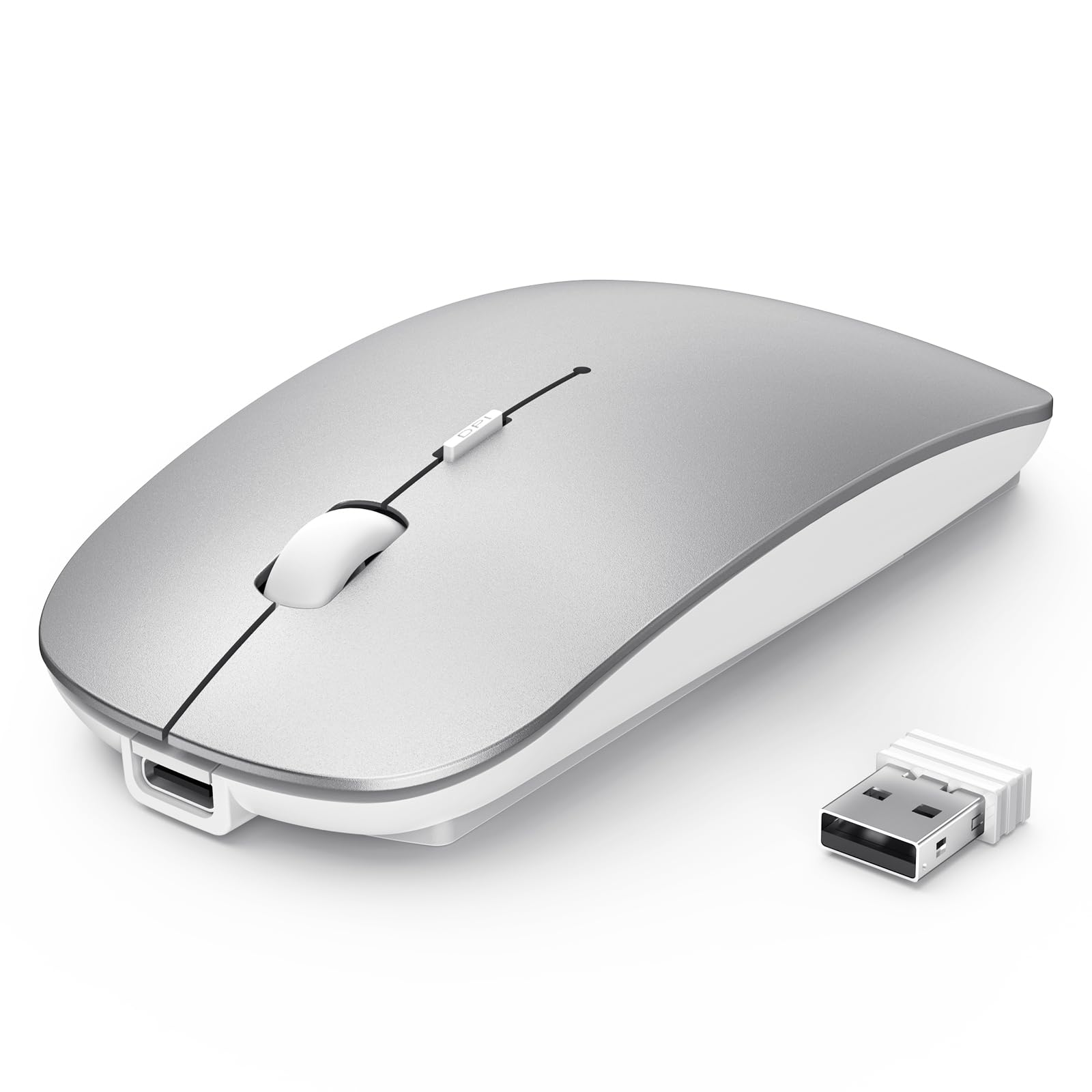
3. Konec produktuview
Familiarize yourself with the components of your TECKNET Wireless Mouse:

- Levé/pravé tlačítko pro kliknutí: Standardní tlačítka myši.
- Rolovací kolečko/prostřední tlačítko: For scrolling and middle-click functions.
- DPI/Low Battery Button: Located on the top, below the scroll wheel, for adjusting DPI and indicating low battery.
- Nabíjecí port typu C: Pro dobíjení myši.
- BT1/BT2 Indicators: Blue LEDs indicating Bluetooth connection status for two different devices.
- USB Channel Indicator: Green LED indicating 2.4G USB receiver connection status.
- Vypínač: Vypínač pro myš.
- Switch Mode Button: Located on the bottom, for cycling between 2.4G, BT1, and BT2 modes.
- 2.4G USB přijímač: Uloženo v přihrádce na spodní straně myši.
4. Nastavení
4.1 Nabíjení myši
The mouse features a built-in 500mAh rechargeable battery. To charge:
- Connect the provided USB-C charging cable to the charging port on the front of the mouse.
- Druhý konec kabelu zapojte do USB portu (např. do USB portu počítače, do USB adaptéru do zásuvky).
- A red light will illuminate on the scroll wheel area while charging.
- The mouse fully charges in approximately 2.5 hours, providing up to 60 days of use (based on 2 hours/day).
- The mouse has a 12-month standby time and an auto-sleep feature after 30 minutes of inactivity to conserve power.

Video: Demonstrates the charging process of the TECKNET Silent Wireless Mouse, showing the USB-C connection and the red indicator light during charging.
4.2 2.4G USB Receiver Connection
For devices with a standard USB-A port:
- Locate the 2.4G USB receiver in the compartment on the bottom of the mouse.
- Zapojte USB přijímač do volného portu USB-A na vašem počítači nebo zařízení.
- Turn on the mouse using the Power Switch on the bottom.
- Press the Switch Mode Button on the bottom until the green USB Channel Indicator light illuminates.
- The mouse should now be connected and ready for use.
4.3 Bluetooth Connection (BT1 & BT2)
The mouse supports two Bluetooth channels for connecting to multiple devices:
- Turn on the mouse using the Power Switch on the bottom.
- Press the Switch Mode Button on the bottom to select either BT1 or BT2. The corresponding blue indicator light (BT1 or BT2) will flash.
- On your device (laptop, iPad, MacBook, PC, Desktop, Android), go to Bluetooth settings.
- Hledat "TECKNET Mouse" or a similar device name and select it to pair.
- Once successfully paired, the blue indicator light will stop flashing and remain solid for a few seconds.
- Repeat these steps to connect to a second Bluetooth device using the other Bluetooth channel (BT1 or BT2).

Video: Demonstrates the multi-mode connection capabilities of the TECKNET Silent Thin Bluetooth Mouse, showing how to switch between 2.4G USB and Bluetooth connections for different devices.
5. Návod k obsluze
5.1 Přepínání mezi připojenými zařízeními
To switch between devices connected via 2.4G USB, Bluetooth 1, or Bluetooth 2, simply press the Switch Mode Button on the bottom of the mouse. The corresponding indicator light (green for 2.4G, blue for BT1/BT2) will confirm the active connection.
5.2 Nastavení citlivosti DPI
The mouse offers 6 adjustable DPI settings (800, 1200, 1600, 2400, 3200, 4800) for precise control. To change the DPI:
- Press the DPI button located on the top of the mouse, below the scroll wheel.
- Každým stisknutím se cyklicky prochází dostupnými nastaveními DPI.
- An indicator light on the bottom of the mouse will flash a certain number of times to indicate the current DPI level (e.g., 1 flash for 800 DPI, 6 flashes for 4800 DPI).

5.3 Silent Click Design
The mouse features a silent click design, reducing click noise by approximately 90%. This makes it suitable for quiet environments such as libraries, cafes, or shared workspaces.
5.4 Ergonomic and Portable Design
The ultra-thin and ergonomic design of the mouse ensures comfort during prolonged use and makes it highly portable, fitting easily into bags or pockets.


6. Údržba
- Myš pravidelně čistěte měkkým, suchým hadříkem. Nepoužívejte agresivní chemikálie ani abrazivní materiály.
- Keep the optical sensor clean to ensure accurate tracking.
- Myš skladujte na chladném a suchém místě mimo dosah přímého slunečního záření a extrémních teplot.
- Avoid dropping the mouse or subjecting it to strong impacts.
7. Řešení problémů
7.1 Myš nereaguje
- Ujistěte se, že je myš zapnutá.
- Zkontrolujte stav baterie a v případě potřeby myš nabijte.
- Verify the correct connection mode (2.4G, BT1, or BT2) is selected using the Switch Mode Button.
- For 2.4G connection, ensure the USB receiver is securely plugged into the device. Try a different USB port.
- Pro připojení Bluetooth se ujistěte, že je na vašem zařízení povoleno Bluetooth a myš je správně spárována. Zkuste myš znovu spárovat.
- Restartujte počítač nebo zařízení.
7.2 Přerušované připojení
- Ensure the mouse is within the effective range (15m for 2.4G, 10m for Bluetooth).
- Minimalizujte rušení od jiných bezdrátových zařízení nebo velkých kovových předmětů.
- Ujistěte se, že myš je na vhodném povrchu pro optické sledování.
7.3 Nastavení DPI nefunguje
- Ujistěte se, že je myš zapnutá a připojená.
- Press the DPI button firmly. Observe the indicator light on the bottom for flashes to confirm DPI changes.
8. Specifikace
| Číslo modelu: | TK-MS058 |
| Rozměry produktu: | 4.48 x 2.26 x 0.93 palce |
| Hmotnost položky: | 3.2 unce |
| Technologie připojení: | Bluetooth 5.2/3.0, 2.4G USB Wireless |
| Nastavení DPI: | 800, 1200, 1600, 2400, 3200, 4800 |
| Baterie: | Dobíjecí 500mAh |
| Doba nabíjení: | Přibl. 2.5 hodin |
| Životnost baterie: | Up to 60 days (2 hours/day use) |
| Speciální vlastnosti: | Wireless, Ultra-slim, Silent, Rechargeable, Ergonomic, Lightweight, Portable |
| Technologie detekce pohybu: | Optický |
| Kompatibilita: | Windows, MacOS, Android, Linux, iOS, ChromeOS |
9. Záruka a podpora
TECKNET products are designed to provide reliable performance. For warranty information, technical support, or customer service inquiries, please refer to the contact details provided in the product packaging or visit the official TECKNET webmísto.


