1. Úvod
Thank you for choosing the ROCAM Emergency Solar Radio CR1030. This versatile device is designed to provide reliable communication, light, and power in various situations, including emergencies, outdoor activities, and power outages. It features multiple charging methods, a powerful LED flashlight, a reading lamp, an SOS alarm, and a robust power bank function.
Před použitím produktu si prosím pečlivě přečtěte tento návod k obsluze, abyste zajistili jeho správný provoz a maximalizovali jeho životnost.
2. Konec produktuview
The ROCAM CR1030 is an essential tool for preparedness, offering a range of features to keep you informed and powered.
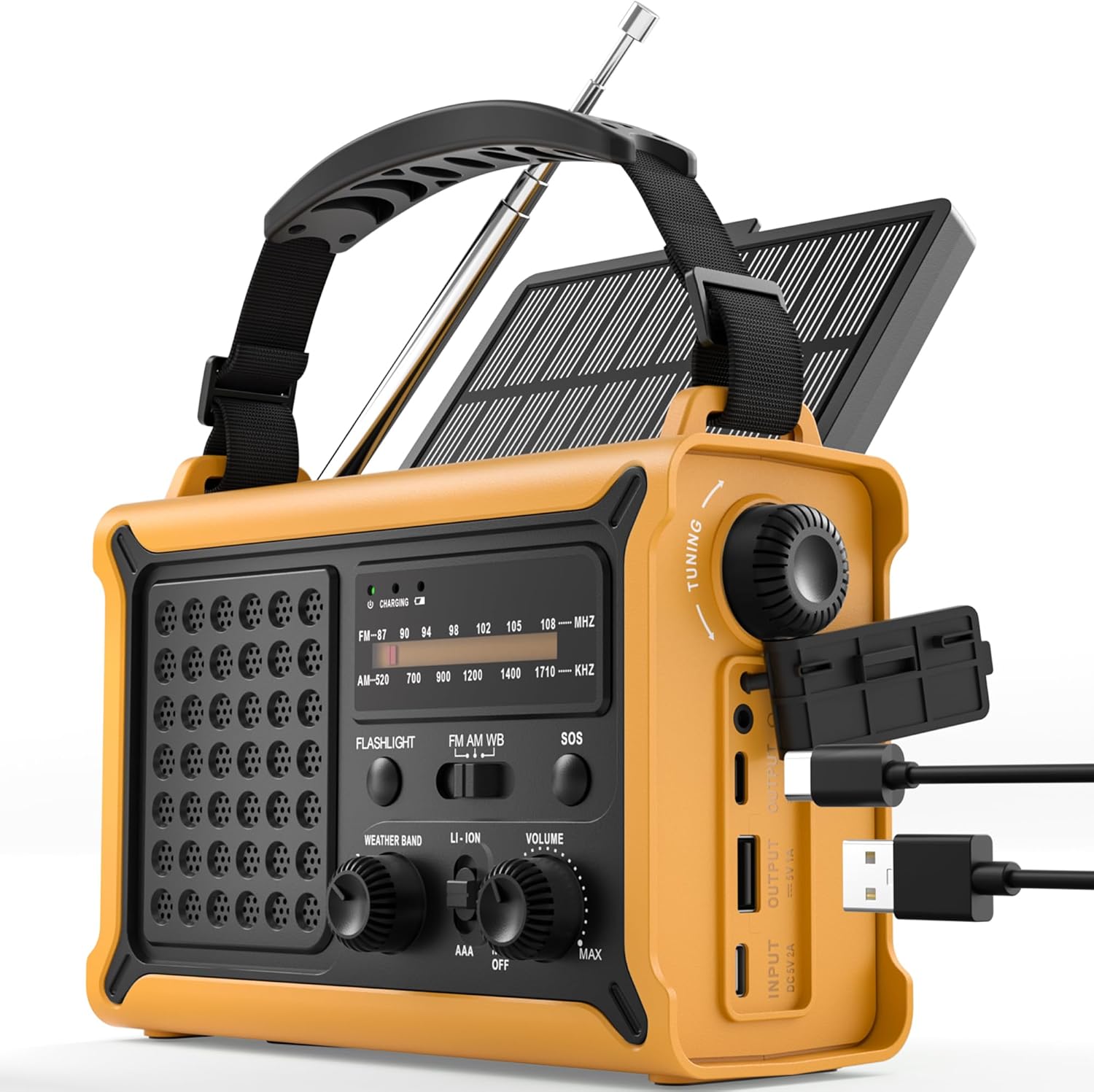
Obrázek 1: Přední view of the ROCAM Emergency Solar Radio CR1030, showcasing its compact and rugged design with integrated solar panel and controls.
Klíčové vlastnosti:
- Více zdrojů napájení: Rechargeable via solar panel, hand crank, USB-C input, or 3 AAA batteries (not included).
- Vysokokapacitní powerbanka: Integrated 12000mAh battery to charge smartphones and other USB devices.
- AM/FM rádio: Enhanced reception with a high-sensitivity chip and 360° antenna for clear audio.
- Duální osvětlení: Powerful 5W LED flashlight and a soft reading lamp for versatile illumination.
- Emergency SOS Alarm: 120 dB siren with flashing light for signaling in distress.
- Odolný design: IPX6 waterproof rating and ergonomic, full-size construction for easy handling.

Obrázek 2: Illustration of the radio's dual power capabilities, highlighting the solar panel and hand crank for emergency charging.

Obrázek 3: Depicts the SOS alarm function, the 12000mAh power bank charging a phone, and the radio's role in staying informed during emergencies.
3. Nastavení
3.1 Součásti balení

Obrázek 4: The radio, Type-C charging cable, user manual, and portable strap are included in the package.
Before first use, please ensure all components are present:
- ROCAM Emergency Solar Radio CR1030
- Nabíjecí kabel typu C.
- Uživatelská příručka
- Přenosný popruh
3.2 Počáteční nabíjení
It is recommended to fully charge the radio via the USB-C port before its first use. Connect the provided Type-C cable to the radio's input port and a standard USB power adapter (not included). The charging indicator will illuminate.
3.3 Instalace baterií AAA (volitelné záložní)
For an additional backup power source, you can install 3 AAA batteries (not included) in the designated battery compartment. Ensure correct polarity (+/-) when inserting the batteries.
4. Návod k obsluze
4.1 Zapnutí/vypnutí a ovládání hlasitosti
Otočte OBJEM knob clockwise to turn the radio on and increase the volume. Rotate counter-clockwise to decrease volume and turn the radio off.
4.2 Provoz rádia (AM/FM)
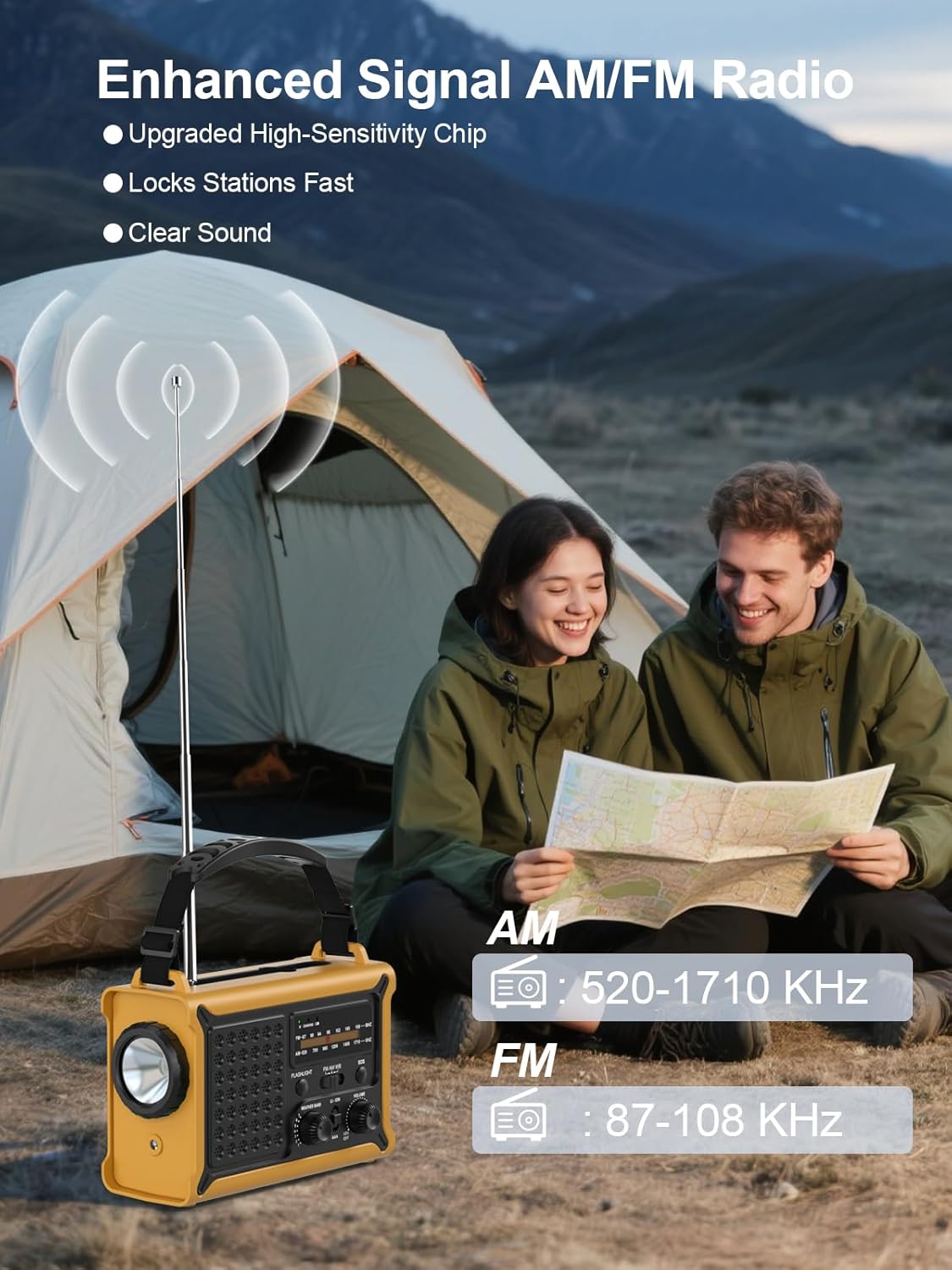
Obrázek 5: The radio features an extendable antenna for improved AM/FM reception, covering frequencies AM: 520-1710 KHz and FM: 87-108 KHz.
- Extend the telescopic antenna for optimal FM reception. For AM reception, the internal antenna is generally sufficient.
- Použijte KAPELA switch to select between AM and FM.
- Otočte LADĚNÍ knoflík pro vyhledávání rozhlasových stanic. Na displeji frekvence se zobrazí aktuální stanice.
4.3 Funkce osvětlení

Obrázek 6: The radio offers both a powerful 5W LED flashlight and a softer reading lamp pro různé potřeby osvětlení.
The radio features two lighting modes:
- Svítilna: Stiskněte tlačítko SVÍTILNA button once to turn on the 5W LED flashlight. Press again to turn it off.
- Čtení Lamp: Stiskněte tlačítko ČTENÍ LAMP button once to activate the soft reading light. Press again to turn it off.
4.4 SOS alarm

Obrázek 7: The SOS alarm provides a loud 120 dB siren and a flashing light to attract attention in emergency situations.
Chcete-li aktivovat alarm SOS, stiskněte a podržte tlačítko SOS button for 2 seconds. The radio will emit a loud 120 dB siren and a flashing light. To deactivate, press the SOS znovu tlačítko.
4.5 Nabíjení externích zařízení (powerbanky)

Obrázek 8: The radio features two USB output ports, allowing it to charge multiple devices simultaneously with its high-capacity power supply.
The built-in 12000mAh battery can be used to charge your mobile devices:
- Connect your device's USB charging cable to the radio's USB VÝSTUP přístav.
- The radio will begin charging your device.
- Note: The maximum output is 5V/1A.
4.6 Nabíjení rádia
The radio offers multiple ways to recharge its internal battery:
- Nabíjení USB-C: Connect the provided Type-C cable to the USB VSTUP port and a USB power source. This is the fastest charging method.
- Solární nabíjení: Place the radio with the solar panel facing direct sunlight. The solar charging indicator will light up. This method is ideal for maintaining battery charge or slow charging in emergencies.
- Nabíjení ruční klikou: Unfold the hand crank handle and rotate it clockwise or counter-clockwise at a steady pace (approximately 130-150 RPM). A few minutes of cranking can provide power for radio use or a short burst of light.

Obrázek 9: The radio features a large 8500 mm² solar panel for efficient solar charging.

Obrázek 10: The high-torque hand crank generator provides efficient power generation with minimal effort.
5. Údržba
5.1 Čištění
Otřete rádio měkkým, damp cloth. Do not use abrasive cleaners or solvents, as they may damage the surface. Ensure all ports are dry before use or charging.
5.2 Skladování
When storing the radio for extended periods, ensure it is fully charged. Store in a cool, dry place away from direct sunlight and extreme temperatures. If using AAA batteries, remove them during long-term storage to prevent leakage.
5.3 Péče o baterii
To prolong the life of the internal rechargeable battery, avoid fully discharging it frequently. Recharge the radio at least once every three months if not in regular use.
6. Řešení problémů
- Rádio se nezapíná: Ensure the volume knob is rotated clockwise. Check battery level. If using AAA batteries, ensure they are correctly installed and not depleted.
- Špatný příjem rádia: Extend the telescopic antenna fully. Try repositioning the radio. For AM, rotate the radio for better signal.
- Device not charging from USB output: Ensure the radio's internal battery has sufficient charge. Check the charging cable and connection. The output is 5V/1A; some devices may require higher current.
- Solární nabíjení nefunguje: Ensure the solar panel is exposed to direct sunlight. Solar charging is slower than USB-C and may not register immediately if the battery is very low.
- Hand crank not generating power: Ensure the crank is rotating smoothly and at a consistent speed. Check for any obstructions.
7. Specifikace
| Funkce | Specifikace |
|---|---|
| Značka | ROCAM |
| Číslo modelu | CR1030 |
| Barva | Žluť |
| Rozměry produktu | 17.3L x 12.1W x 7.4H cm |
| Zdroj napájení | Solar, Hand Crank, USB-C, 3x AAA Batteries |
| Kapacita baterie | 12000mAh (Internal Rechargeable) |
| Velikost solárního panelu | 8500 mm² |
| Dynamo Output | 650mA (Hand Crank) |
| Rozhlasové kapely | AM (520–1710 kHz), FM (87–108 MHz) |
| Svítilna | 5W LED |
| SOS alarm | 120 dB with Flashing Light |
| USB výstup | 5V/1A |
| Konektivita | USB (pro nabíjení externích zařízení) |
| Hodnocení voděodolnosti | IPX6 |
| Kompatibilní zařízení | Chytré telefony, Sluchátka |
| Zahrnuté komponenty | Radio, Type-C Charging Cable, User Manual, Portable Strap |
8. Záruka a podpora
8.1 Záruka výrobce
This ROCAM product is covered by an 18měsíční záruka výrobce od data nákupu. Tato záruka se vztahuje na vady materiálu a zpracování při běžném používání. Nevztahuje se na škody způsobené nesprávným použitím, nehodami, neoprávněnými úpravami nebo běžným opotřebením.
8.2 Zákaznická podpora
If you encounter any issues or have questions regarding your ROCAM Emergency Solar Radio CR1030, please refer to the troubleshooting section of this manual first. If the problem persists, please contact the seller or ROCAM customer support for assistance. Please have your purchase receipt and model number (CR1030) ready when contacting support.


