1. Úvod
This manual provides comprehensive instructions for the SUPVAN E10 Label Maker. It covers essential information regarding the device's setup, operation, maintenance, and troubleshooting. Please read this manual thoroughly before using your E10 Label Maker to ensure proper function and longevity of the product.
2. Obsah balení
Ověřte, zda jsou v balení přítomny všechny níže uvedené položky:
- 1 x SUPVAN E10 Label Maker
- 1 x Roll of Dots Continuous Label
- 1 x Roll of Cosmetic Continuous Label
- 1 x Roll of White Continuous Label
- 1 x USB Charging Cable (not explicitly listed but standard for rechargeable devices)

Obrázek 2.1: The SUPVAN E10 Label Maker shown alongside the three included label rolls: one with a dots pattern, one with a cosmetic pattern, and one plain white roll.
3. Vlastnosti produktu
The SUPVAN E10 Label Maker offers several features designed for efficient and versatile labeling:
- Kompaktní a přenosný design: The E10 is designed to be smaller and lighter than traditional label makers, enhancing portability.
- Vestavěná dobíjecí baterie: Eliminates the need for disposable AA batteries, offering convenience and cost savings.
- Technologie tepelného tisku: Utilizes thermal printing, removing the requirement for ink or toner cartridges.
- Inteligentní automatická detekce RFID: Automatically recognizes and detects the size of the inserted label roll, minimizing misalignment errors and waste.
- BPA-Free Labels: The included labels comply with BPA-free standards, ensuring safety for various applications, including food and cosmetic labeling.
- Odolné štítky: Labels are designed to be waterproof and oilproof, suitable for diverse environments.
- Možnosti zářivých barev štítků: The package includes labels with distinct colors and patterns for personalization and organization.

Obrázek 3.1: A visual comparison highlighting the compact size of the SUPVAN E10 Label Maker against a larger, traditional label maker, emphasizing its portability and built-in rechargeable battery.
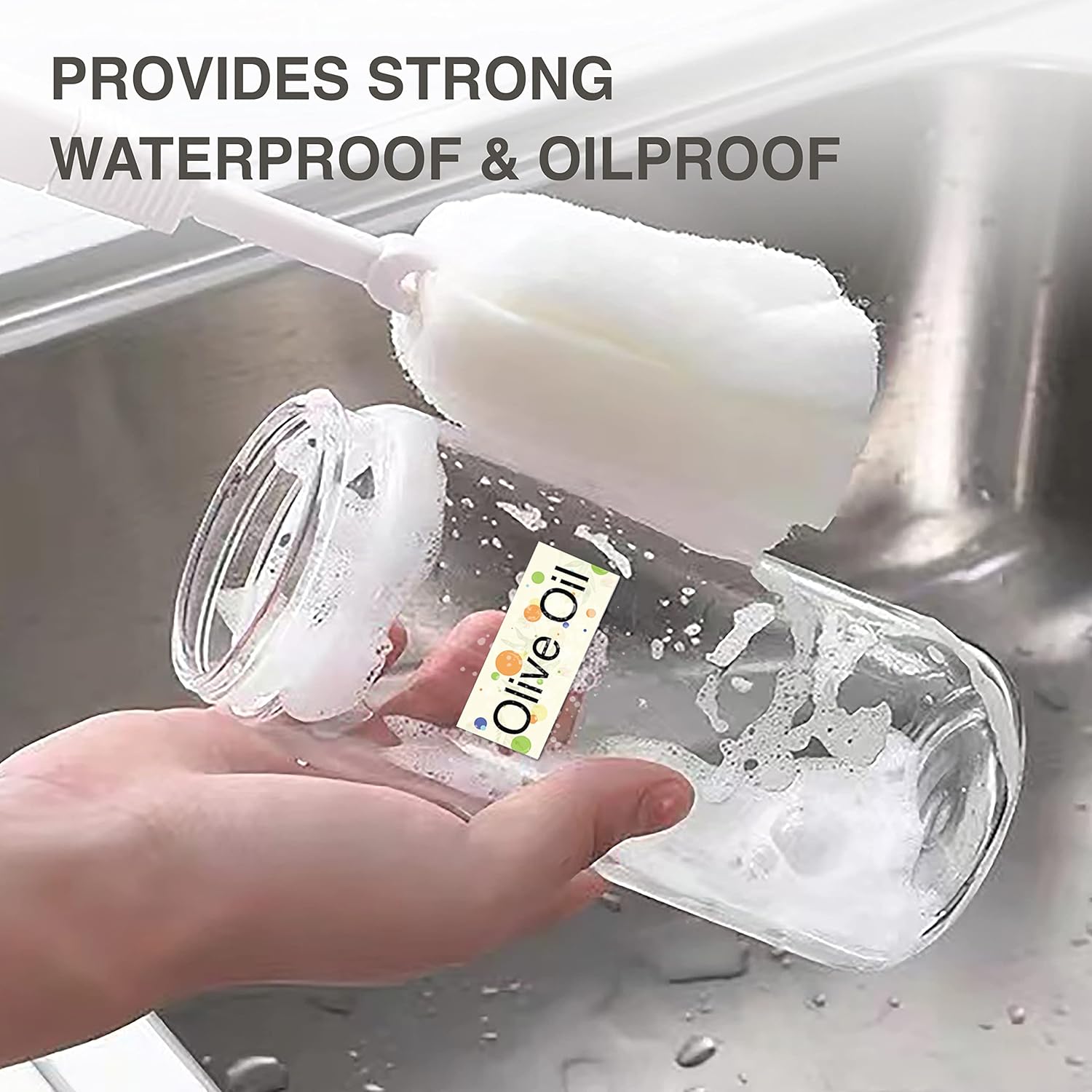
Obrázek 3.2: A label applied to a bottle being washed, illustrating the waterproof and oilproof characteristics of the SUPVAN labels.

Obrázek 3.3: Food storage containers with labels, demonstrating practical applications for organizing and identifying contents.
4. Nastavení
4.1 Nabíjení zařízení
Before initial use, fully charge the E10 Label Maker. Connect the provided USB cable to the charging port on the device and to a standard USB power adapter (not included) or a computer's USB port. The charging indicator light will provide status feedback (refer to device indicators for specific light behaviors).
4.2 Vkládání rolí s etiketami
- Open the label compartment cover on the E10 Label Maker.
- Insert a label roll into the compartment, ensuring the printing side of the label faces upwards and the leading edge extends slightly out of the slot.
- Close the label compartment cover. The device's RFID auto-detection feature will identify the label type and size.
4.3 Instalace a připojení aplikace
- Download the official SUPVAN labeling application from your smartphone's app store (iOS App Store or Google Play Store).
- Ujistěte se, že je na vašem smartphonu povoleno Bluetooth.
- Turn on the E10 Label Maker by pressing and holding the power button.
- Open the SUPVAN app and follow the on-screen instructions to connect to your E10 device via Bluetooth. The app will typically display available devices for pairing.
5. Návod k obsluze
Once the E10 Label Maker is set up and connected to the app, you can begin creating and printing labels.
5.1 Návrh štítků
- In the SUPVAN app, select the 'New Label' or 'Edit' option.
- Utilize the various design tools available in the app, which typically include:
- Text: Add and format text with different fonts, sizes, and styles.
- Rám: Apply decorative borders around your label content.
- Ikona: Insert pre-designed icons or symbols.
- Skica: Draw custom elements directly on the label.
- Obrázek: Import images from your device.
- Čárový kód/QR kód: Generujte a přidávejte čárové kódy nebo QR kódy.
- Vynikat: Integrate data from spreadsheets for batch printing.
- Adjust the layout and content to fit the label size detected by the E10.

Obrázek 5.1: A smartphone displaying the SUPVAN app interface, demonstrating the various tools available for designing labels, including text, frames, icons, and image insertion, followed by the print command.

Obrázek 5.2: A close-up of the Dots Continuous Label roll and various example labels printed using the SUPVAN E10, showcasing different design elements like text, icons, and barcodes.

Obrázek 5.3: A close-up of the Cosmetic Continuous Label roll and various example labels printed using the SUPVAN E10, demonstrating different design elements like text, icons, and barcodes.
5.2 Tisk štítků
After designing your label:
- Review the label design in the app's preview režimu.
- Vyberte počet kopií, které chcete vytisknout.
- Tap the 'Print' button in the app. The E10 Label Maker will then print the labels.
- Carefully tear off the printed label from the device's output slot.
6. Údržba
Regular maintenance ensures optimal performance and extends the lifespan of your E10 Label Maker.
6.1 Čištění tiskové hlavy
If print quality degrades (e.g., faint lines, smudges), the print head may need cleaning.
- Turn off the label maker and disconnect it from any power source.
- Otevřete přihrádku na štítky.
- Jemně otřete tiskovou hlavu vatovým tamponem, lehceampened with isopropyl alcohol. Allow it to dry completely before closing the cover and resuming use.
6.2 Péče o baterii
- Vyhněte se častému úplnému vybíjení baterie.
- Zařízení pravidelně nabíjejte, i když jej nepoužíváte neustále, abyste zachovali jeho stav.
- Pokud zařízení delší dobu nepoužíváte, skladujte jej na chladném a suchém místě.
6.3 Ukládání štítků
Store label rolls in a cool, dry place away from direct sunlight and extreme temperatures to prevent degradation of the thermal material.
7. Řešení problémů
If you encounter issues with your E10 Label Maker, refer to the following common problems and solutions:
| Problém | Možná příčina | Řešení |
|---|---|---|
| Zařízení se nezapne. | Slabá baterie nebo porucha zařízení. | Nabíjejte zařízení alespoň 30 minut. Pokud se stále nezapne, kontaktujte podporu. |
| Nelze se připojit k aplikaci přes Bluetooth. | Bluetooth vypnutý, zařízení není viditelné nebo problém s aplikací. | Ensure Bluetooth is enabled on your phone and the E10 is powered on. Restart both the device and the app. Try re-pairing in the app. |
| Špatná kvalita tisku (bledé, prázdné řádky). | Dirty print head, incorrect label orientation, or low battery. | Clean the print head (see Section 6.1). Ensure the label roll is inserted correctly with the printing side up. Charge the device. |
| Label not recognized or misaligned. | Label roll not inserted correctly, or RFID sensor issue. | Re-insert the label roll, ensuring it is seated properly. Close the cover firmly. |
| Aplikace padá nebo zamrzá. | Software bug or compatibility issue. | Restart the app and your smartphone. Ensure the app is updated to the latest version. |
8. Specifikace
| Funkce | Detail |
|---|---|
| Název modelu | E10 |
| Značka | SUPVAN |
| Technologie tisku | Tepelný |
| Technologie připojení | Bluetooth (App-controlled), USB (for charging) |
| Barva | Zelený |
| Hardwarové rozhraní | USB |
| Další funkce tiskárny | Pouze tisk |
| Tisková média | Termální papír |
| Maximální vstupní kapacita listu | 1 (roll) |
| Oboustranný tisk | Žádný |
9. Záruka a podpora
For warranty information and technical support, please refer to the warranty card included with your product or visit the official SUPVAN website. You may also contact SUPVAN customer service directly through the contact information provided on their website or within the SUPVAN application.


