1. Úvod
Thank you for choosing the NIMO 17.3" IPS FHD Laptop. This manual provides essential information for setting up, operating, maintaining, and troubleshooting your device. Please read it carefully to ensure optimal performance and longevity of your laptop.
The NIMO N171 laptop features a 17.3-inch Full HD IPS display, powered by an Intel Core i3-1215U processor, 8GB of DDR4 RAM, and a 256GB PCIe SSD. It comes pre-installed with Windows 11 Home and includes a backlit keyboard with a fingerprint reader for enhanced security and convenience.

Image: NIMO 17.3 inch IPS FHD Laptop, showcasinjeho velký displej a elegantní design.
2. Nastavení
2.1 Vybalení a úvodní kontrola
Opatrně vyjměte všechny součásti z obalu. Ujistěte se, že jsou přítomny následující položky:
- 1 x Nimo N171 Laptop
- 1 x Type-C 65W PD Fast Charger
- 1 x Uživatelská příručka (tento dokument)
- Windows 11 Home (předinstalovaný)
Zkontrolujte notebook, zda není fyzicky poškozen. Pokud zjistíte jakékoli poškození, okamžitě kontaktujte zákaznickou podporu.
2.2 Nabíjení notebooku
Before first use, fully charge the laptop battery. Connect the provided 65W Type-C PD Fast Charger to the laptop's Type-C charging port and then to a power outlet. The charging indicator light will illuminate.

Image: The 65W Type-C PD Charger, illustrating its compact design and compatibility with various devices.
2.3 Počáteční zapnutí a nastavení systému Windows
Press the power button located on the laptop. The laptop will boot up and guide you through the Windows 11 Home setup process. Follow the on-screen instructions to configure language, region, network, and user accounts.
3. Návod k obsluze
3.1 Zobrazení a vizuální prvky
The NIMO N171 features a 17.3-inch Full HD (1920x1080) IPS anti-glare display, offering wide viewing angles and vibrant colors. Adjust brightness using the function keys (Fn + Fx keys, refer to keyboard layout for specific keys).

Image: The 17.3-inch FHD IPS display, highlighting its immersive viewing experience with narrow bezels.
3.2 Klávesnice a vstup
The laptop is equipped with a full-size backlit keyboard and a numeric keypad. The backlight can be toggled or adjusted using dedicated function keys. The touchpad supports multi-touch gestures for navigation.

Image: Close-up of the backlit keyboard and integrated fingerprint reader on the touchpad.
3.3 Čtečka otisků prstů
For secure and quick login, utilize the built-in fingerprint reader located on the touchpad. Configure your fingerprint in Windows Settings > Accounts > Sign-in options.
3.4 Webcam Privacy Shield
Integrovaný webcam features a physical privacy shield. Slide the cover to the left to open the camera and to the right to close it, ensuring your privacy when the camera is not in use.
3.5 Porty připojení
Notebook nabízí řadu portů pro připojení periferií a externích displejů:
- USB 3.2 1. generace: Vysokorychlostní přenos dat.
- USB 2.0: Standardní USB připojení.
- USB Type-C: For data transfer and charging (65W PD).
- Standard HDMI 1.4: Připojení k externím monitorům nebo televizorům.
- Slot pro kartu Micro SD: Rozšíření úložiště nebo přenos files z paměťových karet.
- Audio jack: Připojte sluchátka nebo externí reproduktory.
- Slot zámku Kensington: Pro fyzické zabezpečení.

Image: Diagram illustrating the various connectivity ports on the NIMO laptop.
3.6 Správa baterie
The laptop is equipped with a large capacity battery, providing up to 7 hours of usage. For optimal battery health, avoid frequently draining the battery completely and store the laptop in a cool, dry place.

Image: Visual representation of the laptop's battery capacity and typical usage scenarios.
4. Údržba
4.1 Čištění
K čištění obrazovky a vnějších povrchů používejte měkký hadřík, který nepouští vlákna. V případě odolných šmouh dampHadřík lehce otřete vodou nebo čističem obrazovky. Vyhněte se agresivním chemikáliím nebo abrazivním materiálům.
4.2 Aktualizace softwaru
Regularly check for and install Windows updates to ensure your system has the latest security patches and performance improvements. You can find updates in Windows Settings > Windows Update.
4.3 Správa úložiště
Pravidelně znovuview and manage your 256GB SSD storage. Delete unnecessary fileodinstalujte nepoužívané aplikace a zvažte cloudové úložiště pro velké files pro udržení optimálního výkonu systému.
5. Řešení problémů
This section addresses common issues you might encounter with your NIMO laptop.
- Notebook se nezapne: Ensure the charger is properly connected and the battery has sufficient charge. Try holding the power button for 10-15 seconds to perform a hard reset.
- Obrazovka je prázdná nebo bliká: Restart the laptop. If connected to an external display, try disconnecting and reconnecting the HDMI cable.
- Problémy s připojením k Wi-Fi nebo Bluetooth: Check if Wi-Fi/Bluetooth is enabled in Windows settings. Restart your router or the laptop. Update network drivers if necessary.
- Pomalý výkon: Zavřete nepotřebné aplikace. Zkontrolujte procesy na pozadí, které spotřebovávají mnoho zdrojů (Správce úloh). Zajistěte dostatek volného místa na SSD disku.
- Klávesnice nebo touchpad nereaguje: Restartujte notebook. Ujistěte se, že žádná externí zařízení neruší.
If you encounter persistent issues not covered here, please refer to the Warranty and Support section for assistance.
6. Specifikace
Detailed technical specifications for the NIMO N171 Laptop:
| Funkce | Specifikace |
|---|---|
| Značka | NIMO |
| Název modelu | Nimo N171G |
| Velikost obrazovky | 17.3 palce |
| Rozlišení obrazovky | 1920 x 1080 pixelů (FHD) |
| Procesor | Intel Core i3-1215U (6 jader, až 4.4 GHz) |
| BERAN | 8 GB DDR4 (3200 MHz) |
| Pevný disk | 256 GB PCIe SSD |
| Grafický koprocesor | Integrovaná grafika (Intel) |
| Operační systém | Windows 11 Home |
| Bezdrátový typ | 802.11a/b/g/n/ac (Wi-Fi 6) |
| Bluetooth | Bluetooth 5.2 |
| USB porty | 1x USB 2.0, 3x USB 3.0, 2x USB Type-C (1 for PD charging) |
| Port HDMI | HDMI 2.1 |
| Webvačka | 2 MP zadní Webcam Resolution (with privacy shield) |
| Speciální funkce | Fingerprint Reader, Backlit Keyboard, HD Audio, Memory Card Slot, Numeric Keypad |
| Průměrná životnost baterie | 5-7 hodin |
| Hmotnost položky | 4.6 libry |
| Rozměry produktu | 15.66 x 9.99 x 0.74 palce |
7. Záruka a podpora
NIMO is committed to providing high-quality products and customer satisfaction.
7.1 Záruka výrobce
Your NIMO laptop is covered by a comprehensive 2letá záruka výrobce from Nimo Direct Inc. This warranty covers defects in materials and workmanship under normal use. Please retain your proof of purchase for warranty claims.

Image: Illustration of NIMO's 2-year support commitment.
7.2 90-Day Hassle-Free Returns
Nimo Direct Inc. offers a Zásady vrácení zboží do 90 dnů. If you are not satisfied with your purchase, you may return the product within 90 days from the date of purchase. Please refer to the return policy details provided at the time of purchase or contact customer support.
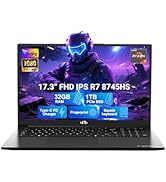
Image: Visual representation of the 90-day return policy.
7.3 Zákaznická podpora
For any product-related questions, technical support, or warranty claims, please contact our professional customer service team:
- E-mail: service@nimopc.com
- Telefon: Refer to your product packaging or NIMO's official website for current phone support numbers.
- online: Visit the official NIMO webweb s nejčastějšími dotazy a dalšími zdroji podpory.
Our dedicated support team is available to assist you and resolve any issues promptly.

Image: Depiction of NIMO's professional customer assistance team.


