Zavedení
This manual provides essential information for setting up, operating, maintaining, and troubleshooting your new Monster Tulpar T7 V26.2.2 gaming laptop. Please read this guide thoroughly to ensure optimal performance and longevity of your device.
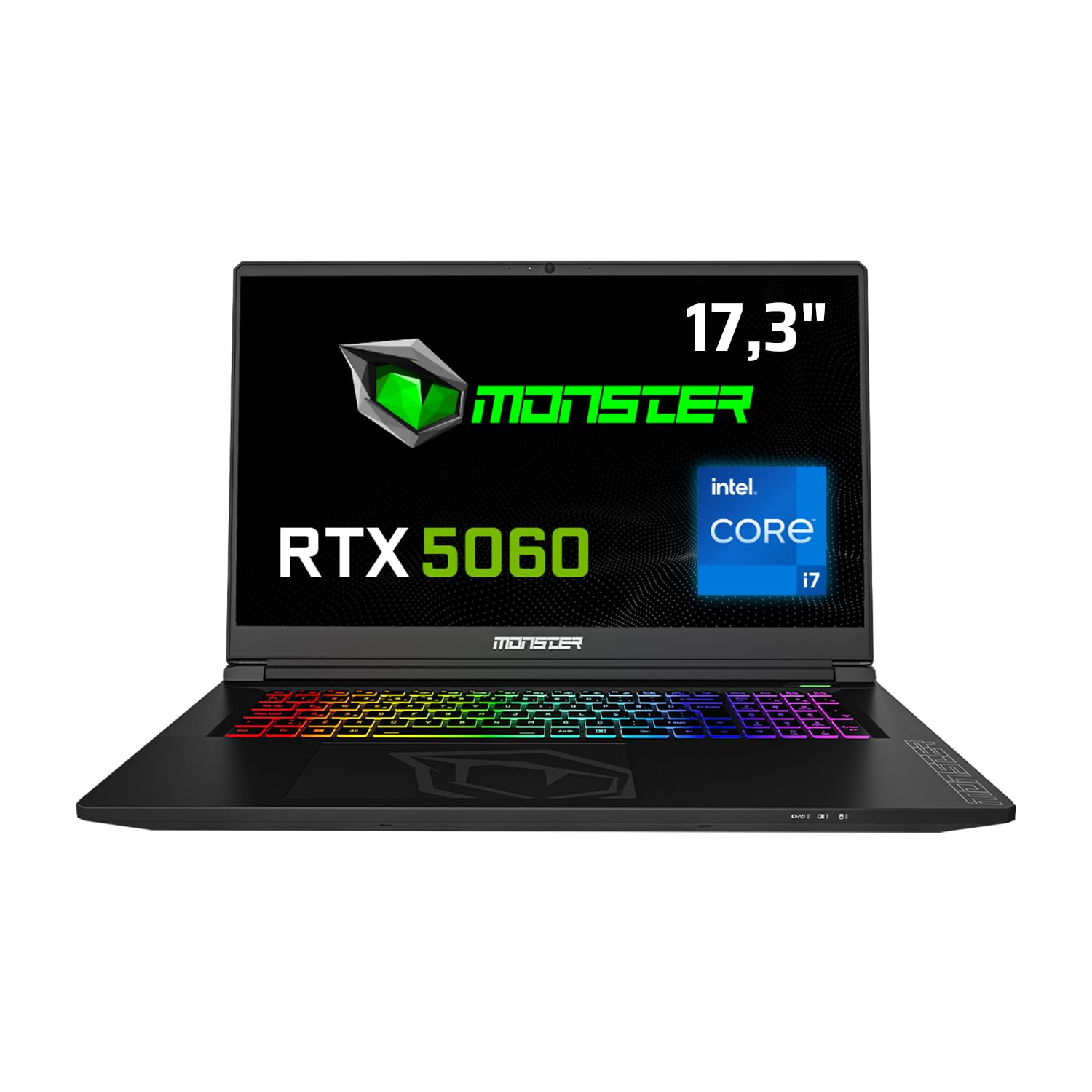
Přední view of the Monster Tulpar T7 V26.2.2 Gaming Laptop, highlighting its 17.3-inch display, Intel Core i7 processor, and RTX 5060 graphics, along with a 4-year warranty badge.
Nastavení
Initial Power-On and Operating System Installation
Your Monster Tulpar T7 V26.2.2 laptop comes with Freedos. To begin using your laptop, you will need to install a compatible operating system (e.g., Windows, Linux). Follow the instructions provided with your chosen operating system for installation.
- Připojte napájení: Zapojte napájecí adaptér do vstupního portu napájení notebooku a poté do zásuvky ve zdi.
- První spuštění: Press the power button. The laptop will typically boot into the Freedos environment or BIOS.
- Instalace operačního systému: Insert your operating system installation media (USB drive or DVD) and follow the on-screen prompts to install the OS. Ensure all necessary drivers are installed after the OS setup for full functionality.
Připojení periferií
Utilize the various ports on your laptop to connect external devices such as a mouse, keyboard, external monitor, or USB drives.

Detailed diagram illustrating the various connectivity ports available on the Monster Tulpar T7 V26.2.2 laptop, including Ethernet, power input, HDMI, Mini DP, Kensington Lock, USB-A, and USB-C.
- Ethernet (RJ45): Pro kabelové síťové připojení.
- HDMI 2.1 & Mini DP: Pro připojení externích displejů.
- USB-A (3.2 Gen1, 2.0): For general USB devices.
- USB-C (3.2 Gen2 with DP 1.4 support): Versatile port for data, display, and charging (if supported by external device).
- Microphone & Headphone Jacks: Pro audio vstup a výstup.
- Zámek Kensington: Pro fyzické zabezpečení.
Ovládání notebooku
Zobrazení a vizuální zážitek
The 17.3-inch Full HD (1920x1080) IPS matte panel display offers a fluid gaming experience with a 144 Hz refresh rate, ensuring clear and vibrant visuals.

The laptop's display showcasing a fluid gaming experience, emphasizing Full HD resolution, 144Hz refresh rate, and IPS matte panel technology.
Vlastnosti výkonu
Your Tulpar T7 V26.2.2 is equipped with high-performance components designed for demanding tasks and gaming.
- Procesor: Intel Core i7-13620H (13th Gen) provides high performance for both gaming and applications. It features 6 performance cores and 4 efficiency cores, totaling 16 threads, managed by Intel Thread Director for optimal task distribution.
- Grafická karta: NVIDIA GeForce RTX 5060 with 8GB GDDR7 memory. This GPU supports ray tracing and DLSS 4 technology for realistic graphics and high frame rates. The MUX Switch (NVIDIA Advanced Optimus) allows direct GPU access to the display for maximum performance.
- BERAN: 32GB DDR5 RAM at 5200 MHz ensures smooth multitasking and gaming performance. Expandable up to 64GB.
- Skladování: 1TB Gen4 M.2 SSD for fast boot times and rapid data access. The laptop supports two Gen4 M.2 SSD slots for expanded storage.

Performance benchmarks demonstrating high FPS in popular games like Monster Hunter World, Valorant, Cyberpunk, and Forza Horizon 5 at 1080p resolution.

Visual representation highlighting the speed advantages of DDR5 5200 MHz RAM and Gen4 SSD over previous generations, indicating up to 62% faster performance.
Klávesnice a vstup
The laptop features a backlit keyboard with a numeric keypad, enhancing usability in various lighting conditions and for data entry.

The Monster Tulpar T7 V26.2.2 laptop open, showcasing its vibrant RGB backlit keyboard and large trackpad.
Údržba
Správná údržba zajistí dlouhou životnost a optimální výkon vašeho notebooku.
- Čištění: Regularly clean the screen with a microfiber cloth and the keyboard with compressed air to remove dust and debris.
- Chladicí systém: Ensure the ventilation grilles are clear of obstructions to prevent overheating. Periodically clean the fan vents.
- Péče o baterie: Avoid fully discharging the battery frequently. For long-term storage, keep the battery charged to around 50-60%.
- Aktualizace softwaru: Pro zajištění stability a zabezpečení udržujte operační systém a ovladače aktualizované.
Odstraňování problémů
Tato část se zabývá běžnými problémy, se kterými se můžete setkat.
- Bez napájení: Ujistěte se, že je napájecí adaptér bezpečně připojen k notebooku i k funkční zásuvce. Zkontrolujte kontrolku napájení.
- Problémy se zobrazením: If the screen is blank, try connecting an external monitor to verify if the laptop is functioning. Adjust display settings or update graphics drivers.
- Zpomalení výkonu: Close unnecessary applications. Check for background processes consuming high CPU or RAM. Ensure the laptop is well-ventilated to prevent thermal throttling.
- Periferní zařízení nebylo detekováno: Zkuste připojit periferní zařízení k jinému portu USB. Ujistěte se, že jsou nainstalovány ovladače pro periferní zařízení.
For more complex issues, refer to the official Monster support webnebo kontaktujte zákaznický servis.
Specifikace
Detailed technical specifications for the Monster Tulpar T7 V26.2.2 gaming laptop.
| Funkce | Specifikace |
|---|---|
| Značka | NETVOR |
| Název modelu | Tulpar T7 V26.2.2 |
| Výrobce | Netvor |
| Číslo modelu produktu | Tulpar T7 V26.2.2 |
| Form Factor | Přenosný |
| Velikost obrazovky | 17.3 palce |
| Laptop Display Technology | LED |
| Rozlišení displeje | 1920 x 1080 pixelů |
| Značka procesoru | Intel |
| Typ procesoru | Intel Core i7 |
| Rychlost procesoru | 4.9 GHz |
| Počet procesorů | 24 (Threads) |
| Velikost RAM | 32 GB |
| Technologie paměti | DDR5 |
| Typ paměti počítače | DDR5 RAM |
| Maximum Supported Memory | 64 GB |
| Rychlost paměti | 5200 MHz |
| Velikost pevného disku | 1 TB |
| Popis pevného disku | SSD |
| Rozhraní pevného disku | Solid State |
| Výrobce grafických procesorů | NVIDIA |
| Popis grafické karty | Věnováno |
| Typ grafické paměti RAM | GDDR7 |
| Graphics Card Memory Size | 8 GB |
| Typ připojení | Bluetooth, WiFi |
| Bezdrátový typ | 802.11a/b/g/n/ac, Bluetooth |
| USB 2.0 Port Count | 1 |
| HDMI Port Count | 1 |
| Ethernet Port Count | 1 |
| Microphone Port Count | 1 |
| Typ optické mechaniky | Bez optické mechaniky |
| Hardwarová platforma | PC |
| Operační systém | DOS |
| Hmotnost položky | 10 kg |
| Klíčové vlastnosti | Backlit Keyboard, Memory Card Slot, Numeric Keypad, Anti-Glare Coating, High Quality Audio |
| První dostupný termín | 19. května 2025 |
Záruka a podpora
Monster is committed to providing excellent support for your laptop.
- 4-letá záruka: Your Monster laptop comes with a 4-year warranty. To activate, register your product on the Monster support page within 90 days from the invoice date. The extended warranty applies only to Monster Notebook branded products.
- Lifetime Maintenance Service: Monster offers a lifetime maintenance service to ensure your laptop performs optimally for years. This service is provided by expert Monster technical services and is free of charge even after the warranty period expires.

Visual representation of Monster's 4-year warranty and lifetime maintenance service commitment.
For further assistance, visit the official Monster support webnebo kontaktujte jejich zákaznický servis.


