Zavedení
Welcome to the Lockin Veno Smart Lock user manual. This guide provides comprehensive instructions for the installation, operation, and maintenance of your new smart lock. Please read this manual thoroughly before using the product to ensure proper function and safety. The Lockin Veno Smart Lock offers advanced security and convenience with multiple unlocking methods, designed to integrate seamlessly into your smart home.
Konec produktuview
The Lockin Veno Smart Lock is a state-of-the-art keyless entry system for front doors, featuring cutting-edge palm vein recognition, fingerprint scanning, and a built-in doorbell. It offers robust security with IP65 weather protection and a long-lasting battery. This smart lock is designed for easy DIY installation and provides flexible access options for various users.

Image: The Lockin Veno Smart Lock, showing its sleek black design, the exterior unit with keypad and palm vein scanner, the interior unit, and a mobile app interface for control.
Klíčové vlastnosti
- Next-Gen Palm Vein Recognition: Unlock your door in just 0.17 seconds with 99.9% accuracy. This touchless biometric technology offers military-grade security that cannot be duplicated.
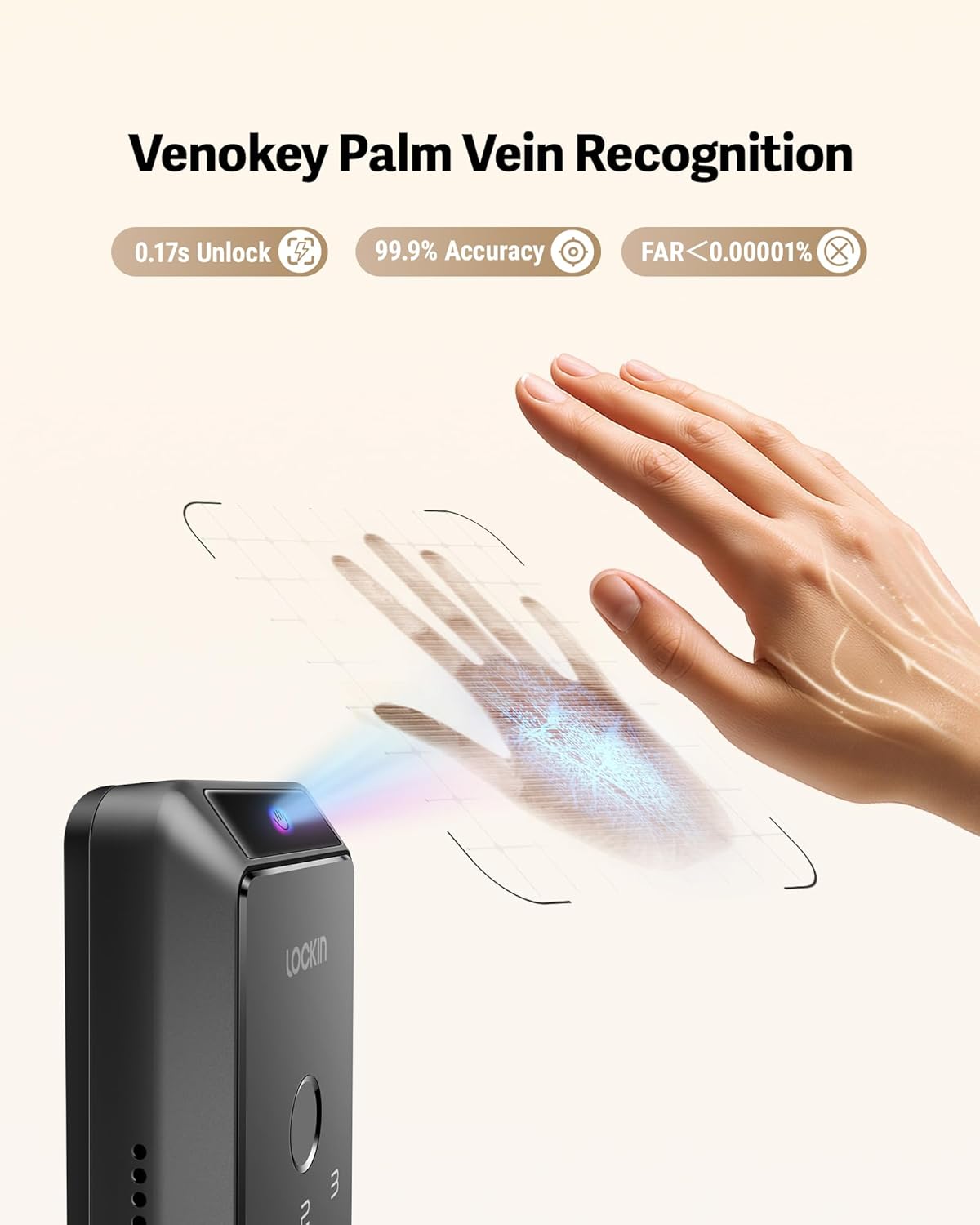
Obrázek: Podrobný view of the palm vein recognition feature in action, highlighting its speed and accuracy.

Image: Demonstrates the versatility of palm vein recognition, functioning reliably even with sweaty, dirty, injured, or peeling hands.
- Six Flexible Unlocking Methods: Choose from palm vein recognition, fingerprint scan, passcode, smartphone app, Bluetooth, or emergency mechanical key for convenient access.

Image: Visual representation of the six distinct ways to unlock the Lockin Veno Smart Lock, including biometric and traditional methods.
- 7-Month Battery Life & Low Power Alerts: Enjoy extended usage with intelligent power management, providing up to 7 months of battery life on a single charge. Receive app notifications when the battery level drops below 20%.
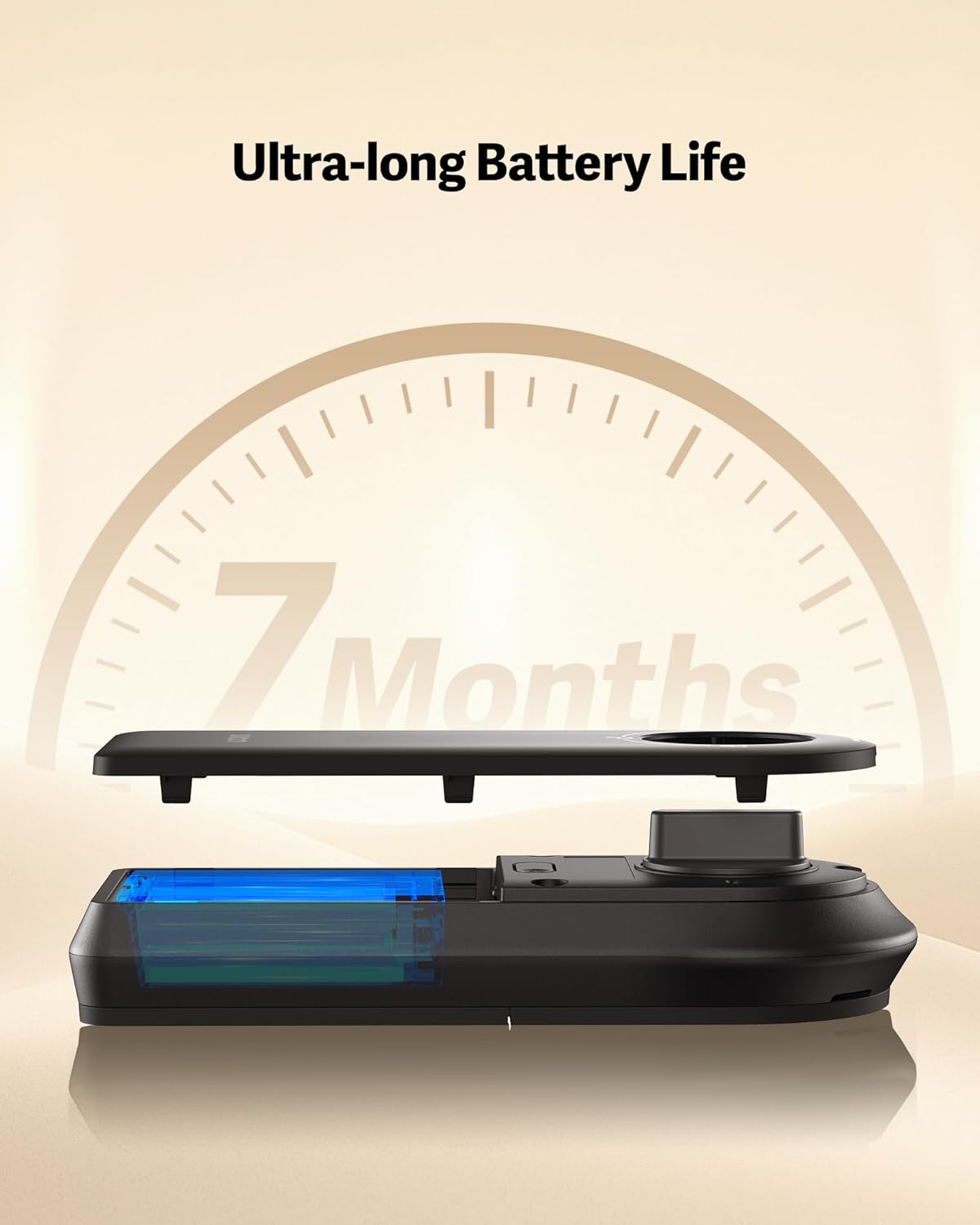
Image: Illustrates the internal battery component and emphasizes the impressive 7-month battery life of the smart lock.
- All-Weather IP65 Protection: Built to withstand various environmental conditions, the lock features IP65 certification for protection against rain, dust, and extreme temperatures (-22°F to 158°F). The reinforced zinc alloy housing ensures durability.

Image: Showcases the lock's resilience against water and its robust construction, confirming its IP65 weather resistance and BHMA Grade 2 certification.
- 15-Minute DIY Installation: Designed for easy, no-drill installation, fitting most standard doors. A screwdriver is the only tool required.
- Integrace hlasového ovládání: Compatible with major smart home ecosystems including Amazon Alexa, Google Home, Apple Home, and Samsung SmartThings.

Image: Depicts the smart lock's seamless integration with popular voice assistants for convenient hands-free operation.
Nastavení
1. Kontrola kompatibility
Před instalací se ujistěte, že vaše dveře splňují následující specifikace:
- Door Hole Diameter: 1 inch (25.4 mm)
- Door Thickness: 1⅜ inches - 2⅛ inches (35 mm - 55 mm)
- Backset: 2⅜ inches / 60 mm or 2¾ inches / 70 mm
- Crossbore Diameter: 2⅛ inches / 54 mm
- Minimum Distance Between Handle and Crossbore Center: 3 inches / 75 mm
The lock is compatible with single cylinder deadbolts and rectangular latch plate cutouts. It is NOT compatible with mortise locks or rounded latch holes.

Image: A detailed guide for checking door compatibility, illustrating required measurements and compatible lock types.
2. Proces instalace
The Lockin Veno Smart Lock is designed for a straightforward DIY installation, typically taking around 15 minutes with just a screwdriver. Follow the detailed instructions provided in the included user manual for step-by-step guidance on replacing your existing deadbolt.
3. Počáteční nastavení a párování aplikací
After physical installation, download the Lockin app from your smartphone's app store. Follow the in-app instructions to pair your smart lock, register users, and set up your preferred unlocking methods (palm vein, fingerprint, passcodes).
Ovládání zámku
Způsoby odblokování:
- Rozpoznávání žil na dlani: Approach the lock and wave your hand over the sensor. The lock will scan your palm veins and unlock if a registered pattern is detected.
- Skenování otisků prstů: Přiložte zaregistrovaný prst na snímač otisků prstů. Zámek se po úspěšném rozpoznání odemkne.
- přístupový kód: Enter your programmed numerical passcode on the keypad, then press the unlock button.
- Aplikace pro chytré telefony: Use the Lockin app on your smartphone to remotely unlock the door via Bluetooth or Wi-Fi.
- Nouzový mechanický klíč: In case of power failure or other issues, use the provided mechanical key to manually unlock the deadbolt. The key slot is discreetly located.
Funkce automatického zámku:
The smart lock features an auto-lock function that automatically secures the door after a set period once it closes. This provides added peace of mind, ensuring your door is always locked when you leave.
Údržba
Správa baterie:
The Lockin Veno Smart Lock is powered by a rechargeable Lithium Polymer battery, offering up to 7 months of life. When the battery level drops below 20%, you will receive automatic notifications via the app. To recharge, remove the battery pack and connect it to a USB-C charger. In an emergency, the exterior unit has a USB-C port for temporary power from a power bank.
An optional solar charging panel (sold separately) can be used for continuous charging without removing the battery.
Čištění a péče:
Pro zachování vzhledu a funkčnosti chytrého zámku otírejte vnější povrchy měkkým, suchým hadříkem.amp cloth. Avoid using abrasive cleaners or solvents, as these can damage the finish and electronic components. Ensure the palm vein and fingerprint sensors are kept clean for optimal performance.
Odstraňování problémů
If you encounter any issues with your Lockin Veno Smart Lock, please refer to the following common troubleshooting steps:
- Zámek nereaguje: Check the battery level. If low, recharge the battery. If the battery is completely drained, use a power bank via the external USB-C port or the mechanical key.
- Palm Vein/Fingerprint Recognition Failure: Ensure your hand/finger is clean and dry. Try re-registering your biometric data in the app. Ensure proper placement over the sensor.
- Problémy s připojením aplikace: Verify your Wi-Fi connection. Ensure the lock is within range of your Wi-Fi router. Restart the app and, if necessary, the lock.
- Heslo nefunguje: Double-check the entered passcode. Ensure the lock is not in a temporary lockout mode due to multiple incorrect attempts.
- Dveře se správně nezamykají/neodemykají: Check for any obstructions in the door frame or deadbolt path. Ensure the lock is correctly aligned and installed according to the manual.
For more detailed troubleshooting or persistent issues, please contact Lockin customer support.
Specifikace
| Funkce | Specifikace |
|---|---|
| Značka | Lockin |
| Název modelu | Veno (LKMSD411A) |
| Typ zámku | Biometric, Deadbolt |
| Speciální funkce | Pincode Unlock, Weather Resistant, Anti-Bump, Auto-Lock, Palm Vein & Fingerprint Recognition |
| Materiál | Zinek |
| Rozměry (D x Š x V) | 10.7 x 4.7 x 3.61 palce |
| Hmotnost položky | 3.66 libry |
| Barva | Černý |
| Zdroj napájení | 1 lithium-polymerová baterie (součástí balení) |
| Konektivita | Bluetooth, Matter, Wi-Fi, Thread |
| Typ ovladače | Google Assistant, Amazon Alexa, Samsung SmartThings, Apple Home |
| Ochrana proti povětrnostním vlivům | Certifikováno IP65 |
Záruka a podpora
Your Lockin Veno Smart Lock comes with a Záruka 12 měsíců from the date of purchase. Lockin is committed to providing excellent customer service and offers Zákaznická podpora 24/7 a doživotní technickou podporu pro váš produkt.
For any inquiries, technical assistance, or warranty claims, please contact us:
- E-mail: support@lockin.com
- Online podpora: Visit the official Lockin webweb s častými dotazy a dalšími zdroji.


