1. Úvod
This manual provides comprehensive instructions for the installation, operation, and maintenance of the Black Box Emerald Single Head HD EMD-SE DP Receiver, model EMD2000SE-DP-R. This device is designed to extend DisplayPort video, USB, and audio signals over a network, facilitating remote access to computers.
Please read this manual thoroughly before operating the device to ensure proper setup and functionality. Retain this manual for future reference.
2. Bezpečnostní informace
Dodržujte následující bezpečnostní opatření, abyste zabránili poškození zařízení a zajistili bezpečnost uživatele:
- Napájení: Use only the power adapter supplied with the unit. Ensure the power source matches the voltage požadavky.
- Větrání: Neblokujte větrací otvory. Zajistěte dostatečné proudění vzduchu kolem jednotky, abyste zabránili přehřátí.
- Prostředí: Avoid exposing the device to moisture, extreme temperatures, or direct sunlight. Operate in a clean, dry environment.
- Servis: Nepokoušejte se jednotku otevírat ani opravovat sami. Veškerý servis svěřte kvalifikovanému personálu.
- Kabely: Ujistěte se, že všechny kabely jsou bezpečně připojeny a nejsou přiskřípnuté ani poškozené.
3. Konec produktuview
The Black Box Emerald Single Head HD EMD-SE DP Receiver is a compact device designed for high-definition DisplayPort video extension, along with USB and audio. It allows users to access a remote computer with minimal latency, making it suitable for various professional applications.
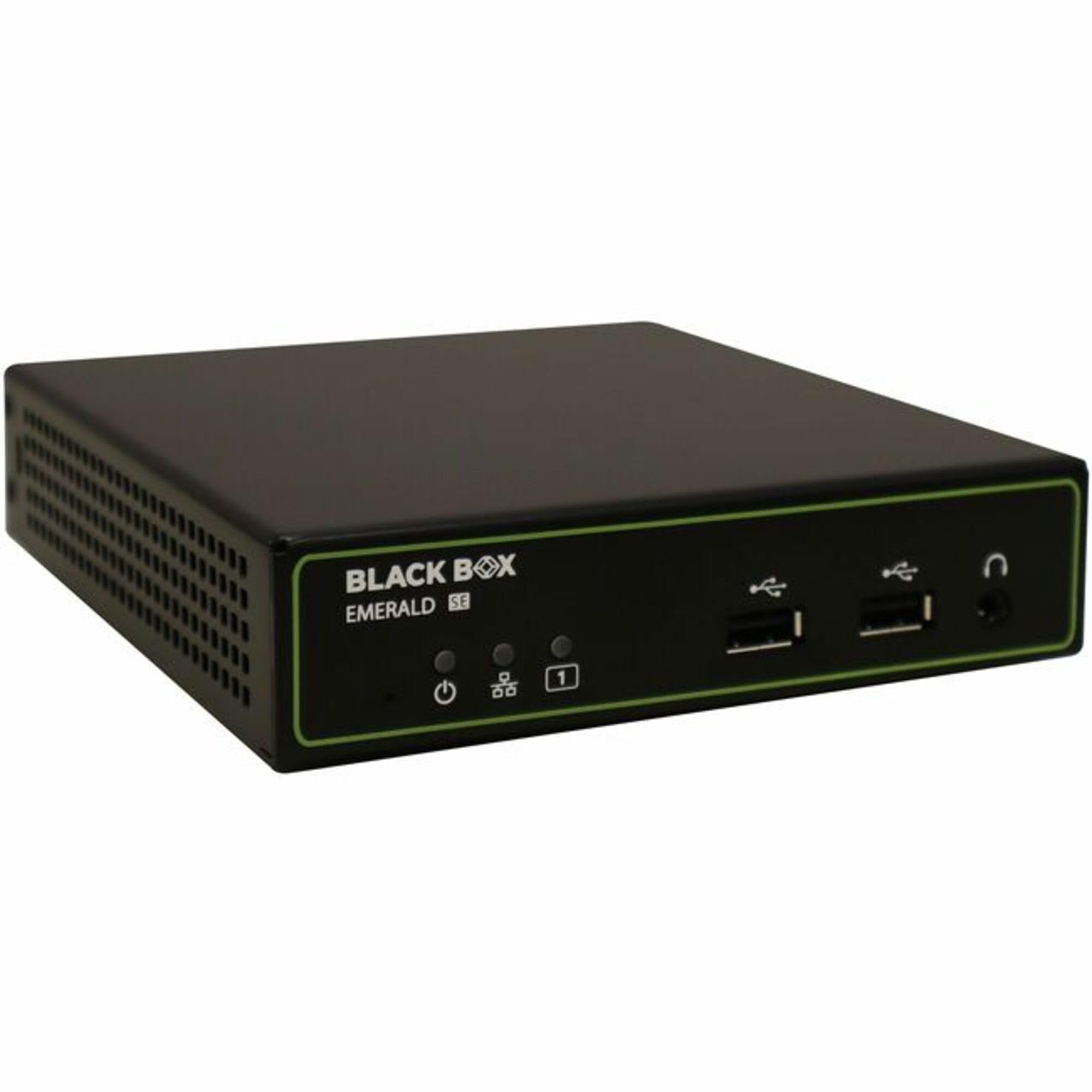
Obrázek 3.1: Přední view of the Black Box Emerald Single Head HD EMD-SE DP Receiver. The front panel features the Black Box Emerald SE logo, power indicator, power button, two USB ports, and a headphone jack.
Mezi klíčové vlastnosti patří:
- Single-head DisplayPort video support.
- USB connectivity for peripherals.
- Audio input/output support.
- Kompaktní a robustní provedení.
4. Nastavení
Follow these steps to set up your EMD2000SE-DP-R Receiver:
- Rozbalte zařízení: Carefully remove the receiver from its packaging. Verify that all components are present: the EMD2000SE-DP-R receiver unit, power adapter, and any included cables.
- Připojte video kabel: Connect a DisplayPort cable from your monitor to the DisplayPort output port on the receiver.
- Připojení USB periferií: Connect your USB keyboard, mouse, or other USB devices to the USB ports on the receiver.
- Připojení audio zařízení: If using external speakers or headphones, connect them to the audio output jack on the receiver.
- Internetové připojení: Connect an Ethernet cable from your network switch or router to the network port on the receiver. Ensure the network is configured for Emerald system operation.
- Připojte napájení: Connect the supplied power adapter to the receiver's power input port, then plug the adapter into a power outlet. The power indicator LED should illuminate.
- Zapnutí: Press the power button on the front panel to turn on the receiver.
5. Provoz
Once the receiver is set up and powered on, it will attempt to establish a connection with a compatible Emerald transmitter unit over the network. The status indicators on the front panel will provide feedback on the connection status.
- Navazování spojení: The receiver will automatically detect and connect to an available Emerald transmitter. This process may take a few moments.
- Výstup displeje: Once connected, the video signal from the remote computer will be displayed on the connected monitor.
- USB ovládání: Your connected USB keyboard and mouse will control the remote computer.
- Zvuk: Audio from the remote computer will be routed to the connected audio devices.
- Ovládací prvky na předním panelu: The front panel may include buttons or indicators for power, link status, and other functions. Refer to the specific icons for their functions.
6. Údržba
Regular maintenance helps ensure the longevity and optimal performance of your receiver.
- Čištění: Use a soft, dry cloth to clean the exterior of the unit. Do not use liquid cleaners or aerosols, as they may damage the components.
- Větrání: Periodically check that the ventilation openings are free from dust and obstructions.
- Správa kabelů: Ensure all cables are neatly organized and not under strain, which can lead to damage over time.
- Aktualizace firmwaru: Check the Black Box website periodically for firmware updates. Follow the instructions provided with the update package for installation.
7. Řešení problémů
If you encounter issues with your EMD2000SE-DP-R Receiver, refer to the following common problems and solutions:
| Problém | Možná příčina | Řešení |
|---|---|---|
| Žádný video výstup |
|
|
| USB devices not responding |
|
|
| Žádný audio výstup |
|
|
If the problem persists after attempting these solutions, contact Black Box technical support for further assistance.
8. Specifikace
The following table details the technical specifications for the Black Box Emerald Single Head HD EMD-SE DP Receiver (EMD2000SE-DP-R).
| Funkce | Detail |
|---|---|
| Číslo modelu | EMD2000SE-DP-R |
| Značka | Černá skříňka |
| Technologie připojení | HDMI (Note: Product title indicates DisplayPort functionality. Please refer to product documentation for full compatibility details.) |
| Typ konektoru | HDMI |
| Celkový počet portů HDMI | 1 |
| Typ ovladače | Mechanický knoflík |
| Kompatibilní zařízení | Speaker, Tablet, Amplifier, Smartphone, Television, Personal Computer, Game Console |
| Režim zvukového výstupu | Stereo, prostorový zvuk |
| Konfigurace kanálů prostorového zvuku | 5.1 |
| Počet kanálů | 2 |
| Hmotnost položky | 1.5 libry (0.68 kg) |
| Rozměry balení | 10 x 7 x 3 palce (25.4 x 17.8 x 7.6 cm) |
| Datum první dostupnosti | 17. května 2025 |
| Výrobce | Černá skříňka |
9. Záruka a podpora
Black Box products are designed for reliability and performance. For information regarding warranty coverage, please refer to the warranty statement included with your product or visit the official Black Box webmísto.
For technical assistance, troubleshooting, or product inquiries, please contact Black Box technical support. Contact details can typically be found on the Black Box webna webu nebo v obalu vašeho produktu.
Online zdroje: Www.blackbox.com


