1. Úvod
This manual provides essential information for setting up, operating, maintaining, and troubleshooting your Roku Smart TV 2025 – 24-Inch Select Series 720p HD TV. Please read these instructions carefully before using your television.
The Roku Select Series HD TV offers a streamlined entertainment experience. It features bright HD picture quality, auto speech clarity, and a night mode. Access free live television directly from the home screen and utilize the voice remote for content discovery across various applications. This television is suitable for various rooms including bedrooms, living rooms, kitchens, or children's rooms.
2. Co je v krabici
Ověřte, zda jsou v balení přítomny všechny součásti:
- Roku Select Series 24" HD TV
- Stands and screws
- Roku Voice Remote with batteries
- Rychlý průvodce

Image: The Roku Select Series TV box contents, showing the television, remote, and stand components.
3. Nastavení
3.1 Připevnění televizních stojanů
- Televizor opatrně položte obrazovkou dolů na měkký, čistý povrch, abyste zabránili poškrábání.
- Zarovnejte každý stojan s odpovídajícími otvory pro šrouby na spodní straně televizoru.
- Zajistěte stojany pomocí dodaných šroubů. Ujistěte se, že jsou pevně utaženy.
3.2 Připojení periferních zařízení
Your Roku TV includes multiple ports for connecting external devices:
- HDMI porty: Connect devices such as cable boxes, gaming consoles, or Blu-ray players. The HDMI 1 (ARC) port supports Audio Return Channel for simplified audio connections.
- USB port: For media playback from a USB drive or powering compatible devices.
- Anténní/kabelový vstup: Připojte anténu pro bezdrátové vysílání nebo připojení kabelové televize.
- Optický audio výstup: Pro připojení k soundbaru nebo audio receiveru.
- AV vstup: Pro připojení starších zařízení pomocí kompozitních video a stereo audio kabelů.

Image: Close-up of the back of the Roku TV, highlighting the HDMI, USB, optical, and AV input ports.
3.3 Počáteční zapnutí a připojení k síti
- Zapojte napájecí kabel do televizoru a poté do zásuvky ve zdi.
- Insert the included AAA batteries into the voice remote.
- Stisknutím tlačítka napájení na dálkovém ovladači zapněte televizor.
- Postupujte podle pokynů na obrazovce a vyberte jazyk, připojte se k síti Wi-Fi a aktivujte svůj účet Roku.
4. Operating Your Roku TV
4.1 Používání hlasového ovladače
The Roku Voice Remote simplifies navigation and content search. It features dedicated buttons for popular streaming services and voice control capabilities.
- Hlasové tlačítko: Press and hold to speak commands for searching content, launching apps, or controlling playback.
- Navigační podložka: Use the directional arrows and OK button to move through menus and select items.
- Zkratky aplikací: Dedicated buttons provide quick access to services like Netflix, Disney+, and Prime Video.
- Ovládání hlasitosti: Adjust TV volume directly from the remote.
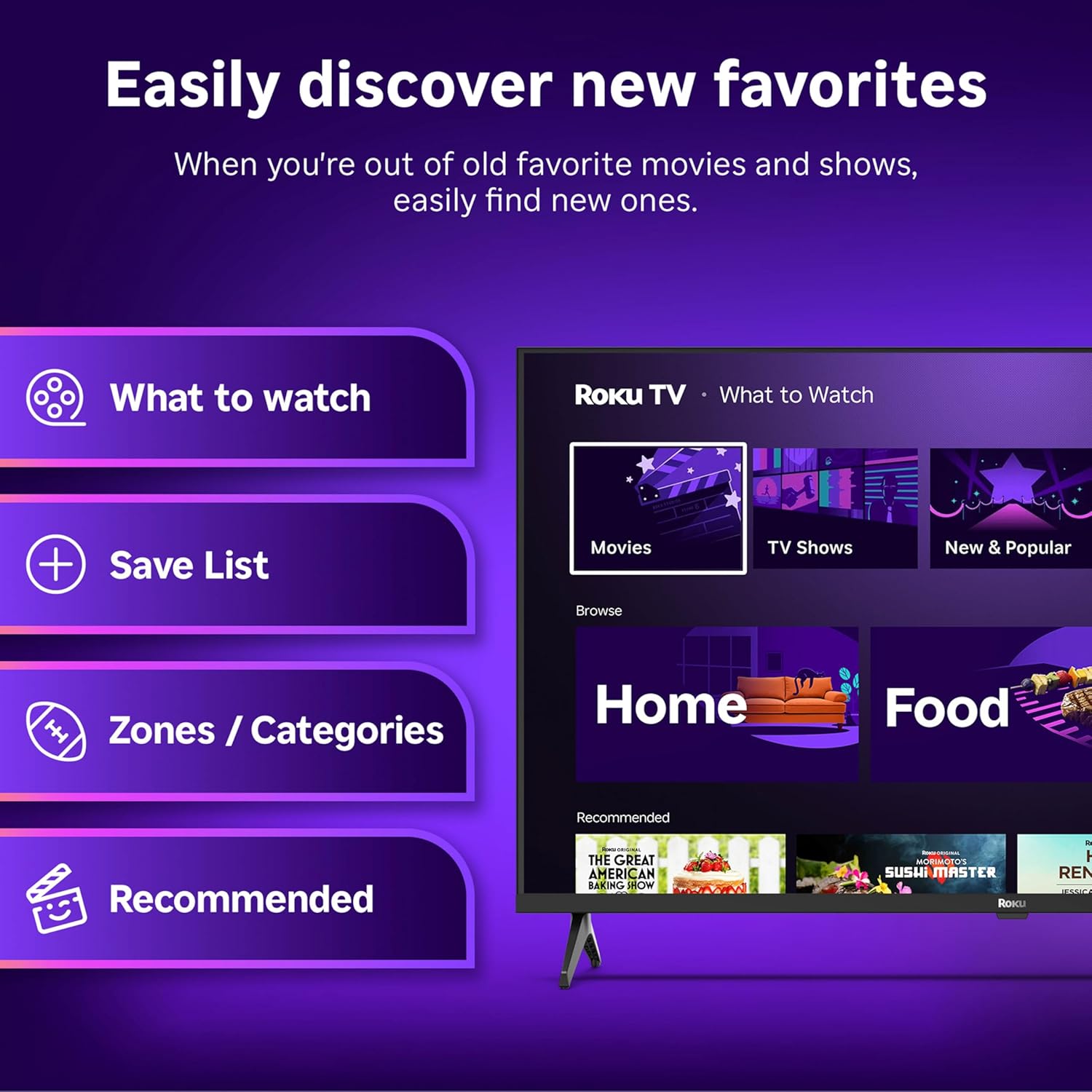
Image: The Roku Voice Remote, showing its layout and key functions.
4.2 Streaming and App Navigation
The Roku TV home screen provides quick access to all your streaming channels and inputs. You can customize the order of your apps for personalized access.
- Domovská obrazovka: Displays your installed apps, recommended content, and TV inputs.
- Streamovací obchod: Procházejte a přidávejte nové streamovací kanály.
- Živé televizní vysílání: Access free live television channels directly from the home screen.
- Vyhledávání: Use the search function or voice remote to find movies, shows, actors, or directors across various services.

Image: The Roku TV user interface, showing the home screen with app tiles and menu options.
4.3 Nastavení obrazu a zvuku
Your Roku TV features Smart Picture technology to optimize viewing and offers enhanced audio features.
- Smart Picture: Automatically adjusts picture settings based on the content being viewed (e.g., movie, sports, vivid, standard).
- Zvuková čistota: Designed for clear speech and louder sound.
- Bluetooth Headphone Mode: Connect your wireless headphones for private listening.

Image: A vibrant nature scene displayed on the Roku TV, demonstrating the clear picture quality.
4.4 Integrace chytré domácnosti
The Roku TV integrates with various smart home ecosystems for convenient voice control and content sharing.
- Hlasové ovládání: Compatible with Roku Voice, Siri, Alexa, and Google Assistant for hands-free operation.
- Apple AirPlay: Effortlessly share videos, photos, and music from your Apple devices to your TV.

Image: A Roku TV screen with a smart speaker nearby, illustrating voice control integration with smart home systems.
5. Údržba
5.1 Čištění televizoru
- Před čištěním vždy odpojte televizor ze zásuvky.
- K jemnému otření obrazovky a skříně použijte měkký hadřík, který nepouští vlákna.
- Na odolné skvrny lehceampOtřete hadřík vodou nebo jemným, neabrazivním čističem obrazovek. Nikdy nestříkejte čistič přímo na obrazovku.
- Nepoužívejte agresivní chemikálie, abrazivní houbičky nebo rozpouštědla.
5.2 Aktualizace softwaru
Your Roku TV receives automatic software updates to provide new features and improve performance. Ensure your TV is connected to the internet to receive these updates.
6. Řešení problémů
If you encounter issues with your Roku TV, try the following basic troubleshooting steps:
- Bez napájení: Ujistěte se, že je napájecí kabel bezpečně zapojený do televizoru i do funkční elektrické zásuvky. Zkuste jinou zásuvku.
- Žádný obraz/zvuk: Ověřte, zda je vybrán správný vstupní zdroj. Zkontrolujte, zda jsou všechna kabelová připojení (HDMI, AV atd.) bezpečná.
- Dálkové ovládání nereaguje: Vyměňte baterie v dálkovém ovladači. Ujistěte se, že mezi dálkovým ovladačem a televizorem nejsou žádné překážky.
- Problémy s připojením k síti: Restart your Wi-Fi router. Go to the TV's network settings to reconnect to your Wi-Fi.
- App Not Loading: Try restarting the app. If the issue persists, remove the app and reinstall it from the Streaming Store.
- Obnovení továrního nastavení: As a last resort, a factory reset can resolve many software issues. This will erase all personal settings and installed apps. Access this option through the TV's Settings menu.
7. Specifikace
| Funkce | Specifikace |
|---|---|
| Značka | Roku |
| Číslo modelu | 24R2D5 |
| Velikost obrazovky | 24 palce |
| Technologie displeje | LED |
| Rezoluce | 720p |
| Obnovovací frekvence | 60 Hz |
| Poměr stran | 16:9 |
| Technologie připojení | Bluetooth, WiFi |
| Speciální funkce | Bluetooth Headphone Mode, Dolby Audio, Voice Remote |
| Hmotnost položky | 5.7 libry |
| Rozměry produktu | 7 x 21.1 x 14.3 palce |
| Jsou vyžadovány baterie | 2 baterie AAA (do dálkového ovladače) |
8. Záruka a podpora
For warranty information and technical support, please refer to the documentation included with your product or visit the official Roku support webmísto. Uschovejte si doklad o koupi pro případ záručních reklamací.
Roku offers various support resources, including online FAQs, troubleshooting guides, and customer service contact options.


