Zavedení
Thank you for choosing the W-KING T8II Portable Bluetooth Speaker. This manual will guide you through the features and functions of your new speaker, ensuring optimal performance and longevity. Please read these instructions carefully before using the product.
Obsah balení
- 1 x W-KING T8II Portable Loud Speaker
- 1 x 3.5 mm audio kabel
- 1 x nabíjecí kabel typu C
- 1 x Uživatelská příručka
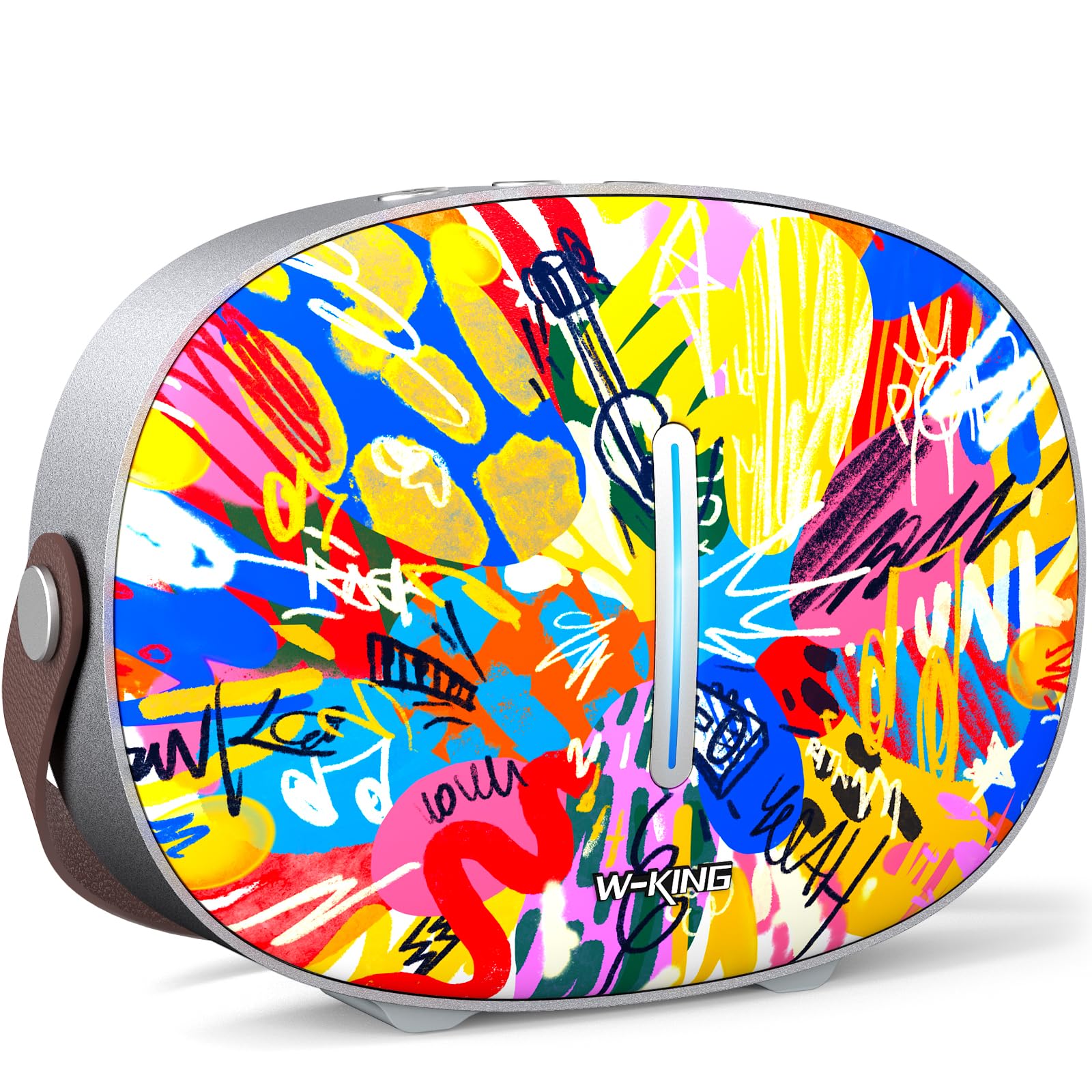
The package includes the W-KING T8II speaker, a 3.5mm audio cable for auxiliary connections, a Type-C charging cable, and this user manual.
Nastavení
Počáteční nabíjení
Before first use, fully charge your W-KING T8II speaker. Connect the provided Type-C charging cable to the speaker's Type-C port and a compatible power source. The speaker supports up to 30W fast charging. The indicator lights on the back will show the charging status.

Zapnutí/vypnutí
- To power on: Press and hold the power button located on the back of the speaker for a few seconds until the indicator light illuminates.
- To power off: Press and hold the power button again for a few seconds until the indicator light turns off.

Párování pomocí Bluetooth
- Ensure the speaker is powered on and in Bluetooth pairing mode (the indicator light will flash).
- Na svém zařízení (chytrém telefonu, tabletu atd.) povolte Bluetooth a vyhledejte dostupná zařízení.
- Select "W-KING T8II" from the list of devices.
- Once connected, the indicator light will become solid, and you will hear an audible confirmation.

The W-KING T8II uses Bluetooth 5.4 for a stable and efficient wireless connection.
Rozbalení a konecview Video
Video: Rozbalení a konecview of the W-KING T8II Portable Bluetooth Speaker, demonstrating its contents and initial setup.
Návod k obsluze
Ovládací tlačítka
The top panel of the speaker features intuitive control buttons for easy operation:
- M (tlačítko režimu): Stisknutím přepínáte mezi režimy přehrávání Bluetooth, AUX a USB.
- - (Snížení hlasitosti / Předchozí skladba): Krátkým stisknutím snížíte hlasitost. Dlouhým stisknutím přejdete na předchozí skladbu.
- Tlačítko Přehrát/Pozastavit: Stisknutím spustíte nebo pozastavíte zvuk.
- + (Zvýšení hlasitosti / Další skladba): Krátkým stisknutím zvýšíte hlasitost. Dlouhým stisknutím přejdete na další skladbu.

Režimy přehrávání
- Režim Bluetooth: Connect wirelessly to your device as described in the Setup section.
- Režim AUX: Connect an external audio device using the provided 3.5mm audio cable to the AUX port on the back of the speaker. Press the 'M' button to switch to AUX mode.
- Režim přehrávání USB: Insert a USB flash drive into the USB-A port on the back of the speaker. The speaker will automatically switch to USB mode and begin playing compatible audio files.

Pravé bezdrátové stereofonní párování (TWS)
For an enhanced audio experience, two W-KING T8II speakers can be paired together to create a true stereo sound system:
- Ensure both T8II speakers are powered on and in Bluetooth pairing mode (not connected to any device).
- On one of the speakers, press and hold the Bluetooth pairing button (usually indicated by a Bluetooth icon) until you hear a confirmation tone.
- Dva reproduktory se automaticky propojí. Po propojení bude jeden reproduktor fungovat jako hlavní (levý kanál) a druhý jako podřízený (pravý kanál).
- Connect your device to the master speaker via Bluetooth.

Nabíjení externích zařízení
The W-KING T8II speaker can function as a power bank to charge your mobile devices. Connect your device to the speaker's USB-A output port using a compatible charging cable. The USB-A to Type-C output supports up to 18W charging.

Údržba
Obecná péče
- Chraňte reproduktor před extrémními teplotami, přímým slunečním zářením a vlhkostí.
- Vyvarujte se pádu reproduktoru nebo jej nevystavujte silným nárazům.
- Do not disassemble or attempt to repair the speaker yourself, as this will void the warranty.
Péče o baterie
To maximize battery life, avoid fully discharging the speaker frequently. Recharge the battery regularly, even if the speaker is not in use for extended periods.
Čištění
Reproduktor otřete měkkým, suchým hadříkem. Nepoužívejte abrazivní čisticí prostředky ani rozpouštědla.
Voděodolnost
Poznámka: The W-KING T8II speaker is NE vodotěsné. Avoid exposure to water or other liquids to prevent damage.
Odstraňování problémů
| Problém | Řešení |
|---|---|
| Reproduktor se nezapne. | Ujistěte se, že je baterie nabitá. Připojte reproduktor ke zdroji napájení pomocí kabelu typu C. |
| Nelze spárovat přes Bluetooth. |
|
| Žádný zvuk. |
|
| Zkreslení zvuku při vysoké hlasitosti. | Reduce the volume on the speaker or your connected device. Ensure audio source quality is high. |
| Reproduktor nenabíjí externí zařízení. | Ensure the speaker has sufficient battery charge. Use a compatible USB-A cable. |
Specifikace
| Název modelu | T8II |
| Značka | W-KING |
| Typ reproduktoru | Outdoor Wireless Portable Loud Speaker |
| Technologie připojení | Pomocný, Bluetooth, USB |
| Verze Bluetooth | 5.4 |
| Maximální výstupní výkon reproduktoru | 96 wattů |
| Režim zvukového výstupu | Surround Stereo |
| Frekvenční odezva | 20 Hz (Lower bound, full range not specified) |
| Odstup signálu od šumu | 85 dB |
| Průměr basového reproduktoru | 3 palce |
| Průměr výškového reproduktoru | 1 palce |
| Zdroj napájení | Napájení z baterie (vyžaduje 1 x 12V baterie) |
| Rozměry produktu | 10.91"H x 7.73"Š x 3.9"V |
| Hmotnost položky | 5.5 liber (2.5 kilogramů) |
| Materiál | Plast, kov |
| Vodotěsný | Žádný |
| Speciální funkce | Bass Boost, Bluetooth 5.4, True Wireless Stereo Pairing, Portable, Shockproof, Type-C Fast Charging, Type-C output, USB PLAYBACK/AUX, Personalised Trendy Design |
Informace o záruce
The W-KING T8II Portable Bluetooth Speaker comes with a Limited Warranty. Please refer to the product packaging or contact W-KING customer support for specific warranty terms and conditions.
Podpora
For further assistance, technical support, or inquiries regarding your W-KING T8II speaker, please visit the official W-KING website or contact their customer service department. The user manual included in the package also contains detailed information.
W-KING Store: Visit the W-KING Store on Amazon