1. Úvod
The Ugoos SK2 TV Box is a high-performance streaming media player designed to transform your television into a smart entertainment hub. Running on Android 12.0 with Google TV, it offers seamless access to a vast library of movies, TV shows, and applications. Equipped with a Realtek RTD1325 ARM Cortex-A55 Quad-Core CPU, 4GB RAM, and 32GB ROM, the SK2 ensures smooth 4K HDR playback and efficient multitasking. Its advanced connectivity options, including WiFi 6 and Bluetooth 5.2, provide a stable and fast streaming experience.
2. Obsah balení
Please verify that all items are present in the box:
- Ugoos SK2 TV Box
- BT + IR Remote Control
- 12V/1A Power Adapter (US Plug)
- HDMI kabel
- Uživatelská příručka v angličtině

Figure 2.1: Ugoos SK2 TV Box and its accompanying remote control.
3. Konec produktuview
The Ugoos SK2 TV Box features a compact design with essential ports for connectivity.
3.1 Přední a boční strana Views

Obrázek 3.1: Strana view of the Ugoos SK2 TV Box, showing the USB-C, Reset button, and USB 2.0 (5V===) port.
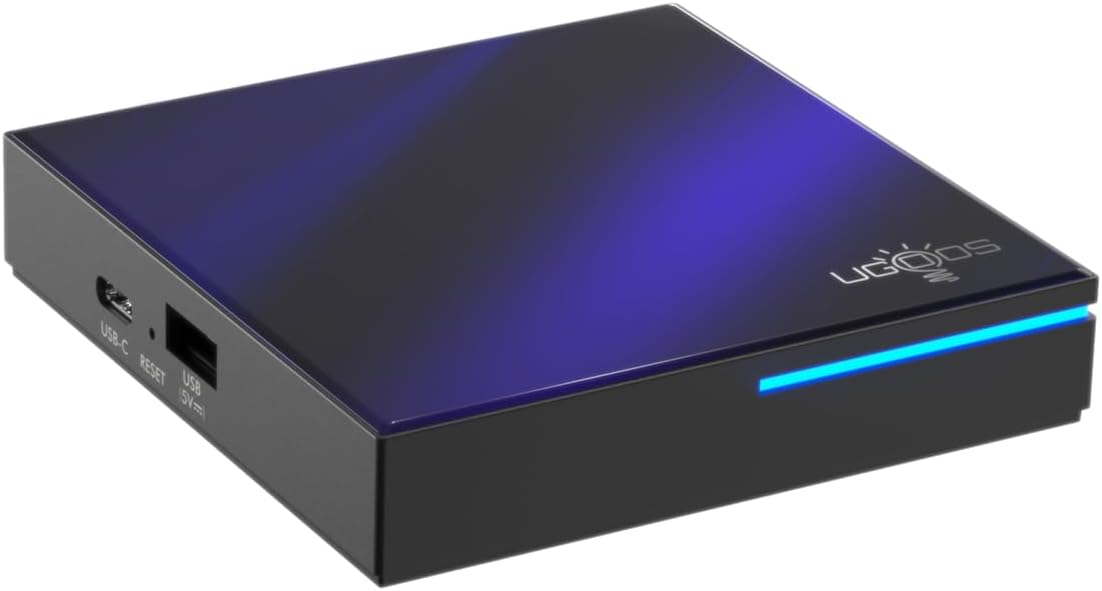
Obrázek 3.2: Přední a boční view highlighting the indicator light strip, which illuminates when the device is powered on.
3.2 Zadní View (Porty)
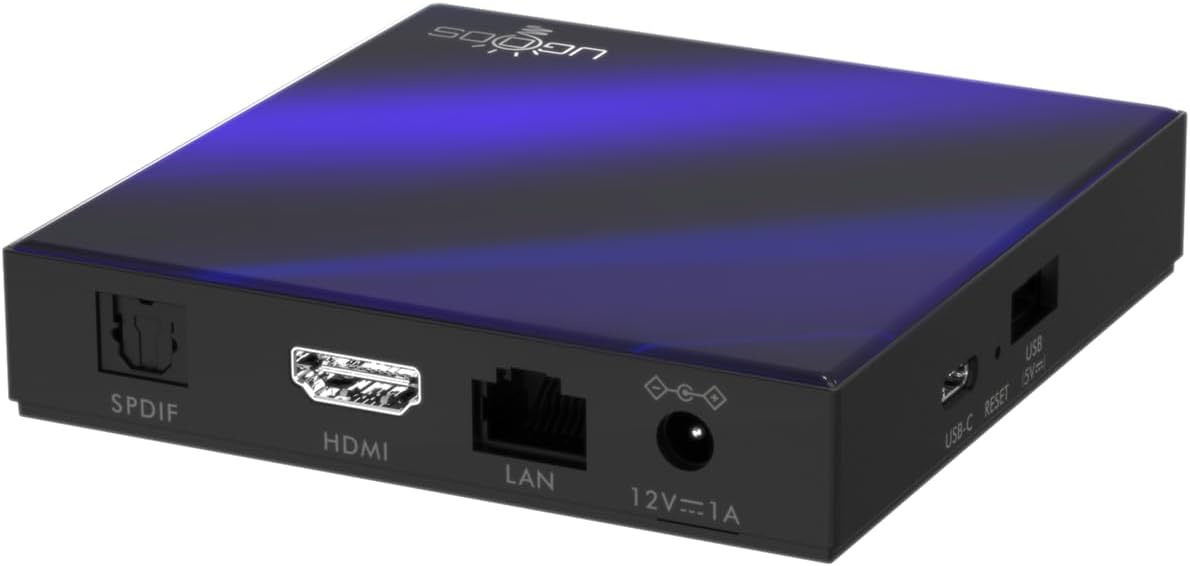
Obrázek 3.3: Zadní view of the Ugoos SK2 TV Box, displaying the SPDIF, HDMI, LAN (Ethernet), and 12V/1A Power input ports.
Video 3.1: Rozbalení a konecview of the Ugoos SK2 ATV Box, showcasing its design and available ports.
4. Průvodce nastavením
Follow these steps to set up your Ugoos SK2 TV Box:
- Připojení k televizi: Connect one end of the provided HDMI cable to the HDMI port on the Ugoos SK2 TV Box and the other end to an available HDMI input on your television.
- Připojte napájení: Plug the 12V/1A power adapter into the DC IN port on the TV Box and then plug the adapter into a wall outlet. The indicator light on the front of the device will illuminate.
- Vložení baterií do dálkového ovladače: Open the battery compartment on the back of the BT + IR Remote Control and insert two AAA batteries (not included), ensuring correct polarity.
- Zapnutí: Power on your television and select the correct HDMI input source corresponding to where the TV Box is connected. The Ugoos SK2 TV Box should automatically power on.
- Počáteční nastavení: Follow the on-screen instructions to complete the initial setup, including language selection, region/country, and network connection (Wi-Fi or Ethernet).
- Párování dálkového ovládání: During the initial setup, you may be prompted to pair the remote control. Press and hold the 'Home' and 'Back' buttons simultaneously for 5 seconds until the indicator light on the remote flashes, indicating successful pairing.
- Připojit k síti: For optimal performance, connect the device to your home network. You can use either the built-in WiFi 6 (2.4/5/6Ghz) or connect an Ethernet cable to the LAN port for a wired connection.
5. Návod k obsluze
The Ugoos SK2 TV Box runs on Google TV, providing a user-friendly interface for content discovery and streaming.
5.1 Navigation and Apps
Use the remote control to navigate through the Google TV interface. The home screen provides personalized recommendations, quick access to installed apps like YouTube, Netflix, Prime Video, and Disney+, and a search function powered by Google Assistant.
5.2 Hlasové ovládání (Google Assistant)
Press the Google Assistant button on your remote to activate voice control. You can use voice commands to search for content, control playback, get answers, and manage smart home devices.
5.3 Casting Content (Chromecast built-in)
The device features Chromecast built-in, allowing you to cast movies, shows, photos, and more directly from your phone or tablet to your TV.
5.4 Přehrávání 4K HDR
The Ugoos SK2 supports 4K 60fps resolution, H.265, AV1, and 4K HDR content, including Dolby Vision and HDR10+. This ensures a vibrant and detailed viewing experience with smooth playback.
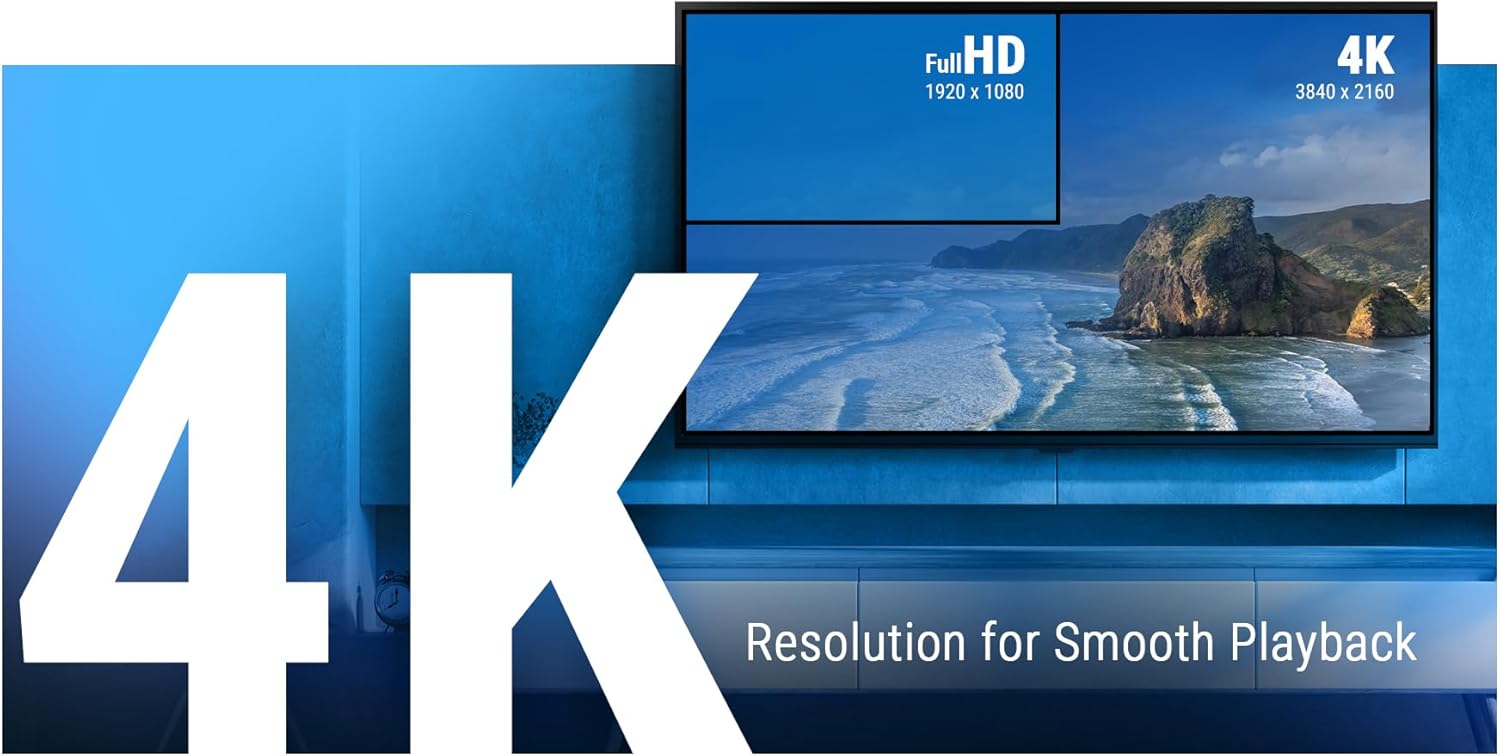
Figure 5.1: The Ugoos SK2 supports 4K resolution for smooth and high-quality video playback.

Figure 5.2: The device supports advanced video technologies like AV1, HDR10+, and Dolby Vision for enhanced visual fidelity.

Figure 5.3: The Automatic Frame Rate (AFR) system ensures optimal resolution and frequency matching for smooth video playback.
6. Údržba
To ensure the longevity and optimal performance of your Ugoos SK2 TV Box, follow these maintenance guidelines:
- Čištění: K čištění vnější strany zařízení používejte měkký, suchý hadřík. Nepoužívejte tekuté čisticí prostředky ani abrazivní materiály.
- Větrání: Ujistěte se, že je zařízení umístěno v dobře větraném prostoru, aby se zabránilo přehřátí. Nezakrývejte větrací otvory.
- Aktualizace softwaru: Periodically check for and install software updates to ensure you have the latest features and security patches. This can usually be done through the device's settings menu.
- Správa úložiště: While the device has 32GB of internal storage, regularly manage your installed apps and media to prevent performance degradation due to full storage.
7. Řešení problémů
If you encounter issues with your Ugoos SK2 TV Box, refer to the following common problems and solutions:
- Bez napájení:
- Ujistěte se, že je napájecí adaptér bezpečně připojen k zařízení i k funkční zásuvce.
- Zkontrolujte, zda je zásuvka funkční, zapojením jiného zařízení.
- Žádný obraz/signál:
- Ověřte, zda je kabel HDMI bezpečně připojen k televiznímu přijímači i k televizoru.
- Ujistěte se, že je váš televizor nastaven na správný vstupní zdroj HDMI.
- Zkuste jiný kabel HDMI nebo port HDMI na televizoru.
- Dálkové ovládání nereaguje:
- Zkontrolujte a vyměňte baterie v dálkovém ovladači.
- Re-pair the remote control by pressing and holding the 'Home' and 'Back' buttons simultaneously for 5 seconds.
- Problémy s připojením Wi-Fi:
- Ujistěte se, že váš Wi-Fi router je zapnutý a funguje správně.
- Move the TV Box closer to the router or consider using an Ethernet connection.
- Restartujte televizní přijímač i Wi-Fi router.
- Zamrzání/pád aplikace:
- Zavřete a znovu otevřete problematickou aplikaci.
- Vymažte mezipaměť a data aplikace prostřednictvím nastavení zařízení.
- Ujistěte se, že software zařízení je aktuální.
For persistent issues, consider performing a factory reset (refer to the device settings for this option). Note that a factory reset will erase all personal data and installed applications.
8. Specifikace
Detailed technical specifications for the Ugoos SK2 TV Box:
| Funkce | Popis |
|---|---|
| Název modelu | 2 SK |
| Značka | Ugoos |
| Operační systém | Android 12.0 (Google TV) |
| Procesor (SOC) | Realtek RTD1325, ARM Cortex-A55 Quad-Core CPU |
| GPU | Mali-G57 MC1 |
| BERAN | 4 GB DDR4 |
| Interní úložiště | 32GB eMMC |
| Bezdrátové připojení | WiFi 6 (2.4/5/6Ghz, IEEE 802.11 a/b/g/n/ac/ax 2x2 MIMO) |
| Bluetooth | Bluetooth 5.2 |
| Video výstup | HDMI (4K 60fps, HDR, AV1, VP9, H.265) |
| Podpora zvuku | Dolby Vision-Atmos |
| Ethernet | 100M LAN port |
| USB porty | USB-C, USB 2.0 |
| Jiné porty | SPDIF, Reset |
| Vstup napájení | 12V/1A |
| Rozměry | 3.78 x 3.78 x 0.75 palce |
| Hmotnost položky | 1.35 libry |
| Speciální funkce | Vestavěný Chromecast, Asistent Google |

Obrázek 8.1: Přesview of the Ugoos SK2's core technical specifications.

Figure 8.2: Comparison illustrating the improved data transfer speed of Bluetooth 5.2 supported by the Ugoos SK2.
9. Bezpečnostní informace
Please read and follow these safety precautions to prevent damage to the device or injury to yourself:
- Používejte pouze dodaný napájecí adaptér.
- Nevystavujte zařízení vodě, vlhkosti ani extrémním teplotám.
- Neumisťujte zařízení do blízkosti zdrojů tepla nebo na přímé sluneční světlo.
- Nepokoušejte se zařízení rozebírat nebo upravovat.
- Udržujte zařízení a příslušenství mimo dosah dětí.
10. Záruka a podpora
The Ugoos SK2 TV Box is covered by a standard manufacturer's warranty. Please refer to the warranty card included in your package or contact Ugoos customer support for detailed information regarding warranty terms, service, and technical assistance.
For further support, visit the official Ugoos webnebo kontaktujte jejich tým zákaznických služeb.


