1. Úvod
Tato příručka obsahuje podrobné pokyny k instalaci, provozu a údržbě vašeho bezklíčového zámku Ulecoce s úchytem a rukojetí. Tento inteligentní zámek nabízí více metod přístupu a vylepšené bezpečnostní funkce pro váš domov nebo kancelář.

Obrázek 1.1: Bezklíčový zámek Ulecoce s úchytkou v saténově niklové povrchové úpravě, instalovaný na tmavých dveřích.
2. Vlastnosti produktu
- Bezklíčový vstup: Podporuje 100 uživatelských kódů (97 uživatelských, 3 administrátorské), jednorázové kódy a 2 záložní fyzické klíče.
- Inteligentní správa přístupu: Generujte a sdílejte dočasné nebo trvalé kódy pro rodinu, hlídače domu nebo hosty.
- Vylepšené zabezpečení: Nabízí automatické zamykání, zamykání jedním dotykem, zadávání kódu s ochranou proti nahlížení a upozornění na nízký stav baterie.
- Trvanlivost: Navrženo tak, aby odolalo extrémním teplotám (-4℉ až 140℉) a je vodotěsné s certifikací IP54.
- Moc: Funguje na 4 AA baterie (nejsou součástí balení) s životností přibližně 180 dní.

Obrázek 2.1: Konecview sady bezklíčového zámku pro vstupní dveře Ulecoce s důrazem na její hlavní vlastnosti.
3. Specifikace
| Atribut | Detail |
|---|---|
| Značka | Úlečoce |
| Název modelu | WZ-U18L-S-0513-TP |
| Typ zámku | Závora |
| Materiál | Kov |
| Barva | Saténový nikl |
| Rozměry položky (D x Š x V) | 1 x 1 x 1 palce |
| Hmotnost položky | 3.36 libry |
| Speciální funkce | Heslo proti nahlížení, Automatické zamykání, Bezklíčový vstup, Zámek jedním dotykem |
| Doporučené použití | Přední dveře |
| Zdroj napájení | 4 AA baterií (nejsou součástí balení) |
| Provozní teplota | -4℉ až 140℉ (-20℃ až 60℃) |
| Provozní vlhkost | 0 % až 95 % |
| Hodnocení voděodolnosti | IP54 |
| Osvědčení | Certifikace ANSI stupně 3 |
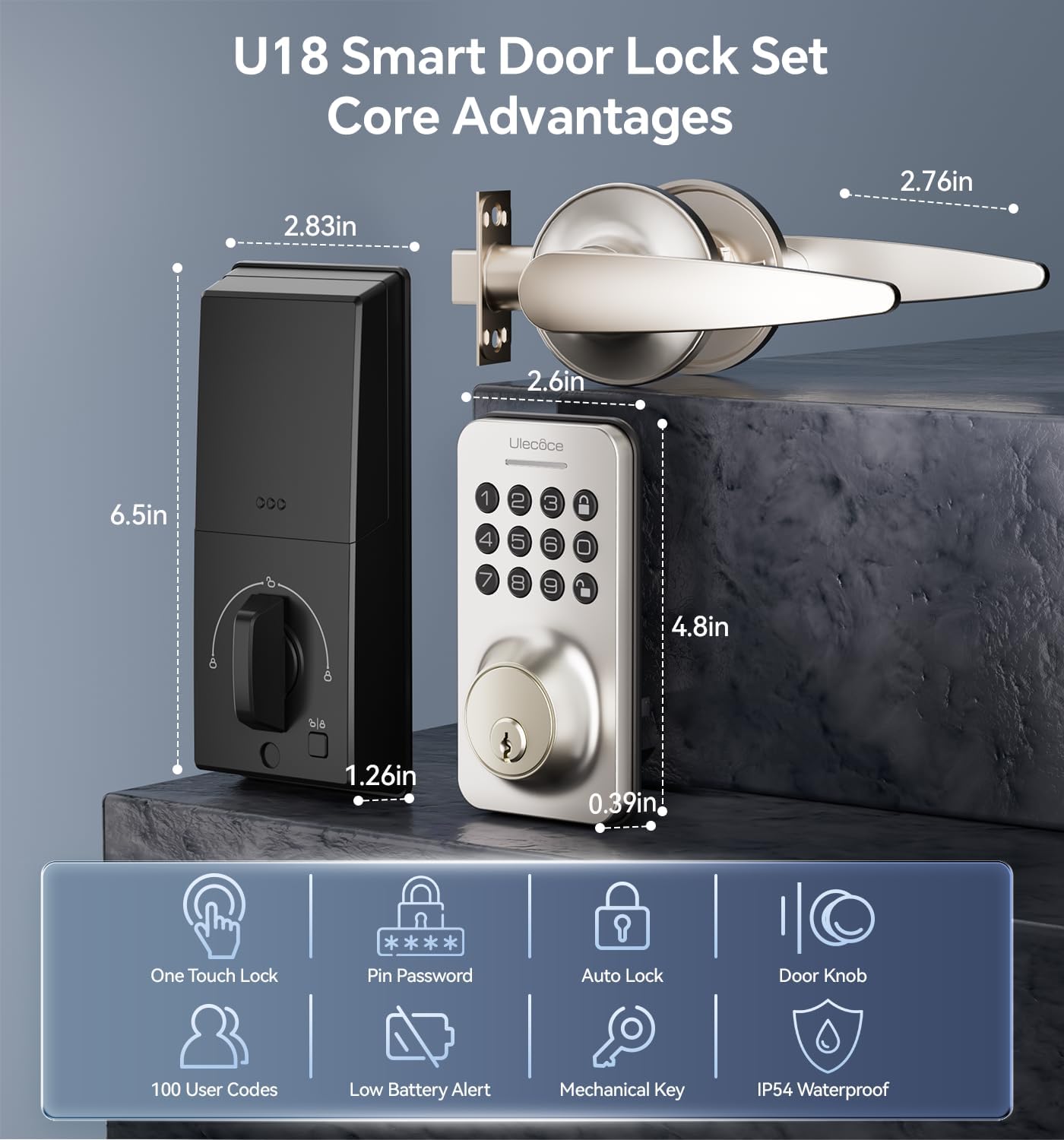
Obrázek 3.1: Rozměry a klíčové vlastnosti sady chytrých dveřních zámků Ulecoce U18.

Obrázek 3.2: Certifikace ANSI Grade 3 a výsledky testů odolnosti pro chytrý zámek Ulecoce.
4. Nastavení a instalace
Bezklíčový vstupní zámek Ulecoce je navržen pro snadnou instalaci, vyžaduje pouze šroubovák. Obvykle není potřeba žádné další vrtání ani služby profesionálního zámečníka. Je kompatibilní s levými i pravými dveřmi.
4.1 Kontrola před instalací
Před zahájením instalace se ujistěte, že vaše dveře splňují požadavky na kompatibilitu otvoru pro západku a rozměrů zadního můstku.
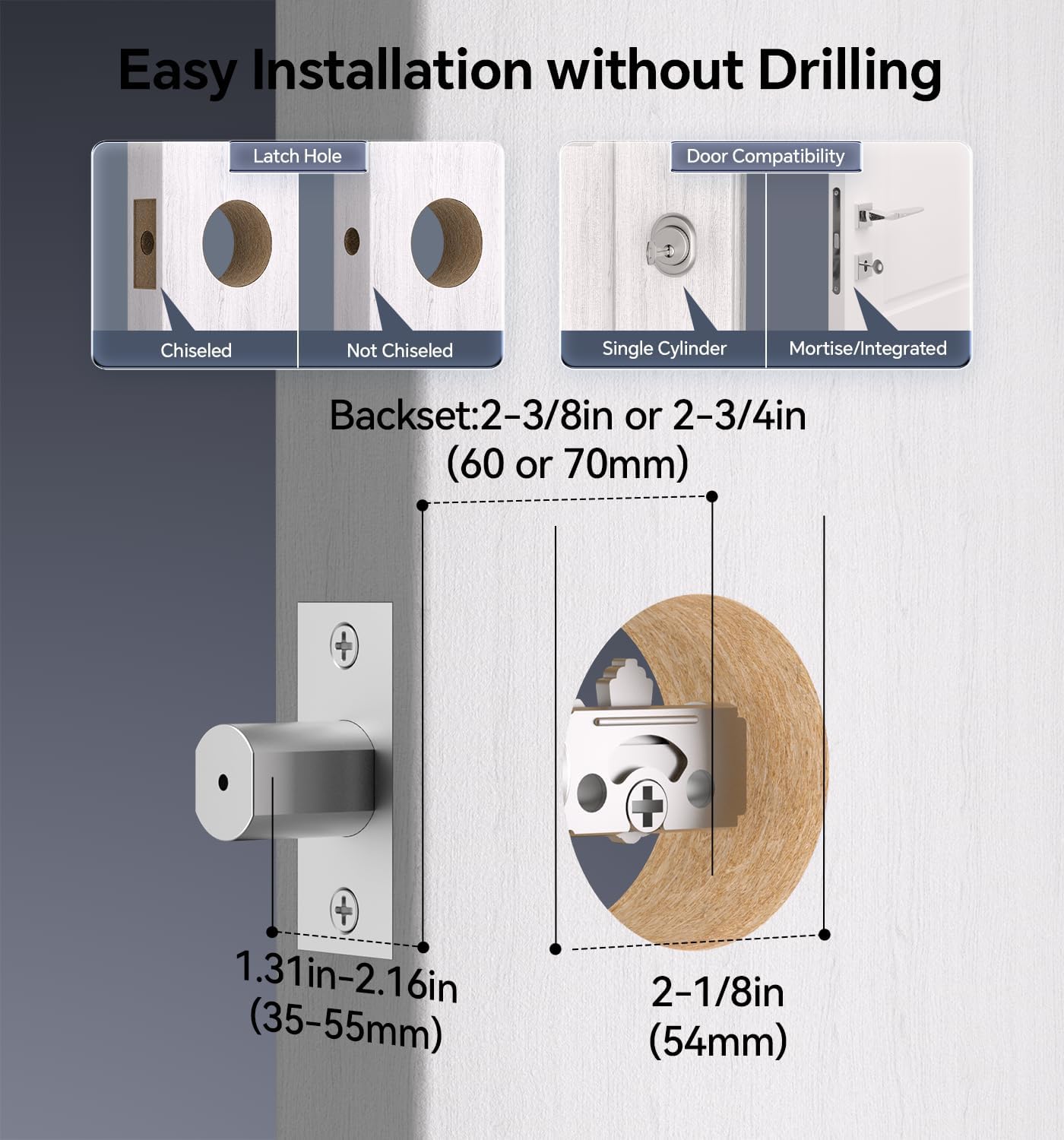
Obrázek 4.1: Kompatibilita dveří a požadavky na otvor pro západku pro instalaci.

Obrázek 4.2: Před nákupem zkontrolujte rozměry dveří a zámku.
4.2 kroky instalace
- Příprava dveří: Ujistěte se, že jsou dveře řádně připraveny se správným otvorem a roztečí.
- Nainstalujte západku a zarážku.
- Nainstalujte sestavu vnější klávesnice.
- Nainstalujte vnitřní sestavu a připojte kabel.
- Zajistěte zámek šrouby.
- Vložte 4 baterie typu AA (nejsou součástí balení) do přihrádky na baterie.
- Otestujte funkčnost zámku.

Obrázek 4.3: Postup instalace pomocí šroubováku.

Obrázek 4.4: Zámek je kompatibilní s levou i pravou orientací dveří.
5. Návod k obsluze
Chytrý zámek Ulecoce nabízí různé pohodlné způsoby odemykání a správy přístupu.
5.1 Metody odemykání
- Kód klávesnice: Zadejte naprogramovaný uživatelský kód na klávesnici.
- Jednorázové kódy: Generujte dočasné kódy pro jednorázové použití.
- Fyzický klíč: Pro ruční odemknutí použijte dodané záložní klíče.
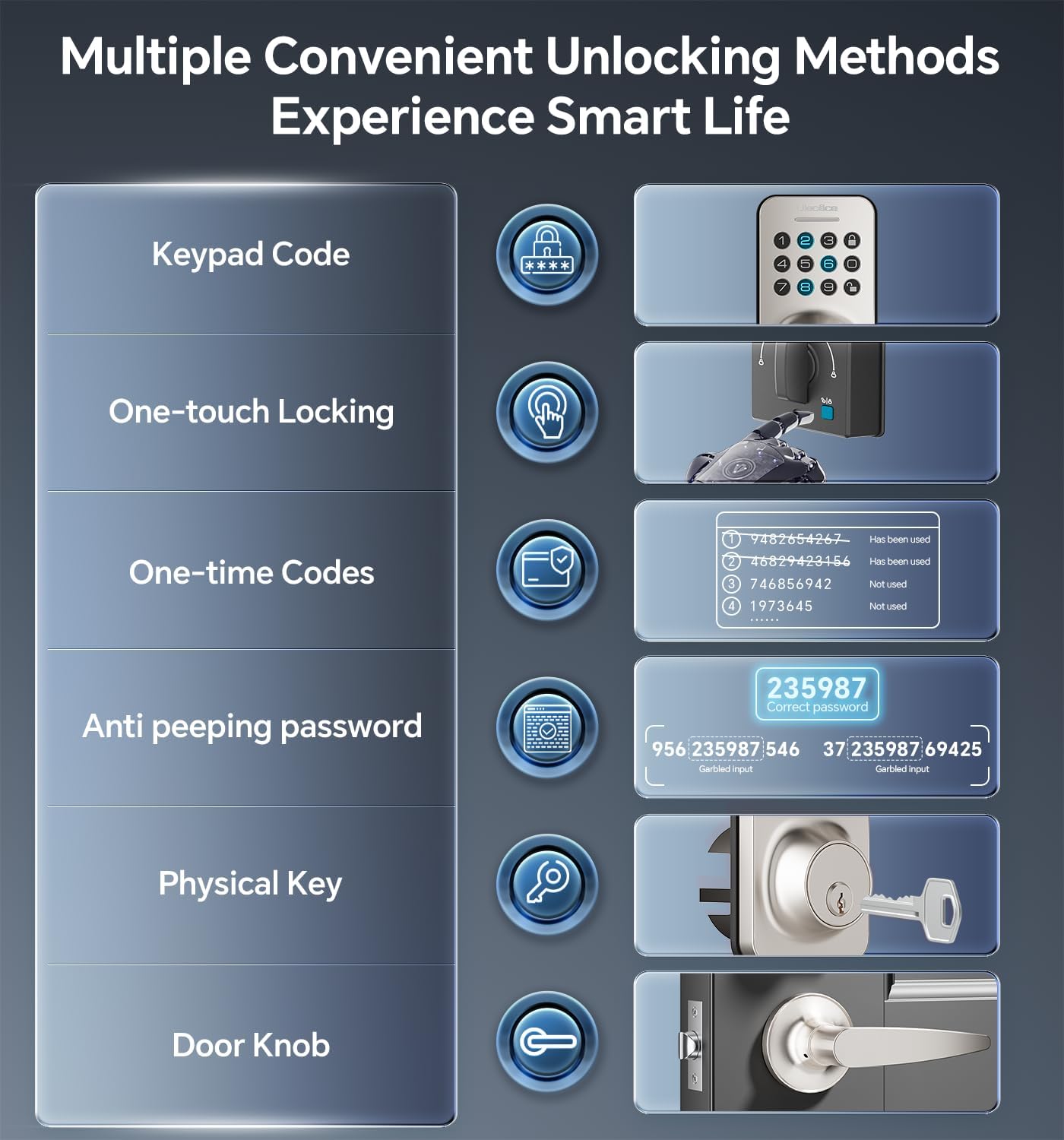
Obrázek 5.1: K dispozici je několik metod pro odemčení dveří.
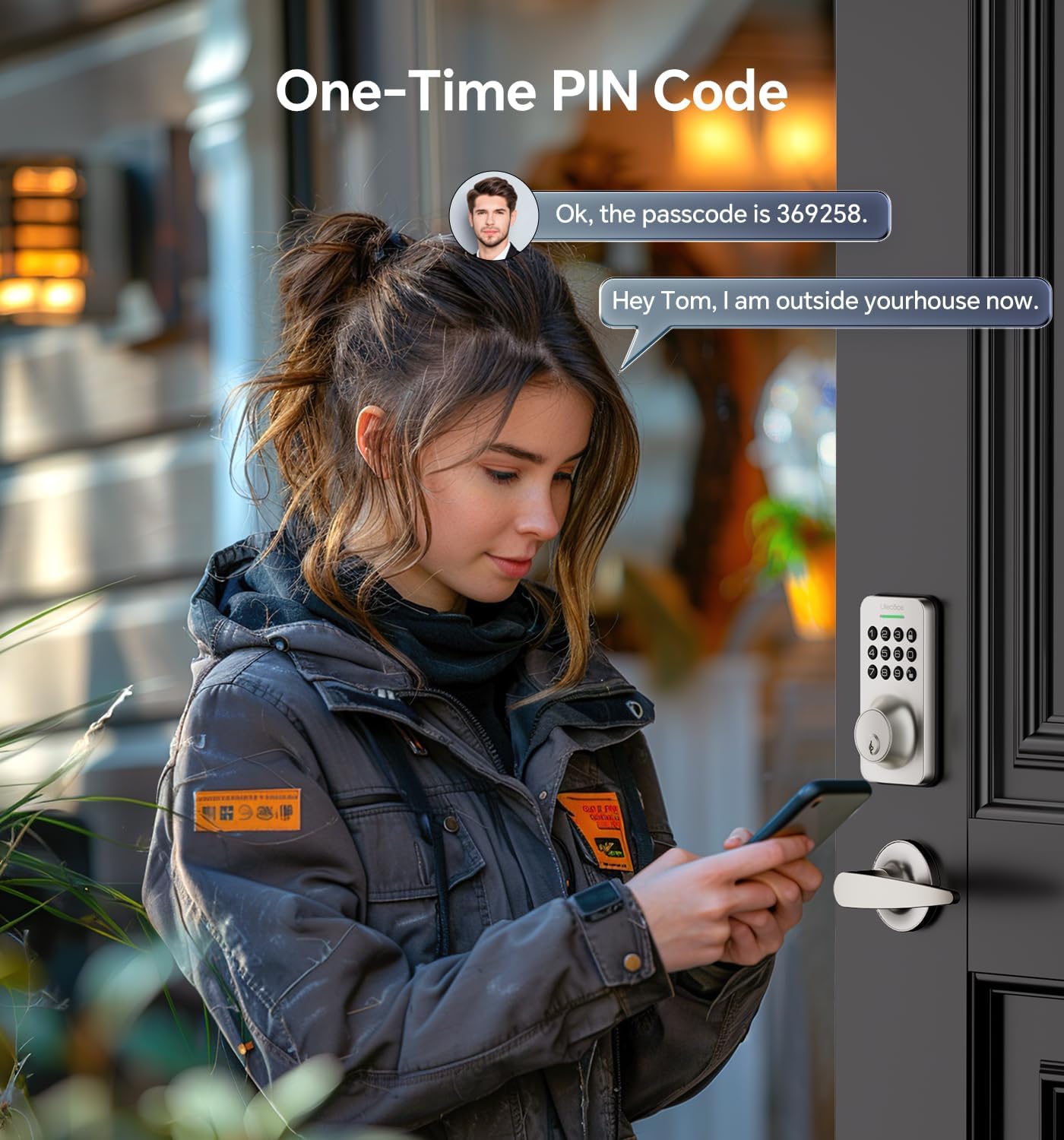
Obrázek 5.2: Použití jednorázového PIN kódu pro dočasný přístup.
5.2 Heslo proti peepingu
Abyste zabránili ostatním v uhádnutí vašeho kódu, můžete zadat náhodné číslice před nebo za skutečný přístupový kód. Zámek rozpozná správnou po sobě jdoucí sekvenci v zadaném kódu.
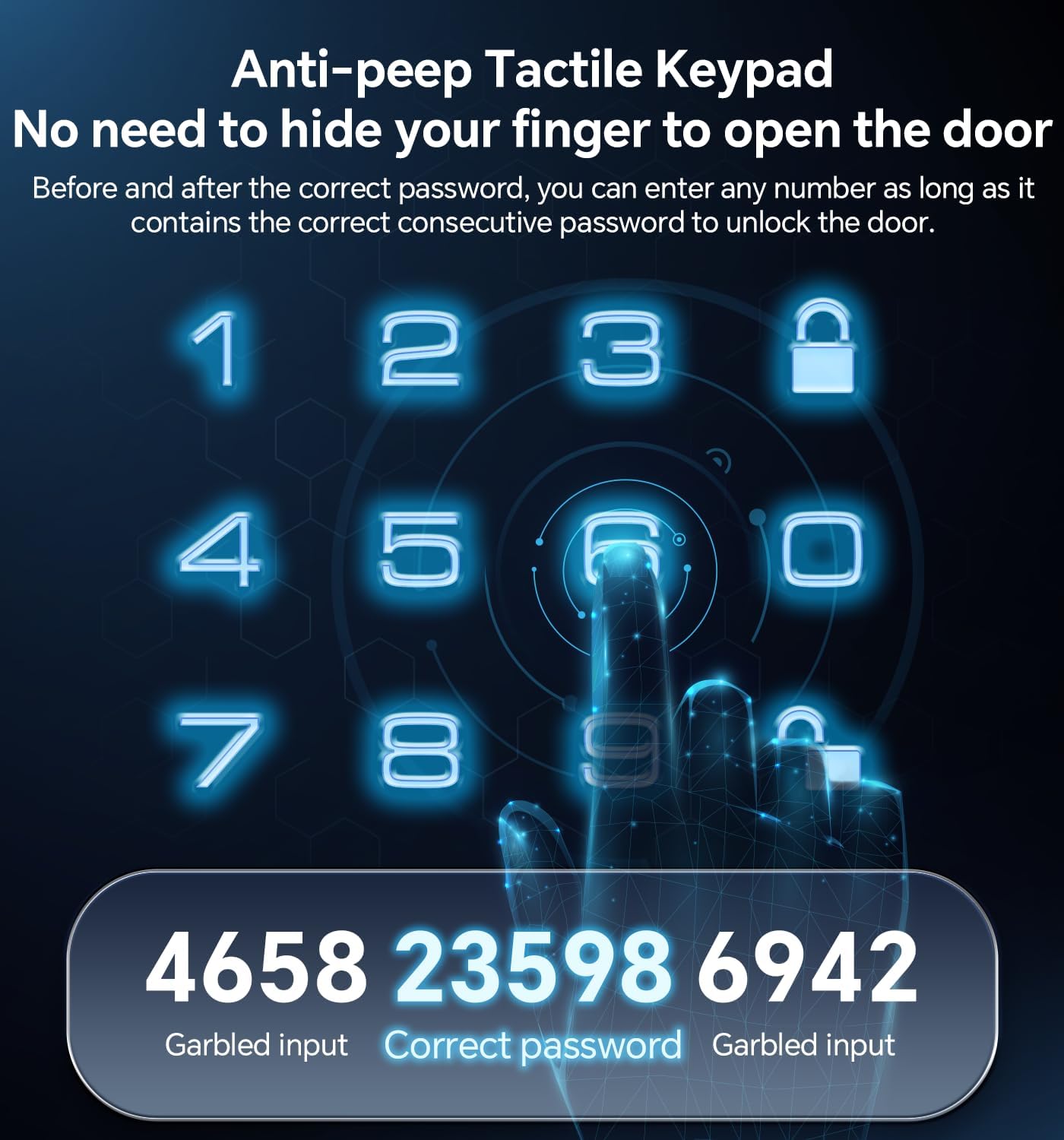
Obrázek 5.3: Příkladamppoužití funkce ochrany proti nahlížení do hesla.
5.3 Automatické zamykání a zamykání jedním dotykem
- Automatický zámek: Zámek lze naprogramovat tak, aby se automaticky zamkl po uplynutí nastavené doby (10–30 sekund) po zavření dveří.
- Zamykání jedním dotykem: Speciální tlačítko na vnitřní sestavě umožňuje rychlé manuální uzamčení.

Obrázek 5.4: Funkce automatického zamykání poskytuje pohodlí a bezpečnost.
6. Údržba
6.1 Výměna baterie
Zámek je napájen 4 bateriemi AA (nejsou součástí balení). Když je úroveň nabití baterií nízká, zámek vydá upozornění. Pro zajištění nepřetržitého provozu okamžitě vyměňte všechny čtyři baterie.

Obrázek 6.1: Indikátor slabé baterie a podsvícená klávesnice pro lepší viditelnost.
6.2 Čištění
Vnější povrch zámku čistěte měkkým, suchým hadříkem. Nepoužívejte abrazivní čisticí prostředky ani rozpouštědla, protože by mohly poškodit povrchovou úpravu nebo elektronické součástky.
7. Řešení problémů
- Zámek nereaguje: Zkontrolujte stav baterií a v případě potřeby je vyměňte. Ujistěte se, že klávesnice je čistá a bez nečistot.
- Kód nefunguje: Ověřte, zda je kód zadán správně. Ujistěte se, že je funkce proti nakukování používána dle zamýšleného účelu. Pokud problémy přetrvávají, resetujte kód nebo použijte fyzický klíč.
- Automatické zamykání se neaktivuje: Zkontrolujte nastavení automatického zámku, zda je povoleno a zda je časovač správně nastaven.
- Fyzický klíč nefunguje: Ujistěte se, že je klíč zcela zasunutý a správně otočený. Zkontrolujte, zda v drážce pro klíč nejsou nějaké překážky.
Další pomoc naleznete v části Záruka a podpora.
8. Záruka a podpora
Ulecoce poskytuje 3letá záruka na produkt a doživotní poprodejní servis pro tento produkt. Náš tým zákaznické podpory je vám k dispozici 24 hodin denně, 7 dní v týdnu prostřednictvím e-mailu, aby vám pomohl s jakýmikoli dotazy nebo obavami, které byste mohli mít.
Neváhejte nás kontaktovat ohledně podpory.


