ARCCAPTAIN 135A MIG Welder User Manual
Model: MIG135
Značka: ARCCAPTAIN
1. Úvod
This manual provides essential information for the safe and effective operation of your ARCCAPTAIN 135A MIG Welder. Please read this manual thoroughly before operating the machine to ensure proper usage, maximize performance, and prevent injury or damage.
The ARCCAPTAIN 135A MIG Welder is a versatile 3-in-1 welding machine designed for Flux Core Gasless MIG, Lift TIG, and MMA (Stick) welding. It features a large LED display, synergistic settings for ease of use, and robust safety protections.
2. Bezpečnostní informace
Při obsluze svářecího zařízení vždy upřednostňujte bezpečnost. Nedodržení bezpečnostních pokynů může vést k vážnému zranění nebo smrti.
- Úraz elektrickým proudem může zabít: Do not touch live electrical parts. Wear dry welding gloves and protective clothing. Ensure the work area is dry.
- Výpary a plyny mohou být nebezpečné: Chraňte hlavu před výpary. Pro odstranění výparů z dýchací zóny použijte větrání nebo odsávání.
- Obloukové paprsky mohou popálit oči a kůži: Používejte svářečskou kuklu s vhodným filtrem. Používejte ochranný oděv k ochraně pokožky.
- Nebezpečí požáru a výbuchu: Odstraňte všechny hořlavé materiály ze svařovací oblasti. Mějte po ruce hasicí přístroj.
- Horké části mohou způsobit těžké popáleniny: Před manipulací nechte svařované materiály a zařízení vychladnout.
- Přečtěte si celý manuál: Understand all instructions and safety precautions before operation.

Figure 2.1: Safety Features - The ARCCAPTAIN 135A MIG Welder includes built-in overheating, overcurrent, and overload protection, along with an IP21S water rating for enhanced safety and durability.
3. Obsah balení
Ověřte, zda jsou v balení přítomny všechny položky:
- 1 x ARCCAPTAIN MIG135 Flux Core Welder
- 1 x 6.5ft MIG Gun
- 1 x 9.8ft Ground Clamp
- 1 x 9.8ft Electronic Holder
- 1 x 0.35"/2lbs Flux Core Wire
- 1 x Wire Feed Roller (K .030-.035)
- 2 x Contact Tips (.030 & .035)
- 1 x Brush & Hammer
- 1 x Shoulder Straps

Figure 3.1: Package Contents - A visual representation of all items included with your ARCCAPTAIN MIG135 Welder.
4. Konec produktuview
The ARCCAPTAIN 135A MIG Welder is a compact and powerful welding solution. Key features include:
- Large LED Digital Display: Provides clear visibility of welding parameters, even in low-light conditions, simplifying setup and monitoring.
- 3-in-1 Multi-Functionality: Supports Flux Core Gasless MIG, Lift TIG (torch sold separately), and MMA (Stick) welding.
- Přátelský pro začátečníky: Features synergistic settings that automatically match wire feeding speed and voltage based on wire size and metal thickness.
- Precise Manual Adjustment: Allows experienced welders to fine-tune wire feeding speed, voltage (±1V in MIG), Hot Start, and Arc Force (0-60A in Stick).
- Excellent Welding Effect: Engineered with a fully digital MCU and robust circuit design for improved arc starts, higher efficiency, and consistent weld beads.
- Lehký a přenosný: Weighing approximately 9.48 lbs, with a carrying handle and shoulder strap for easy transport.
- High Quality & Safe: Built-in over-current, over-load, overheating, and over-voltage protection to extend machine lifespan.

Figure 4.1: ARCCAPTAIN 135A MIG Welder - Front view of the welding machine with accessories.
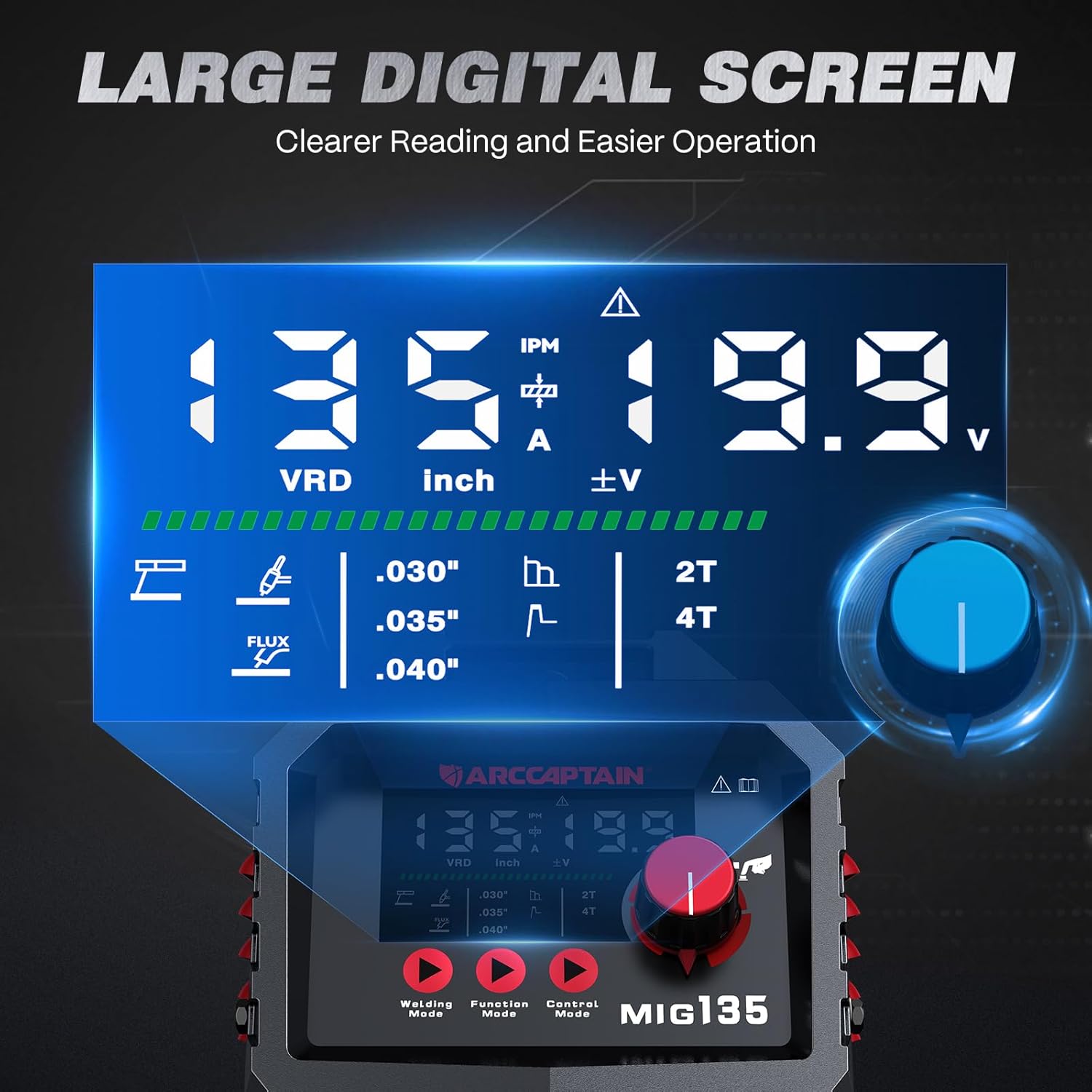
Figure 4.2: Large LED Digital Display - The clear display for easy parameter monitoring.

Figure 4.3: 3-in-1 Welding Capabilities - Illustrates the versatility of the machine across different welding types.
5. Nastavení
5.1 Připojení napájení
The ARCCAPTAIN MIG135 operates on 110V AC power. Ensure your power source meets the machine's requirements.
- Připojte napájecí kabel do uzemněné zásuvky 110 V.
- Verify the power switch on the back of the unit is in the OFF position before connecting.
5.2 MIG Welding Setup (Flux Core Gasless)
- Install Flux Core Wire: Open the wire feed compartment. Place the flux core wire spool onto the spindle. Thread the wire through the guide and into the drive roller mechanism. Ensure the correct groove on the drive roller is selected for your wire size (e.g., .030" or .035").
- Connect MIG Gun: Attach the MIG gun cable to the positive (+) terminal on the front panel.
- Připojení zemnícího klapkyamp: Připojte zem třamp cable to the negative (-) terminal on the front panel. Secure the ground clamp k obrobku nebo svařovacímu stolu a zajistěte tak dobrý elektrický kontakt.
- Podávací drát: With the MIG gun pointed away from yourself and others, press and hold the trigger to feed the wire through the gun liner until it exits the contact tip.
- Instalace kontaktního hrotu: Once the wire is fed, install the appropriate contact tip (.030" or .035") and nozzle onto the MIG gun.
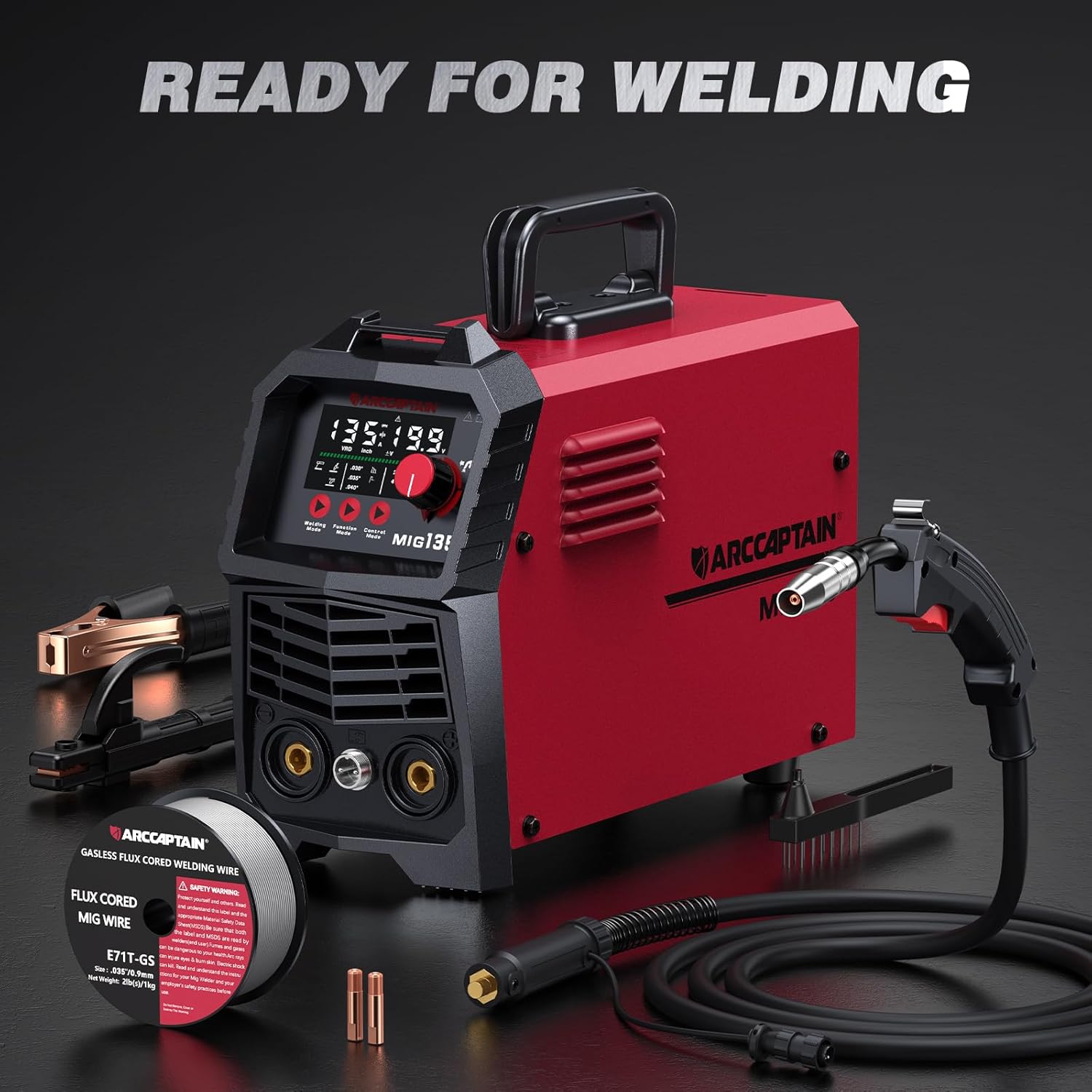
Figure 5.1: Ready for Welding - All components prepared for setup.

Figure 5.2: Connection Diagrams - Visual guide for connecting accessories for different welding processes.
5.3 Lift TIG Welding Setup (Optional)
A Lift TIG torch is required and sold separately for this mode.
- Connect TIG Torch: Connect the TIG torch cable to the negative (-) terminal on the front panel.
- Připojení zemnícího klapkyamp: Připojte zem třamp cable to the positive (+) terminal on the front panel.
- Připojení plynu: If using shielding gas (e.g., 99.9% Argon), connect the gas hose from your regulator to the gas inlet on the machine (if applicable, consult TIG torch manual for specific connections).
- Install Tungsten: Insert the appropriate tungsten electrode into the TIG torch collet and tighten.
5.4 Nastavení svařování MMA (obalenou elektrodou)
- Připojení držáku elektrody: Attach the electrode holder cable to the positive (+) terminal on the front panel.
- Připojení zemnícího klapkyamp: Připojte zem třamp kabel k zápornému (-) pólu na předním panelu.
- Vložte elektrodu: Securely insert the welding electrode into the electrode holder.
6. Návod k obsluze
6.1 Zapnutí a výběr režimu
- Ujistěte se, že jsou všechna připojení bezpečná.
- Otočte vypínač do polohy ON. Rozsvítí se LED displej.
- Use the "Welding Mode" button to cycle through Flux Core MIG, Lift TIG, and MMA (Stick) modes.

Figure 6.1: Control Panel - The main interface for setting welding parameters.
6.2 Svařování MIG s tavidlovým jádrem
This mode is ideal for general fabrication and repairs without the need for external shielding gas.
- Synergistic Settings (Beginner Friendly):
- Select the wire size (.030", .035", or .040") and metal thickness on the display.
- The machine will automatically set recommended wire feeding speed and voltage.
- Manual Adjustment (Experienced Welders):
- Adjust the wire feeding speed (30-260 IPM) using the main knob.
- Fine-tune the voltage between -1V and +1V using the voltage trimming function.
- Select "2T" (two-touch) for standard trigger operation or "4T" (four-touch) for continuous welding without holding the trigger.
- Proces svařování: Position the MIG gun at the start of your weld. Press the trigger to initiate the arc and begin welding. Maintain a consistent travel speed and gun angle.

Figure 6.2: Adjustable Parameters - Details on controlling wire feed speed, current, voltage, and arc characteristics.

Figure 6.3: Flux Core Welding - Demonstrates the process and expected weld quality.
6.3 Svařování TIG s liftingem
This mode is suitable for precise welding, especially on stainless steel. (Lift TIG torch not included).
- Vyberte režim Lift TIG.
- Set the desired welding current using the main knob.
- To initiate the arc, gently touch the tungsten electrode to the workpiece and then lift it slightly. The arc will start.
- Maintain a consistent arc length and feed filler rod manually if required.

Figure 6.4: Lift TIG Welding - Illustrates the TIG welding process and its results.
6.4 MMA (obalené) svařování
This mode is robust for various materials and outdoor conditions.
- Select MMA (Stick) mode.
- Set the desired welding current using the main knob.
- Adjust Hot Start and Arc Force (0-60A) for optimal arc performance.
- Strike the electrode against the workpiece to initiate the arc. Maintain a consistent arc length and travel speed.
- Note: Can be welded with E6013 & E7018 electrodes; CAN NOT be welded with E6010 & E6011.

Figure 6.5: Stick Welding - Depicts the stick welding process and its outcome.
7. Údržba
Pravidelná údržba zajistí dlouhou životnost a optimální výkon vaší svářečky.
- Čištění: Regularly clean the machine's exterior with a dry, soft cloth. Use compressed air to blow out dust and debris from cooling vents.
- Systém podávání drátu: Inspect the wire feed rollers and liner for wear or blockages. Clean or replace as necessary to ensure smooth wire feeding.
- Kontaktní hroty a trysky: Replace worn contact tips and clean spatter from nozzles regularly to maintain good arc performance.
- Pozemní Clamp: Zajistěte uzemnění třamp connection is clean and free of rust or paint for effective grounding.
- Skladování: Pokud svářečku nepoužíváte, skladujte ji v suchém a čistém prostředí.
8. Řešení problémů
Tato část se zabývá běžnými problémy, se kterými se můžete setkat.
| Problém | Možná příčina | Řešení |
|---|---|---|
| Stroj není napájen | Napájecí kabel odpojený, jistič vypnutý, stroj vypnutý. | Check power connections, reset breaker, turn machine switch ON. |
| Žádný oblouk / Slabý oblouk | Poor ground connection, incorrect settings, worn contact tip, wrong electrode. | Ensure good ground, adjust parameters, replace contact tip, use correct electrode. |
| Problémy s podáváním drátu | Kinked liner, incorrect drive roller tension, wrong drive roller groove, spool tangled. | Straighten liner, adjust tension, verify groove, untangle spool. |
| Aktivována ochrana proti přehřátí | Překročen pracovní cyklus, ucpané chladicí otvory. | Nechte stroj vychladnout, vyčistěte větrací otvory. |
9. Specifikace
Technical specifications for the ARCCAPTAIN MIG135 Welder:
| Parametr | Hodnota |
|---|---|
| Model | MIG135 |
| Vstupní objemtage | 110 voltů AC |
| Hmotnost položky | 10 libry |
| Rozměry produktu | 14.9 x 5.3 x 9.7 palce |
| Materiál | Kov + plast |
| Zahrnuté komponenty | 135A Flux Welder (main unit) |
| Hodnocení IP | IP21S |

Figure 9.1: Technical Parameters - Detailed electrical specifications for the MIG135.

Figure 9.2: Quality Assurance - The welder has passed over 300 authoritative laboratory tests.
10. Záruka a podpora
ARCCAPTAIN products typically come with a manufacturer's warranty. For specific warranty details and customer support, please refer to the warranty card included with your product or visit the official ARCCAPTAIN webmísto.
For technical assistance, troubleshooting beyond this manual, or parts inquiries, please contact ARCCAPTAIN customer service.
ARCCAPTAIN Official Store: Navštivte obchod


