Zavedení
The ASUS TUF Gaming VG249QM5A is a 23.8-inch Full HD monitor designed for an enhanced gaming experience. It incorporates a 240Hz refresh rate and 0.3ms response time, alongside AMD FreeSync™ Premium and NVIDIA® G-SYNC® compatibility for smooth visuals. This monitor offers improved color performance, Gaming AI features, and convenient control via the DisplayWidget Center.
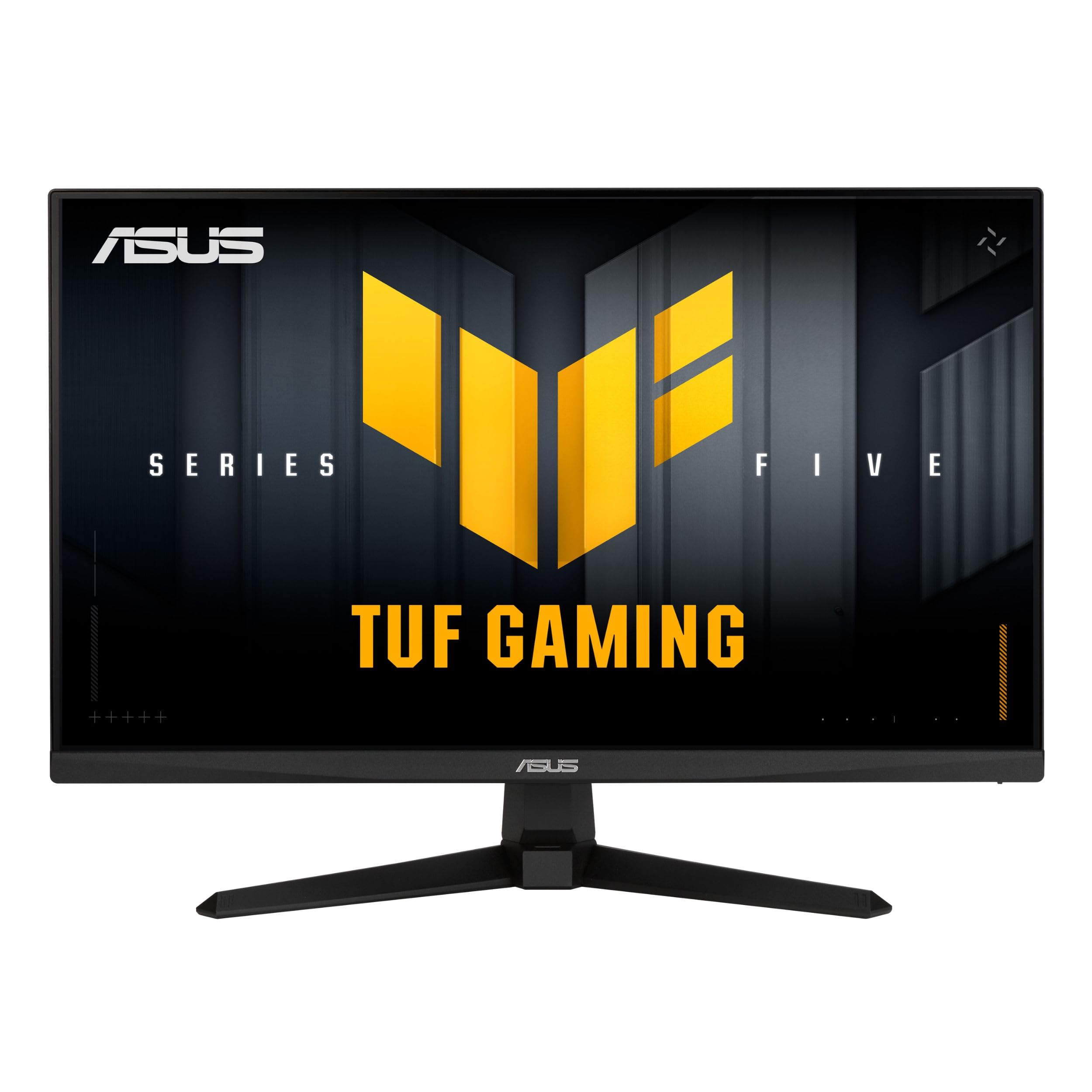
Obrázek: Přední strana view of the ASUS TUF Gaming VG249QM5A monitor.
Co je v krabici
Ověřte, zda jsou v balení produktu přítomny všechny následující položky:
- ASUS TUF Gaming VG249QM5A Monitor
- DisplayPort kabel
- Šroubovák ve tvaru L
- Napájecí kabel
- Průvodce rychlým startem
- Záruční list
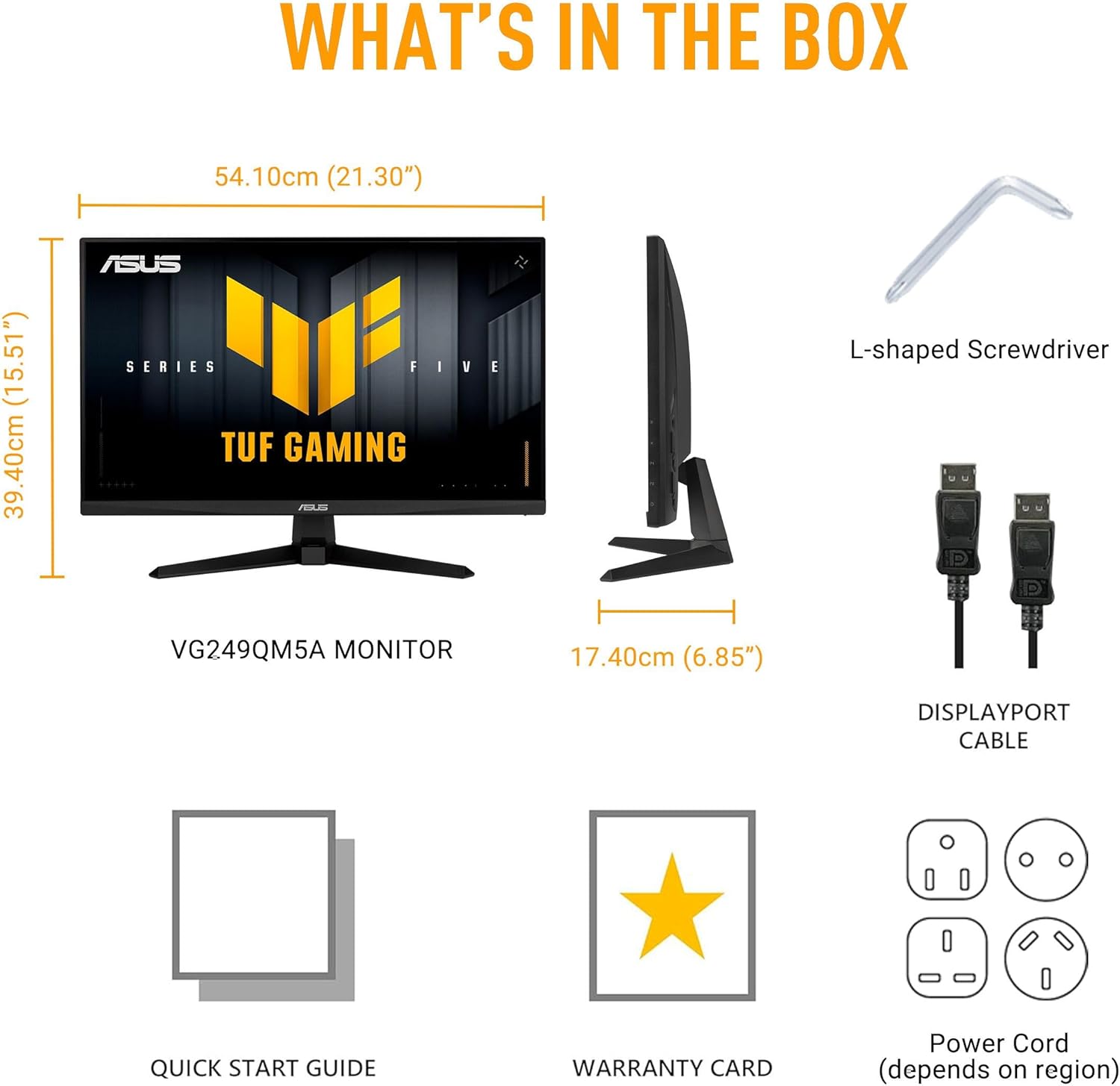
Image: Diagram showing the monitor, DisplayPort cable, L-shaped screwdriver, power cord, quick start guide, and warranty card included in the box.
Nastavení
1. Sestavení monitoru
Carefully remove the monitor and its components from the packaging. Attach the stand base to the stand neck, then secure the assembled stand to the back of the monitor panel. Ensure all connections are firm.
2. Propojovací kabely
Připojte potřebné kabely k monitoru a počítači:
- Napájecí kabel: Connect one end of the power cord to the monitor's power input and the other end to a power outlet.
- DisplayPort kabel: For optimal performance, connect the included DisplayPort cable from your computer's graphics card to the DisplayPort input on the monitor.
- HDMI kabely: Alternatively, you can use HDMI cables to connect to the monitor's HDMI 2.0 ports.
- Sluchátkový konektor: Connect your headphones or external speakers to the earphone jack for audio output.

Image: The monitor connected to a desktop computer with various cables.

Obrázek: Detail view of the monitor's rear ports, including two HDMI 2.0 ports, one DisplayPort, and an earphone jack.
Obsluha monitoru
Klíčové výkonnostní vlastnosti
- Rychlý IPS panel: Zažijte zářivé barvy a široký viewing úhly.
- Obnovovací frekvence 240Hz: Provides extremely fluid visuals for fast-paced gaming.
- 0.3ms Response Time (min): Minimizes motion blur and ghosting for sharp images.
- Kompatibilní s G-SYNC a FreeSync Premium: Ensures tear-free and stutter-free gameplay by synchronizing the monitor's refresh rate with your GPU's frame rate.
- Synchronizace s extrémně nízkým rozmazáním pohybu (ELMB SYNC): Enables ELMB simultaneously with variable refresh rate technologies, further reducing ghosting and tearing.
- 99% sRGB barevný gamut: Delivers accurate and rich color reproduction.

Image: Infographic highlighting key upgrades including speed (0.3ms, 240Hz), fluidity (FreeSync Premium, G-SYNC, ELMB SYNC), Gaming AI, colors (99% sRGB), and simplicity (DisplayWidget Center).

Obrázek: Monitorová showasing a high-speed gaming scene, emphasizing its fast IPS, Full HD, 0.3ms, and 240Hz capabilities.

Image: A visual comparison demonstrating improved game fluidity with Variable Refresh Rate (VRR) enabled, highlighting G-SYNC, FreeSync Premium, and ELMB SYNC.
Gaming AI Technology
The monitor includes TUF Gaming A.I. technology with AI-powered features to enhance your gaming experience:
- Dynamický zaměřovací kříž: Poskytuje zaměřovací kříž na obrazovce pro lepší přesnost míření.
- Vizualizace s umělou inteligencí: Optimizes visual settings based on game content.

Image: Demonstrations of Dynamic Crosshair (before and after) and AI Visual (before and after) features in gaming scenarios.
Centrum DisplayWidget
The DisplayWidget Center software allows for easy access to On-Screen Display (OSD) settings and monitor adjustments using your mouse. This provides a user-friendly interface for customizing various display parameters, managing firmware updates, and controlling multi-screen setups.

Image: A screenshot of the DisplayWidget Center interface, showing options for customizable settings, firmware update notifications, and multiscreen control.
Eye Care Features and Ergonomic Design
This monitor incorporates features designed to reduce eye strain during extended use and offers flexible positioning options:
- Antireflexní displej: Reduces reflections from ambient light, improving visibility.
- Filtr modrého světla: Adjustable levels to reduce harmful blue light emissions.
- Technologie Flicker-Free: Eliminuje blikání obrazovky, aby se minimalizovala únava očí.
- Ergonomický design: The stand allows for tilt, swivel, pivot, and height adjustments to achieve a comfortable viewing pozice.
Video: An official ASUS video demonstrating the eye care features (anti-glare, blue light filter, flicker-free) and ergonomic design of ASUS monitors, including adjustable stand functionality.
Údržba
Pro zajištění dlouhé životnosti a optimálního výkonu monitoru dodržujte tyto pokyny pro údržbu:
- Čištění obrazovky: Jemně otřete obrazovku měkkým hadříkem, který nepouští vlákna. V případě odolných skvrn lehceampOtřete hadřík vodou nebo specializovaným čističem obrazovek. Vyhněte se agresivním chemikáliím nebo abrazivním materiálům.
- Čištění Casing: K čištění monitoru používejte měkký, suchý hadřík casing.
- Větrání: Ujistěte se, že ventilační otvory monitoru jsou volné a neblokované, aby nedošlo k jeho přehřátí.
- Zacházení: Nepokládejte na monitor těžké předměty ani na obrazovku nevyvíjejte nadměrný tlak.
- Vypnout: Vždy vypněte monitor, pokud jej delší dobu nepoužíváte.
Odstraňování problémů
Pokud narazíte na problémy s monitorem, postupujte podle následujících běžných kroků pro řešení potíží:
- Bez displeje/napájení:
- Zkontrolujte, zda je napájecí kabel bezpečně připojen k monitoru i k elektrické zásuvce.
- Ujistěte se, že je stisknuto tlačítko napájení na monitoru.
- Ověřte, zda je elektrická zásuvka funkční.
- Bez signálu:
- Confirm that the video cable (DisplayPort or HDMI) is securely connected to both the monitor and your computer's graphics card.
- Ensure the correct input source is selected on the monitor (use the OSD menu).
- Zkontrolujte, zda je počítač zapnutý a není v režimu spánku.
- Problémy s kvalitou obrazu (rozmazaný, zkreslený, nesprávné barvy):
- Upravte rozlišení a obnovovací frekvenci počítače tak, aby odpovídaly nativnímu rozlišení monitoru (1920x1080) a požadované obnovovací frekvenci (až 240 Hz).
- Obnovte tovární nastavení monitoru pomocí nabídky OSD.
- Aktualizujte ovladače grafické karty.
- Check for physical damage to the video cable.
- Blikající obrazovka:
- Ensure Flicker-Free technology is enabled (if applicable via OSD or DisplayWidget Center).
- Zkontrolujte vnější rušení od jiných elektronických zařízení.
If the issue persists after attempting these steps, please contact ASUS customer support.
Specifikace
| Funkce | Specifikace |
|---|---|
| Značka | ASUS |
| Číslo modelu | VG249QM5A |
| Velikost obrazovky | 24 palců (23.8 palců viewschopný) |
| Rozlišení obrazovky | 1920 x 1080 pixelů (Full HD) |
| Maximální rozlišení obrazovky | 1920 x 1080 pixelů |
| Obnovovací frekvence | 240 Hz |
| Doba odezvy | 0.3ms (min) |
| Typ panelu | Téměř IPS |
| Barevný gamut | 99% sRGB |
| Technologie adaptivní synchronizace | G-SYNC Compatible, FreeSync Premium |
| Poměr stran | 16:9 |
| Popis povrchu obrazovky | Matný |
| Konektivita | DisplayPort, HDMI 2.0 (x2), Earphone Jack |
| Hmotnost položky | 7.5 libry |
| Rozměry produktu (DxŠxV) | 6.9 x 21.3 x 15.5 palce |
| Barva | ČERNÝ |
Záruka a podpora
The ASUS TUF Gaming VG249QM5A monitor typically comes with a 3letá záruka výrobce. Please refer to the included Warranty Card for specific terms, conditions, and registration details.
Pro technickou podporu, stažení ovladačů nebo další pomoc navštivte oficiální stránky podpory ASUS. webmísto:
When contacting support, have your monitor's model number (VG249QM5A) and serial number readily available.


