1. Úvod
This manual provides detailed instructions for the installation, operation, and maintenance of your Hodozzy Android 15 Car Stereo. Please read this manual thoroughly before using the product to ensure proper function and safety. Keep this manual for future reference.
2. Konec produktuview
The Hodozzy Android 15 Car Stereo is an advanced multimedia system designed for select Ford vehicles. It features a 7-inch Ultra HD touchscreen, Android 15 operating system, and integrated connectivity options to enhance your driving experience.
Klíčové vlastnosti:
- Operační systém Android 15
- 7-inch Ultra HD Touchscreen (1024*600 resolution)
- Podpora bezdrátového CarPlay a Android Auto
- Built-in GPS Navigation with offline map support
- Bluetooth for hands-free calling and music streaming
- Integrated WiFi for internet access
- DSP (Digital Sound Processor) for enhanced audio
- FM/RDS rádio
- Kompatibilita s ovládáním na volantu
- Includes AHD Rear Camera
Kompatibilita vozidla:
This unit is compatible with various Ford models, including:
- Ford F150 (2004-2008)
- Ford F250 (2004-2008)
- Ford F350 (2004-2008)
- Ford Explorer (2006-2009)
- Ford Edge (2007-2010)
- Ford Fusion
- Ford Mustang (2007-2009)
- Ford E250/E350 (2009-2014)
- Ford MKX (2007-2009)
- Ford Five Hundred (2005-2007)
- Ford Expedition (2007–2014)
- Ford Shelby GT500 (2007-2009)
Please verify your vehicle's dashboard configuration and model year for exact compatibility before installation.
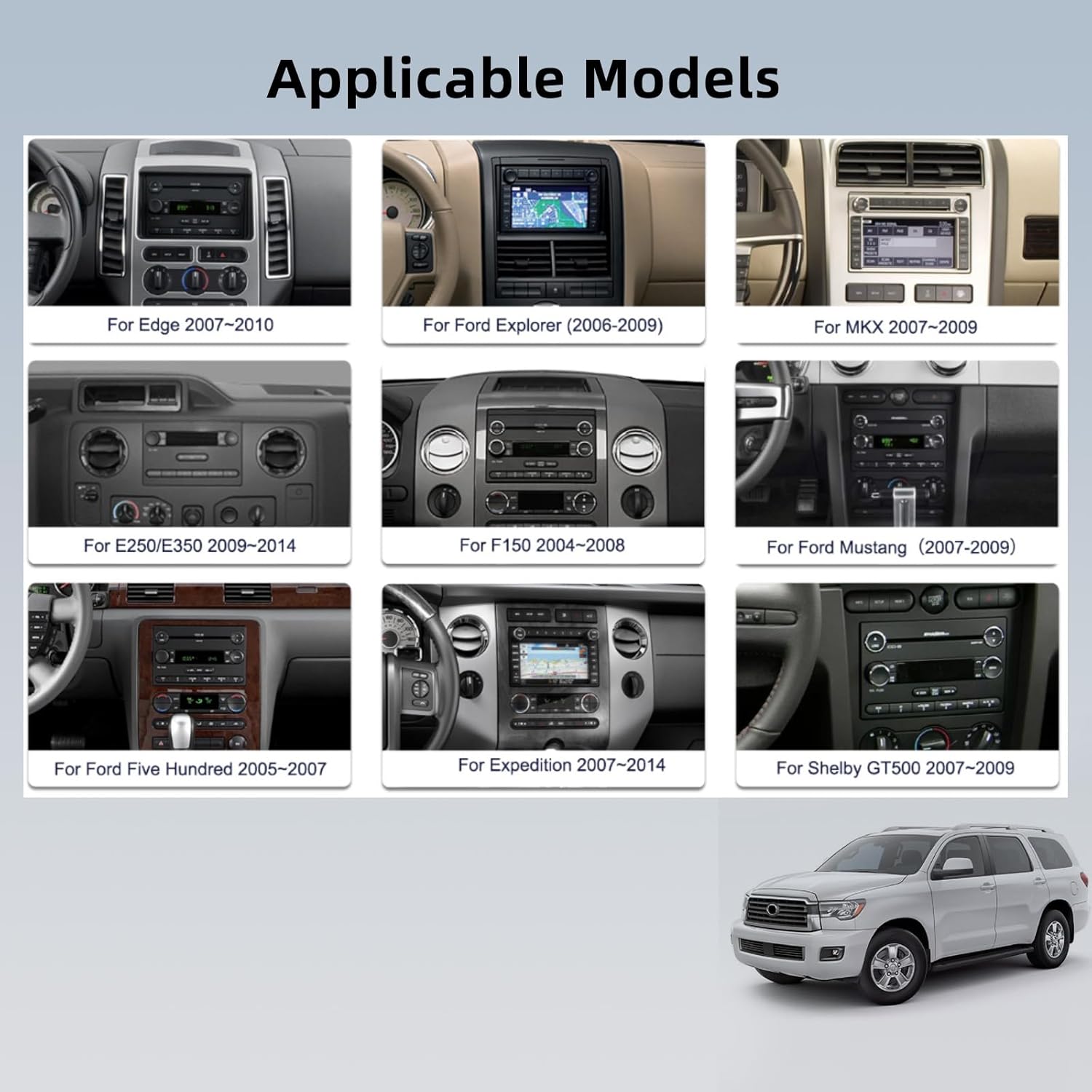
Image: Hodozzy Android 15 Car Stereo seamlessly integrated into a Ford F150 dashboard, showcasing its 7-inch display and physical buttons.
3. Obsah balení
Po otevření balení se ujistěte, že jsou přítomny všechny následující komponenty:
- Hodozzy Android 15 Car Stereo Unit
- Napájecí kabel
- RCA kabel
- 3.8pinový konektor CANbus
- USB kabel
- Vstupní kabel zadní kamery
- Rádiová anténa
- GPS anténa
- Dekodér CANbusu
- Mikrofon (MIC)
- Adaptérová anténa
- Uživatelská příručka (tento dokument)
- Záložní kamera

Image: The Hodozzy Android 15 Car Stereo unit displayed alongside all its included accessories, such as power cables, GPS antenna, USB cables, and the backup camera.
4. Nastavení a instalace
Professional installation is recommended for this car stereo system. Incorrect wiring or installation can damage the unit or your vehicle's electrical system.
4.1 Kontroly před instalací
- Odpojte baterii vozidla, abyste předešli elektrickému zkratu.
- Confirm compatibility with your vehicle's make, model, and year.
- Inspect all components in the package for any damage.
4.2 Zapojení kabeláže
Carefully connect the provided wiring harness to the car stereo and your vehicle's existing wiring. Refer to the wiring diagram below and your vehicle's specific wiring schematics.
- Napájecí kabel: Connect to constant power (B+), accessory power (ACC), and ground (GND).
- Dráty reproduktorů: Connect to the corresponding vehicle speaker wires (Front Left, Front Right, Rear Left, Rear Right).
- GPS anténa: Namontujte anténu GPS na místo s volným view oblohy, obvykle na palubní desce nebo pod čelním sklem.
- Anténa rádia: Připojte anténu rádia.
- Vstup pro zadní kameru: Connect the video cable from the backup camera to the designated input on the stereo. Ensure the reverse trigger wire is connected to your vehicle's reverse light circuit.
- Dekodér CANbusu: Connect the Canbus decoder as per the vehicle-specific instructions to enable steering wheel controls and other vehicle data integration.
- USB kabely: Route USB extension cables to an accessible location for connecting external devices.
4.3 Fyzická instalace
- Carefully remove the factory radio from your vehicle's dashboard.
- Mount the Hodozzy car stereo into the dashboard opening, securing it with the appropriate brackets.
- Znovu připojte baterii vozidla.
- Power on the unit and perform initial function tests.
5. Návod k obsluze
5.1 Základní obsluha
- Zapnutí/vypnutí: Press and hold the power button. A short press typically mutes/unmutes audio.
- Dotyková obrazovka: Navigate the interface by tapping, swiping, and pinching on the 7-inch display.
- Ovládání hlasitosti: Upravte pomocí fyzických tlačítek nebo ovládacích prvků na obrazovce.
- Tlačítko Domů: Návrat na hlavní domovskou obrazovku systému Android.
5.2 Bezdrátové CarPlay a Android Auto
This unit supports both wireless CarPlay for iOS devices and wireless Android Auto for Android devices.
- Ujistěte se, že je na vašem smartphonu povoleno Bluetooth.
- On the car stereo, open the CarPlay/Android Auto application.
- Hledat your car stereo's Bluetooth name on your phone and pair.
- Postupujte podle pokynů na obrazovce a navažte připojení.
- Once connected, you can access navigation, music, messages, and other compatible apps directly from the stereo's screen.
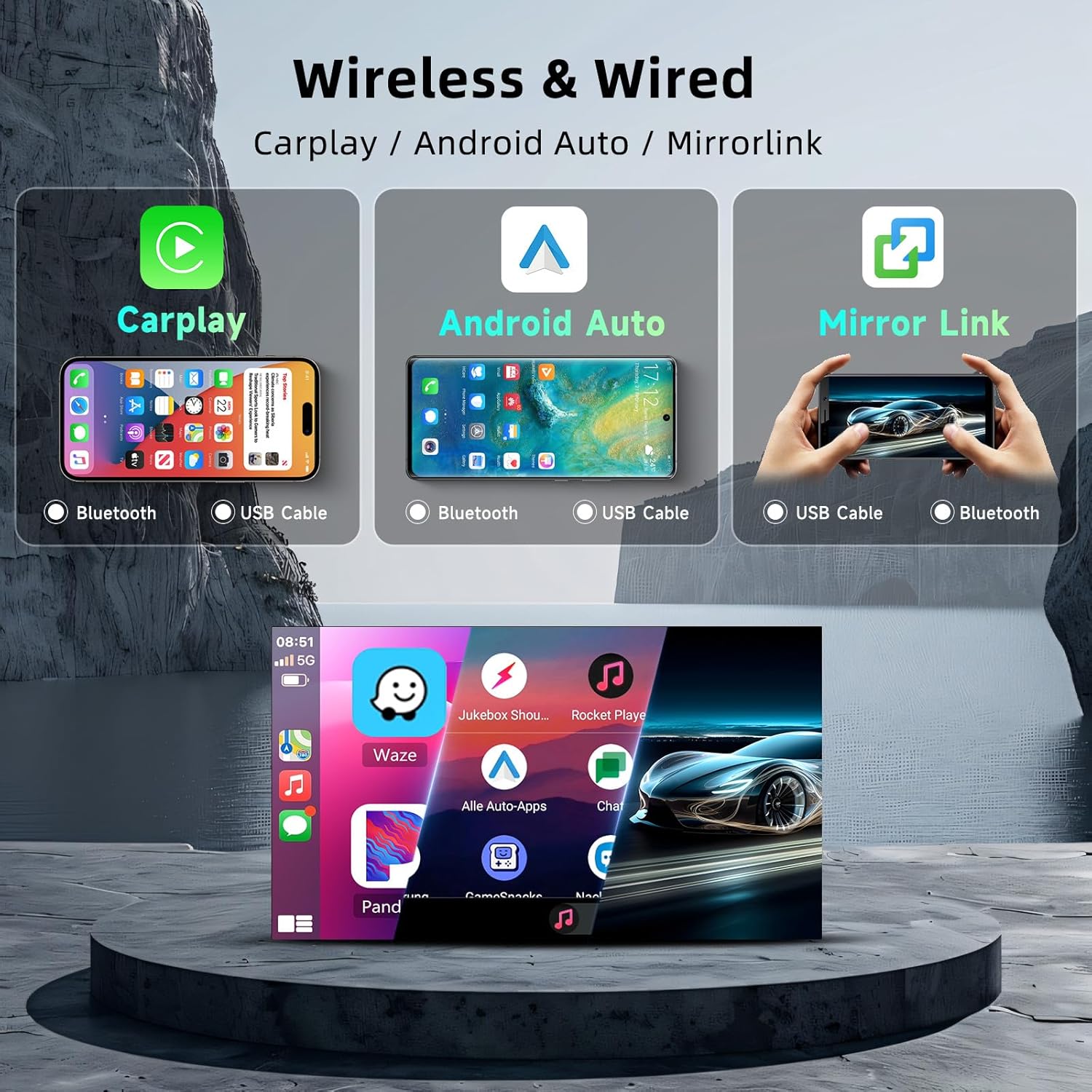
Image: A visual representation of the wireless CarPlay, Android Auto, and Mirrorlink functionalities, showing how smartphones connect via Bluetooth or USB to display apps on the car stereo screen.
5.3 GPS navigace a Wi-Fi
The built-in GPS module provides accurate navigation. Connect to WiFi for online maps and real-time traffic updates.
- GPS: Open the pre-installed navigation app (e.g., Google Maps, Waze). Ensure the GPS antenna is properly installed.
- WiFi: Go to Settings > Network & Internet > Wi-Fi. Connect to an available hotspot (e.g., from your smartphone) to enable online features and download apps.
- Offline mapy: Stáhněte si mapová data pro váš region, abyste mohli používat navigaci bez připojení k internetu.

Image: The car stereo displaying a navigation map, with icons for GPS, WiFi, and various Android apps, highlighting the 2GB RAM and 64GB ROM specifications.
5.4 Funkce Bluetooth
Pair your smartphone via Bluetooth for hands-free communication and audio streaming.
- Go to the Bluetooth application on the stereo.
- Enable Bluetooth on your phone and search for the stereo.
- Select the stereo's name from your phone's Bluetooth list and confirm pairing.
- Hands-free volání: Volejte a přijímejte hovory přímo z obrazovky stereo systému.
- Hudba Bluetooth: Streamujte zvuk z telefonu do autorádia.
5.5 FM/RDS rádio a ekvalizér
Access local radio stations and customize your audio experience.
- FM/RDS rádio: Open the Radio app. Use the scan function to find available stations. RDS (Radio Data System) displays station information like song titles or traffic updates.
- Ekvalizér (EQ): Access the EQ settings to adjust sound profiles (e.g., Pop, Rock, Jazz) or create custom settings for bass, treble, and other audio frequencies.

Image: Displays the Bluetooth interface for hands-free calling, the FM radio tuner with RDS information, and the graphic equalizer for sound customization.
5.6 Rear Camera Operation
Součástí je i zadní AHD kamera, která poskytuje jasný obraz view při couvání.
- When the vehicle is shifted into reverse gear, the stereo automatically displays the rear camera feed on the screen.
- The camera features HD night vision and a wide 160-degree viewúhel.
5.7 Ovládání na volantu
Naprogramujte tlačítka na volantu vašeho vozidla pro ovládání funkcí stereo systému.
- Go to the Steering Wheel Control settings in the stereo's menu.
- Postupujte podle pokynů na obrazovce a přiřaďte funkce (např. zvýšení/snížení hlasitosti, přeskakování skladby, změna režimu) tlačítkům na volantu.

Image: Illustrates the AHD rear camera view with parking guidelines and the interface for programming steering wheel controls, showing various button functions.
6. Údržba
6.1 Čištění obrazovky
To clean the touchscreen, power off the unit and gently wipe the screen with a soft, lint-free cloth. For stubborn smudges, use a screen cleaner specifically designed for electronic displays. Avoid abrasive materials or harsh chemicals.
6.2 Aktualizace softwaru
Pravidelně kontrolujte informace od výrobce website or the stereo's system settings for available software updates. Updates can improve performance, add new features, and fix bugs. Follow the provided instructions carefully when performing updates.
6.3 Obecná péče
- Nevystavujte jednotku extrémním teplotám nebo přímému slunečnímu záření po delší dobu.
- Nevylévejte tekutiny na jednotku.
- Zajistěte řádné větrání kolem jednotky, abyste zabránili přehřátí.
7. Řešení problémů
If you encounter issues with your Hodozzy car stereo, refer to the following common problems and solutions:
| Problém | Možná příčina | Řešení |
|---|---|---|
| Jednotka se nezapne | Nesprávné zapojení, spálená pojistka, problém s autobaterií | Check power, ground, and ACC connections. Inspect vehicle fuses. Ensure battery is charged. |
| Žádný zvukový výstup | Speaker wiring issues, volume muted, incorrect audio settings | Verify speaker connections. Check volume level and mute status. Adjust audio output settings. |
| Ztráta signálu GPS nebo jeho nepřesnost | GPS antenna improperly installed or obstructed | Ujistěte se, že má anténa GPS volný view oblohy. Zkontrolujte připojení antény. |
| CarPlay/Android Auto connection issues | Bluetooth/USB connection problems, phone compatibility | Restart phone and stereo. Re-pair Bluetooth. Try a different USB cable. Ensure phone OS is compatible. |
| Nezobrazuje se couvací kamera | Camera wiring, reverse trigger wire, camera malfunction | Check camera video input and reverse trigger wire connections. Test camera functionality. |
| Ovládání na volantu nefunguje | Canbus connection, incorrect programming | Verify Canbus decoder connection. Re-program steering wheel controls in settings. |
| Dotykový displej nereaguje | Softwarová závada, fyzické poškození | Restartujte jednotku. Pokud problém přetrvává, kontaktujte zákaznickou podporu. |
If the problem persists after attempting these solutions, please contact Hodozzy customer support.
8. Specifikace
| Funkce | Specifikace |
|---|---|
| Operační systém | Android 15 |
| Velikost displeje | 7 palce |
| Rozlišení displeje | 1024*600 pixelů |
| Paměť (RAM) | 2 GB |
| Úložiště (ROM) | 64 GB |
| Konektivita | Bluetooth, WiFi, USB |
| Speciální funkce | Android Auto, Apple CarPlay, GPS, DSP, FM/RDS Radio, Touchscreen |
| Zahrnuté komponenty | Záložní kamera |
| Hmotnost položky | 2.81 libry |
| Rozměry balení | 11.65 x 10.24 x 4.33 palce |
| Typ služby vozidla | Auto, SUV, nákladní automobil |
9. Informace o záruce
This Hodozzy car stereo comes with a 2-letá záruka from the date of purchase. This warranty covers manufacturing defects and malfunctions under normal use. Please retain your proof of purchase for warranty claims. The warranty does not cover damage caused by improper installation, misuse, accidents, or unauthorized modifications.
10. Zákaznická podpora
For technical assistance, troubleshooting, or warranty inquiries, please contact Hodozzy customer support:
- E-mail: hodozzyofficial@163.com
Please provide your product model number (ddf479f8-d72b-4a33-a25e-296faadea9b0) and a detailed description of your issue when contacting support.

Image: Hodozzy customer support details, including an email address for inquiries.
11. Oficiální produktová videa
Watch these official videos for additional guidance and product demonstrations.
Video: Produkt skončilview and feature demonstration (Duration: 0:46).
Video: Detailed look at specific functions (Duration: 0:40).
Video: Installation tips and setup guide (Duration: 0:47).
Video: Advanced features and user interface navigation (Duration: 1:04).


