1. Konec produktuview
The AstroAI P12 Jump Starter is a portable device designed to jump start vehicles with dead batteries. It also functions as a power bank for electronic devices and includes an LED flashlight. This unit is compatible with all gas engines and diesel engines up to 12L.
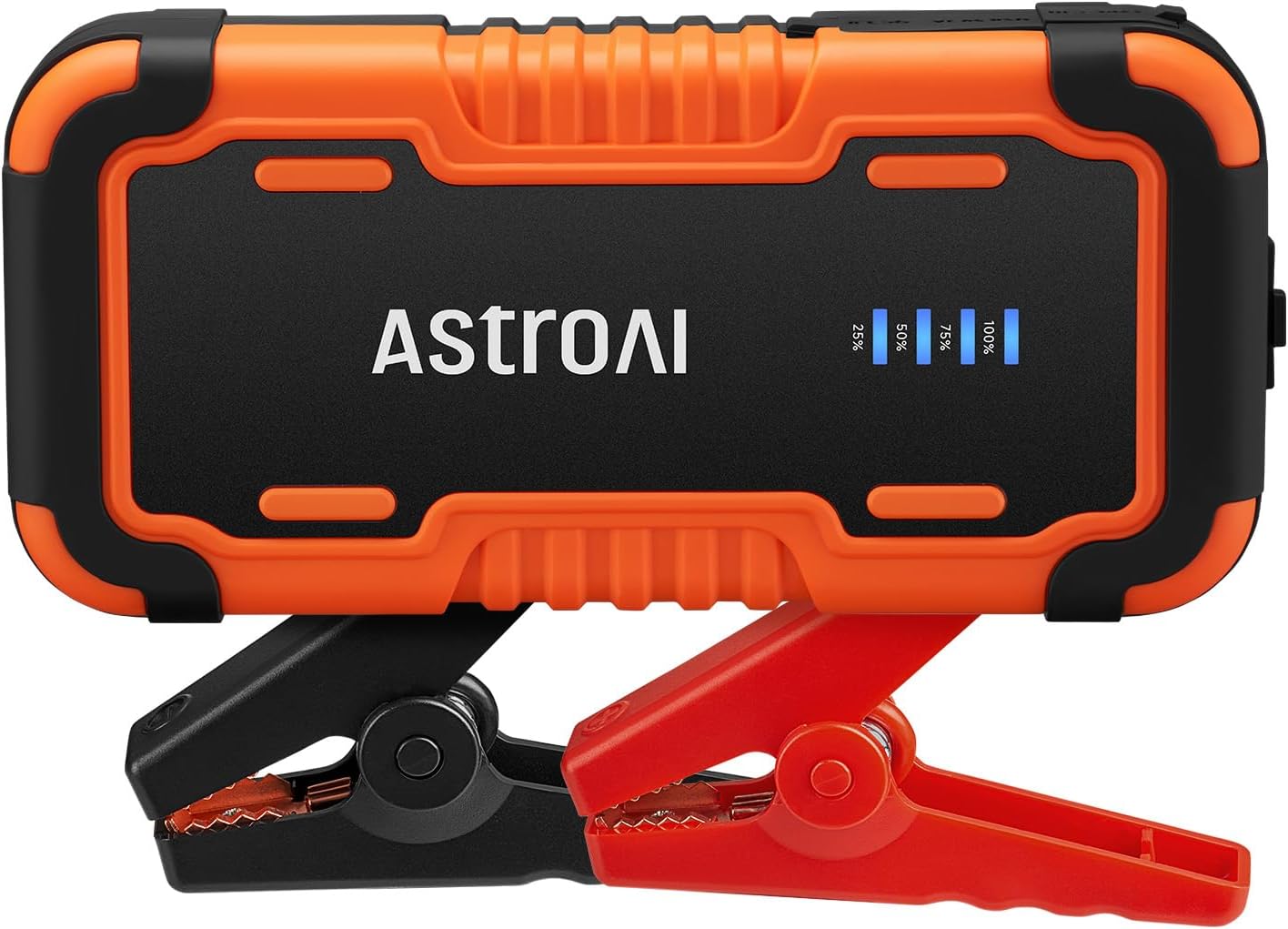
Image 1.1: AstroAI P12 Jump Starter with attached smart battery clamps.
2. Co je zahrnuto
Balení obsahuje následující položky:
- AstroAI P12 Jump Starter Unit
- Inteligentní baterie Clamps
- Skladovací taška
- USB AC kabel
- Uživatelská příručka (tento dokument)

Image 2.1: All components included in the AstroAI P12 Jump Starter package.
3. Bezpečnostní informace
Před použitím tohoto výrobku si přečtěte všechna bezpečnostní varování a pokyny. Nedodržení varování a pokynů může vést k úrazu elektrickým proudem, požáru a/nebo vážnému zranění.
Obecná bezpečnostní opatření:
- Nepoužívejte startovací zařízení, pokud bylo poškozeno nebo upraveno.
- Nevystavujte startovací zařízení dešti ani vlhku.
- Nepoužívejte příslušenství, které výrobce nedoporučuje nebo neprodává.
- Během používání zajistěte řádné větrání.
- Uchovávejte mimo dosah dětí.
- Wear eye protection when operating.
Vestavěné ochrany:
The AstroAI P12 includes 10 comprehensive safety protections:
- Ochrana proti přepólování
- Nadproudová ochrana
- Ochrana proti přebití
- Ochrana proti nadměrnému vybití
- Ochrana proti vysokým a nízkým teplotám
- Ochrana proti zpětnému připojení
- Přes Voltage Ochrana
- Ochrana proti přetížení
- Ochrana proti zkratu
- Spark-Proof Clamps

Image 3.1: Visual representation of the 10 safety protections integrated into the device.
4. Nabíjení startovacího zařízení
Before initial use, fully charge the AstroAI P12 Jump Starter. It is recommended to recharge the unit every few months to maintain battery health, especially if not used regularly.
- Connect the provided USB A-C cable to the USB-C input port on the jump starter.
- Connect the other end of the USB A-C cable to a compatible USB wall adapter (not included) or a powered USB port.
- The LED indicator on the jump starter will show the charging progress. Charge until the indicator shows 100% or full charge.
A full charge typically takes approximately 4-5 hours from empty.
5. Návod k obsluze
5.1. Startování vozidla pomocí kabelu
Pro nastartování vozidla pomocí kabelu pečlivě dodržujte tyto kroky:
- Ujistěte se, že je startovací zařízení dostatečně nabité (doporučeno alespoň 75 %).
- Turn off the vehicle's ignition and all accessories (lights, radio, etc.).
- Připojte chytrou baterii třamps to the jump starter's output port. Ensure it is fully inserted.
- Připojte červený kladný (+) třamp ke kladnému (+) pólu baterie vozidla.
- Připojte černý negativní (-) clamp k zápornému (-) pólu baterie vozidla.
- Observe the indicator on the smart battery clamps. If it glows sytě zelená, the connection is correct and safe to proceed. If it flashes red/green or shows an error, recheck connections and refer to the troubleshooting section.
- Once the indicator is solid green, start the vehicle's engine.
- After the engine starts, immediately remove the smart battery clamps from the vehicle battery, first the negative (-) clamp, pak kladný (+) clamp.
- Disconnect the smart battery clamps od startéru.

Image 5.1: Step-by-step visual guide for jump starting a vehicle.

Image 5.2: AstroAI P12 Jump Starter connected to a vehicle battery.
5.2. Použití jako powerbanky
The AstroAI P12 can charge electronic devices via its USB-A output ports.
- Výstup USB-A (QC 3.0): 5V;3A, 9V;2A, 12V;1.5A (18W Max)
- Výstup USB-A: 5V;2A
- Connect your device's charging cable to one of the USB-A output ports on the jump starter.
- Připojte druhý konec kabelu k vašemu elektronickému zařízení.
- Startovací baterie automaticky začne nabíjet vaše zařízení.

Image 5.3: The jump starter functioning as a power bank for various electronic devices.
5.3. Používání LED svítilny
The built-in LED flashlight offers three modes: illumination, SOS, and strobe.
- Press and hold the power button for approximately 3 seconds to turn on the flashlight (illumination mode).
- Press the power button again to cycle through the modes: SOS (flashing) and Strobe.
- Press and hold the power button again for 3 seconds to turn off the flashlight.

Image 5.4: The AstroAI P12 Jump Starter's LED flashlight in use.
6. Údržba
- Čištění: Otřete jednotku suchým, měkkým hadříkem. Nepoužívejte agresivní chemikálie ani abrazivní materiály.
- Skladování: Store the jump starter in a cool, dry place, away from direct sunlight and extreme temperatures. The operating temperature range is -20°C to 50°C (-4°F to 122°F).
- Dobíjení: Pro prodloužení životnosti baterie přístroj nabíjejte každé 3–6 měsíců, i když jej nepoužíváte.
- Baterie Clamps: Zkontrolujte třampPřed každým použitím zkontrolujte, zda nejsou součásti a kabely poškozené.

Image 6.1: The AstroAI P12 Jump Starter is designed to operate in a wide range of temperatures.
7. Řešení problémů
| Problém | Možná příčina | Řešení |
|---|---|---|
| Vehicle does not start after jump start attempt. |
|
|
| Chytrý třamps indicator shows red/flashing. |
|
|
| Startovací kabel nenabíjí zařízení. |
|
|
8. Specifikace
| Funkce | Detail |
|---|---|
| Model | P12 |
| Špičkový proud | 6000 Amps |
| svtage | 12 voltů |
| Kompatibilita motoru | All Gas, up to 12L Diesel |
| Typ baterie | Lithium Polymer (Lithium-Nickel Manganese Cobalt - NMC) |
| Výstup USB-A (QC 3.0) | 5V;3A, 9V;2A, 12V;1.5A (18W Max) |
| Výstup USB-A | 5V;2A |
| Rozměry | 183 mm x 88 mm x 39 mm (7.20 palce x 3.45 palce x 1.53 palce) |
| Hmotnost položky | 800 g |
| Provozní teplota | -20 °C až 50 °C (-4 °F až 122 °F) |

Image 8.1: The compact size of the AstroAI P12 Jump Starter.
9. Záruka a podpora
For warranty information or technical support, please contact AstroAI customer service.
- Výrobce: AstroAI
- Kontaktní email: Support@astroai.com
- Refer to the official AstroAI webnejaktuálnější záruční podmínky naleznete na webu.