1. Úvod
Thank you for choosing the UCOCARE A90 Mini Wireless Security Camera. This manual provides essential information for the proper installation, operation, and maintenance of your device. Please read it thoroughly before use and retain it for future reference.
Obsah balení
Ověřte, zda jsou v balení obsaženy všechny níže uvedené položky:
- Security Camera (2 units for 2-pack)
- Montážní konzola
- Nabíjecí kabel
- Sada šroubů
- Uživatelská příručka (tento dokument)
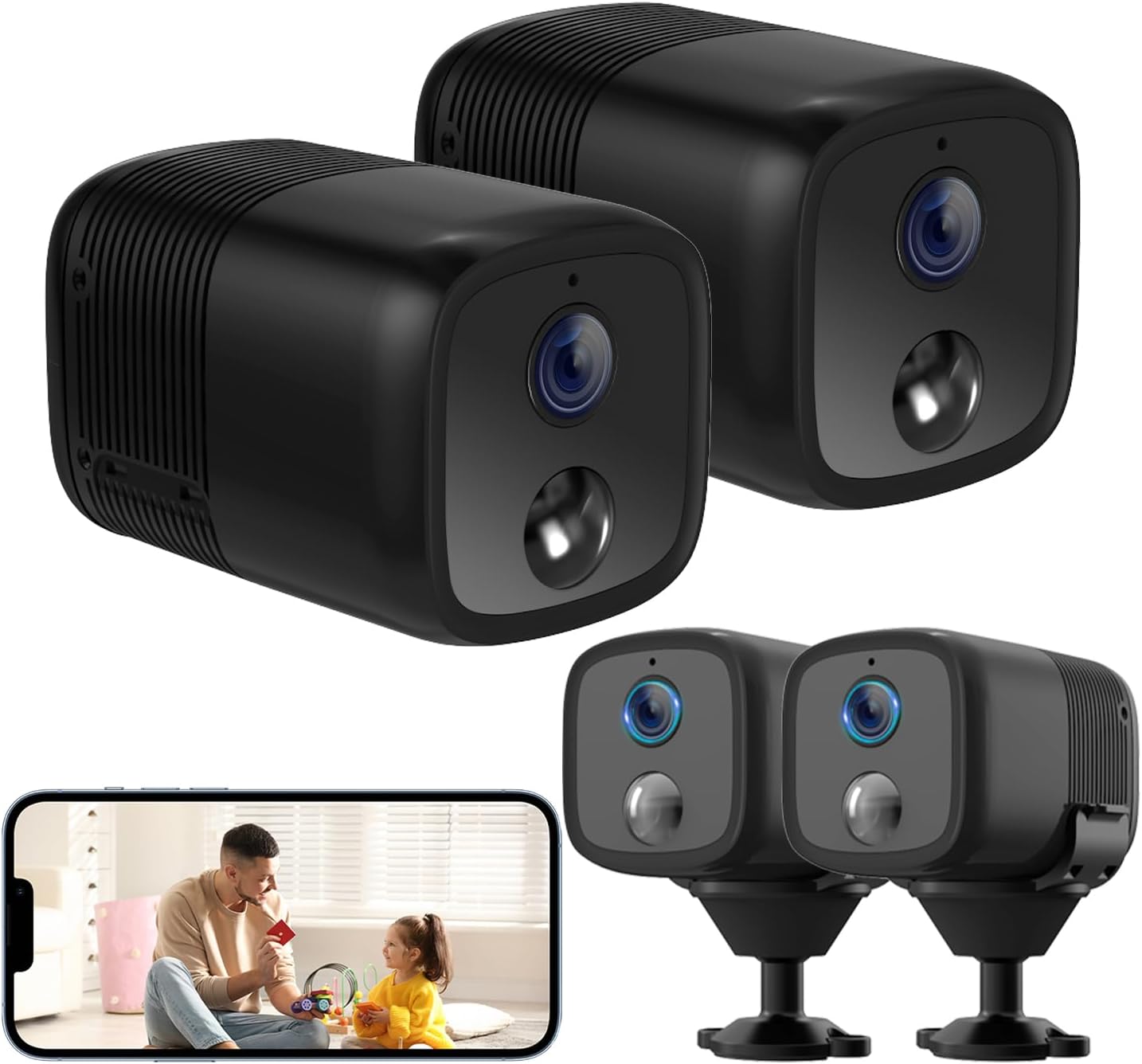
Image: Two UCOCARE A90 mini wireless security cameras, one showing a live view na obrazovce chytrého telefonu.
2. Konec produktuview
The UCOCARE A90 is a compact, battery-powered wireless security camera designed for versatile indoor and outdoor monitoring. It offers high-definition video, extended battery life, and smart detection features.
Klíčové vlastnosti
- 2K Clear Video & 160° Wide-Angle Coverage: Captures detailed footage with a broad field of view.
- Životnost baterie 5200 mAh: High-capacity rechargeable battery with low-power technology for extended operation.
- Noční vidění s infračerveným zářením do 33 metrů: Provides clear visibility in complete darkness.
- Inteligentní detekce pohybu: Advanced algorithms reduce false alarms and send instant notifications.
- Flexibilní možnosti úložiště: Supports Micro SD card (up to 128GB, not included) and a 7-day loop cloud event video feature.
- Vzdálený Viewing & Multi-user Access: Monitor from anywhere and share access with family members.
- Integrace chytré domácnosti: Compatible with Google Home and Amazon Alexa.
- Wireless Setup & Easy Operation: Connects to 2.4GHz Wi-Fi for quick installation.

Image: UCOCARE A90 camera on a stand with icons representing its features.
Technologie baterií
The camera is equipped with a 5200mAh rechargeable battery and low-power technology, significantly extending its operational time between charges.

Image: Illustration of the UCOCARE A90 camera highlighting its 5200mAh battery and low-power technology.
3. Průvodce nastavením
3.1 Nabíjení fotoaparátu
Before initial use, fully charge the camera using the provided charging cable and a standard USB power adapter (not included). The charging indicator light will typically change color to indicate a full charge.
3.2 Instalace aplikace
Download the companion mobile application (e.g., CloudEdge) from your device's app store (App Store for iOS, Google Play Store for Android). Follow the on-screen instructions to create an account.
3.3 Připojení k Wi-Fi
- Ujistěte se, že je váš chytrý telefon připojen k síti Wi-Fi s frekvencí 2.4 GHz. Fotoaparát nepodporuje Wi-Fi s frekvencí 5 GHz.
- Open the app and select 'Add Device' or the '+' icon.
- Follow the in-app instructions to power on the camera and put it into pairing mode.
- Scan the QR code displayed on your phone with the camera lens, or follow alternative pairing methods provided by the app.
- Wait for the camera to connect to your Wi-Fi network. A confirmation message will appear in the app.

Image: Diagram illustrating 2.4GHz Wi-Fi connectivity for the camera.
3.4 Montáž fotoaparátu
The compact design and included flexible mounting bracket allow for versatile installation. You can place it on a flat surface, or mount it to walls, ceilings, or other surfaces using the provided screws or 3M adhesive stickers.

Image: The UCOCARE A90 camera's compact size and various installation options.
4. Návod k obsluze
4.1 Živě View
Po připojení otevřete aplikaci pro přístup k živému video přenosu z kamery. Můžete view the 2K HD video in real-time from anywhere with an internet connection.
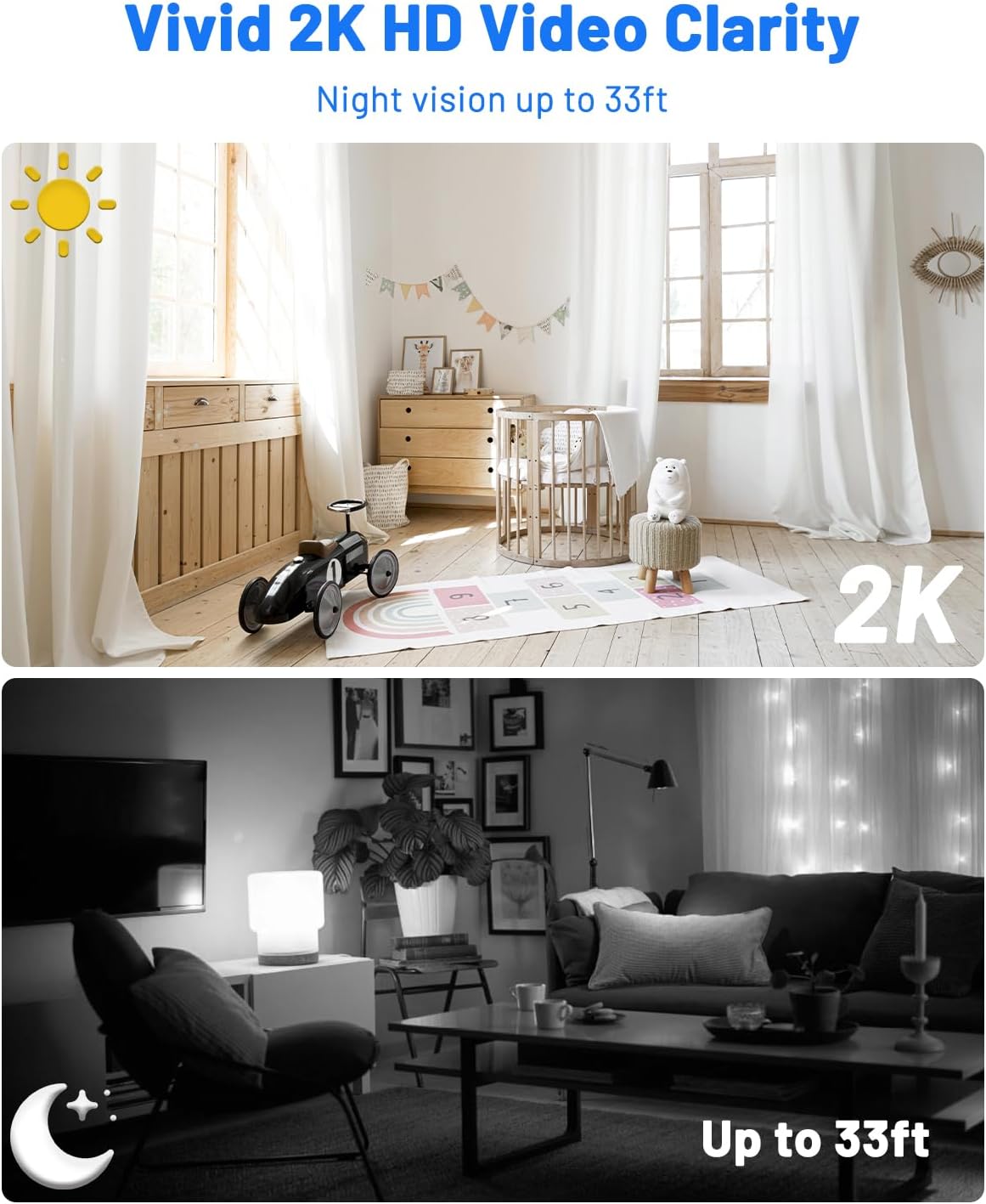
Image: Day and night vision comparison demonstrating 2K HD video clarity and 33ft night vision.
4.2 Detekce pohybu a upozornění
The camera uses advanced algorithms to detect moving events and sends instant notifications to your phone. You can customize sensitivity levels, alert time periods, and detection zones within the app to minimize false alarms.

Image: Precision smart detection and alerts, showing a person detected and an alert message.

Image: Customizing detection zones and sensitivity levels.

Image: Setting an alert time schedule within the app.
4.3 Noční vidění
The camera automatically switches to IR night vision in low-light conditions, providing clear black-and-white video up to 33 feet.
4.4 Možnosti úložiště
The UCOCARE A90 offers two storage methods:
- Micro SD karta: Insert a Micro SD card (up to 128GB, not included) into the designated slot for local storage of motion-detected event videos.
- Cloudové úložiště: A 7-day loop cloud event video feature is available (manually activated via the app) for added security. Videos are protected with AES128 encryption.

Image: Secure and flexible video storage options.
4.5 Remote Access & Sharing
View živé footage and recorded events remotely through the app. You can also share access to the camera with up to 5 simultaneous viewers by scanning a QR code or adding accounts.

Image: Remote viewing and real-time response.

Image: Sharing camera access with multiple users.
4.6 Integrace chytré domácnosti
The camera integrates with Google Home and Amazon Alexa, allowing for voice control and real-time viewna kompatibilních chytrých displejích.

Image: Hands-free control with Alexa and Google Assistant.
5. Údržba
5.1 Čištění
K čištění objektivu a těla fotoaparátu používejte měkký, suchý hadřík. Nepoužívejte agresivní chemikálie ani abrazivní materiály, které by mohly zařízení poškodit.
5.2 Péče o baterii
To prolong battery life, avoid exposing the camera to extreme temperatures. Recharge the battery when the low battery indicator appears.
5.3 aktualizací firmwaru
Periodically check the mobile application for available firmware updates. Keeping your camera's firmware up-to-date ensures optimal performance and security.
6. Odstraňování běžných problémů
| Problém | Možná příčina | Řešení |
|---|---|---|
| Fotoaparát se nezapne | Low battery; Faulty charging cable/adapter | Charge the camera fully; Try a different charging cable/adapter. |
| Nelze se připojit k Wi-Fi | Incorrect Wi-Fi password; 5GHz Wi-Fi network; Camera too far from router | Ověřte heslo; Zajistěte připojení k Wi-Fi síti 2.4 GHz; Přesuňte kameru blíže k routeru. |
| Detekce pohybu nefunguje | Detection sensitivity too low; Detection zone not set correctly; Camera offline | Adjust sensitivity in app; Configure detection zones; Check Wi-Fi connection. |
| Špatná kvalita videa | Slabý signál Wi-Fi; Znečištěný objektiv | Zlepšete sílu signálu Wi-Fi; Vyčistěte objektiv fotoaparátu. |
| Cannot access cloud storage | Cloud service not activated; Internet connection issue | Activate cloud service in app; Check internet connectivity. |
7. Technické specifikace
| Funkce | Specifikace |
|---|---|
| Název modelu | A90 |
| Rozlišení záznamu videa | 2K |
| Viewúhel | 160 stupňů |
| Rozsah nočního vidění | 33 stop |
| Kapacita baterie | 5200 miliamp Hodiny (lithium-iontová) |
| Protokol připojení | Wi-Fi (pouze 2.4 GHz) |
| Skladování | Micro SD (až 128 GB), cloudové úložiště |
| Kompatibilní zařízení | Smartphone (Android, iOS), Amazon Alexa, Google Assistant |
| Rozměry (D x Š x V) | 2.36 x 1.46 x 1.46 palce |
| Hmotnost položky | 10.1 unce |
| Materiál | Plast |
| Vnitřní/venkovní použití | Uvnitř, venku |
8. Záruka a podpora
8.1 Informace o záruce
UCOCARE products are manufactured to high-quality standards. For specific warranty details, please refer to the warranty card included with your product or visit the official UCOCARE webUschovejte si účtenku jako doklad o koupi pro případ reklamace.
8.2 Zákaznická podpora
If you encounter any issues or have questions regarding your UCOCARE A90 camera, please contact our customer support team. You can find contact information on the official UCOCARE website or through the mobile application.
Ochrana osobních údajů a zabezpečení
UCOCARE prioritizes your privacy. All video data is protected with AES128 encryption, ensuring that your local and cloud storage are secure. Access is granted only to authorized users.

Image: Illustration representing data privacy and security.


