Zavedení
This manual provides detailed instructions for the ZAGG Mophie Essentials USB-A to USB-C Cable. This 2-meter black cable is designed for reliable charging and data transfer between devices equipped with USB-A and USB-C ports. Please read this manual carefully to ensure proper use and maintenance of your cable.
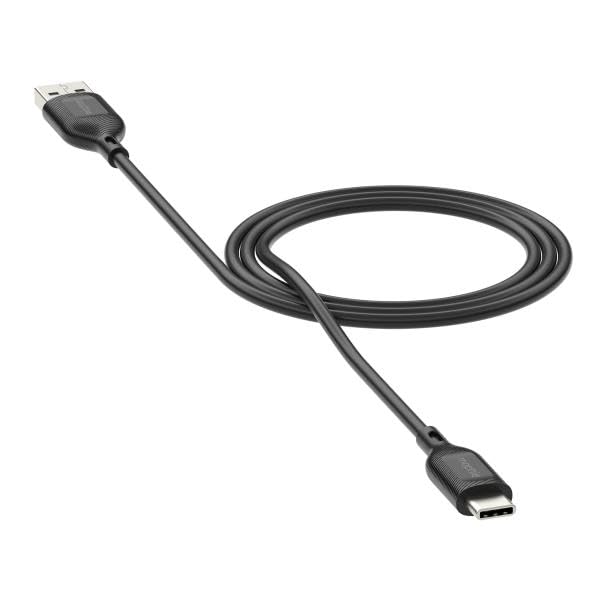
Image: The ZAGG Mophie Essentials USB-A to USB-C Cable, black, 2 meters in length, with a USB-A connector on one end and a USB-C connector on the other.
Nastavení
The ZAGG Mophie Essentials USB-A to USB-C Cable is designed for plug-and-play functionality. No software installation is required.
- Identifikace portů: Locate the USB-A port on your power adapter, computer, or other host device, and the USB-C port on your smartphone, tablet, laptop, or other compatible device.
- Připojení USB-A: Insert the USB-A (male) end of the cable into the USB-A port of your power source or host device. Ensure it is fully seated.
- Připojení USB-C: Insert the USB-C (male) end of the cable into the USB-C port of your target device. The USB-C connector is reversible, so it can be inserted in either orientation.
- Ověřit připojení: Once connected, your device should begin charging or establish a data connection, depending on the function of the host device.
Návod k obsluze
This cable facilitates two primary functions: charging and data transfer.
- Pro nabíjení:
- Connect the USB-A end to a compatible USB wall charger, car charger, or power bank.
- Connect the USB-C end to your device (e.g., smartphone, tablet).
- Ensure the power source is active. Your device's charging indicator should activate.
- Pro přenos dat:
- Connect the USB-A end to a USB-A port on a computer (PC or Mac).
- Připojte konec USB-C k zařízení.
- Your computer should recognize the connected device. Follow on-screen prompts on your computer and device to allow data access and transfer files.
Údržba
Proper care will extend the life of your ZAGG Mophie Essentials cable.
- Čištění: Use a soft, dry, lint-free cloth to gently wipe the cable and connectors. Do not use harsh chemicals, cleaning solvents, or strong detergents.
- Skladování: Store the cable in a cool, dry place away from direct sunlight and extreme temperatures. Avoid tightly coiling or bending the cable at sharp angles, especially near the connectors, as this can damage internal wires.
- Zacházení: Always grasp the connector housing when plugging or unplugging the cable. Do not pull on the cable itself, as this can strain the connection points and lead to damage.
- Vyhněte se tekutinám: Keep the cable away from water and other liquids. If the cable gets wet, disconnect it immediately and allow it to dry completely before reuse.
Odstraňování problémů
If you encounter issues with your ZAGG Mophie Essentials cable, try the following solutions:
| Problém | Možné řešení |
|---|---|
| Zařízení se nenabíjí. |
|
| Přenos dat nefunguje. |
|
| Kabel se zdá být poškozený. |
|
Specifikace
| Funkce | Detail |
|---|---|
| Značka | ZAGG |
| Číslo modelu | 409913775 |
| Typ konektoru | USB-A (Male) to USB-C (Male) |
| Typ kabelu | USB kabel |
| Délka | 2 metrů |
| Barva | Černý |
| Kompatibilní zařízení | Devices with USB-C ports (e.g., smartphones, tablets, laptops) and USB-A host ports (e.g., chargers, computers) |
| Rozměry balení | 5.91 x 5.91 x 3.94 palce |
| Hmotnost položky | 3.53 unce |
| Výrobce | ZAGG |
| Datum první dostupnosti | 30. dubna 2025 |
Záruka a podpora
ZAGG stands behind the quality of its products.
- Záruka: This ZAGG Mophie Essentials cable comes with a tříletá záruka proti výrobním vadám. Uschovejte si prosím doklad o koupi pro případné reklamace.
- Zákaznická podpora: For further assistance, troubleshooting not covered in this manual, or warranty inquiries, please visit the official ZAGG webwebu nebo se přímo obraťte na jejich zákaznickou podporu.
Více informací a podporu naleznete na oficiálních stránkách ZAGG Store on Amazon.


