1. Úvod
This manual provides essential information for the setup, operation, and maintenance of your Thomson Go TV 32-inch Portable Android TV, Model 32HA4M44. Designed for flexible viewing, this HD Ready television features Android TV for access to numerous streaming services, Google Assistant for voice control, and a built-in battery for up to 4 hours of portable use. Its adjustable stand and integrated wheels enhance mobility, allowing you to enjoy entertainment anywhere in your home.

Obrázek 1: Přední strana view of the Thomson Go TV 32-inch Portable Android TV on its stand.
2. Obsah balení
Ensure all the following items are included in your product packaging:
- Thomson Go TV 32-inch Unit
- Napájecí adaptér
- Napájecí kabel
- Dálkové ovládání
- Uživatelská příručka (tento dokument)
- Záruční list
3. Fyzické nastavení
3.1. Rozměry a umístění
Before setting up, consider the dimensions of your TV for optimal placement.

Figure 2: Diagram illustrating the dimensions of the Thomson Go TV, including its height, width, and depth.
3.2. Adjusting the TV View
The Thomson Go TV offers adjustable tilt, height, and rotation features for a comfortable viewzkušenosti.
- Náklon: Adjust the screen vertically to reduce glare or optimize viewúhel.
- Výška: Zvedněte nebo snižte obrazovku do úrovně očí.
- Otáčení: Swivel the screen horizontally to share content with others in the room.

Figure 3: The TV stand allows for various adjustments to achieve an optimal viewúhel.
3.3. Mobilita
The integrated wheels at the base of the stand allow for easy movement of the TV between rooms or locations.
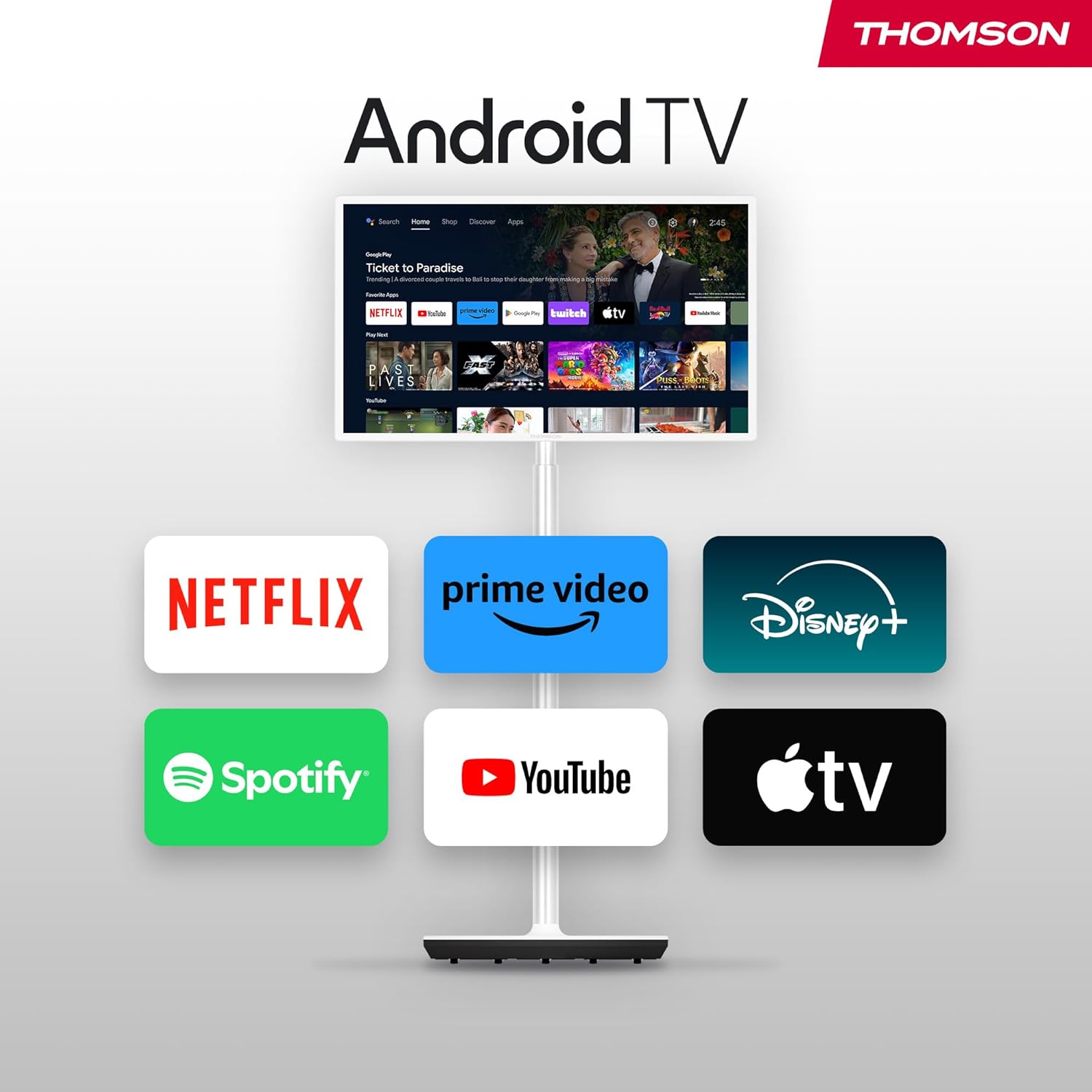
Figure 4: The TV can be easily moved around your home thanks to its wheeled base.
4. Připojení
The Thomson Go TV provides various ports for connecting external devices:
- HDMI: Connect high-definition devices such as Blu-ray players, gaming consoles, or set-top boxes.
- USB: Připojte paměťová zařízení USB pro přehrávání médií.
- LAN (Ethernet): Pro kabelové připojení k internetu.
- AV IN: Pro připojení starších analogových zařízení.
- Anténa: For connecting to a terrestrial antenna for live TV broadcasts.

Figure 5: Rear panel showing available connection ports.
5. Počáteční zapnutí a nastavení
To power on your Thomson Go TV, connect the power adapter to the TV and a power outlet. Press the power button on the TV or the remote control. Follow the on-screen instructions for initial setup, including language selection, network connection (Wi-Fi or Ethernet), and Google account login for Android TV features.
6. Operating Your Thomson Go TV
6.1. Rozhraní Android TV
Your Thomson Go TV runs on Android TV, providing a user-friendly interface for accessing a wide range of applications and content. The home screen displays your favorite apps, recommended content, and various categories for easy navigation.

Figure 6: The Android TV home screen with various streaming applications.
6.2. Hlasové ovládání pomocí Google Assistant
The remote control features a dedicated button for Google Assistant, allowing you to control your TV and search for content using voice commands. Simply press the Google Assistant button and speak your command.

Figure 7: The remote control with Google Assistant and direct access buttons.

Figure 8: Using voice commands with Google Assistant on the Thomson Go TV.
6.3. Streamování a odesílání
Access popular streaming services like Netflix, Prime Video, YouTube, Disney+, and Spotify directly from the Android TV interface. Utilize Google Cast to stream movies, music, and videos from your smartphone, tablet, or laptop directly to your TV screen.

Figure 9: Content being cast from a mobile device to the Thomson Go TV using Google Cast.
6.4. Provoz na baterie
The integrated battery provides up to 4 hours of viewing time, allowing for flexible placement without immediate need for a power outlet.
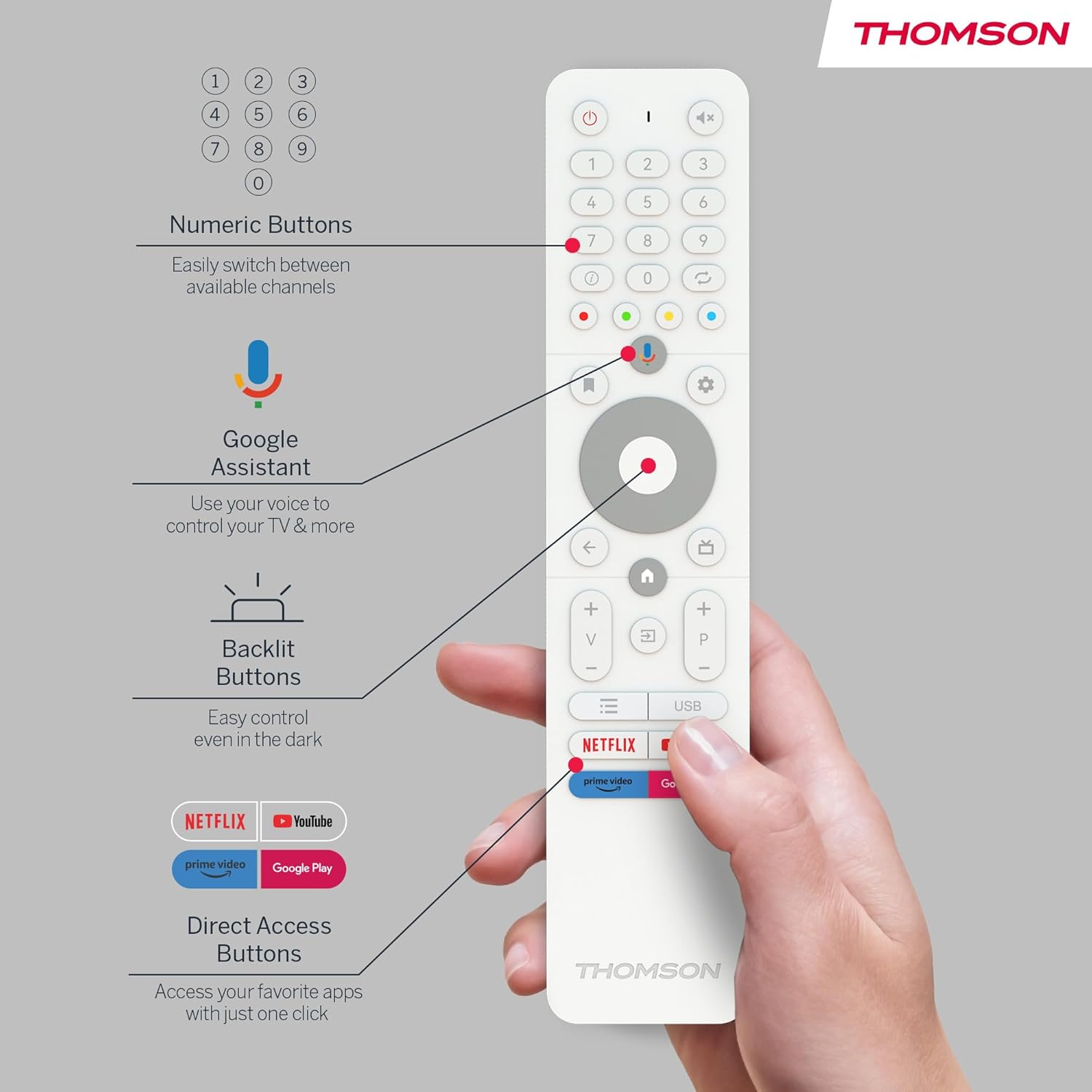
Figure 10: The TV's built-in battery supports portable use for up to 4 hours.
6.5. Zvukové funkce
Experience clear audio with Dolby Audio technology and 16W speakers.

Figure 11: Dolby Audio enhances the sound experience on the Thomson Go TV.
6.6. Hotspot Functionality
The TV supports hotspot functionality, allowing it to share its internet connection with other devices.
Figure 12: The TV's hotspot feature in use, sharing its internet connection.
7. Údržba a péče
To ensure the longevity and optimal performance of your Thomson Go TV, follow these general maintenance guidelines:
- Čištění: Use a soft, dry cloth to clean the screen and exterior surfaces. For stubborn marks, slightly dampOtřete hadřík vodou nebo jemným, neabrazivním čističem obrazovek. Vyhněte se agresivním chemikáliím.
- Větrání: Abyste zabránili přehřátí, ujistěte se, že ventilační otvory televizoru nejsou zablokované.
- Skladování: Pokud televizor delší dobu nepoužíváte, skladujte jej na chladném a suchém místě mimo dosah přímého slunečního záření a extrémních teplot.
- Péče o baterie: Pro optimální životnost baterie se vyvarujte častého úplného vybíjení. Pravidelně ji nabíjejte, i když ji nepoužíváte neustále.
8. Řešení problémů
If you encounter issues with your Thomson Go TV, try the following basic troubleshooting steps:
- Bez napájení: Zkontrolujte, zda je napájecí kabel bezpečně připojen k televizoru i k elektrické zásuvce. Ujistěte se, že zásuvka je funkční.
- Žádný obraz/zvuk: Verify that the correct input source is selected. Check all cable connections (HDMI, AV, Antenna).
- Dálkové ovládání nefunguje: Vyměňte baterie v dálkovém ovladači. Ujistěte se, že mezi dálkovým ovladačem a infračerveným senzorem televizoru nejsou žádné překážky.
- Problémy s připojením k síti: Restart your Wi-Fi router. Reconnect the TV to the Wi-Fi network or try a wired Ethernet connection.
- Aplikace nereaguje: Try closing and reopening the application. If the issue persists, restart the TV.
V případě složitějších problémů se podívejte na online zdroje podpory nebo kontaktujte zákaznický servis.
9. Technické specifikace
| Funkce | Specifikace |
|---|---|
| Značka | Thomson |
| Číslo modelu | 32HA4M44 |
| Velikost obrazovky | 32 palců (81 centimetrů) |
| Technologie displeje | LCD |
| Rezoluce | 720p (1366x768) |
| Obnovovací frekvence | 60 Hz |
| Operační systém | Android TV |
| Speciální funkce | Chromecast, Browser, Voice Control (Google Assistant), Hotspot Function |
| Konektivita | HDMI, USB (1 port), Wi-Fi, Ethernet |
| Audio technologie | Dolby Audio |
| Typ baterie | Lithium-iontová (součástí balení) |
| Životnost baterie | Až 4 hodin |
| Hodnocení energetické účinnosti | E |
| Rozměry produktu | 6P x 73Š x 43V centimetrů |
| Výrobce | ProudView GmbH |
| Země původu | Čína |
For detailed energy information, please visit the EPREL database: https://eprel.ec.europa.eu/qr/2062485
10. Záruka a podpora
The Thomson Go TV 32HA4M44 comes with a manufacturer's warranty of 3 years. For warranty claims, technical support, or service inquiries, please refer to the contact information provided on your warranty card or visit the official Thomson support webmísto.


