1. Úvod
This manual provides essential information for the safe and efficient use of your HOTWAV R9 Plus Rugged Tablet. Please read it thoroughly before operating the device to ensure optimal performance and longevity. This tablet is designed for durability and high performance in various environments.
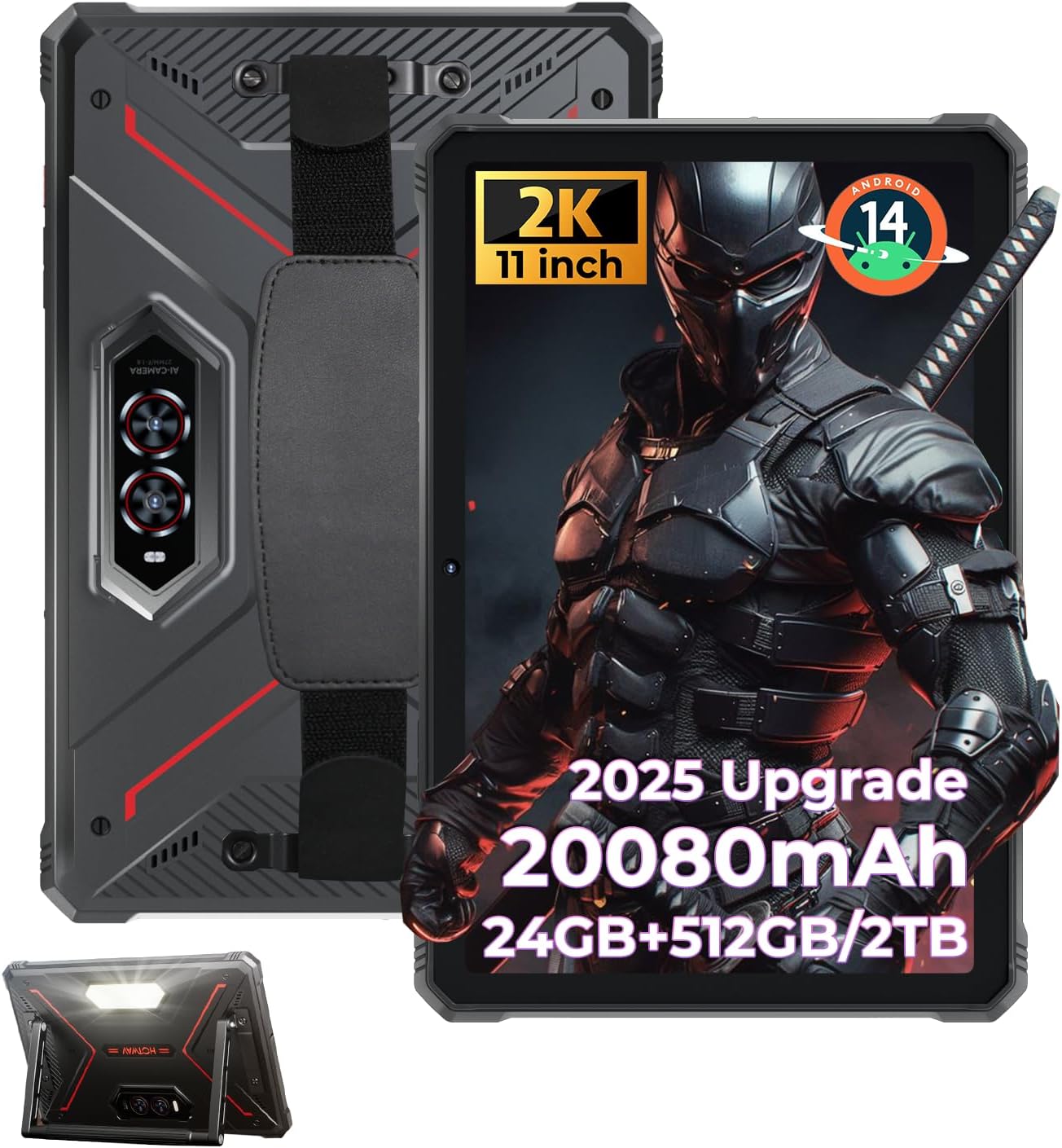
Figure 1: HOTWAV R9 Plus Rugged Tablet Overview
2. Klíčové vlastnosti
- Trvanlivost: Certifikace IP68, IP69K a MIL-STD-810H pro odolnost proti vodě, prachu a pádům.
- Zobrazit: 11-inch 2K FHD+ IPS scratch-resistant display (1200x1920 resolution).
- Výkon: Unisoc T7280 Octa-Core processor with 24GB RAM (8GB fixed + 16GB expandable) and 512GB ROM, expandable up to 2TB via TF card.
- Baterie: 20080mAh mega battery with 20W fast charging and OTG reverse charging support.
- Kamery: 64MP rear camera, 16MP front camera, with underwater photography capability.
- Operační systém: Android 14 with Gemini AI Smart Assistant.
- Konektivita: Dual SIM 4G LTE, 2.4G/5G dual-band WiFi, Bluetooth 5.0, multi-satellite GPS (GPS/Beidou/GLONASS/Galileo), Face ID.
- Další vlastnosti: Nastavitelný Campinglight, aluminum stand, and attachable hand strap.
3. Nastavení
3.1 Počáteční zapnutí
- Stiskněte a podržte tlačítko napájení na boku tabletu, dokud se obrazovka nerozsvítí.
- Postupujte podle pokynů na obrazovce a vyberte jazyk a region.
3.2 Nastavení účtu Google
To access the Google Play Store and other Google services, you will need to sign in with your Google account. You can create a new account if you do not have one. This step can be skipped, but functionality will be limited.
3.3 Security Setup (PIN/Pattern/Password)
For enhanced security, set up a screen lock method. A PIN of at least 4 digits is required, with a 6-digit PIN recommended. Other options include pattern or password.
3.4 Wi-Fi připojení
Connect your tablet to a Wi-Fi network for internet access. Go to Settings > Network & Internet > Wi-Fi, select your network, and enter the password.
3.5 Instalace aplikace
Once connected to Wi-Fi and signed into your Google account, you can download and install applications from the Google Play Store.
Video 1: Konecview of the HOTWAV R9 Plus Rugged Tablet, demonstrating various features and usage scenarios.
4. Provoz
4.1 Campinglight Function
The tablet features a powerful Campinglight on its rear. Access its controls through the quick settings panel or a dedicated app to adjust brightness (up to 350 lumens) and modes (Lighting, Sharp Light, SOS, High-Medium-Low, Dauer).

Figure 2: Rear Campinglight in operation.
4.2 Underwater Camera Mode
Utilize the tablet's waterproof design for underwater photography. Activate the underwater camera mode from the camera app settings to capture photos and videos while submerged.

Figure 3: Tablet used for underwater photography.
4.3 Režim rukavic
The R9 Plus supports Glove Mode, enhancing touchscreen sensitivity for use with gloves. This feature is beneficial in cold weather, construction sites, or outdoor activities.

Figure 4: Tablet touchscreen responsive with gloves.
4.4 OTG reverzní nabíjení
The tablet supports OTG (On-The-Go) reverse charging, allowing it to function as a power bank to charge other devices. Connect your device to the tablet using a compatible OTG cable.

Figure 5: OTG reverse charging in action.
5. Konektivita
5.1 Dual SIM 4G LTE
The tablet supports dual SIM cards for 4G LTE connectivity, allowing for flexible network usage. Insert your SIM cards into the designated tray.
5.2 5G WiFi & Bluetooth 5.0
Enjoy fast and stable wireless connections with 2.4G/5G dual-band WiFi and Bluetooth 5.0 for connecting peripherals.
5.3 Multi-Satellite GPS
The tablet integrates GPS, Beidou, GLONASS, and Galileo for accurate and reliable positioning and navigation.

Figure 6: Multi-satellite GPS for precise navigation.
5.4 ID obličeje
Unlock your tablet quickly and securely using facial recognition technology.
6. Výkon a úložiště
6.1 procesor
The HOTWAV R9 Plus is powered by a Unisoc T7280 Octa-Core chip, providing efficient performance for multitasking and demanding applications.

Figure 7: Unisoc T7280 Octa-Core Processor.
6.2 RAM & ROM
The tablet features 24GB RAM (8GB fixed + 16GB expandable) and 512GB of internal storage (ROM), which can be expanded up to 2TB using a TF (microSD) card.

Figure 8: Memory and storage capacity.
6.3 Gemini AI Smart Assistant
The tablet is equipped with Gemini AI Smart Assistant for instant answers, multi-language support, and seamless device synchronization.
7. Display & Camera
7.1 Displej
Experience vibrant visuals on the 11-inch 2K FHD+ IPS scratch-resistant display with a resolution of 1200x1920 pixels and a 14.5:9 screen ratio.

Figure 9: 11-inch 2K FHD+ Display.
7.2 Kamery
The tablet features a 64MP rear camera for high-resolution photos and videos, and a 16MP front camera for selfies and video calls.

Figure 10: Dual camera system (64MP Rear + 16MP Front).
8. Trvanlivost
The HOTWAV R9 Plus is built to withstand harsh conditions, certified with IP68, IP69K, and MIL-STD-810H standards. It is drop-proof up to 1.2m and water/dust-resistant up to 2m depth for at least 30 minutes.

Figure 11: Durability features (Drop-proof, Waterproof, Dust-proof).
8.1 Corning Gorilla Glass 3
The display is protected by Corning Gorilla Glass 3, offering enhanced scratch resistance and durability.
9. Baterie a nabíjení
The tablet is equipped with a massive 20080mAh battery, providing extended usage times:
- Až 3000 hodin v pohotovostním režimu.
- Až 100 hodin hovoru.
- Až 1000 hodin přehrávání hudby.
It supports 20W fast charging via a Type-C port for quick power replenishment.

Figure 12: 20080mAh Massive Battery.
10. Řešení problémů
10.1 Kompatibilita se sítí
Please note that HOTWAV rugged tablets are not compatible with AT&T, Cricket, or Verizon networks. They fully support T-Mobile, Mint, Boost, and Google Fi.
10.2 Obecné otázky
- Zařízení nereaguje: Stiskněte a podržte tlačítko napájení po dobu 10–15 sekund pro vynucení restartu.
- Problémy s připojením Wi-Fi: Ensure your Wi-Fi router is working correctly and the password is entered accurately. Try restarting both the tablet and the router.
- Pomalý výkon: Close unused applications, clear cache, or restart the tablet. Consider freeing up storage space.
11. Údržba
- Čištění: Použijte měkký, damp cloth to clean the tablet's screen and body. Avoid harsh chemicals or abrasive materials.
- Skladování: Tabletu skladujte na chladném a suchém místě mimo dosah přímého slunečního záření a extrémních teplot.
- Péče o baterie: Vyhněte se častému úplnému vybíjení baterie. Pro dlouhodobé skladování nabijte baterii na přibližně 50–60 %.
- Ochrana portů: Ujistěte se, že všechny kryty portů jsou bezpečně uzavřeny, aby byla zajištěna odolnost proti vodě a prachu.
12. Specifikace
| Funkce | Specifikace |
|---|---|
| Model | R9 Plus |
| Operační systém | Android 14 |
| Velikost displeje | 11 palce |
| Rozlišení obrazovky | 1920 x 1200 pixels (2K FHD+) |
| Procesor | Osmijádrový Unisoc T7280 |
| BERAN | 24 GB (8 GB pevná + 16 GB rozšiřitelná) |
| Interní úložiště (ROM) | 512 GB |
| Rozšiřitelné úložiště | Až 2 TB přes TF kartu |
| Zadní kamera | 64 MP |
| Přední kamera | 16 MP |
| Kapacita baterie | 20080 XNUMX mAh |
| Rychlé nabíjení | 20W |
| Odolnost vůči vodě/prachu | IP68 a IP69K |
| Odolnost proti pádu | MIL-STD-810H (1.2 m) |
| Bezdrátový typ | 802.11ac, 802.11n (2.4G/5G WiFi) |
| Bluetooth | 5.0 |
| GPS | GPS/Beidou/GLONASS/Galileo |
| Hmotnost položky | 4.02 libry |
| Rozměry produktu | 26.5 x 16.8 x 1.2 palce |
13. Záruka a podpora
The HOTWAV R9 Plus tablet comes with:
- A 30-day no-questions-asked return policy.
- A 2-year warranty.
- Doživotní technická podpora.
- 24-hour customer service.
For any inquiries or support, please contact HOTWAV customer service.


