Zavedení
This manual provides detailed instructions for the safe and efficient operation of your Kuephom PM24 Portable CD Player with Speakers. Please read this manual thoroughly before using the device and retain it for future reference.
The Kuephom PM24 is a versatile audio device offering multiple playback options including CD, Bluetooth, FM Radio, USB, and TF card. It features built-in stereo speakers, a rechargeable battery for portability, and a remote control for convenient operation.

Image: The Kuephom PM24 Portable CD Player, showcasing its design with an open CD lid, remote control, and an indicator for its rechargeable battery.
Obsah balení
Ověřte, zda jsou v balení přítomny všechny položky:
- Kuephom PM24 Portable CD Player with Speakers x 1
- Nabíjecí kabel x 1
- Dálkové ovládání x 1
- Návod k použití x 1
Konec produktuview
The PM24 offers a range of features for diverse audio playback. Familiarize yourself with the device's components and capabilities.

Image: A visual representation of the PM24's key features, including CD/MP3 playback, Bluetooth connectivity, USB and TF card support, FM radio, audio input, headphone jack, remote control, rechargeable battery, and sleep timer.
Klíčové vlastnosti:
- Přehrávání CD/MP3: Supports standard audio CDs and MP3 filez disků CD-R/RW.
- Bluetooth připojení: Bezdrátové streamování zvuku z kompatibilních zařízení.
- Podpora USB a TF karet: Play MP3/WMA audio files directly from USB flash drives or TF cards (up to 32GB).
- FM rádio: Built-in FM tuner with retractable antenna and programmable presets.
- Pomocný vstup: Externí zdroje zvuku připojte pomocí 3.5mm audio kabelu.
- Sluchátkový jack: Pro soukromý poslech.
- Dálkové ovládání: Plně funkční dálkový ovladač pro pohodlné ovládání.
- Dobíjecí baterie: Poskytuje přenosné napájení pro delší použití.
- Časovač vypnutí: Automatically turns off the device after a set period.
- Stereo reproduktory: Integrated speakers for clear audio output.
Nastavení
1. Nabíjení zařízení
Before first use, fully charge the PM24. Connect the provided charging cable to the DC 5V input port on the device and the other end to a standard USB power adapter (not included) or a computer USB port.
- Během nabíjení bude svítit kontrolka nabíjení.
- Plné nabití obvykle trvá přibližně 4 hodiny.
- The device provides approximately 5-8 hours of playback on a full charge, depending on volume and mode.

Image: Visual representation of the PM24's rechargeable nature, highlighting its play time and charge time.
2. Zapnutí/vypnutí
Stiskněte a podržte MOC button on the device or remote control to turn the unit on or off.
3. Instalace baterie dálkového ovládání
The remote control requires 2 AAA batteries (not included). Open the battery compartment on the back of the remote and insert the batteries, observing the correct polarity (+/-).
Návod k obsluze
1. Pomocí dálkového ovládání
The remote control allows for convenient operation of all functions from a distance.

Image: A user interacting with the PM24 using the remote control, illustrating various functions accessible from the remote.
- Vypínač: Zapíná nebo vypíná zařízení.
- Tlačítko režimu: Switches between CD, Bluetooth, FM, USB, TF, and AUX modes.
- Tlačítko Přehrát/Pozastavit: Spustí nebo pozastaví přehrávání.
- Tlačítka předchozí/následující stopy: Přeskočí na předchozí nebo další skladbu/stanici.
- Tlačítka pro ovládání hlasitosti +/-: Nastavuje úroveň hlasitosti.
- Repeat/Shuffle Button: Changes playback repeat modes (e.g., repeat one, repeat all, shuffle).
- Tlačítko spánku: Aktivuje a nastavuje časovač vypnutí.
2. Přehrávání CD
- Otevřete víko přihrádky na CD.
- Carefully place a CD (audio CD or MP3 CD) onto the spindle with the label side facing up.
- Zavřete víko přihrádky na CD.
- Stiskněte tlačítko MODE button until "CD" mode is selected.
- CD se začne automaticky přehrávat. Pokud ne, stiskněte PLAY/PAUSE tlačítko.

Image: Icons illustrating various CD playback options such as sequential play, random play, repeating a single track, repeating all tracks, and the play memory function.
3. Režim Bluetooth
- Stiskněte tlačítko MODE button until "BT" (Bluetooth) mode is selected. The display will show "bt" and flash, indicating it's in pairing mode.
- Na zařízení s podporou Bluetooth (chytrý telefon, tablet atd.) povolte Bluetooth a vyhledejte dostupná zařízení.
- Select "PM24" from the list of devices.
- Once paired, the "bt" indicator will stop flashing, and you can stream audio wirelessly to the PM24.

Image: A smartphone screen showing a successful Bluetooth connection to the PM24, with the player's display confirming 'bt' mode.
4. Režim FM rádia
- Pro optimální příjem vysuňte teleskopickou anténu na zadní straně jednotky.
- Stiskněte tlačítko MODE button until "FM" mode is selected.
- Stiskněte a podržte PLAY/PAUSE button to initiate an automatic station scan. The radio will scan and save available stations.
- Použijte PŘEDCHOZÍ/DALŠÍ SKLADBA tlačítka pro procházení uloženými stanicemi.

Image: A user enjoying FM radio on the PM24, with visual cues indicating different radio frequencies.
5. Přehrávání z USB/TF karty
- Insert a USB flash drive into the USB port or a TF card into the TF card slot. Ensure the card is inserted correctly.
- Stiskněte tlačítko MODE button until "USB" or "TF" mode is selected.
- The device will automatically detect and begin playing MP3/WMA audio filez vloženého úložiště.
- Použijte PŘEDCHOZÍ/DALŠÍ SKLADBA tlačítka pro navigaci mezi files.

Obrázek: Detail view of the USB and TF card slots on the PM24, indicating their function for playing media from external storage.
6. Pomocný vstup (AUX)
- Connect one end of a 3.5mm audio cable (not included) to the AUX IN port on the PM24.
- Connect the other end to the headphone jack or audio output of an external audio device (e.g., smartphone, MP3 player).
- Stiskněte tlačítko MODE tlačítko, dokud nezvolíte režim „AUX“.
- Ovládejte přehrávání a hlasitost z externího zvukového zařízení.
7. Funkce časovače spánku
The sleep timer allows the device to automatically turn off after a set period.
- While the device is playing, press the SPÁT tlačítko na dálkovém ovladači.
- Opakovaně stiskněte tlačítko SPÁT button to cycle through available timer settings (e.g., 10, 20, 30, 60, 90 minutes).
- The selected time will be displayed. The device will automatically power off once the timer expires.

Image: A visual demonstration of the sleep timer function, showing the PM24 on a nightstand while a person sleeps.
8. Používání sluchátek
For private listening, connect 3.5mm headphones (not included) to the SLUCHÁTKOVÝ KONEKTOR on the device. The built-in speakers will automatically mute when headphones are connected.
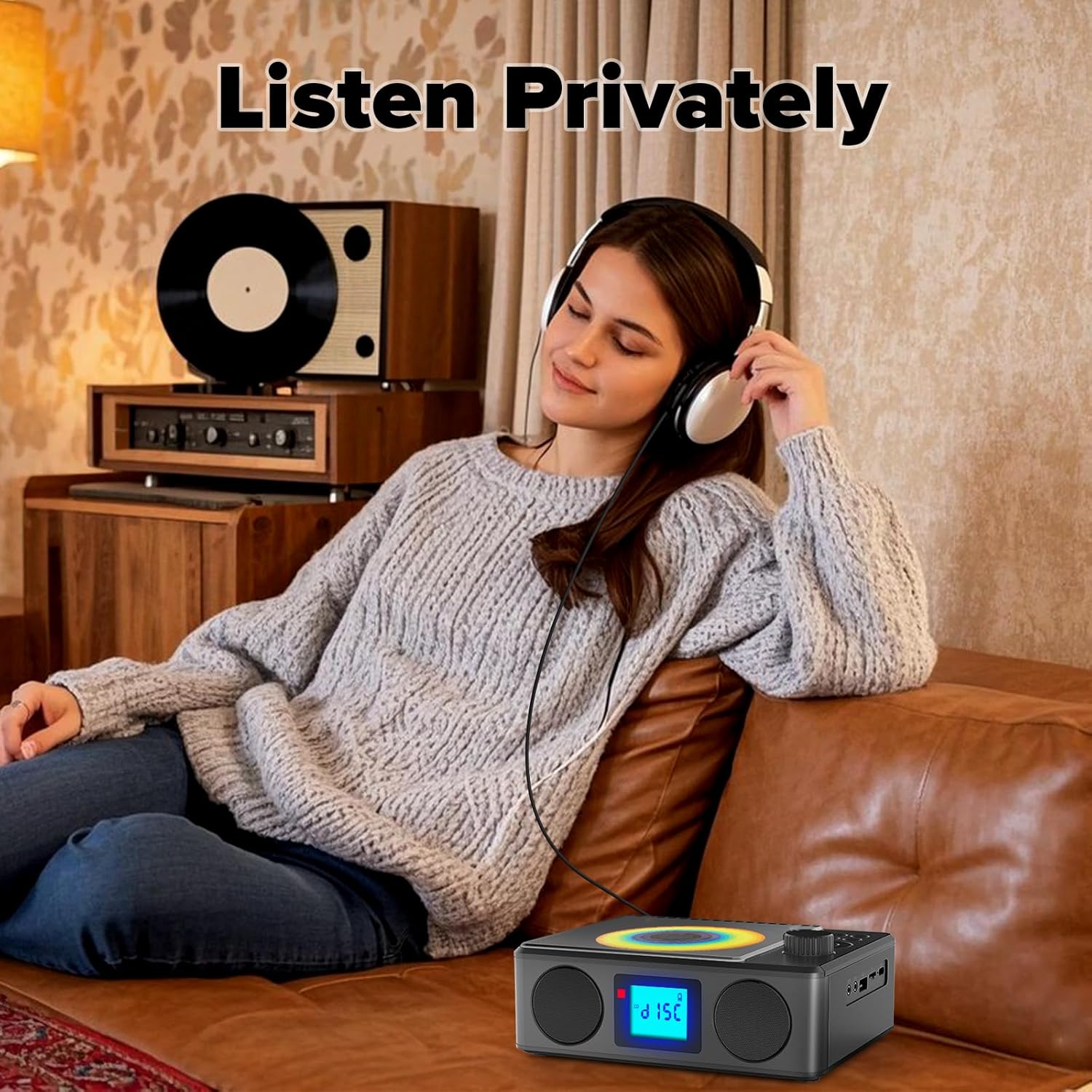
Image: A user enjoying private audio through headphones connected to the PM24.
Údržba
- Čištění: K čištění vnější strany zařízení používejte měkký, suchý hadřík. Nepoužívejte abrazivní čisticí prostředky ani rozpouštědla.
- Péče o CD: S CD manipulujte za okraje. Znečištěná CD čistěte měkkým hadříkem, který nepouští vlákna, a otírejte je od středu směrem ven.
- Skladování: Pokud zařízení delší dobu nepoužíváte, skladujte jej na chladném a suchém místě mimo dosah přímého slunečního záření a extrémních teplot.
- Baterie: Chcete-li prodloužit životnost baterie, vyvarujte se častého úplného vybíjení baterie. Zařízení pravidelně nabíjejte, i když jej nepoužíváte.
Odstraňování problémů
| Problém | Možná příčina | Řešení |
|---|---|---|
| Zařízení se nezapne. | Baterie je vybitá. | Connect the charging cable and allow the device to charge. |
| Žádný zvuk z reproduktorů. | Hlasitost je příliš nízká nebo ztlumená. Jsou připojena sluchátka. | Zvyšte hlasitost. Odpojte sluchátka. |
| CD přeskakuje nebo se nepřehrává. | CD je špinavé, poškrábané nebo nesprávně vložené. | Clean the CD. Ensure it is placed correctly. Try another CD. |
| Párování Bluetooth selhalo. | Device is too far, not in pairing mode, or already paired. | Ensure PM24 is in BT mode and flashing. Move devices closer. Disconnect from other devices. |
| Špatný příjem FM rádia. | Anténa není vysunutá nebo je v oblasti slabý signál. | Fully extend the telescopic antenna. Reposition the device for better signal. |
| Dálkové ovládání nefunguje. | Batteries are depleted or inserted incorrectly. Obstruction between remote and device. | Replace batteries, check polarity. Remove obstructions. Ensure remote is pointed at the device. |
Specifikace
- Model: PM24
- Značka: Kuephom
- Rozměry produktu: 7.5 x 6.3 x 2.5 palce (19.05 x 16.00 x 6.35 cm)
- Hmotnost položky: 1.96 libry (0.89 kg)
- Technologie připojení: Pomocný, Bluetooth, USB
- Barva: Černý
- Typ reproduktoru: Stereo
- Baterie: 1 nestandardní baterie (součástí balení)
- Doba hraní: 5-8 hodin (cca)
- Doba nabíjení: 4 hodin (přibližně)
Záruka a podpora
Kuephom products are designed for reliability and performance. For warranty information or technical support, please refer to the contact details provided on the product packaging or visit the official Kuephom webmísto.
Uschovejte si prosím doklad o koupi pro uplatnění záruky.


