1. Úvod
Thank you for choosing the Loluka Smart Watch EX200. This elegant smartwatch is designed for women, offering a blend of fashion and advanced technology. It is compatible with both Android and iOS devices, providing features such as Bluetooth calling, pedometer, sleep monitoring, and various sports modes. This manual will guide you through the setup, operation, and maintenance of your new smartwatch to ensure you get the most out of its capabilities.

Image 1.1: Loluka Smart Watch EX200 in White Gold with a detailed watch face showing time, date, weather, steps, heart rate, and battery percentage.
2. Co je v krabici
Upon opening your Loluka Smart Watch EX200 package, you should find the following items:
- 1 x Loluka Smart Watch EX200
- 1 x nabíjecí kabel
- 1 x Uživatelská příručka (tento dokument)
- 1 x Krabička na hodinky
3. Specifikace
| Funkce | Specifikace |
|---|---|
| Obrazovka | 1.6" TFT Full Touch Color Screen |
| Verze Bluetooth | 5.2/3.0 |
| Kompatibilita | Android 5.0 a vyšší, iOS 10.0 a vyšší |
| Materiál pásku | Silicone/Leather (depending on variant) |
| Průměr pouzdra | 44MM (1.73") |
| Tloušťka pouzdra | 8.9MM (0.35") |
| Šířka pásma | 20MM (0.78") |
| Hmotnost | 43g (silicone band) / 40g (leather band) |
| Název modelu | EX200 |
| Voděodolnost | Nano deep waterproof (precision waterproof ring) |

Image 3.1: Comparison showing the 1.60-inch display screen of the Loluka Smart Watch EX200 versus a smaller 1.06-inch screen, highlighting the larger display area.
4. Nastavení
4.1 Nabíjení chytrých hodinek
Before first use, fully charge your Loluka Smart Watch using the provided charging cable. Connect the magnetic end of the cable to the charging points on the back of the watch and the USB end to a standard USB power adapter (not included) or a computer's USB port. The watch display will indicate charging status.
4.2 Instalace a párování aplikace
To unlock the full functionality of your smartwatch, you need to install the companion application on your smartphone. Refer to the QR code in the watch's quick start guide or search for the app name (usually mentioned in the watch's packaging or initial setup screen) in your phone's app store (Google Play Store for Android, Apple App Store for iOS).
- Download and install the official Loluka Smart Watch app on your smartphone.
- Ujistěte se, že je na vašem smartphonu povoleno Bluetooth.
- Otevřete aplikaci a podle pokynů na obrazovce vytvořte účet nebo se přihlaste.
- V aplikaci přejděte do sekce párování zařízení. Aplikace vyhledá dostupná zařízení.
- Select 'EX200' or the corresponding device name from the list.
- Pokud se zobrazí výzva, potvrďte požadavek na párování na telefonu i hodinkách.
- Once paired, the time, date, and language on your watch will automatically synchronize with your phone.
5. Ovládání chytrých hodinek
The Loluka Smart Watch EX200 features a sensitive touch screen for easy navigation and control. Swipe across the screen to access different functions and tap to select.
5.1 Bluetooth volání
After successfully connecting your watch to your phone via Bluetooth, you can make, answer, and reject calls directly from your wrist. The watch also allows you to view call records and access your contacts. You will receive push notifications for incoming messages, texts, and app alerts directly on your watch, ensuring you never miss important communications.
5.2 Ovládání hudby
Control your smartphone's music playback directly from your watch. You can play, pause, and switch tracks without needing to take out your phone. This feature is convenient during workouts or when your phone is not easily accessible.

Image 5.1: The Loluka Smart Watch EX200 displaying music playback controls, including play/pause, skip forward, and skip backward buttons.
5.3 Sledování aktivity a sportovní režimy
The watch accurately tracks your daily activity, including step count, calorie consumption, and distance traveled. It supports multiple sports modes such as running, cycling, fitness, and yoga, providing professional sports data and training suggestions to help you maintain a healthy lifestyle.

Image 5.2: The Loluka Smart Watch EX200 displaying activity metrics including steps, heart rate, and calories burned, with a colorful progress bar.
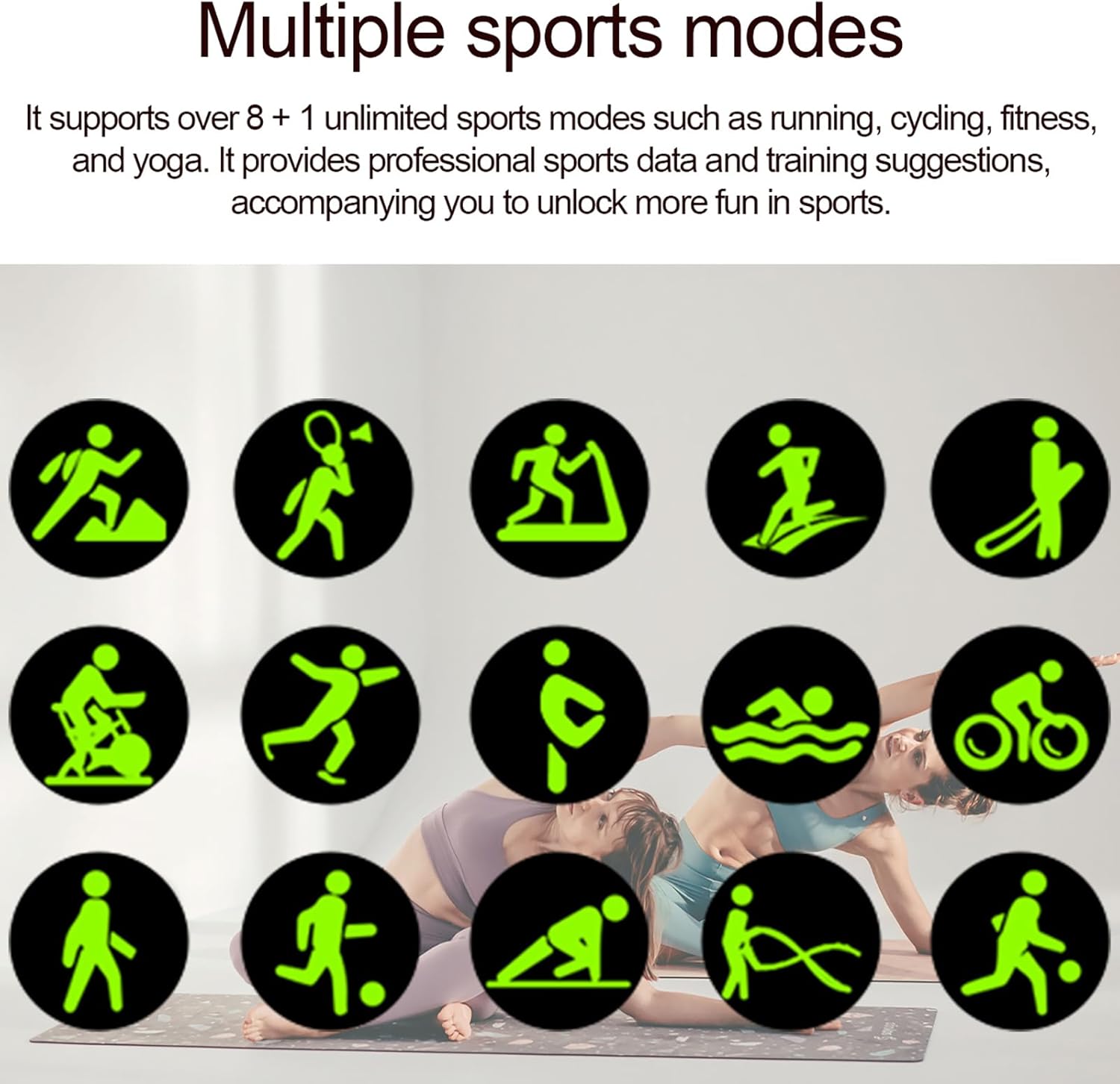
Image 5.3: Icons representing various sports modes supported by the Loluka Smart Watch EX200, including running, cycling, fitness, and yoga.
5.4 Monitorování spánku
Utilizing a new-generation sleep monitoring algorithm, the watch provides scientific sleep monitoring management. It tracks your sleep patterns, helping you understand and improve your sleep quality for a more peaceful rest.

Image 5.4: The Loluka Smart Watch EX200 displaying sleep duration and sleep cycle data, with a person sleeping peacefully in the background.
5.5 Zobrazení a přizpůsobení
The 1.6-inch display screen offers a larger viewing area and richer display content compared to many other smartwatches. You can also customize your watch faces, allowing you to personalize the look of your device to match your style.
5.6 Další funkce
- Stopky a časovač: Pro přesné měření času během aktivit.
- Hlasové ovládání s umělou inteligencí: Access your phone's voice assistant directly from your watch.
- GPS Trajectory Movement: Track your routes via smartphone GPS.
- Najít telefon: Ztracený smartphone najdete spuštěním alarmu na hodinkách.
- Připomenutí pít vodu: Nastavte si připomenutí, abyste zůstali hydratovaní po celý den.
- Turn Wrist to Light Up Screen: Conveniently activate the display with a simple wrist gesture.
- Sedavé připomenutí: Dostávejte upozornění, když jste příliš dlouho neaktivní.
- Připomenutí budíku: Nastavte si budíky pro různé účely.
- Calendar & Weather: Quick access to daily information.
- Dálkové ovládání kamery: Používejte hodinky jako dálkové ovládání fotoaparátu telefonu.

Image 5.5: The Loluka Smart Watch EX200 displaying a camera icon, indicating its remote control photography feature, alongside a smartphone showing a group photo.
6. Údržba
To ensure the longevity and optimal performance of your Loluka Smart Watch EX200, follow these maintenance guidelines:
- Čištění: Regularly wipe the watch screen and body with a soft, lint-free cloth. If necessary, slightly damphadřík vodou. Nepoužívejte agresivní chemikálie ani abrazivní materiály.
- Voděodolnost: The watch is equipped with a precision waterproof ring, making it nano deep waterproof. This means it is resistant to splashes and brief immersion. However, it is not recommended for hot water baths, saunas, or deep diving. Avoid prolonged exposure to water to prevent damage.
- Skladování: Pokud hodinky delší dobu nepoužíváte, skladujte je na chladném a suchém místě mimo dosah přímého slunečního záření a extrémních teplot.
- Nabíjení: Vždy používejte dodaný nabíjecí kabel. Nepoužívejte poškozené kabely ani nabíječky.

Image 6.1: The Loluka Smart Watch EX200 in a watery environment, illustrating its nano deep waterproof capability.
7. Řešení problémů
If you encounter issues with your Loluka Smart Watch EX200, try the following troubleshooting steps:
- Watch Not Pairing/Syncing:
- Ujistěte se, že je na vašem smartphonu povoleno Bluetooth.
- Ujistěte se, že jsou hodinky dostatečně nabité.
- If time, date, or language do not auto-sync after pairing, try resetting the watch or restarting your phone.
- Ensure you are pairing via the official app, not directly through your phone's Bluetooth settings.
- Nezobrazují se oznámení:
- Check app permissions on your smartphone to ensure the Loluka app has access to notifications.
- Verify that notification push is enabled within the Loluka app settings.
- Ujistěte se, že jsou hodinky připojeny k telefonu přes Bluetooth.
- Nepřesné údaje o aktivitě:
- Ujistěte se, že hodinky máte pevně nasazené na zápěstí, asi na šířku jednoho prstu od zápěstní kosti.
- Pokud je k dispozici možnost, kalibrujte hodinky prostřednictvím aplikace.
- Hodinky se nezapínají:
- Connect the watch to its charger and allow it to charge for at least 30 minutes.
- If it still doesn't turn on, try performing a hard reset (refer to the app or manufacturer's support for specific instructions).
8. Záruka a podpora
For information regarding the product warranty, please refer to the warranty card included in your product packaging or contact the retailer from whom you purchased the device. For technical support or further assistance, please reach out to the manufacturer, Shenzhen MISSION Technology co., Ltd., or your point of purchase.


