1. Úvod
Thank you for choosing TOZO T6 Wireless Earbuds. This manual provides essential information for setting up, operating, maintaining, and troubleshooting your new earbuds. Please read it carefully before use and retain it for future reference.
2. Co je v krabici
- Bezdrátová sluchátka TOZO T6
- Bezdrátové nabíjecí pouzdro
- Ušní nástavce (různé velikosti)
- Nabíjecí kabel USB A až C
- Uživatelská příručka
3. Konec produktuview
The TOZO T6 earbuds are designed for an immersive audio experience with advanced features and comfortable wear.
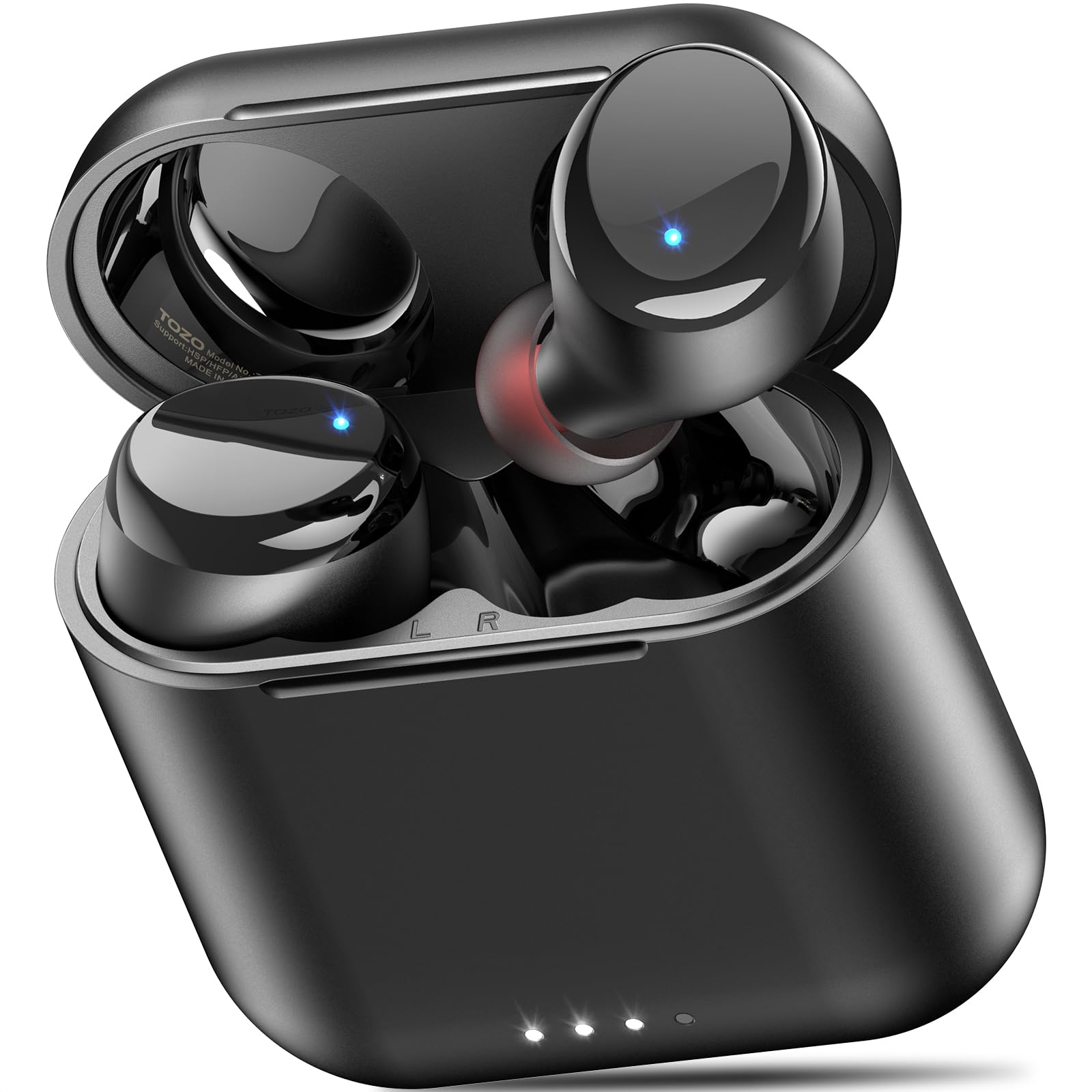
Figure 1: TOZO T6 Wireless Earbuds and Charging Case.

Figure 2: TOZO T6 Earbud highlighting OrigX 2.0 Acoustics for powerful bass and clear audio.

Figure 3: TOZO T6 Earbuds with a selection of ultra-soft silicone ear tips for a secure and comfortable fit.
4. Nastavení
4.1. Počáteční párování
- Otevřete nabíjecí pouzdro. Sluchátka se automaticky přepnou do režimu párování.
- Na svém zařízení (chytrém telefonu, tabletu atd.) povolte Bluetooth.
- Hledat V seznamu dostupných zařízení Bluetooth vyhledejte „TOZO-T6“ a vyberte jej pro připojení.
- Po připojení uslyšíte zvukovou výzvu potvrzující úspěšné spárování.
4.2. Nasazení sluchátek do uší
For optimal sound quality and comfort, choose the correct ear tip size. The TOZO T6 comes with multiple sizes of silicone ear tips. Experiment to find the size that provides a snug fit and good seal in your ear canal.
- Jemně vložte sluchátko do zvukovodu.
- Mírně otáčejte sluchátkem, dokud nebudete cítit bezpečné a pohodlné uchycení.
- Ensure a good seal to maximize bass response and noise isolation.
5. Návod k obsluze
5.1. Stiskněte Ovládací prvky
The TOZO T6 earbuds feature intuitive touch controls for easy management of music and calls.

Figure 4: Visual guide to TOZO T6 Smart Touch Controls.
- Přehrát/pozastavit: Tap L or R earbud once.
- Zvýšit hlasitost: Hold R earbud for 2 seconds.
- Snížit hlasitost: Hold L earbud for 2 seconds.
- Další skladba: Tap R earbud twice.
- Předchozí skladba: Tap L earbud twice.
- Přijmout/ukončit hovor: Tap L or R earbud once.
- Odmítnout hovor: Hold L or R earbud for 2 seconds.
5.2. Nabíjení
The TOZO T6 earbuds and charging case offer both wireless and USB-C charging options.

Figure 5: The TOZO T6 charging case being charged wirelessly.
- Nabíjení sluchátek: Place the earbuds into the charging case. They will automatically begin charging. The indicator lights on the earbuds will show their charging status.
- Case Charging (USB-C): Connect the provided USB A to C charging cable to the charging port on the case and a power source. The case fully charges in approximately 55 minutes.
- Case Charging (Wireless): Place the charging case on a compatible wireless charging pad. The case fully charges in under 2 hours wirelessly.
- Životnost baterie: Enjoy up to 12 hours of listening time on a single charge, with a total of 50 hours using the charging case.
5.3. TOZO APP Compatibility
Enhance your audio experience by connecting your TOZO T6 earbuds to the TOZO app.

Figure 6: The TOZO App interface showing customizable EQ settings.
- Download the TOZO app from the App Store or Google Play.
- Connect your earbuds via the app to access 32 preset EQ modes or create your own custom sound profiles.
- The app also offers over 100 white noise tracks and AI-powered features for productivity.
6. Údržba
6.1. Čištění
Pravidelné čištění pomáhá udržovat optimální výkon a hygienu.
- Otřete sluchátka a nabíjecí pouzdro měkkým, suchým hadříkem, který nepouští vlákna.
- Sejměte ušní nástavce a omyjte je jemným mýdlem a vodou, poté je před opětovným nasazením důkladně osušte.
- Gently clean any debris from the charging contacts on the earbuds and inside the case using a dry cotton swab.
6.2. Voděodolnost (IPX8)
The TOZO T6 earbuds are IPX8 waterproof, offering protection against water immersion.

Figure 7: TOZO T6 Earbuds demonstrating IPX8 waterproof protection.
- IPX8 rating means the earbuds can withstand complete immersion in water under specific laboratory conditions (up to 1.5 meters for 30 minutes).
- They are designed to handle heavy sweat, rain, and daily water exposure.
- Před vložením sluchátek zpět do nabíjecího pouzdra se ujistěte, že jsou suchá, abyste předešli jejich poškození.
7. Řešení problémů
If you encounter any issues with your TOZO T6 earbuds, try the following steps:
- Žádný zvuk: Ensure earbuds are paired correctly and volume is turned up on both the earbuds and your device. Check if the earbuds are charged.
- Problémy s párováním: Turn off Bluetooth on your device, then turn it back on. Reset the earbuds by placing them in the case, closing it, and then reopening. Try pairing again.
- Nevyvážený zvuk: Ensure both earbuds are properly seated in your ears and that the ear tips provide a good seal. Check for debris in the earbud nozzles.
- Problémy s nabíjením: Ensure the charging cable is securely connected or the wireless charging pad is properly aligned. Clean the charging contacts.
- Dotykové ovládání nereaguje: Ujistěte se, že máte čisté a suché prsty. Zkuste resetovat sluchátka.
For persistent issues, refer to the TOZO official webwebu nebo kontaktujte zákaznickou podporu.
8. Specifikace
| Funkce | Specifikace |
|---|---|
| Název modelu | T6 |
| Verze Bluetooth | 5.3 |
| Dosah Bluetooth | 20 metrů |
| Výdrž baterie (sluchátka) | Až 12 hodin |
| Celková doba přehrávání (s pouzdrem) | Až 50 hodin |
| Charging Time (Case via USB-C) | Přibl. 55 minut |
| Charging Time (Case via Wireless) | Méně než 2 hodiny |
| Hodnocení odolnosti proti vodě | IPX8 |
| Kontrola hluku | Zvuková izolace |
| Velikost zvukového ovladače | 6 milimetrů |
| Hmotnost položky | 0.2 uncí |
9. Záruka a podpora
TOZO products are designed for durability and performance. For warranty information and customer support, please visit the official TOZO webnebo se obraťte na jejich zákaznický servis. Uschovejte si doklad o koupi pro případ reklamace.
Další zdroje a časté dotazy naleznete na Značkový obchod TOZO.