1. Úvod
This manual provides essential information for the safe and efficient use of your Lenovo IdeaPad Slim 3 Business Laptop. This model features an AMD Ryzen 7 7730U processor, a 15.6-inch Full HD display, 16GB of RAM, and a 1TB PCIe SSD, running on Windows 11. Please read this manual thoroughly before operating your device.

Figure 1: Lenovo IdeaPad Slim 3 Laptop overview, highlighting key features like Windows 11, AMD Ryzen 7 processor, and the included WOWPC Recovery USB.
2. Nastavení
2.1 Vybalení a úvodní kontrola
Carefully remove all components from the packaging. Verify that all items listed in the packing list are present and undamaged. If any items are missing or damaged, contact your retailer immediately.

Obrázek 2: Přesview of the Lenovo IdeaPad Slim 3 Laptop's main specifications, including Operating System, Processor, Graphics, RAM, Storage, Wi-Fi, Bluetooth, and WOWPC Recovery USB.
2.2 Připojení napájení
- Připojte napájecí adaptér do vstupního portu napájení notebooku.
- Zapojte napájecí adaptér do vhodné elektrické zásuvky.
- Před prvním použitím nechte baterii nabíjet alespoň 30 minut nebo dokud indikátor baterie neukáže dostatečné nabití.
2.3 Počáteční spuštění a nastavení systému Windows 11
- Stisknutím tlačítka napájení zapněte notebook.
- Follow the on-screen instructions to complete the Windows 11 setup process. This includes selecting your language, region, connecting to a network, and creating a user account.
- The included WOWPC recovery USB can be used for system restoration or troubleshooting if needed.
3. Provoz
3.1 Funkce displeje
Your laptop is equipped with a 15.6-inch Full HD (1920x1080) TN display with 250 nits brightness and an anti-glare coating. This design reduces reflections and enhances visibility, providing a clear and comfortable viewzkušenosti.
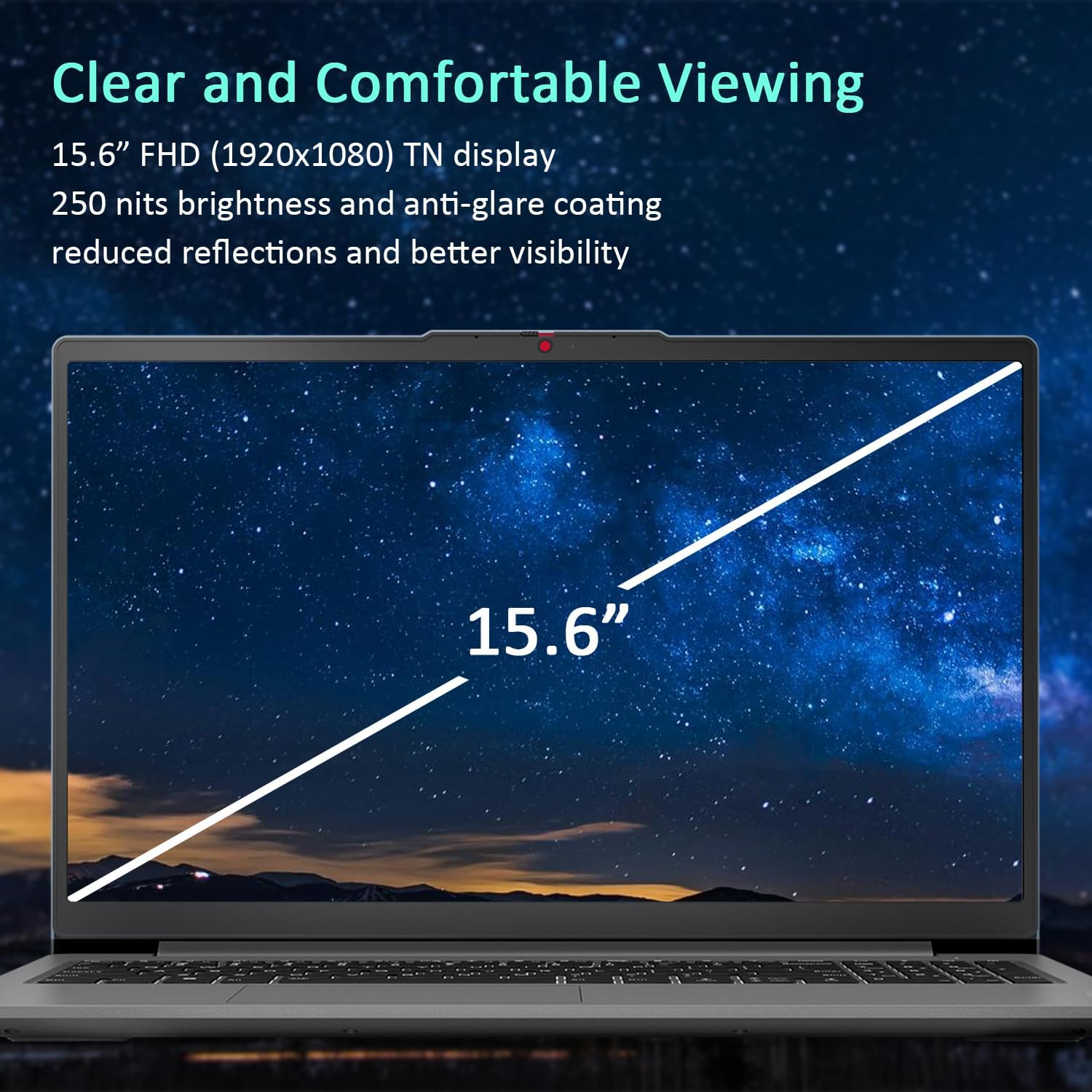
Figure 3: The 15.6-inch Full HD TN display with anti-glare coating for clear and comfortable viewIng.
3.2 Procesor a výkon
The AMD Ryzen 7 7730U Processor, with 8 cores and 16 threads, delivers reliable performance for various tasks, from daily productivity to more demanding applications. Coupled with 16GB of DDR4 RAM and integrated AMD Radeon Graphics, the system ensures smooth multitasking and efficient operation.
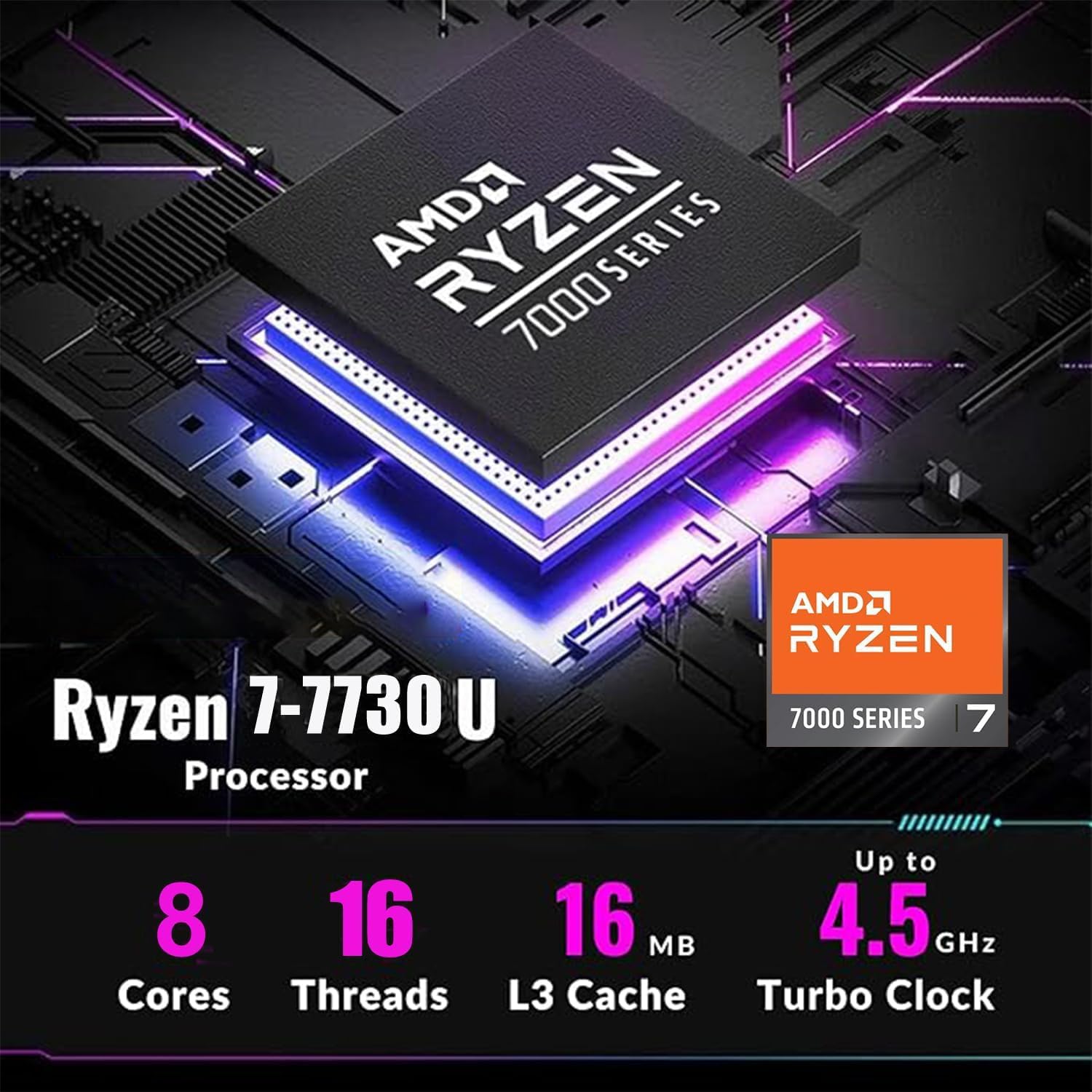
Figure 4: Detailed specifications of the AMD Ryzen 7 7730U Processor, emphasizing its core count, thread count, and turbo clock speed.

Figure 5: The laptop efficiently handles multiple applications simultaneously, showcasing its multitasking capabilities powered by the AMD Ryzen 7 7730U and AMD Radeon Graphics.
3.3 Konektivita
The IdeaPad Slim 3 offers comprehensive connectivity options:
- Porty: 1x USB-C 3.2 Gen 1, 2x USB-A 3.2, 1x HDMI 1.4 Output, 1x Headphone/microphone combo jack, 1x SD Card Reader.
- Bezdrátový: Wi-Fi 6 (802.11ax 2x2) and Bluetooth 5.2 for fast and stable wireless connections.

Obrázek 6: Strana view illustrating the available ports for connecting external devices and peripherals.

Figure 7: Highlighting the advanced Wi-Fi 6 and Bluetooth 5.2 capabilities for seamless connectivity.
3.4 Klávesnice a touchpad
The laptop features a US English keyboard and a responsive touchpad for navigation. The keyboard is designed for comfortable typing.
3.5 Webkamera s Privacy Shutter
A built-in HD 720p webcam is included for video calls and conferences. For enhanced privacy, a physical privacy shutter is integrated, allowing you to block the camera lens when not in use.
4. Údržba
4.1 Čištění notebooku
- K čištění obrazovky a vnějších povrchů používejte měkký hadřík, který nepouští vlákna.
- Na odolné šmouhy lehceamphadřík vodou nebo čisticím prostředkem na obrazovky.
- Vyhněte se používání agresivních chemikálií, abraziv nebo rozpouštědel.
4.2 Péče o baterii
- Chcete-li prodloužit životnost baterie, vyvarujte se častého úplného vybíjení.
- Pokud notebook delší dobu nepoužíváte, skladujte jej na chladném a suchém místě.
4.3 Aktualizace softwaru
Pravidelně kontrolujte a instalujte aktualizace operačního systému a ovladačů, abyste zajistili optimální výkon a zabezpečení.
5. Řešení problémů
5.1 Běžné problémy a řešení
- Notebook se nezapíná: Ujistěte se, že je napájecí adaptér bezpečně připojen a baterie je dostatečně nabitá. Zkuste jinou zásuvku.
- Žádný displej: Připojte externí monitor a zkontrolujte, zda je problém s obrazovkou notebooku. Restartujte notebook.
- Pomalý výkon: Close unnecessary applications, check for malware, or consider using the WOWPC recovery USB for a system refresh if performance issues persist.
- Problémy s připojením k síti: Verify Wi-Fi is enabled, restart your router, or check network adapter settings in Windows.
5.2 Using the WOWPC Recovery USB
Your device includes a WOWPC recovery USB. This tool is designed to assist with system restoration, driver installation, and other troubleshooting steps. Refer to the instructions provided with the USB for detailed usage.
6. Specifikace
| Funkce | Detail |
|---|---|
| Procesor | AMD Ryzen 7 7730U (8 jader, 16 vláken, až 4.5 GHz) |
| Grafika | Integrovaná grafika AMD Radeon |
| Operační systém | Windows 11 Pro |
| Paměť (RAM) | 16GB Soldered DDR4-3200 RAM |
| Skladování | 1TB PCIe NVMe SSD (Up to 2TB SSD M.2 PCIe NVMe supported) |
| Zobrazit | 15.6" FHD (1920x1080) TN 250nits Anti-glare Display |
| Konektivita | Wi-Fi 6 (802.11ax 2x2), Bluetooth 5.2 |
| Porty | 1x USB-C 3.2 Gen 1, 2x USB-A 3.2, 1x HDMI 1.4, 1x Headphone/microphone combo jack, 1x Card reader |
| Webvačka | HD 720p s Privacy Shutter |
| Zvuk | User-facing stereo speakers, 1.5W x2, optimized with Dolby Audio |
| Barva | Arctic Grey |
| Rozměry (D x Š x V) | 14.15 x 9.25 x 0.70 palce |
| Hmotnost | Počínaje 3.57 lbs |
| Příslušenství | WOWPC recovery USB |

Figure 8: Physical dimensions and weight of the Lenovo IdeaPad Slim 3 Laptop, highlighting its slim design.
7. Záruka a podpora
7.1 Záruka na produkt
This product is typically covered by a manufacturer's warranty. For specific warranty terms and conditions, please refer to the documentation included with your purchase or visit the official Lenovo support webwebu. K dispozici je také možnost zakoupení rozšířených ochranných plánů.
7.2 Zákaznická podpora
For technical assistance, troubleshooting, or service inquiries, please contact Lenovo customer support. You can find contact information on the official Lenovo webwebu nebo v dokumentaci k produktu.
Return Policy: This product typically has a 30-day return/replacement policy. Please check with your retailer for specific return details.


