Zavedení
Welcome to the user manual for your new ASUS ROG Zephyrus G16 Gaming Laptop. This manual provides essential information for setting up, operating, maintaining, and troubleshooting your device. Please read it carefully to ensure optimal performance and longevity of your laptop.
The ASUS ROG Zephyrus G16 is a high-performance gaming laptop featuring an Intel Core Ultra 9 185H processor, NVIDIA GeForce RTX 4070 graphics, a 16-inch OLED QHD 240Hz display, 16GB LPDDR5X RAM, and a 2TB PCIe SSD, running on Windows 11 Pro.
Průvodce nastavením
1. Rozbalení a počáteční kontrola
Opatrně vyjměte notebook a veškeré příslušenství z obalu. Zkontrolujte, zda jsou všechny součásti uvedené v části „Co je v krabici“ přítomny a nepoškozené.
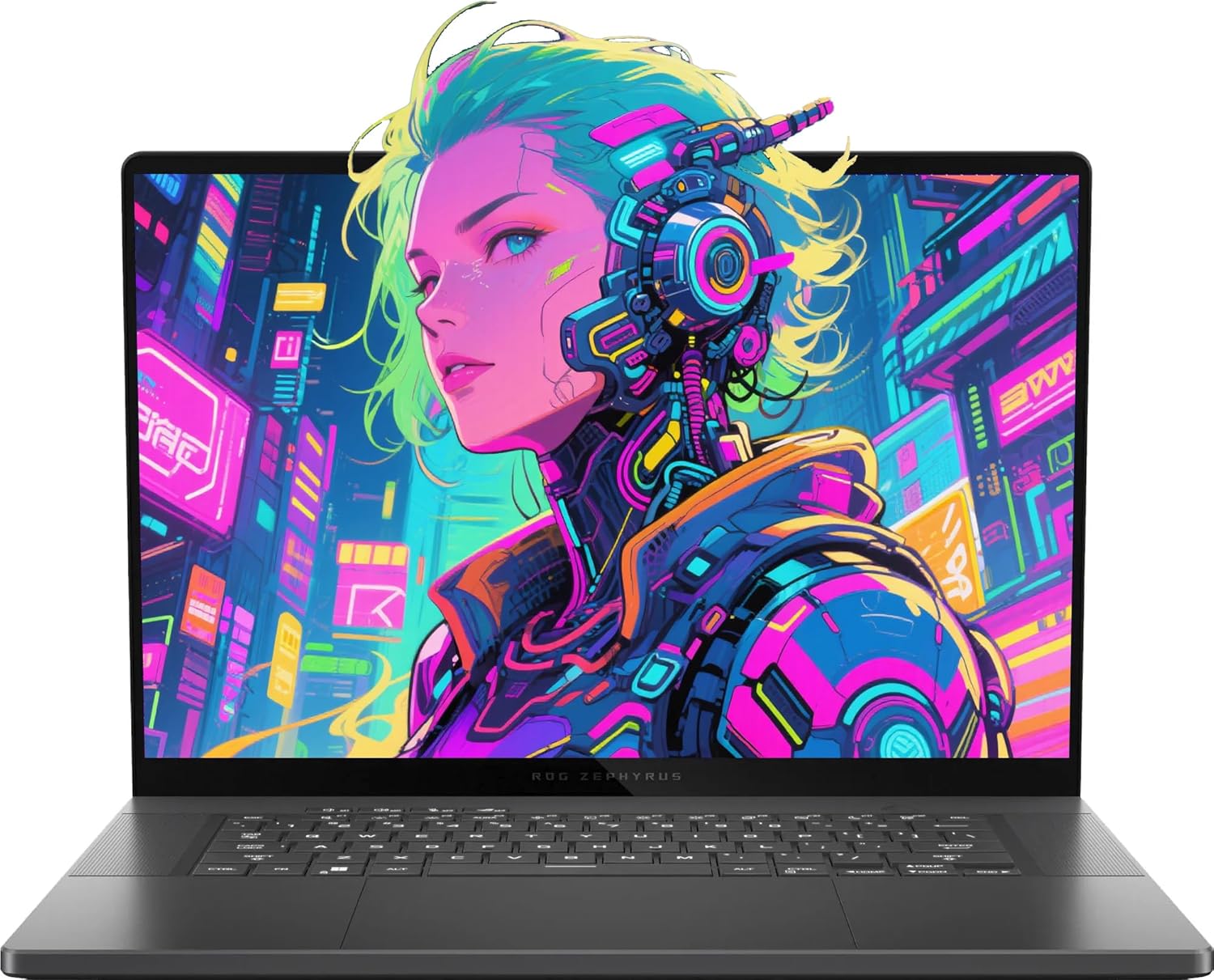
Image: The ASUS ROG Zephyrus G16 Gaming Laptop, showcasinjeho elegantní design a zářivý displej.
Co je v krabici:
- Herní notebook ASUS ROG Zephyrus G16
- Napájecí adaptér
- Dokumentace (uživatelská příručka, záruční list)
- Additional Accessories (as included with your specific package):
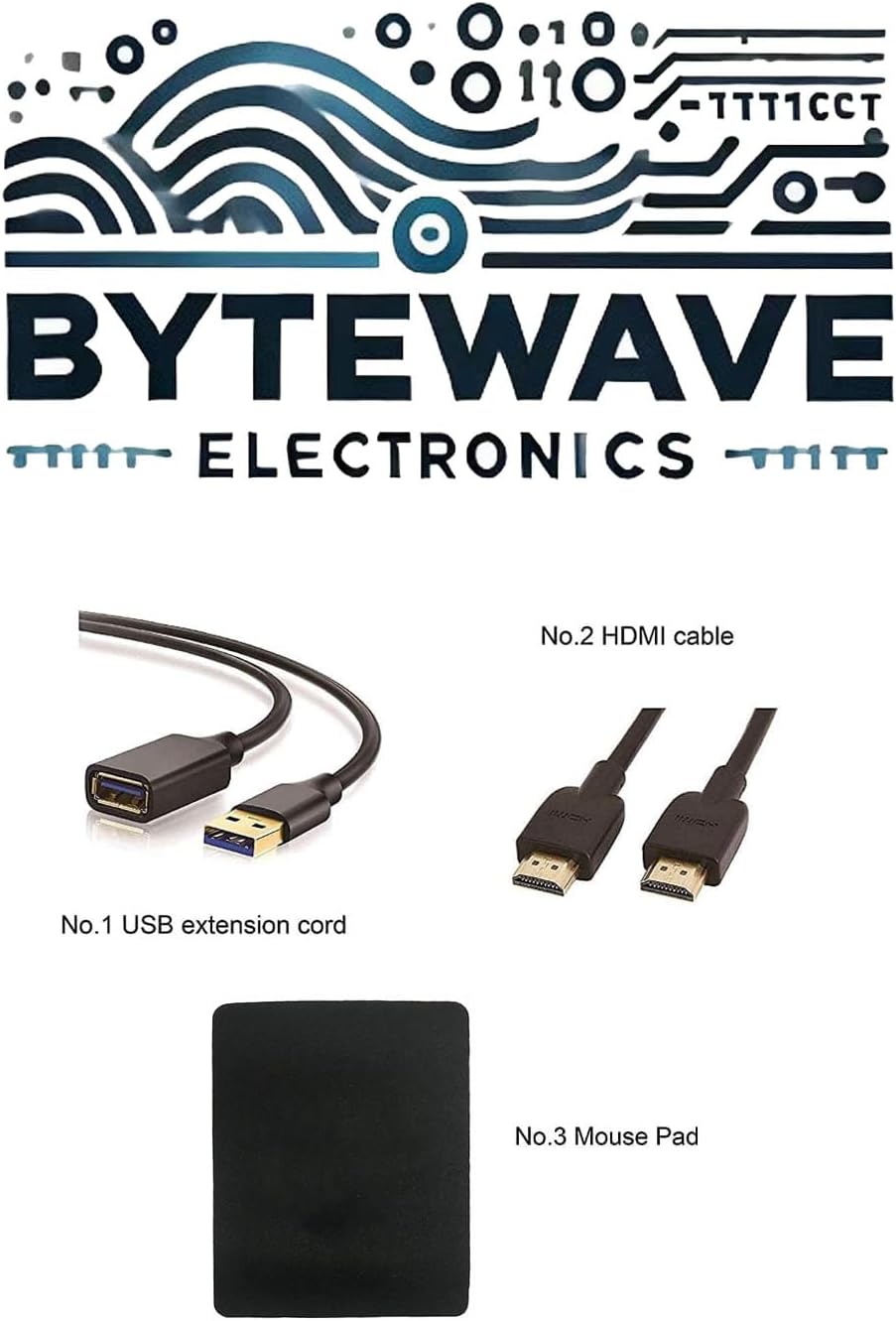
Obrázek: Přample of included accessories, which may vary by package: USB extension cord, HDMI cable, and mouse pad.
2. Připojení napájecího adaptéru
Connect the power adapter to the laptop's power input port (ASUS Slim Power Jack) located on the right side, and then plug the adapter into a wall outlet. It is recommended to fully charge the battery before the first use.

Obrázek: Pravá strana view of the laptop, showing the power input port and other connectivity options.
3. Počáteční spuštění a nastavení systému Windows
Press the power button, typically located on the keyboard deck, to turn on the laptop. Follow the on-screen instructions to complete the Windows 11 Pro setup process, including language selection, network connection, and user account creation.
Ovládání notebooku
Klávesnice a touchpad
The laptop features a Backlit Chiclet Keyboard with 1-Zone RGB lighting for comfortable typing in various environments. The precision touchpad supports multi-touch gestures for intuitive navigation.

Obrázek: Shora dolů view of the laptop, highlighting the keyboard layout and large touchpad.
Funkce displeje
The 16-inch OLED QHD (2560 x 1600) display offers a 240Hz refresh rate and 0.2ms response time, providing crisp visuals and smooth motion, ideal for gaming and content creation. It supports Dolby Vision HDR and covers 100% DCI-P3 color gamut.
Porty připojení
Your laptop is equipped with a variety of ports for connecting external devices:
- 1 x 3.5mm Combo Audio Jack: For headphones or headsets.
- 1 x HDMI 2.1 FRL: Pro připojení k externím displejům.
- 2 x USB 3.2 Gen 2 typu A: Pro standardní USB zařízení.
- 1 x Thunderbolt 4: Supports DisplayPort 2.1 for high-speed data transfer and display output.
- 1 x USB 3.2 Gen 2 Type-C: Supports DisplayPort 1.4.
- 1 x SD Card Reader (UHS-II, 312MB/s): Pro paměťové karty.

Image: A detailed diagram illustrating the location and type of each port on the laptop's sides.
Bezdrátové připojení
The laptop features Wi-Fi 6E (802.11ax) for fast and reliable wireless internet access, and Bluetooth 5.3 for connecting wireless peripherals.
Údržba a péče
Čištění notebooku
- Use a soft, lint-free cloth to clean the screen. For stubborn smudges, slightly damphadřík vodou nebo roztokem na čištění obrazovky.
- Use a soft brush or compressed air to clean dust from the keyboard and ventilation grilles.
- Avoid using harsh chemicals or abrasive materials, as they can damage the laptop's surfaces.
Péče o baterie
To prolong battery life, avoid extreme temperatures and do not leave the laptop fully charged or fully discharged for extended periods. For long-term storage, charge the battery to about 50-60%.
Aktualizace softwaru
Regularly update your Windows operating system, drivers (especially graphics drivers), and ASUS utilities to ensure optimal performance, security, and compatibility.
Odstraňování problémů
Běžné problémy a řešení
| Problém | Možná příčina | Řešení |
|---|---|---|
| Notebook se nezapne. | Battery drained or power adapter not connected properly. | Ujistěte se, že je napájecí adaptér bezpečně připojen a zapojený do funkční zásuvky. Před opětovným zapnutím nechte baterii několik minut nabíjet. |
| Obrazovka je prázdná nebo černá. | Display settings issue, external monitor connected, or system crash. | Stiskněte Fn + F7 (or the display toggle key) to cycle through display modes. Disconnect any external monitors. Perform a hard reset by holding the power button for 15 seconds. |
| Problémy s připojením k Wi-Fi. | Wi-Fi je vypnutá, problém s ovladačem nebo problém s routerem. | Ensure Wi-Fi is enabled in Windows settings. Restart your router. Update Wi-Fi drivers from the ASUS support webmísto. |
| Notebook běží pomalu. | Příliš mnoho aplikací na pozadí, málo úložiště nebo zastaralé ovladače. | Close unnecessary applications. Free up disk space. Update drivers. Consider running a virus scan. |
Technické specifikace
| Komponent | Specifikace |
|---|---|
| Procesor | Intel Core Ultra 9 185H (up to 5.1 GHz) |
| Grafika | NVIDIA GeForce RTX 4070 (115W TGP) |
| Zobrazit | 16-inch OLED QHD (2560 x 1600), 240Hz, 0.2ms, 100% DCI-P3, Dolby Vision HDR |
| BERAN | 16GB LPDDR5X 7467 |
| Skladování | 2TB NVMe SSD |
| Operační systém | Windows 11 Pro |
| Porty | 1x 3.5mm Combo Audio Jack, 1x HDMI 2.1 FRL, 2x USB 3.2 Gen 2 Type-A, 1x Thunderbolt 4 (DisplayPort 2.1), 1x USB 3.2 Gen 2 Type-C (DisplayPort 1.4), 1x SD Card Reader (UHS-II) |
| Bezdrátový | Wi-Fi 6E (802.11ax), Bluetooth 5.3 |
| Fotoaparát | 1080P FHD IR kamera pro Windows Hello |
| Klávesnice | Podsvícená klávesnice Chiclet s 1 zónou RGB |
| Rozměry (ŠxHxV) | 13.94" x 9.69" x 0.59" ~ 0.65" |
| Hmotnost | 4.08 liber |
| Barva | Eclipse Grey |
| Baterie | 1 lithium-iontová baterie (součástí balení) |
Záruka a podpora
Záruka na produkt
Your ASUS ROG Zephyrus G16 Gaming Laptop comes with a standard manufacturer's warranty. For detailed information regarding warranty terms, conditions, and duration, please refer to the warranty card included with your product or visit the official ASUS support webmísto.
Volitelné plány ochrany
Additional protection plans may be available for purchase to extend coverage beyond the standard warranty. These plans typically offer extended service and support for a specified period, including:
- Dvouletý ochranný plán
- Dvouletý ochranný plán
- Kompletní ochrana (možnost měsíční fakturace)
Zásady vrácení
This product is eligible for a 30-day refund/replacement return policy from the date of purchase. Please consult your retailer's return policy for specific details and procedures.
Zákaznická podpora
Pro technickou pomoc, stažení ovladačů nebo další podporu navštivte oficiální stránky podpory ASUS. website or contact ASUS customer service. You can also visit the Obchod ASUS na Amazonu pro informace o produktech a zdroje.


