1. Úvod
This manual provides detailed instructions for the setup, operation, and maintenance of your Phomemo M834 Bluetooth Thermal Printer. The M834 is a portable, inkless thermal printer designed for high-clarity document printing, offering 300 dpi resolution and versatile paper compatibility. It supports both Bluetooth and USB connections for various devices.

Image 1.1: The Phomemo M834 thermal printer in use, connected to a smartphone, printing documents.
2. Obsah balení
Prosím, ověřte, zda jsou v balení přítomny všechny položky:
- Phomemo M834 Thermal Printer
- USB nabíjecí kabel
- 200 Sheets of Folded Thermal Printer Paper (8.5" x 11")
- Uživatelská příručka (tento dokument)
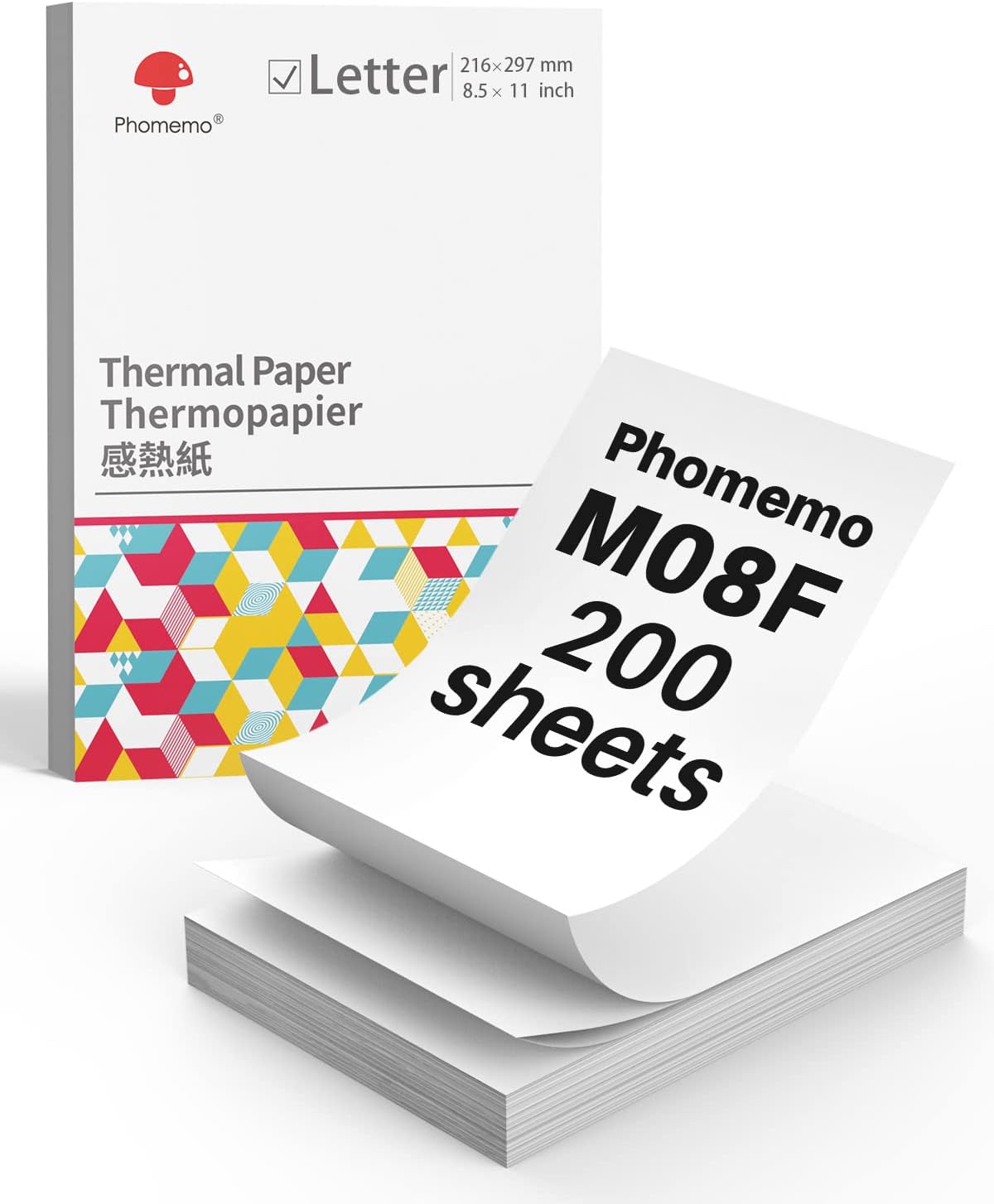
Image 2.1: A box containing 200 sheets of Phomemo M08F Letter-sized thermal paper.
3. Počáteční nastavení
3.1 Nabíjení tiskárny
Before first use, fully charge the printer. Connect the provided USB cable to the printer's charging port and a power adapter (not included) or a computer's USB port. The indicator light will show charging status.
3.2 Installing the Phomemo App
For mobile printing, download the 'Phomemo' app from your device's app store (available for iOS and Android). Follow the in-app instructions for initial setup and pairing.
3.3 Vkládání termopapíru
The Phomemo M834 supports various thermal paper types, including folded sheets. Ensure the paper is inserted correctly for optimal printing.
- Otevřete kryt papíru v tiskárně.
- Insert the thermal paper with the printable side facing up. For folded paper, ensure it feeds smoothly from the stack.
- Adjust the paper guides to fit the width of the paper.
- Pevně zavřete kryt papíru.

Image 3.1: Illustration of Phomemo continuous folding paper, showing 8.5" x 11" dimensions.

Image 3.2: A hand demonstrating how to easily tear thermal paper along its perforated edge after printing.
4. Obsluha tiskárny
4.1 Connecting via Bluetooth (Mobile Devices)
The M834 printer connects wirelessly to smartphones and tablets via Bluetooth.
- Ujistěte se, že je tiskárna zapnutá a v dosahu vašeho mobilního zařízení.
- Povolte na svém mobilním zařízení Bluetooth.
- Open the Phomemo app. The app will guide you to discover and pair with the M834 printer.
- Once paired, you can select documents or images within the app to print.
4.2 Connecting via USB (Computers)
For Windows, macOS, Linux, and ChromeOS computers, connect the printer using the provided USB cable.
- Connect one end of the USB cable to the printer and the other end to your computer.
- The computer should automatically detect the printer. If necessary, install the appropriate printer drivers from the Phomemo official webmísto.
- Once installed, the M834 will appear as an available printer in your system's print dialogue.

Image 4.1: Visual representation of the two connection methods: Bluetooth for mobile devices (Android, iOS, Tablets) and USB for computers (Windows, Mac OS, Chrome OS, Linux).
4.3 Tisk dokumentů
After connecting, select the document or image you wish to print from your device. Adjust print settings such as paper size (US Letter, A4, 4.33'', 3.14'', 2.08'') and orientation as needed before initiating the print job.

Image 4.2: A side-by-side comparison highlighting the enhanced clarity of 300dpi printing (Phomemo M834) compared to 203dpi.
5. Údržba
5.1 Čištění tiskové hlavy
To maintain print quality, periodically clean the print head. Use a cotton swab lightly dampisopropylalkoholem. Jemně otřete povrch tiskové hlavy. Před použitím ji nechte zcela vyschnout.
5.2 Obecná péče
- Keep the printer in a clean, dry environment.
- Nevystavujte tiskárnu přímému slunečnímu záření nebo extrémním teplotám.
- Use only Phomemo-approved thermal paper for optimal results and to prevent damage.
- Do not attempt to disassemble the printer.

Image 5.1: Information highlighting the use of BPA-Free thermal paper, emphasizing its inkless and harmless properties.
6. Řešení problémů
6.1 Žádný tiskový výstup
- Zkontrolujte napájení: Ujistěte se, že je tiskárna zapnutá a má dostatečně nabitou baterii.
- Vkládání papíru: Verify that thermal paper is loaded correctly with the printable side facing up.
- Spojení: Confirm that the printer is properly connected via Bluetooth or USB.
6.2 Špatná kvalita tisku
- Čištění tiskové hlavy: A dirty print head can cause streaks or faded prints. Refer to Section 5.1.
- Kvalita papíru: Ujistěte se, že používáte vysoce kvalitní termopapír.
- Orientace papíru: Make sure the thermal paper is inserted with the correct side facing the print head.
6.3 Problémy s připojením Bluetooth
- Restartujte zařízení: Turn off and on both the printer and your mobile device.
- Zapomenout zařízení: In your device's Bluetooth settings, 'forget' or 'unpair' the M834 and then attempt to pair again through the Phomemo app.
- Oprávnění aplikace: Ensure the Phomemo app has necessary Bluetooth permissions.
7. Specifikace
| Funkce | Specifikace |
|---|---|
| Model | Phomemo M834 |
| Rozlišení tisku | 300 dpi |
| Technologie tisku | Termální (bezinkoustový) |
| Konektivita | Bluetooth, USB |
| Kapacita baterie | 2600mAh (up to 160+ pages continuous printing) |
| Podporované velikosti papíru | US Letter, A4, 4.33'', 3.14'', 2.08'' |
| Podporované typy papíru | Roll, Fold, Ordinary Thermal Paper |
| Podporované operační systémy | Android, iOS, Windows 10/11, Linux, ChromeOS, macOS |
8. Záruka a podpora
8.1 Informace o záruce
For detailed warranty information, please refer to the warranty card included with your product or visit the official Phomemo webZáruční podmínky se mohou lišit v závislosti na regionu a datu nákupu.
8.2 Zákaznická podpora
If you encounter any issues or have questions not covered in this manual, please contact Phomemo customer support through their official website or the contact information provided in your product packaging. When contacting support, please have your product model (M834) and purchase details ready.


