1. Úvod
Thank you for choosing the GOBOULT Flex On-Ear Bluetooth Headphones. This manual provides essential information for setting up, operating, and maintaining your headphones. Please read it carefully before use to ensure optimal performance and longevity of your device.

Image: GOBOULT Flex On-Ear Bluetooth Headphones in Jet Black, showcasinelegantní design.
2. Co je v krabici
Ověřte, zda jsou v balení přítomny všechny položky:
- GOBOULT Flex On-Ear Bluetooth Headphones
- Rychlonabíjecí kabel typu C
- AUX Cable (for wired connection)
- Uživatelská příručka (tento dokument)
- Záruční list
3. Konec produktuview
The GOBOULT Flex headphones feature an adjustable headband and soft earcups designed for comfort during extended use. Key components include:
- Nastavitelná čelenka: For a customized fit.
- Náušníky: Padded for comfort, housing the 40mm audio drivers.
- Ovládací tlačítka: Power, Volume Up/Down, Multi-function Button.
- Nabíjecí port typu C: Pro dobíjení interní baterie.
- AUX port: Pro kabelové audio připojení.
- Mikrofon: Integrated Zen™ ENC mic for clear calls.

Image: Close-up of the GOBOULT Flex headphones highlighting the adjustable headband and earcups for comfortable wear.
4. Nastavení
4.1 Nabíjení sluchátek
Before first use, fully charge your headphones. Connect the provided Type-C charging cable to the headphone's charging port and the other end to a USB power source (e.g., wall adapter, computer USB port).
- Plné nabití trvá přibližně 60 minut.
- Desetiminutové nabíjení poskytne až 5 hodin přehrávání.
- LED indikátor bude zobrazovat stav nabíjení (např. červená pro nabíjení, modrá pro plné nabití).
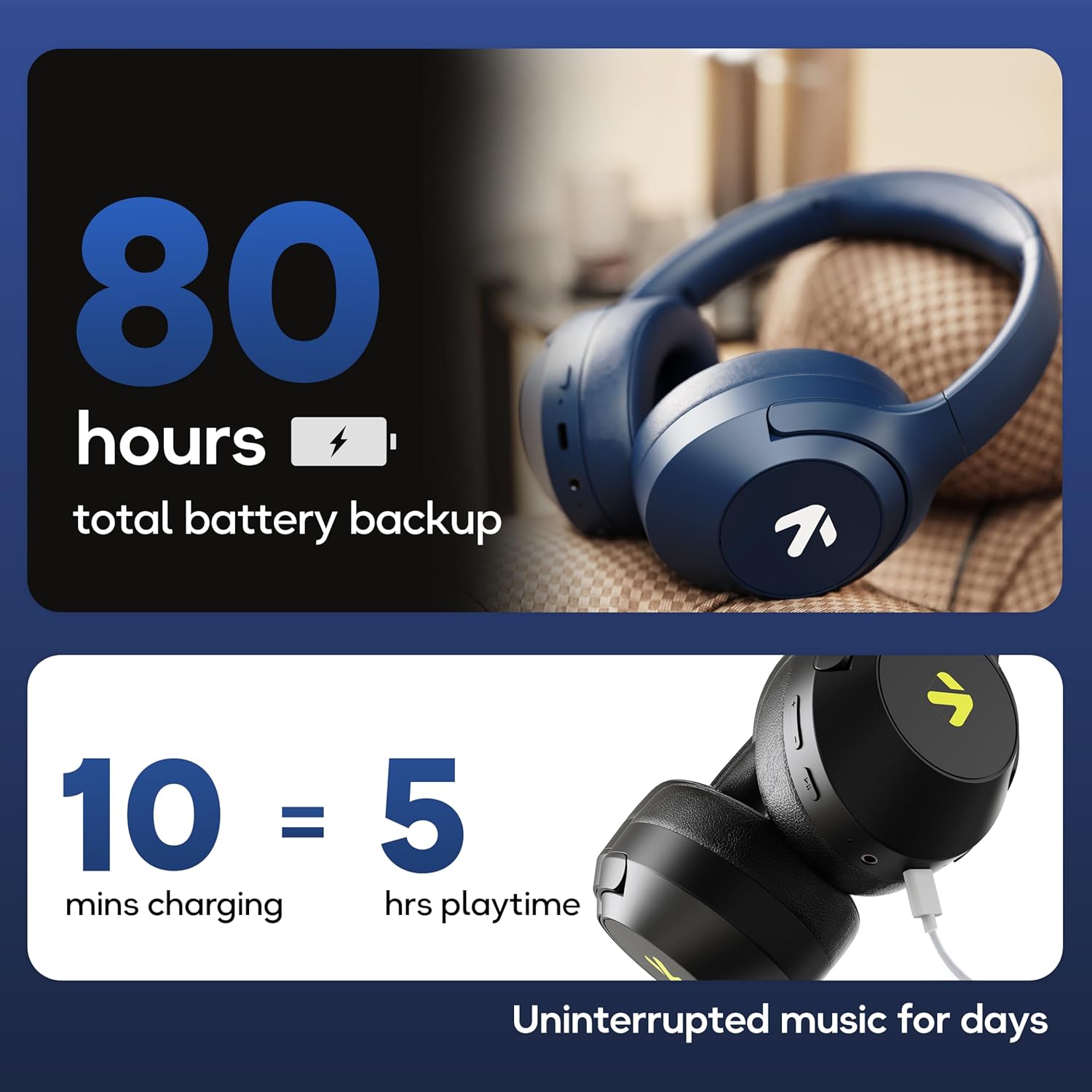
Image: Visual representation of the GOBOULT Flex headphones' battery life and fast charging capability.
4.2 Zapnutí/vypnutí
- Zapnutí: Press and hold the Power button for 3 seconds. The LED indicator will flash.
- Vypnutí: Stiskněte a podržte tlačítko napájení po dobu 5 sekund. LED indikátor zhasne.
4.3 Párování Bluetooth
The GOBOULT Flex headphones utilize Bluetooth 5.4 for stable and fast connections.
- Ujistěte se, že jsou sluchátka vypnutá.
- Stiskněte a podržte tlačítko napájení po dobu přibližně 5–7 sekund, dokud LED indikátor nezačne střídavě blikat červeně a modře, což signalizuje režim párování.
- Na svém zařízení (chytrý telefon, tablet, notebook) povolte Bluetooth a vyhledejte dostupná zařízení.
- Select "GOBOULT Flex" from the list of devices.
- Po připojení bude LED indikátor pomalu blikat modře.

Image: Illustration of the GOBOULT Flex headphones connecting via Bluetooth 5.4, highlighting the fast pairing feature.
4.4 Připojení AUX
You can use the headphones with a wired connection when the battery is low or for devices without Bluetooth. Connect one end of the 3.5mm AUX cable to the headphone's AUX port and the other end to your audio source's 3.5mm jack.
5. Návod k obsluze
5.1 Základní ovládací prvky
| Funkce | Akce |
|---|---|
| Přehrát/Pozastavit | Stiskněte jednou multifunkční tlačítko. |
| Zvýšení hlasitosti | Stiskněte tlačítko pro zvýšení hlasitosti (+). |
| Snížit hlasitost | Stiskněte tlačítko pro snížení hlasitosti (-). |
| Další stopa | Stiskněte a podržte tlačítko pro zvýšení hlasitosti (+). |
| Předchozí stopa | Stiskněte a podržte tlačítko pro snížení hlasitosti (-). |
5.2 Správa hovorů
The integrated Zen™ ENC (Environmental Noise Cancellation) microphone ensures clear communication during calls.

Obrázek: Podrobný view of the GOBOULT Flex headphones highlighting the Zen™ ENC mic for noise-reduced calls.
| Funkce | Akce |
|---|---|
| Přijmout/ukončit hovor | Stiskněte jednou multifunkční tlačítko. |
| Odmítnout hovor | Stiskněte a podržte multifunkční tlačítko po dobu 2 sekund. |
5.3 Hlasový asistent
Activate your device's voice assistant (e.g., Google Assistant, Siri) directly from your headphones.
- Aktivovat Voice Assistant: Dvakrát stiskněte multifunkční tlačítko.

Image: GOBOULT Flex headphones showing compatibility with voice assistants and IPX5 water resistance.
5.4 Herní režim (nízká latence)
For an optimized gaming experience, activate the 60ms ultra-low latency Combat™ Gaming Mode.
- Aktivace herního režimu: Refer to your device's specific instructions or the product's quick start guide for the button combination to toggle gaming mode.

Image: GOBOULT Flex headphones illustrating the Combat™ Gaming Mode with 60ms ultra-low latency for mobile gaming.
5.5 režimy EQ
The headphones feature 4 EQ modes to customize your audio experience:
- Bas
- Rock
- Pop
- Hlasitý
To switch between EQ modes, refer to the specific button press sequence in your quick start guide or product packaging. This functionality allows you to tailor the sound profile podle vašich preferencí.

Obrázek: Overview of GOBOULT Flex features, including the 4 EQ modes for sound customization.
6. Údržba
6.1 Čištění
Wipe the headphones with a soft, dry cloth. Do not use abrasive cleaners or solvents. For earcups, gently wipe with a damp hadříkem a před použitím nechte zcela uschnout na vzduchu.
6.2 Skladování
Sluchátka skladujte na chladném a suchém místě mimo dosah přímého slunečního záření a extrémních teplot. Skládací konstrukce umožňuje kompaktní skladování.
6.3 Vodotěsnost (IPX5)
The GOBOULT Flex headphones are rated IPX5, meaning they are resistant to sweat and light splashes of water. They are not designed for submersion in water. Avoid exposing them to heavy rain or showering.
7. Řešení problémů
| Problém | Možné řešení |
|---|---|
| Sluchátka se nezapínají. | Ujistěte se, že jsou sluchátka nabitá. Připojte je ke zdroji napájení pomocí kabelu typu C. |
| Nelze spárovat přes Bluetooth. | Ensure headphones are in pairing mode (flashing red/blue). Turn off and on your device's Bluetooth. Move closer to the device. |
| Žádný zvuk. | Zkontrolujte úroveň hlasitosti na obou sluchátkách i připojeném zařízení. Ujistěte se, že jsou sluchátka správně spárována nebo že je AUX kabel zcela zasunut. |
| Špatná kvalita hovoru. | Ujistěte se, že mikrofon není zakrytý. Přejděte do tiššího prostředí. |
8. Specifikace
| Funkce | Detail |
|---|---|
| Název modelu | Flex (ProBass) |
| Konektivita | Bluetooth 5.4, AUX |
| Velikost zvukového ovladače | 40 mm |
| Prázdno | Až 80 hodin |
| Nabíjecí port | Typ-C |
| Doba nabíjení | Přibl. 60 minut |
| Mikrofon | Zen™ ENC Mic |
| Režim nízké latence | 60ms (Combat™ Gaming Mode) |
| Voděodolnost | IPX5 |
| Frekvenční odezva | 20 Hz |
| Citlivost | 118 dB |
| Impedance | 32 Ohmy |
| Hmotnost položky | 214 gramů |
9. Záruka a podpora
The GOBOULT Flex headphones come with a 1-year warranty. To avail of the extended warranty and for any support inquiries, please register your product on the official GOBOULT website. For technical assistance or customer service, refer to the contact information provided on your warranty card or the GOBOULT official webmísto.
Manufacturer: Exotic Mile Private Limited
Země původu: Čína


