1. Úvod
Thank you for choosing the Hama Ultimate Pro Portable Bluetooth Speaker. This manual provides essential information for the safe and efficient use of your device. Please read it carefully before use and keep it for future reference.
Obsah balení:
- 1x Hama Ultimate Pro Portable Bluetooth Speaker
- 1x nabíjecí kabel USB-C
- 1x Carrying Strap
- 1x Uživatelská příručka
2. Bezpečnostní pokyny
- Do not open the device. Incorrect assembly can lead to electric shock, fire, or damage.
- Keep the device away from extreme temperatures, direct sunlight, and humidity.
- This speaker is rated IPX6, meaning it is protected against strong continuous rain and splashing water. Do not submerge the speaker in water.
- K nabíjení používejte pouze dodaný kabel USB-C.
- Zařízení nepoužívejte, pokud je viditelně poškozené.
- Protect the battery from overheating.
3. Konec produktuview
Familiarize yourself with the speaker's features and connections.

The Hama Ultimate Pro speaker highlights its key features: 24-hour battery life, IPX6 waterproof rating, Bluetooth connectivity, and 120W sound output.
Ovládací panel:

Detailní view of the speaker's top control panel, showing buttons for power, volume adjustment, play/pause, mode selection, and equalizer settings.
- Vypínač: Stisknutím a podržením zapnete/vypnete. Krátkým stisknutím zkontrolujete stav baterie.
- Snížit hlasitost (-): Snížit hlasitost.
- Tlačítko Přehrát/Pozastavit: Přehrát nebo pozastavit zvuk.
- Zvýšení hlasitosti (+): Zvyšte hlasitost.
- Tlačítko režimu (M): Switch between input modes (Bluetooth, AUX, USB).
- Equalizer Button (EQ): Cycle through equalizer presets (Bass Sound, Power Sound, Balanced Sound).
Porty a připojení:

The speaker's rear port panel includes a USB-C charging port, a USB-A port for external devices, a reset button, and a 6.3mm jack input.
- Port USB-C: For charging the speaker and for Power Bank output.
- Port USB-A: For playing music from USB storage devices or for Power Bank output.
- AUX vstup (3.5mm jack): Pro připojení externích audio zařízení pomocí 3.5mm audio kabelu.
- Microphone/Guitar Input (6.3mm Jack): Pro připojení mikrofonu nebo kytary.
- Resetovací tlačítko: Use a thin object to press and reset the speaker if needed.
4. Nastavení
4.1 Nabíjení reproduktoru
- Připojte dodaný nabíjecí kabel USB-C k portu USB-C na reproduktoru.
- Connect the other end of the USB-C cable to a suitable USB power adapter (not included). A 30W charger is recommended for fast charging.
- The charging indicator will show the charging status. The speaker is fully charged in approximately 2.5 hours.
4.2 Zapnutí/vypnutí
- To turn on: Press and hold the Power button for a few seconds until you hear an audible prompt.
- To turn off: Press and hold the Power button for a few seconds until you hear an audible prompt.
4.3 Párování Bluetooth
- Ujistěte se, že je reproduktor zapnutý a v režimu Bluetooth (signalizováno blikající modrou LED diodou). Pokud ne, stisknutím tlačítka režimu (M) přepněte do režimu Bluetooth.
- Na svém zařízení (chytrý telefon, tablet, notebook) povolte Bluetooth a vyhledejte dostupná zařízení.
- Select "Hama Ultimate Pro" from the list of devices.
- Po spárování se LED indikátor rozsvítí modře a uslyšíte potvrzovací zvuk.
4.4 Připojení přes AUX vstup
- Připojte jeden konec 3.5mm audio kabelu (není součástí balení) do vstupního portu AUX na reproduktoru.
- Druhý konec připojte k audio výstupu vašeho externího zařízení.
- Press the Mode button (M) on the speaker to switch to AUX mode.
4.5 Connecting USB Storage
- Vložte USB flash disk obsahující zvuk files into the USB-A port on the speaker.
- Press the Mode button (M) to switch to USB mode. The speaker will automatically begin playing audio from the USB drive.
4.6 Connecting Microphone or Guitar
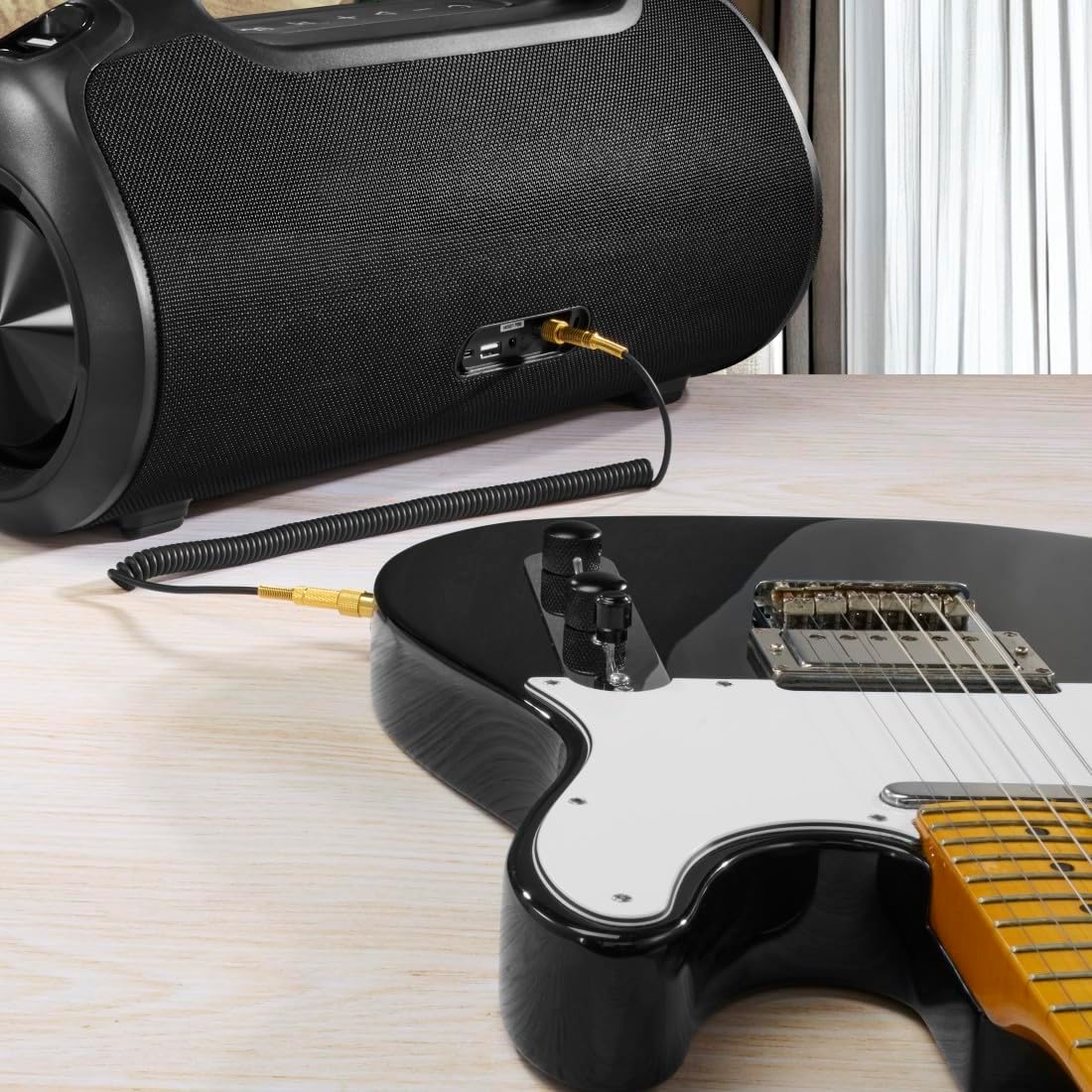
The speaker can be used as an amplifier by connecting an electric guitar via its 6.3mm jack input.
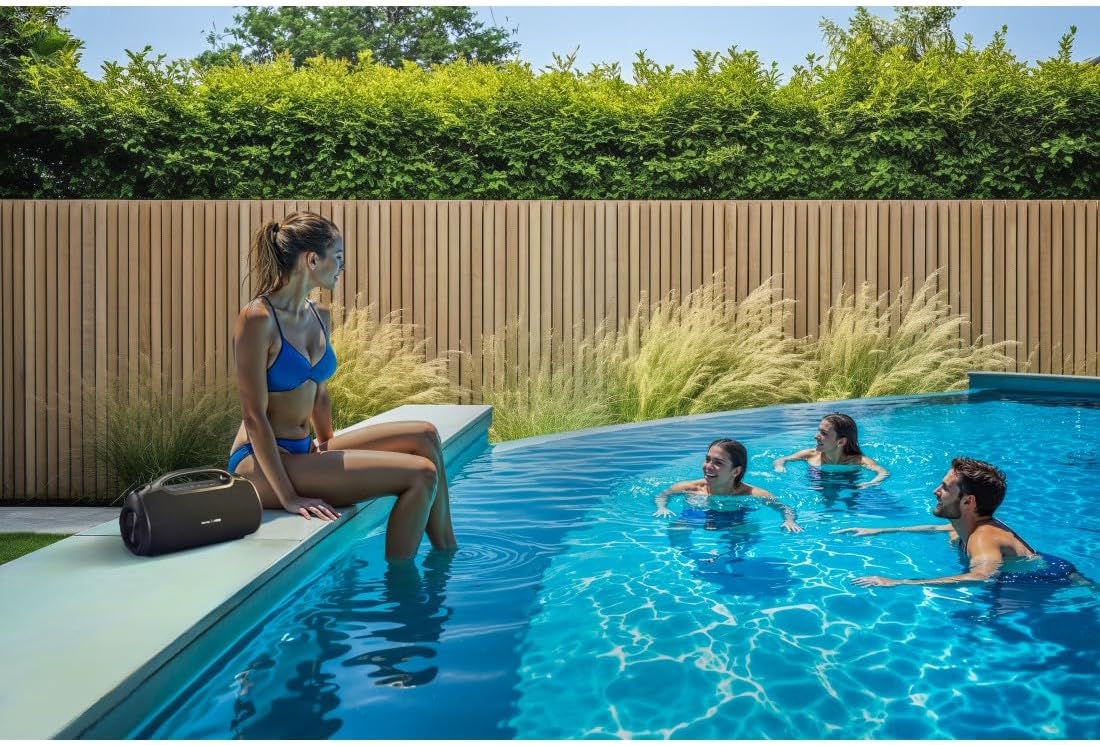
A microphone can be connected to the speaker's 6.3mm jack input for karaoke or public speaking.
- Connect your microphone or guitar to the 6.3mm jack input on the speaker.
- Adjust the volume on your connected device and the speaker as needed.
4.7 Párování s pravým bezdrátovým stereo (TWS) systémem
The Hama Ultimate Pro supports TWS for connecting two speakers for a stereo sound experience. Refer to the specific TWS pairing instructions in the full manual if available, as this feature typically involves pressing a dedicated TWS button on both speakers simultaneously.
5. Ovládání reproduktoru
5.1 Základní ovládací prvky přehrávání
- Přehrát/pozastavit: Krátce stiskněte tlačítko Přehrát/Pozastavit.
- Zvýšit hlasitost: Krátce stiskněte tlačítko pro zvýšení hlasitosti (+).
- Snížit hlasitost: Krátce stiskněte tlačítko pro snížení hlasitosti (-).
- Další skladba: Dlouze stiskněte tlačítko pro zvýšení hlasitosti (+).
- Předchozí skladba: Dlouze stiskněte tlačítko pro snížení hlasitosti (-).
5.2 Režimy ekvalizéru
The speaker offers three distinct equalizer modes to optimize your listening experience:
- Basový zvuk: Enhances low frequencies for a deeper bass response.
- Power Sound: Provides a balanced, powerful sound profile.
- Vyvážený zvuk: Offers a neutral and clear audio output.
To switch between modes, short press the EQ button on the control panel.
5.3 Hama Smart Home App Control

The Hama Smart Home app allows for convenient control and customization of the speaker, including battery status and sound settings.
Download the "Hama Smart Home" app from your device's app store to access additional features:
- Custom equalizer settings.
- Change the speaker's name.
- View precise battery status in percentage.
- Remote control of playback and settings.
5.4 Funkce powerbanky

The speaker's integrated power bank allows you to charge external devices like smartphones via its USB-C or USB-A ports.
The Hama Ultimate Pro speaker features an integrated power bank function, allowing you to charge other devices:
- Connect your smartphone, tablet, or other USB-powered device to the USB-C or USB-A port on the speaker using a compatible charging cable.
- The speaker's internal battery will begin charging your connected device.
6. Údržba
6.1 Čištění
The speaker has a resistant and washable surface. To clean:
- Ensure the speaker is turned off and all cables are disconnected.
- Použijte měkký, damp cloth to wipe the surface. Do not use harsh cleaning agents or solvents.
- Na odolnou špínu lze použít jemný mýdlový roztok a následně otřít čistým hadříkem.amp tkanina.
- Allow the speaker to dry completely before use.
6.2 Skladování
- Reproduktor skladujte na chladném a suchém místě mimo dosah přímého slunečního záření a extrémních teplot.
- Pokud baterii skladujete delší dobu, nabijte ji každé několik měsíců přibližně na 50 %, aby se zachovala její životnost.
6.3 Péče o baterii
- Vyhněte se častému úplnému vybíjení baterie.
- Do not expose the battery to heat sources or direct flame.
- Zlikvidujte baterie v souladu s místními předpisy.
7. Řešení problémů
Pokud narazíte na problémy s reproduktorem, podívejte se na následující běžná řešení:
- Bez napájení: Ujistěte se, že je reproduktor nabitý. Připojte jej ke zdroji napájení pomocí kabelu USB-C.
- Nelze spárovat přes Bluetooth:
- Ujistěte se, že je reproduktor v režimu párování Bluetooth (bliká modrá LED dioda).
- Ujistěte se, že máte na svém zařízení povoleno Bluetooth a že se nachází do 10 metrů od reproduktoru.
- Zapomeňte na reproduktor ze seznamu Bluetooth vašeho zařízení a zkuste jej spárovat znovu.
- Restartujte reproduktor i zařízení.
- Žádný zvuk:
- Zkontrolujte úroveň hlasitosti na reproduktoru i na připojeném zařízení.
- Ensure the correct input mode (Bluetooth, AUX, USB) is selected on the speaker.
- Pokud používáte AUX, ujistěte se, že je kabel zcela zasunutý a funkční.
- Problémy s nabíjením:
- Verify the USB-C cable is not damaged and is properly connected.
- Try a different USB power adapter.
- Speaker Unresponsive: If the speaker becomes unresponsive, use a thin object (like a paperclip) to press the Reset button located on the port panel.
8. Specifikace

Physical dimensions of the Hama Ultimate Pro speaker for reference.
| Číslo modelu | 00188232 |
| Značka | Hama |
| Barva | Černý |
| Technologie připojení | Bluetooth 5.3 |
| Max Range | 10 metrů |
| Audio systém | Stereo |
| Max Music Power | 120 W |
| Typ baterie | Integrovaný lithium-iontový |
| Kapacita baterie | 4500 XNUMX mAh |
| Baterie Voltage | 11.4 V |
| Napájení z baterie | 51.3 Wh |
| Maximální výdrž baterie | 24 hodin |
| Doba nabíjení | Přibl. 2.5 hodin |
| Podpora USB PD | Ano |
| Hodnocení IP | IPX6 (Protection against strong continuous rain) |
| Rozměry (D x Š x V) | 46.5 x 19.2 x 25.4 cm |
| Hmotnost | 5200 5.2 g (XNUMX kg) |
| Kompatibilní zařízení | MP3 Player, Personal Computer, Smartphone, Tablet, Television |
9. Záruka
Hama GmbH & Co KG provides a warranty for this product. Please refer to the warranty card included in your package or visit the official Hama webPodrobné záruční podmínky platné pro váš region naleznete na webových stránkách.
10. Podpora
For technical support, troubleshooting assistance, or further inquiries, please contact Hama customer service. Contact details can typically be found on the official Hama webmístě nebo na obalu produktu.
You can also visit the Hama webstránky s častými dotazy a dalšími informacemi o produktech: www.hama.com


