Zavedení
Welcome to the SimpliSafe 6-Piece Wireless Home Security System. This manual provides essential information for setting up, operating, and maintaining your security system. Designed for ease of use and robust protection, your SimpliSafe system offers advanced security solutions to keep your home safe and secure.
The system is simple to set up and seriously secure, ready to protect right out of the box. With optional professional monitoring services, agents are ready to instantly alert emergency responders when you need it most, all without long-term contracts or hidden fees.

Obrázek 1: Přesview of the SimpliSafe 6-Piece Wireless Home Security System components.
Zahrnuté komponenty
Your SimpliSafe 6-Piece Wireless Home Security System includes the following:
- Základní stanice: The central hub of your security system.
- Klávesnice: For arming, disarming, and system control.
- Entry Sensors (x3): To protect doors, windows, and cabinets.
- Outdoor Camera Series 2: For outdoor surveillance with advanced features.
- Napájecí kabely: For the Outdoor Camera Series 2.
- Klíčenka: Pro pohodlné zapínání a vypínání.

Figure 2: All components included in the SimpliSafe 6-Piece Wireless Home Security System.
Nastavení
Setting up your SimpliSafe system is designed to be quick and straightforward, requiring no drilling or special tools. Follow these steps to get your system up and running:
- Power On the Base Station: Plug in your Base Station. It is the brain of the system and will guide you through the initial setup process. Place it in a central location in your home for optimal signal coverage.
- Nainstalujte klávesnici: Place the Keypad near an entrance you use every day. It features a wire-free design and lights up when needed.
- Place Entry Sensors: Install the Entry Sensors on your doors, windows, or cabinets. These sensors alert you the instant they are opened.
- Instalace venkovní kamery: Position the Outdoor Camera Series 2 to monitor key outdoor areas. It offers a 140-degree field of view, 1080p HD resolution, and color night vision. It can be installed wirelessly with its rechargeable battery or wired using the included power cables.
- Download the SimpliSafe App: For complete control of your system anytime, anywhere, download the SimpliSafe App on your smartphone. The app will guide you through connecting all components and customizing settings.

Figure 3: Plug in the Base Station to power it on.

Figure 4: The Keypad provides easy access to arm and disarm your system.

Figure 5: Entry Sensors can be customized to send silent alerts.
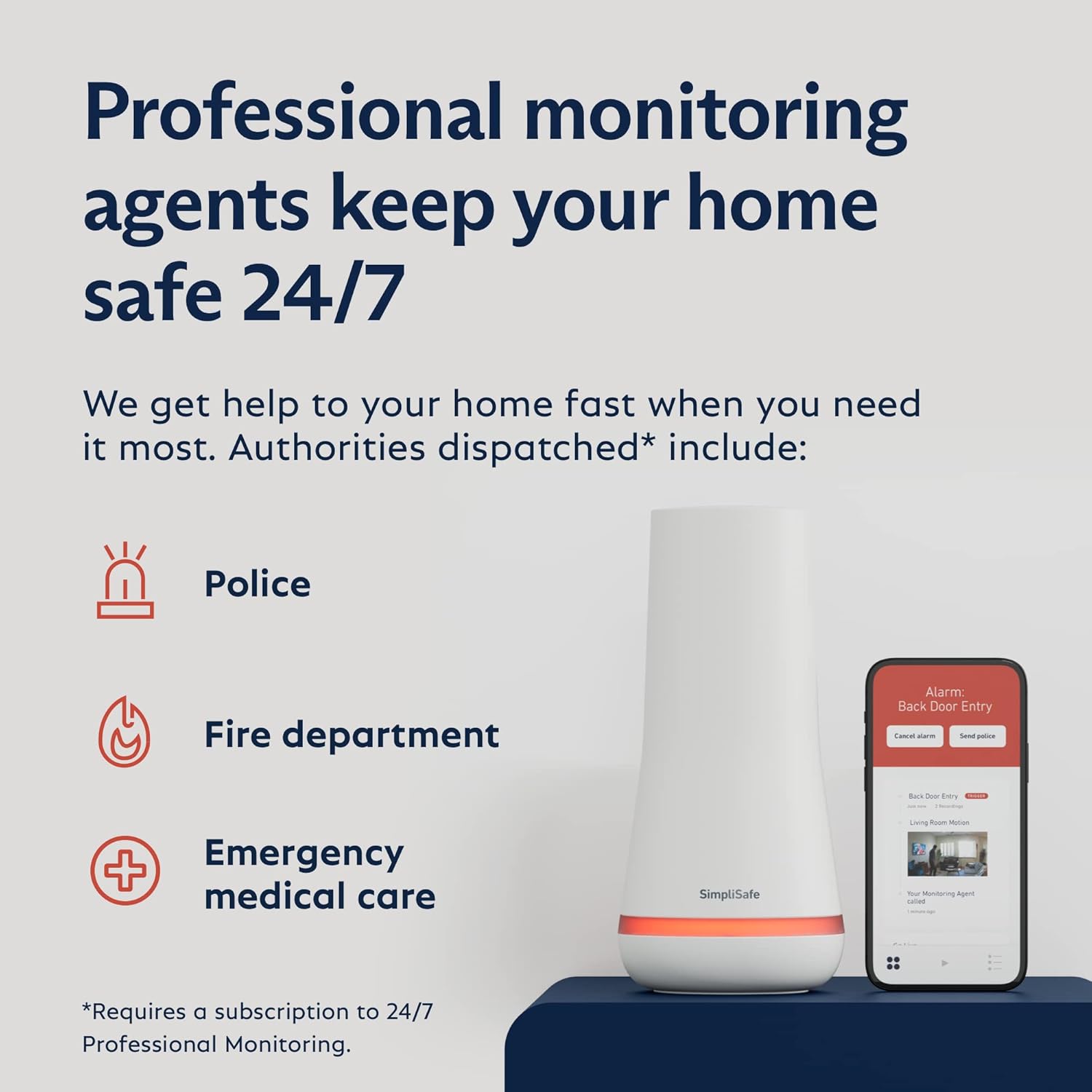
Figure 6: The Outdoor Camera provides 24/7 surveillance and AI-powered motion detection.

Figure 7: Control your system and view live feeds through the SimpliSafe App.
Provoz vašeho systému
Your SimpliSafe system offers various modes and features to ensure your home's security.
Aktivace a deaktivace
- Režim vypnutí: The system is disarmed. All sensors are inactive.
- Domácí režim: Designed for when you are home. Entry sensors on doors and windows are active, but motion sensors (if added) are typically inactive to allow free movement inside.
- Režim pryč: Activates all sensors, including entry and motion sensors, for full protection when no one is home.
You can arm or disarm your system using the Keypad, the Key Fob, or the SimpliSafe mobile application.
Tlačítko Panic
The Keypad includes a hidden panic button for emergencies. Pressing this button will immediately trigger the alarm and, with professional monitoring, alert emergency services.
Outdoor Camera Features
The Outdoor Camera Series 2 provides continuous surveillance. Key features include:
- Rozlišení 1080p HD: Clear video quality day and night.
- Barevné noční vidění: Zlepšená viditelnost za zhoršených světelných podmínek.
- 140stupňové pole View: Wide coverage of your outdoor areas.
- 2-pásmový zvuk: Komunikujte s návštěvníky nebo odstrašujte vetřelce.
- SimpliSafe Active Guard Outdoor Protection (Optional): With select monitoring plans, advanced AI identifies threats, and live agents can see, speak to, and sound a siren to deter intruders, even requesting police dispatch if necessary.
Profesionální monitorování
SimpliSafe offers optional 24/7 professional monitoring services. With this service, trained agents respond to alarms, verify threats, and dispatch police, fire, or emergency medical services as needed. This service provides an added layer of security and peace of mind.

Figure 8: Professional monitoring agents keep your home safe 24/7.
Údržba
To ensure the optimal performance of your SimpliSafe system, regular maintenance is recommended:
- Výměna baterie: All wireless components, including Entry Sensors, Keypad, and Key Fob, are battery-powered. The Base Station has a backup battery that lasts up to 24 hours during a power outage. Replace batteries as indicated by system alerts or approximately every 3-5 years for sensors and key fobs, and as needed for the Outdoor Camera's rechargeable battery.
- Čištění: Gently wipe down components with a soft, dry cloth. Avoid using harsh chemicals or abrasive cleaners.
- Aktualizace softwaru: Ensure your Base Station and other components receive regular software updates, which are typically pushed automatically. These updates provide new features and security enhancements.
Odstraňování problémů
If you encounter any issues with your SimpliSafe system, consider the following common troubleshooting steps:
- No Power to Base Station: Ensure the power cable is securely plugged into both the Base Station and a working electrical outlet. Check the outlet with another device.
- Senzor nereaguje: Check the battery in the sensor. Ensure the sensor and its magnet (for Entry Sensors) are properly aligned and within range of the Base Station.
- Problémy s připojením: Verify your home Wi-Fi network is active and the Base Station is connected. If issues persist, try restarting your router and the Base Station.
- Aplikace se nepřipojuje: Ensure your smartphone has a stable internet connection. Try logging out and back into the SimpliSafe App.
For more detailed troubleshooting or persistent issues, please refer to the official SimpliSafe support resources or contact customer service.
Specifikace
| Funkce | Detail |
|---|---|
| Značka | SimpliSafe |
| Číslo modelu | KT071-01RUS |
| Barva | Bílý |
| Zdroj napájení | Napájení z baterie |
| Kompatibilní zařízení | Alexa, Google Assistant |
| Rozměry položky (D x Š x V) | 12.3 x 12.38 x 4.4 palce |
| Rozlišení záznamu videa | 1080p (Outdoor Camera) |
| Technologie připojení | Bezdrátový |
| Typ instalace | Bezdrátové DIY |
| Typ upozornění | Vstup |
| Hmotnost položky | 6.59 libry |
| Složení článků baterie | Alkalický |
| Počet jednotek | 6.0 Počet |
Záruka a podpora
For detailed warranty information and customer support, please visit the official SimpliSafe website or contact their customer service team directly. SimpliSafe products and professional monitoring services are offered for sale and supported in the US.
You can find additional resources and FAQs on the SimpliSafe support page: simplisafe.com/support


