1. Konec produktuview
The Toprig NP-F Battery Charger with Wall Charger PD100W is a high-performance, 4-channel fast charging solution designed for Sony NP-F series batteries. It features an intuitive LCD screen for real-time battery status and supports various NP-F models, including NP-F970, NP-F550, NP-F750, NP-F950, NP-F570, NP-F930, and NP-F960, commonly used with DSLR cameras and camcorders. Its compact and lightweight design makes it ideal for both studio and on-location use.

Image: The Toprig NP-F Battery Charger, showing its four charging bays, LCD screen, included PD100W wall charger, and USB-C fast charging cable.
2. Klíčové vlastnosti
- Široká kompatibilita: Compatible with a broad range of NP-F Series Batteries, including NP-F970, NP-F550, NP-F570, NP-F750, NP-F930, NP-F950, NP-F960, and NP-F770.
- PD100W 4-Channel Fast Charging: Equipped with 100W power delivery across 4 charging channels, allowing simultaneous fast charging of multiple batteries. Fully charges four 10500 mAh batteries in approximately 3.7 hours, or four 2200 mAh batteries in about 1 hour, when using a PD100W charger plug. A minimum PD60W charger is recommended for proper function.
- Intuitivní LCD displej: Features a 1.47-inch full-color LCD that displays precise battery power conditions in percentage. Battery levels are shown even when not actively charging, simply by inserting the battery.
- Přenosný a lehký design: Measuring 3.46 x 4.44 inches (88 x 113 mm) and weighing 0.41 lb (189g), this charger is highly portable and easy to pack for travel or on-location shooting.
- Bezpečnostní ochrana: Each charging port includes built-in short-circuit and overcurrent protection to ensure safe and reliable charging of your batteries and devices.
- High Performance Heat Dissipation: Designed with a CNC metal base plate and large heatsink for accelerated heat dissipation, ensuring stable performance during fast charging.

Image: Close-up of the charger's LCD display, illustrating how it shows charging current, power, battery level, and charging mode for each channel.
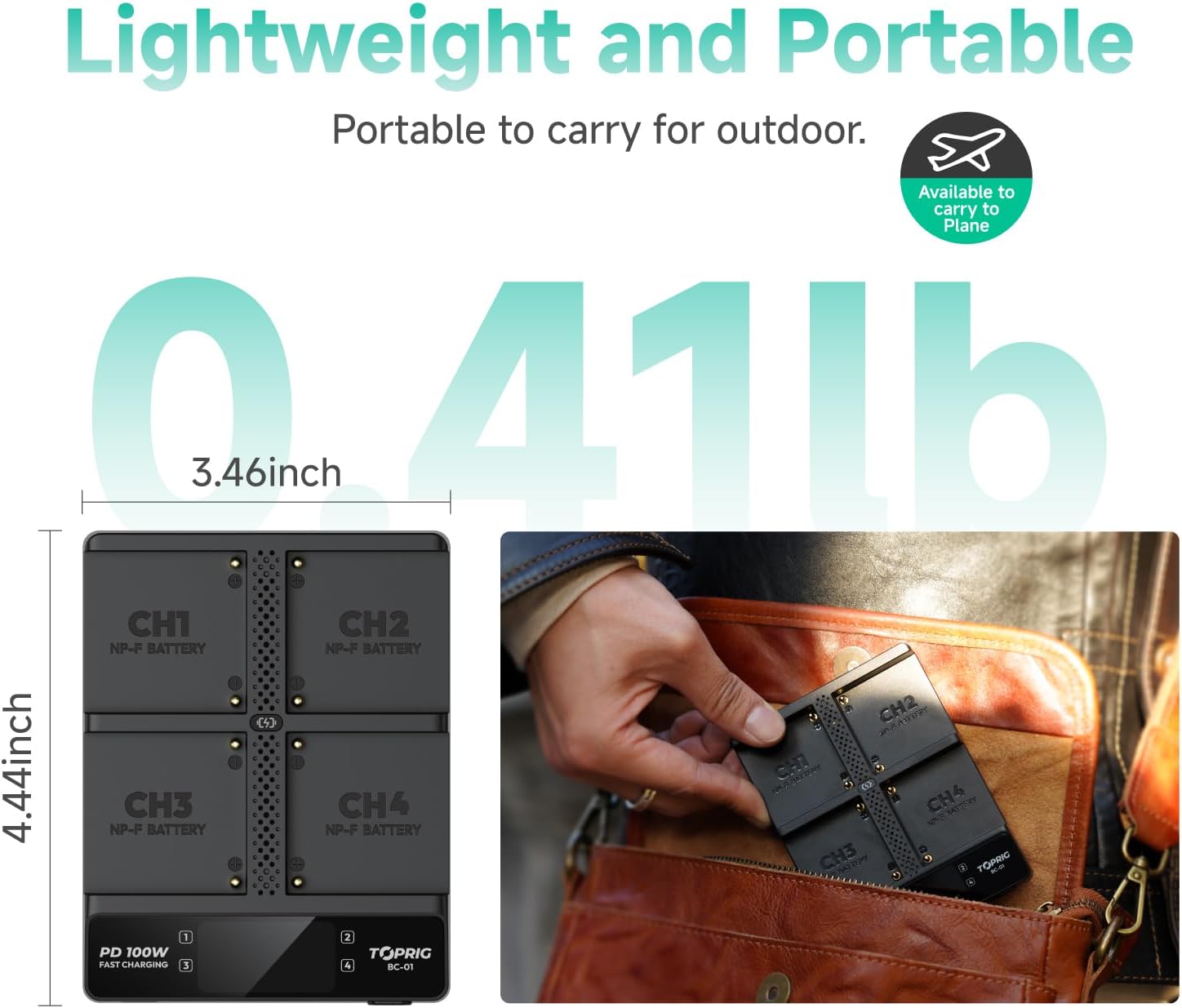
Image: The compact dimensions of the Toprig charger and an illustration of it fitting easily into a small bag, highlighting its portability.

Obraz: View of the charger's underside, showing the CNC metal base plate and heatsink design for efficient heat dissipation.
3. Obsah balení
Po otevření balení se prosím ujistěte, že obsahuje všechny následující položky:
- 100W 4-Channel NP-F Battery Charger x1
- PD100W Wall Charger x1
- 100W Fast Charging Cable x1
- Uživatelská příručka x1
- Certifikát kontroly kvality x1
Poznámka: Baterie nejsou součástí balení.
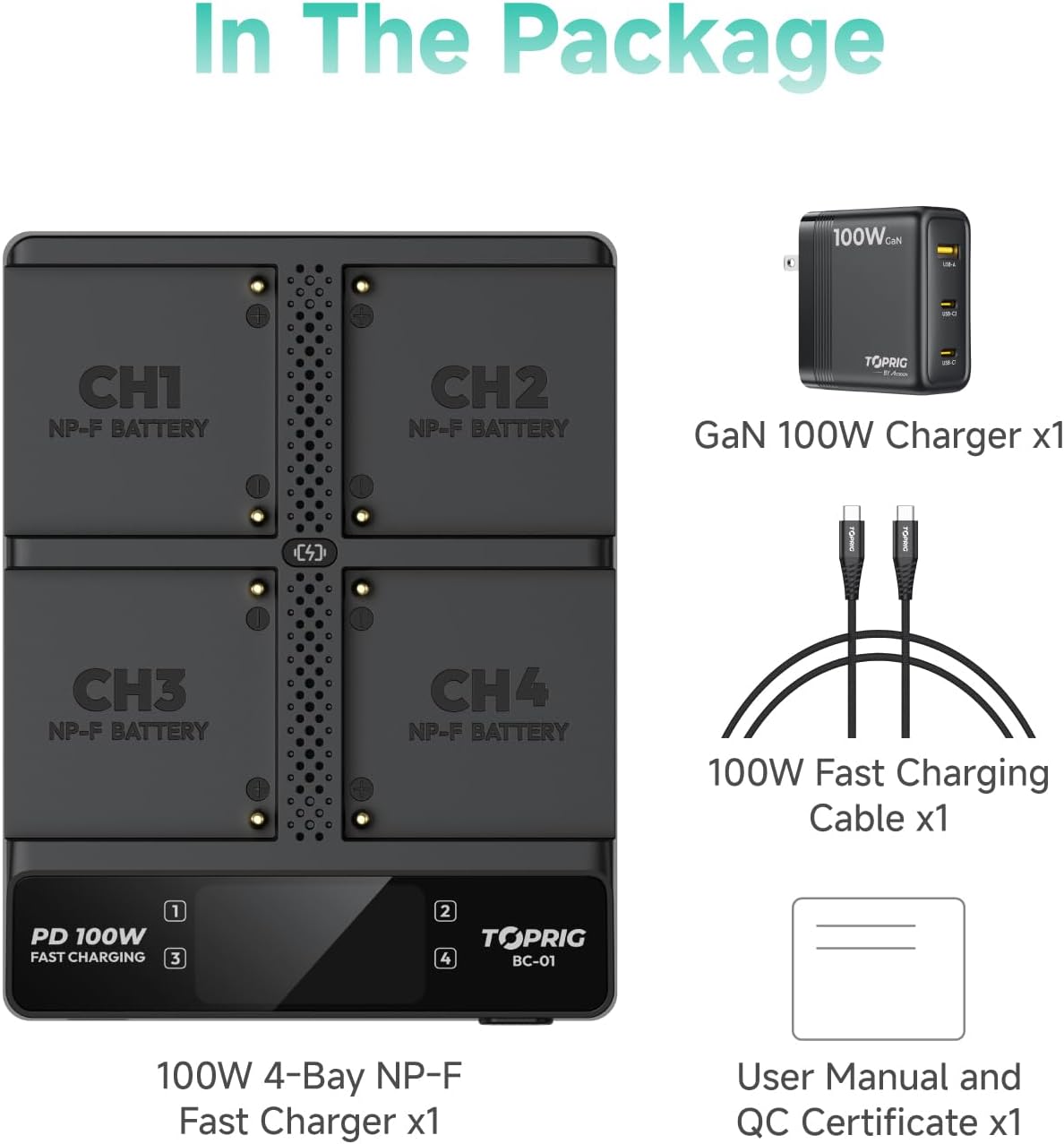
Image: An illustration detailing all components included in the Toprig NP-F Battery Charger package: the 4-bay charger, GaN 100W charger, 100W fast charging cable, user manual, and QC certificate.
4. Nastavení
- Připojte napájení: Connect the provided 100W fast charging cable to the USB-C input port on the charger (labeled "USB IN") and the PD100W Wall Charger. Plug the wall charger into a suitable power outlet.
- Vložte baterie: Carefully insert your NP-F series batteries into the designated charging bays (CH1, CH2, CH3, CH4). Ensure the battery contacts align correctly with the charger pins. The LCD screen will immediately display the battery level upon insertion, even if not actively charging.

Image: A hand inserting an NP-F battery into the charger, demonstrating the instant battery level display on the LCD screen upon insertion.
5. Návod k obsluze
5.1. Pochopení LCD displeje
The 1.47-inch full-color LCD provides comprehensive information for each charging channel:
- Nabíjecí proud: Zobrazuje aktuální (in Amperes) being delivered to the battery.
- Nabíjecí výkon: Shows the power (in Watts) being delivered.
- Úroveň baterie: Indicates the battery's charge percentage.
- Režim nabíjení: Displays either "SMART" for fast charging or "SAFE" for trickle charging.
- Maximální příkon: Shows the total power input to the charger (e.g., PD IN 100W).
- Plně nabitý stav: Indicated by "FULL" on the display.
5.2. Switching Charging Modes
The charger offers two charging modes: Smart Mode (Fast Charge) and Safe Mode (Trickle Charge).
- Inteligentní režim: Provides a maximum of 23W fast charge per channel for excellent efficiency. This is the default mode for rapid charging.
- Nouzový režim: Provides a maximum of 5W trickle charge, designed to prolong battery life.
To switch between modes, press the "MODE" button located on the front of the charger. The display will update to reflect the selected mode.

Image: Comparison of Smart Mode (fast charging) and Safe Mode (trickle charging) on the Toprig charger, showing the different power outputs and display indicators.
5.3. Under-Voltage Battery Activation
If a battery is deeply discharged (under-voltage), the charger can attempt to activate it.
To initiate battery activation, press and hold the "MODE" switch button for 3 seconds. The LCD screen will show "ACTIVATION" during the process. Upon successful activation, the display will show "COMPLETE". If activation fails, it will indicate "FAIL". If no battery is detected, it will show "NOBATTERY".

Image: Diagram illustrating the LCD display states during under-voltage battery activation: "ACTIVATION", "COMPLETE", "FAIL", and "NOBATTERY", with a close-up of the MODE button.
6. Údržba
- Čištění: K čištění nabíječky používejte měkký, suchý hadřík. Nepoužívejte tekuté čisticí prostředky ani aerosoly.
- Skladování: Nabíječku skladujte na chladném a suchém místě mimo dosah přímého slunečního záření a extrémních teplot.
- Zacházení: Zabraňte pádu nabíječky nebo jejímu vystavení silným nárazům.
- Contact Pins: Periodically check the charging pins for any debris or corrosion. Clean gently if necessary.
7. Řešení problémů
- Nabíječka se nezapíná:
- Ensure the PD100W Wall Charger is properly plugged into a live power outlet.
- Verify the USB-C cable is securely connected to both the charger and the wall adapter.
- Confirm the wall adapter is functioning correctly.
- Baterie se nenabíjejí:
- Ensure batteries are inserted correctly with contacts aligned.
- Check the LCD display for error messages or "NOBATTERY" indication.
- If the battery is deeply discharged, attempt the "Under-Voltage Battery Activation" procedure.
- Ensure your power source provides at least PD60W for optimal charging, ideally PD100W for full speed.
- Pomalé nabíjení:
- Verify the charger is in "SMART" mode for fast charging.
- Ensure your power adapter is PD100W capable. Lower wattage adapters will result in slower charging.
8. Specifikace
| Atribut | Detail |
|---|---|
| Číslo modelu | BC01 3in1 |
| Rozměry produktu | 4.45 x 3.46 x 0.87 palce (113 x 88 x 22 mm) |
| Hmotnost položky | 0.41 libry (189 g) |
| Vstupní objemtage | 20 Volts (via USB-C PD) |
| Zobrazit | 1.47-inch Full-Color LCD |
| Nabíjecí kanály | 4 (nezávislý) |
| Maximální nabíjecí výkon | 100W (Total Input) |
| Kompatibilita | Sony NP-F Series (NP-F970, NP-F550, NP-F750, etc.) |
| Odvod tepla | CNC Metal Base Plate with Heatsink |
8.1. Charging Time Comparison (Lab Data for Reference Only)
| Typ nabíječky | Model baterie | Kapacita | Nabíjecí proud | Charging Time to 95% | Doba nabíjení do plného stavu |
|---|---|---|---|---|---|
| 4-Bay Fast Charger | NP-F550 | 2200 XNUMX mAh | 2.4A | 0.75h | 1.00h |
| NP-F550 | 3500 XNUMX mAh | 2.4A | 1.25h | 1.75h | |
| NP-F750 | 6400 XNUMX mAh | 2.4A | 2.00h | 2.35h | |
| NP-F970 | 10500 XNUMX mAh | 2.4A | 3.00h | 3.70h | |
| Traditional Charger | NP-F550 | 3500 XNUMX mAh | 0.75A | 4.00h | 5.50h |
| NP-F750 | 6400 XNUMX mAh | 0.75A | 6.40h | 7.50h | |
| NP-F970 | 10500 XNUMX mAh | 0.75A | 9.50h | 12.00h |

Image: A table comparing the charging times of the 4-Bay Fast Charger versus a Traditional Charger for various NP-F battery models and capacities.
9. Bezpečnostní informace
Please read and follow all safety instructions to prevent injury or damage to the product:
- Do not expose the charger to water or excessive humidity.
- Nabíječku nerozebírejte, neupravujte ani se ji nepokoušejte opravovat.
- Use only the provided PD100W Wall Charger and cable, or a certified PD60W/PD100W power source.
- Uchovávejte mimo dosah dětí.
- Během nabíjení zajistěte řádné větrání, aby nedošlo k přehřátí.
- Nenabíjejte poškozené nebo vyteklé baterie.
10. Záruka a podpora
Toprig products are manufactured to high quality standards. For warranty information, technical support, or customer service inquiries, please refer to the contact details provided on the product packaging or visit the official Toprig website. Please retain your purchase receipt as proof of purchase for warranty claims.


