MOUNTUP Heavy Duty Single Monitor Arm

Návod k obsluze pro robustní rameno pro jeden monitor MOUNTUP (obrazovky 22–42 palců)

Zavedení

This manual provides detailed instructions for the installation, operation, and maintenance of your MOUNTUP Heavy Duty Single Monitor Arm. Designed for screens ranging from 22 to 42 inches and supporting weights from 4.4 to 33 lbs, this monitor arm offers superior stability and ergonomic adjustability to optimize your workspace. Please read this manual thoroughly before installation to ensure safe and correct usage.

Bezpečnostní informace

Nastavení

Obsah balení

Before beginning, ensure all parts are accounted for. The package typically includes:

MOUNTUP Heavy Duty Single Monitor Arm with C-Clamp a základna s průchodkou

Image: MOUNTUP Heavy Duty Single Monitor Arm, showcasing its main components including the adjustable arm, the C-clamp mounting option, and the grommet base option. A monitor is shown attached to the arm, illustrating its functionality.

Možnosti montáže

The MOUNTUP monitor arm offers two versatile mounting methods:

  1. C-Clamp Montáž: Ideal for desks without existing grommet holes. This method securely attaches the arm to the edge of your desk. It supports desk thicknesses between 0.39 inches and 2.76 inches.
  2. Grommet Hole Mount: Suitable for desks with a pre-existing hole. This provides a stable and flush mounting solution. It supports desk thicknesses between 0.39 inches and 2.36 inches, with a hole diameter between 0.39 inches and 2.36 inches.
Diagram znázorňující C-clamp and grommet hole mounting options for MOUNTUP monitor arm

Image: A detailed diagram illustrating the two available mounting options: the C-clamp for desk edges (0.39-2.76 inches thick) and the grommet hole mount for desks with existing holes (0.39-2.36 inches thick, 0.39-2.36 inches hole diameter).

Připevnění monitoru

The monitor arm is compatible with VESA patterns of 75x75mm and 100x100mm. Ensure your monitor has one of these patterns.

  1. Připevněte desku VESA k zadní části monitoru pomocí dodaných šroubů.
  2. Slide the monitor (with the attached VESA plate) onto the arm's mounting head until it clicks into place.
  3. Secure the monitor by tightening any safety screws or mechanisms as indicated in the detailed assembly guide.
MOUNTUP Monitor Arm VESA compatibility, load capacity, height range, and max extension

Image: This graphic details the monitor arm's adaptability, showing VESA compatibility (75x75mm, 100x100mm), load capacity (4.4-33 lbs), height range (9.3-22.1 inches), and maximum extension (23.8 inches).
Operating the Monitor Arm

Úpravy

The MOUNTUP monitor arm allows for a wide range of adjustments to achieve optimal ergonomic positioning:

MOUNTUP Monitor Arm showing tilt, swivel, and 360-degree rotation adjustments

Image: This image showcases the monitor arm's full range of motion, including tilt (+90°/-45°), swivel (±90°), and 360° rotation, allowing for optimal ergonomic positioning.

Video: This video demonstrates the various adjustments possible with the MOUNTUP Heavy Duty Monitor Arm, including height, tilt, swivel, and rotation, highlighting its ergonomic flexibility.

Správa kabelů

The monitor arm features an integrated cable management system to keep your workspace tidy and free from clutter. Route your monitor cables through the designated channels along the arm to maintain a clean aesthetic and prevent cable damage.

MOUNTUP Monitor Arm with integrated cable management for a tidy desk

Image: An image demonstrating the integrated cable management system of the monitor arm, which helps organize wires and free up desktop space for a cleaner, more productive environment.

Údržba

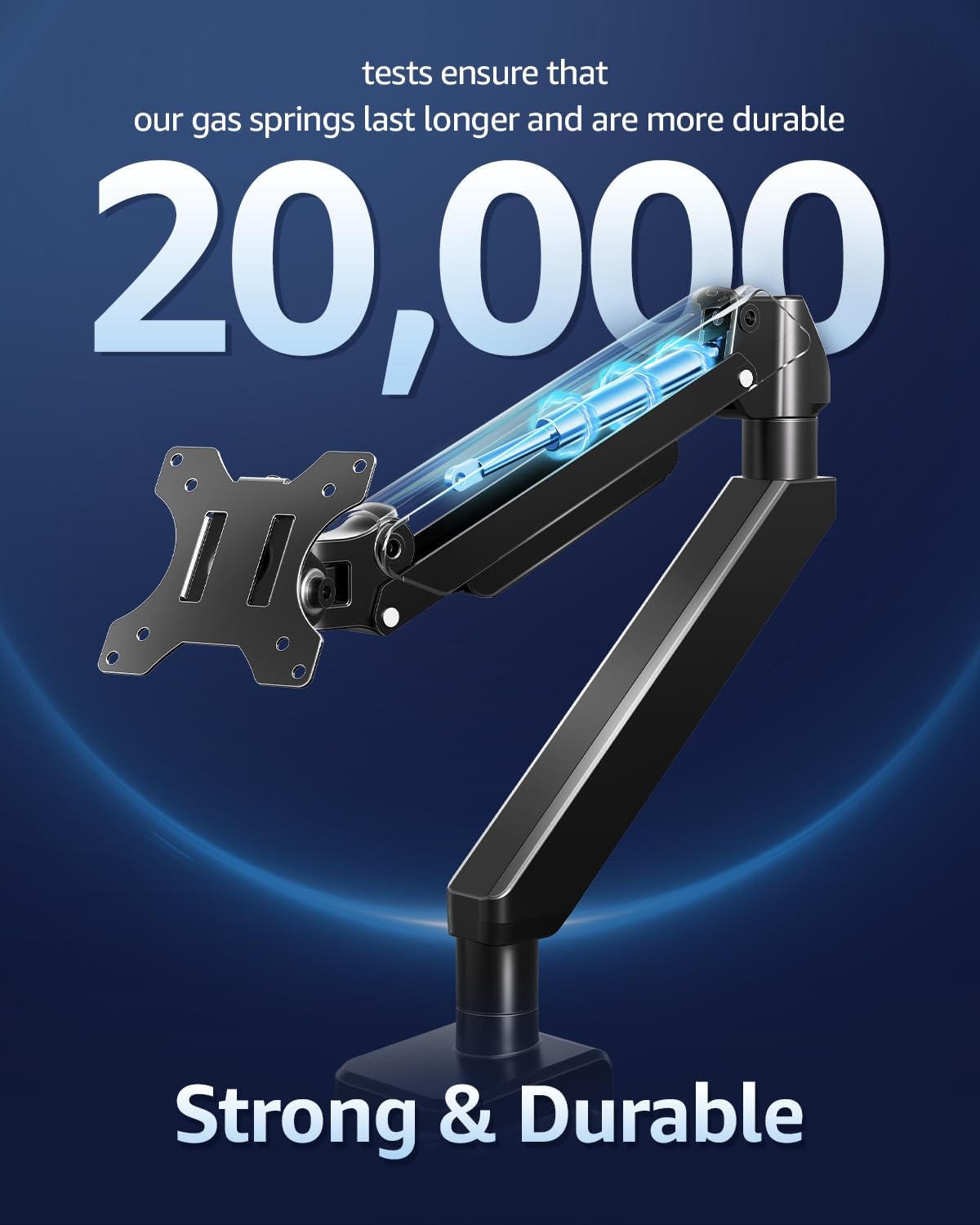
MOUNTUP Monitor Arm with durable gas springs tested for 20,000 cycles

Obrázek: Výřez view highlighting the durable gas springs within the monitor arm, indicating their longevity and reliability, tested for over 20,000 cycles.

Odstraňování problémů

Specifikace

FunkceSpecifikace
Kompatibilní velikost monitoru22-42 palců
Kapacita zatížení4.4 - 33 liber (2 - 15 kg)
Kompatibilita VESA75x75mm, 100x100mm
Typ montážeTabletop Mount (C-Clamp or Grommet Base)
C-Clamp Tloušťka stolu0.39 - 2.76 palce
Tloušťka průchodky stolu0.39 - 2.36 palce
Průměr otvoru průchodky0.39 - 2.36 palce
Typ pohybuNaklápění, otáčení, otáčení, nastavení výšky, plný pohyb
Úhel náklonu+90° / -45°
Úhel otočení±90°
Otáčení360°
Maximální výška22.1 palců
Maximální prodloužení23.8 palců
MateriálLegovaná ocel
BarvaČerný
MOUNTUP Monitor Arm supporting 33 lbs weight

Image: An illustration highlighting the monitor arm's robust load capacity, capable of supporting up to 33 pounds, ensuring stability for various monitor sizes.

MOUNTUP Monitor Arm supporting a 42-inch ultrawide monitor

Image: An image illustrating the monitor arm's capability to support large ultrawide monitors up to 42 inches, providing an expansive viewzkušenosti.

Informace o záruce

For detailed warranty information regarding your MOUNTUP Heavy Duty Single Monitor Arm, please refer to the official MOUNTUP website or the warranty card included in your product packaging. Warranty terms and conditions may vary by region and retailer.

Zákaznická podpora

Should you require technical assistance, have questions about installation, or need further support for your MOUNTUP Heavy Duty Single Monitor Arm, please contact MOUNTUP customer service through their official website or the contact information provided in your product documentation. Please have your model number (Heavy Duty Single Monitor Arm) and purchase details ready when contacting support.

Související dokumenty - Heavy Duty Single Monitor Arm

Předview Návod k použití pro držák na stůl pro jeden monitor MOUNTUP
Komplexní návod k obsluze držáku na stůl MOUNTUP pro jeden monitor, který podrobně popisuje montáž, instalaci, nastavení a údržbu monitorů kompatibilních s VESA.
Předview Návod k instalaci stolního držáku pro jeden monitor MOUNTUP MU3003
Komplexní návod k instalaci stolního držáku MOUNTUP MU3003 pro jeden monitor, včetně krytu...amp a instalace základny s průchodkami, upevnění monitoru, nastavení náklonu a otáčení. Zahrnuje rozměry produktu a podrobnosti o hardwaru.
Předview Instalační manuál pro stolní držák MOUNTUP Premium pro jeden monitor
Komplexní návod k instalaci a nastavení pro stolní držák MOUNTUP Premium pro jeden monitor (model AG9-21-US1.0). Je kompatibilní s VESA (75x75 mm, 100x100 mm) a podporuje monitory od 1 kg do 17 kg (2.2-37.5 lbs). Součástí balení je...amp a možnosti montáže průchodek, nastavení napětí plynové pružiny a správa kabelů.
Předview Návod k obsluze stolního držáku MOUNTUP pro jeden monitor YZ2216-US3.0
Komplexní návod k obsluze stolního držáku MOUNTUP YZ2216-US3.0 s podrobným popisem postupů montáže, instalace a nastavení plynových pružinových ramen monitoru. Zahrnuje rozměry produktu, obsah balení a podrobné pokyny.
Předview Návod k instalaci stojanu pro dva monitory MOUNTUP
Komplexní návod k instalaci stojanu pro dva monitory MOUNTUP s pneumatickými rameny pro monitory, držáky VESA a nastavitelnou výškou. Obsahuje podrobnosti o clamp a instalace základny s průchodkami, montáž ramene a montáž monitoru.
Předview Návod k použití pro držák na stůl pro dva monitory MOUNTUP
Komplexní návod k obsluze stolního držáku MOUNTUP pro dva monitory s podrobným popisem montáže a možností instalace (viz...amp a průchodka), upevnění monitoru, nastavení a údržba monitorů kompatibilních s VESA.