Zavedení
Thank you for choosing the Pro Breeze 25L Smart Dehumidifier. This appliance is designed to efficiently remove excess moisture from your indoor environment, helping to prevent mold, mildew, and dampness. Featuring smart Wi-Fi connectivity, a digital display, and multiple operating modes, this dehumidifier offers advanced control and convenience. Please read this manual thoroughly before operation to ensure safe and optimal performance.
Důležité bezpečnostní pokyny
Při používání elektrických spotřebičů vždy dodržujte základní bezpečnostní opatření, abyste snížili riziko požáru, úrazu elektrickým proudem a zranění.
- Ujistěte se, že napájecí zdroj odpovídá objtage specifikováno na typovém štítku.
- Neprovozujte odvlhčovač s poškozeným kabelem nebo zástrčkou.
- Keep the appliance at least 20 cm (8 inches) away from walls and other objects to ensure proper airflow.
- Neponořujte jednotku, napájecí kabel ani zástrčku do vody ani jiných kapalin.
- Unplug the dehumidifier before cleaning, maintenance, or when not in use.
- Tento spotřebič je určen pouze pro vnitřní použití.
- Neblokujte vstup ani výstup vzduchu.
- Dohlížejte na děti a zajistěte, aby si se spotřebičem nehrály.
- Nepokoušejte se jednotku opravovat ani upravovat sami. Kontaktujte kvalifikovaný servisní personál.
Vlastnosti produktu

Image: The Pro Breeze 25L Smart Dehumidifier, showcasing its compact design and highlighting features such as Wi-Fi compatibility, 25L extraction rate, energy efficiency, and laundry mode. Dimensions are also indicated.
- Výkonné odvlhčování: Extracts up to 25 liters of moisture per day, effectively combating persistent humidity, mold, and condensation in large rooms.
- Velká nádrž na vodu: Features a 5.5-liter water tank with automatic shut-off when full. A drainage hose is included for continuous operation.
- Energeticky účinný: Utilizes a high-performance compressor, 24-hour timer, and automatic stop system to reduce energy consumption.
- Tichý provoz: Designed with silent technology, making it suitable for use in bedrooms, living rooms, offices, and other quiet environments.
- Chytré ovládání přes aplikaci: Manage all functions remotely using the free Pro Breeze app or voice commands with Alexa and Google Home (compatible with iPhone and Android).
- Digital Display & Humidity Sensor: An intuitive LED screen allows selection of fan speed and humidity levels between 30% and 80%. The smart sensor displays real-time humidity and automatically stops the dehumidifier once the target is reached.
- Více provozních režimů: Includes a 24-hour timer and 4 operating modes, including a dedicated Režim sušení prádla. Also features a Dětský zámek, Automatic Defrost Modea Noční displej.

Image: The Pro Breeze dehumidifier positioned next to a large 25-liter water bottle, visually representing its daily moisture extraction capacity and the benefit of fewer tank emptying cycles.
Obsah balení
Zaškrtněte prosím políčko u následujících položek:
- Pro Breeze 25L Smart Dehumidifier Unit
- Průběžná drenážní hadice
- Uživatelská příručka
Nastavení
- Rozbalení: Opatrně vyjměte odvlhčovač z obalu. Obal si uschovejte pro budoucí skladování nebo přepravu.
- Umístění: Place the dehumidifier on a firm, level surface. Ensure there is at least 20 cm (8 inches) of clear space around the air inlet and outlet to allow for efficient airflow. Avoid placing it near heat sources or in direct sunlight.
- Připojení napájení: Zapojte napájecí kabel do uzemněné elektrické zásuvky. Ujistěte se, že hlasitosttage odpovídá požadavkům jednotky.
- Instalace vodní nádrže: Ensure the water tank is correctly inserted into the unit. The dehumidifier will not operate if the tank is not properly seated or is full.
- Průběžné odvodnění (volitelné): For continuous operation without emptying the tank, connect the provided drainage hose to the continuous drainage port on the back of the unit. Route the hose to a suitable drain, ensuring it is sloped downwards to allow water to flow freely.
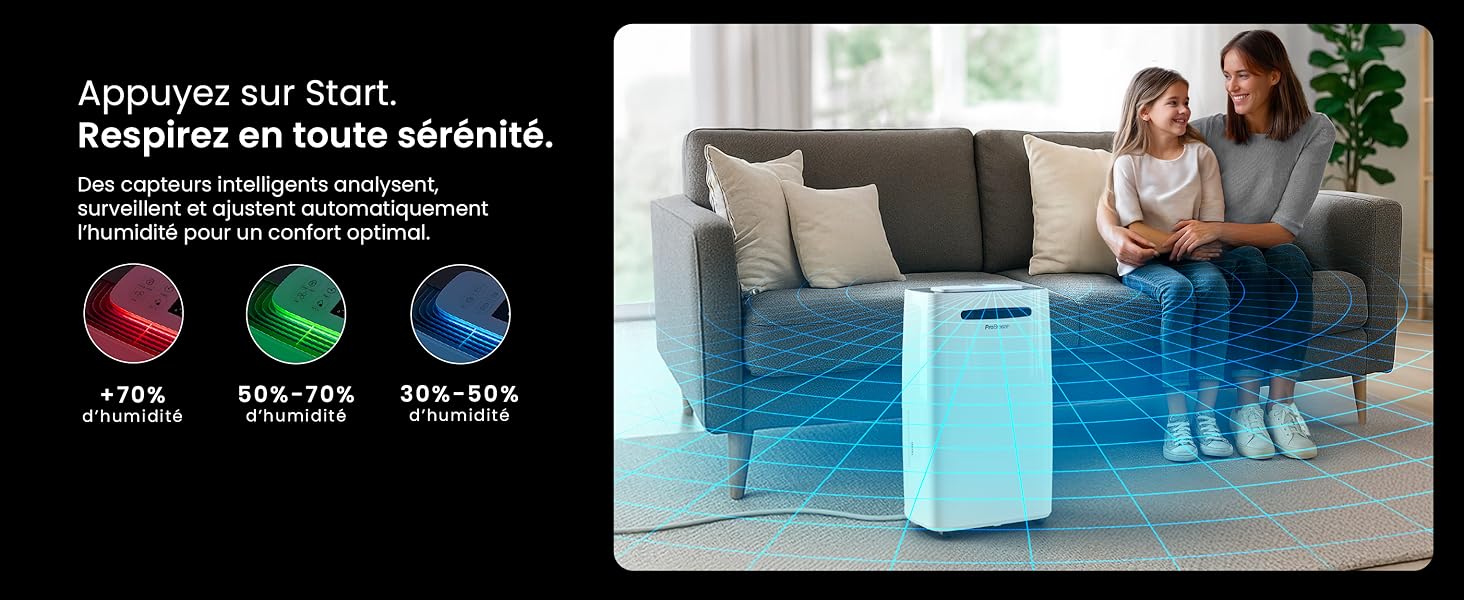
Image: The dehumidifier shown in different environments such as a garage, home office, and laundry room, illustrating its versatility and suitability for various spaces. Icons for continuous drainage and automatic defrost are also present.
Návod k obsluze
Konec ovládacího paneluview

Obrázek: Podrobný view of the dehumidifier's illuminated digital control panel, showing buttons for power, mode, fan speed, timer, child lock, and humidity settings, along with the LED display.
The intuitive LED display and touch controls allow for easy operation.
- Vypínač: Stiskněte pro zapnutí nebo vypnutí jednotky.
- Tlačítko režimu: Procházejte dostupné provozní režimy: Normální, Sušení prádlaa Noční režim.
- Tlačítko rychlosti ventilátoru: Adjust the fan speed between Nízký a Vysoký.
- Humidity Setting (SET %): Use the up/down arrows to set your desired humidity level (30% - 80%). The unit will operate until this level is reached.
- Tlačítko časovače: Set a 24-hour timer for automatic power ON or OFF.
- Tlačítko dětského zámku: Stisknutím a podržením aktivujete/deaktivujete dětský zámek, který zabrání nechtěným změnám nastavení.
- Tlačítko zobrazení: Turn the LED display lights ON or OFF, useful for night mode.
Ovládání přes Wi-Fi a aplikaci

Image: A user interacting with the Pro Breeze mobile application on a smartphone, demonstrating remote control capabilities for the dehumidifier. The app shows current humidity and temperature settings.
The Pro Breeze 25L Smart Dehumidifier can be controlled remotely via the Pro Breeze app. Download the app from your smartphone's app store and follow the in-app instructions to connect your device to your home Wi-Fi network. Once connected, you can control all functions, set schedules, and monitor humidity levels from anywhere.
The unit is also compatible with Amazon Alexa and Google Home for voice control. Refer to the app's help section for detailed instructions on integrating with these smart home platforms.
Údržba
Vyprázdnění vodní nádrže
When the water tank is full, the dehumidifier will automatically shut off and an indicator light will illuminate. Carefully remove the water tank from the unit, empty the collected water, and reinsert the tank securely. The unit will resume operation.
Čištění vzduchového filtru
A clogged filter can reduce efficiency. It is recommended to clean the air filter every two weeks or more frequently depending on usage and air quality.
- Vypněte odvlhčovač a odpojte jej ze zásuvky.
- Locate and remove the air filter (usually on the back or side of the unit).
- Filtr vyčistěte vysavačem nebo jej jemně omyjte teplou mýdlovou vodou.
- Důkladně opláchněte a nechte filtr zcela uschnout na vzduchu, než jej znovu vložíte do jednotky.
Čištění exteriéru
Otřete vnější část odvlhčovače měkkým, damp hadříkem. Nepoužívejte agresivní chemikálie, abrazivní čisticí prostředky ani rozpouštědla, protože by mohly poškodit povrch.
Skladování
If storing the unit for an extended period, ensure the water tank is empty and clean, and the filter is clean and dry. Store the dehumidifier in a cool, dry place, preferably in its original packaging.
Odstraňování problémů
| Problém | Možná příčina | Řešení |
|---|---|---|
| Odvlhčovač se nezapne. | No power; water tank full or incorrectly inserted; ambient temperature too low. | Check power connection; empty and reinsert water tank; ensure room temperature is above 5°C (41°F). |
| Jednotka běží, ale nenabírá vodu. | Humidity level too low; air filter clogged; room temperature too low; unit size too small for space. | Adjust desired humidity setting lower; clean air filter; ensure room temperature is adequate; consider if unit is appropriate for room size. |
| Jednotka je hlučná. | Unit not on a level surface; air filter clogged; internal components vibrating. | Place on a flat, stable surface; clean air filter; if noise persists, contact support. |
| Problémy s připojením k Wi-Fi. | Incorrect Wi-Fi password; unit too far from router; router issues; app issues. | Verify Wi-Fi password; move unit closer to router; restart router; reinstall Pro Breeze app. |
| Na cívkách se objevuje mráz. | Nízká okolní teplota. | The unit has an automatic defrost function. If frost persists, increase room temperature. |
Specifikace
| Specifikace | Detail |
|---|---|
| Číslo modelu | PB-D-37W-W-EU |
| Značka | Pro Breeze |
| Kapacita odsávání vlhkosti | 25 litrů/den |
| Kapacita vodní nádrže | 5.5 litrů |
| Rozměry (D x Š x V) | 38.6 cm x 26 cm x 50 cm |
| Hmotnost | 15.1 kg |
| Otáčky ventilátoru | 2 |
| Speciální funkce | Adjustable Humidity Control, Night Mode, Continuous Drainage, Wi-Fi Connectivity, Digital Display, 24h Timer, Laundry Drying Mode, Child Lock, Automatic Defrost |
| Doporučená podlahová plocha | Až 322 čtverečních stop (30 m²) |

Image: The Pro Breeze dehumidifier highlighting its elegant and discreet design, along with its dimensions (50cm H, 38.6cm L, 26cm P) and four easy-to-move caster wheels.
Záruka a podpora
Pro Breeze products are manufactured to the highest standards. This product comes with a standard manufacturer's warranty. For specific warranty details, please refer to the warranty card included in your package or visit the official Pro Breeze webmísto.
If you encounter any issues or have questions regarding your dehumidifier, please contact Pro Breeze customer support. Contact information can typically be found on the Pro Breeze webmístě nebo na obalu produktu.