1. Úvod
This manual provides essential instructions for the installation, operation, and maintenance of your Lockly Smart Lock Secure Pro with Knob. Please read this manual thoroughly before installation and retain it for future reference. This smart lock offers multiple access methods including fingerprint, PIN Genie keypad, smartphone app, and traditional physical keys, along with built-in Wi-Fi connectivity.
2. Bezpečnostní informace
- Nepokoušejte se zámek rozebírat ani opravovat sami. Mohlo by dojít ke zrušení záruky a poškození.
- Use only the specified battery type (AA alkaline batteries). Do not mix old and new batteries or different types of batteries.
- Během instalace se ujistěte, že jsou všechny komponenty bezpečně upevněny, aby se zabránilo poruše.
- Keep physical keys in a secure location away from the lock.
- Protect the keypad from direct sunlight and extreme weather conditions to prolong its lifespan.
3. Konec produktuview
The Lockly Smart Lock Secure Pro with Knob integrates advanced security features into a convenient door locking solution. It features a biometric fingerprint sensor, a patented PIN Genie keypad, and Wi-Fi for remote access.

Image: Lockly Smart Lock Secure Pro with Knob illustrating its various unlocking methods: fingerprint, PIN Genie keypad, physical key, and smartphone app control.
4. Door Preparation & Compatibility
Before installation, verify your door's dimensions meet the requirements for the Lockly Smart Lock Secure Pro with Knob. Proper door preparation is crucial for correct functionality.

Image: Diagram showing required door measurements for Lockly Smart Lock installation, including door thickness (1 3/8" - 2") and backset (2 3/8" or 2 3/4").

Obrázek: Přední strana view diagram detailing standard door bore hole (2 inch / 50mm) and backset (2.8 inch / 71mm) dimensions for knob installation.
Ensure your door thickness is between 1 3/8 inches and 2 inches. The backset should be either 2 3/8 inches or 2 3/4 inches. The bore hole diameter for the knob should be 2 inches (50mm).
5. Instalační příručka
Tato část poskytuje obecný závěrview of the installation process. For detailed step-by-step instructions, refer to the dedicated installation guide included with your product packaging.
5.1 Mechanická instalace
- Připravte dveře: Ensure the door is properly drilled according to the compatibility requirements.
- Nainstalujte západku: Vložte západku do okraje dveří a zajistěte ji šrouby.
- Instalace vnější sestavy: Place the exterior lock assembly onto the door, ensuring the spindle passes through the latch.
- Instalace vnitřní montážní desky: Secure the interior mounting plate to the exterior assembly using the provided screws.
5.2 Electronic Installation
- Připojit kabely: Opatrně připojte kabel z vnější sestavy k vnitřní sestavě.
- Nainstalujte vnitřní sestavu: Mount the interior assembly onto the mounting plate and secure it.
- Vložte baterie: Open the battery cover on the interior assembly and insert four (4) AA alkaline batteries.
- Perform Handing Process: Follow the on-screen or app instructions to calibrate the lock for your door's handing (left or right).
6. Initial Setup & App Pairing
After physical installation, download the Lockly App from your device's app store to complete the setup and connect your smart lock to Wi-Fi.
- Download Lockly App: Hledat "Lockly" in the App Store or Google Play Store.
- Vytvořit účet: Open the app and follow the prompts to create a new user account.
- Přidat nové zařízení: Select "Add New Device" and choose your Lockly Smart Lock model.
- Pair Lock: Follow the in-app instructions to pair your lock via Bluetooth and connect it to your home Wi-Fi network. This enables remote control and monitoring.
7. Operating Your Lockly Smart Lock
7.1 Odemknutí pomocí otisku prstu
The Lockly Smart Lock features AI Biometric Fingerprint Technology for quick access.

Image: A finger placed on the Lockly Smart Lock's biometric sensor, demonstrating its 0.2-second recognition speed and capacity for up to 99 unique fingerprints.
- Registrace otisků prstů: Use the Lockly App to register up to 99 unique fingerprints.
- Umístěte prst: Gently place your registered finger on the fingerprint sensor.
- Odemknout: The lock will unlock in approximately 0.2 seconds if the fingerprint is recognized.
7.2 Unlocking with PIN Genie Keypad
The patented PIN Genie keypad prevents code guessing by dynamically shuffling numbers.

Obrázek: Detail view of the Lockly Smart Lock's PIN Genie keypad, illustrating how the digit locations dynamically shuffle after each use to prevent password guessing.
- Aktivace klávesnice: Dotykem obrazovky aktivujte klávesnici.
- Zadejte PIN: Enter your 6-8 digit PIN code. The numbers will shuffle after each digit entry.
- Potvrdit: Press the Lockly button (bottom center) to confirm.
7.3 Unlocking with Lockly App
Control your lock remotely using the Lockly App via built-in Wi-Fi.
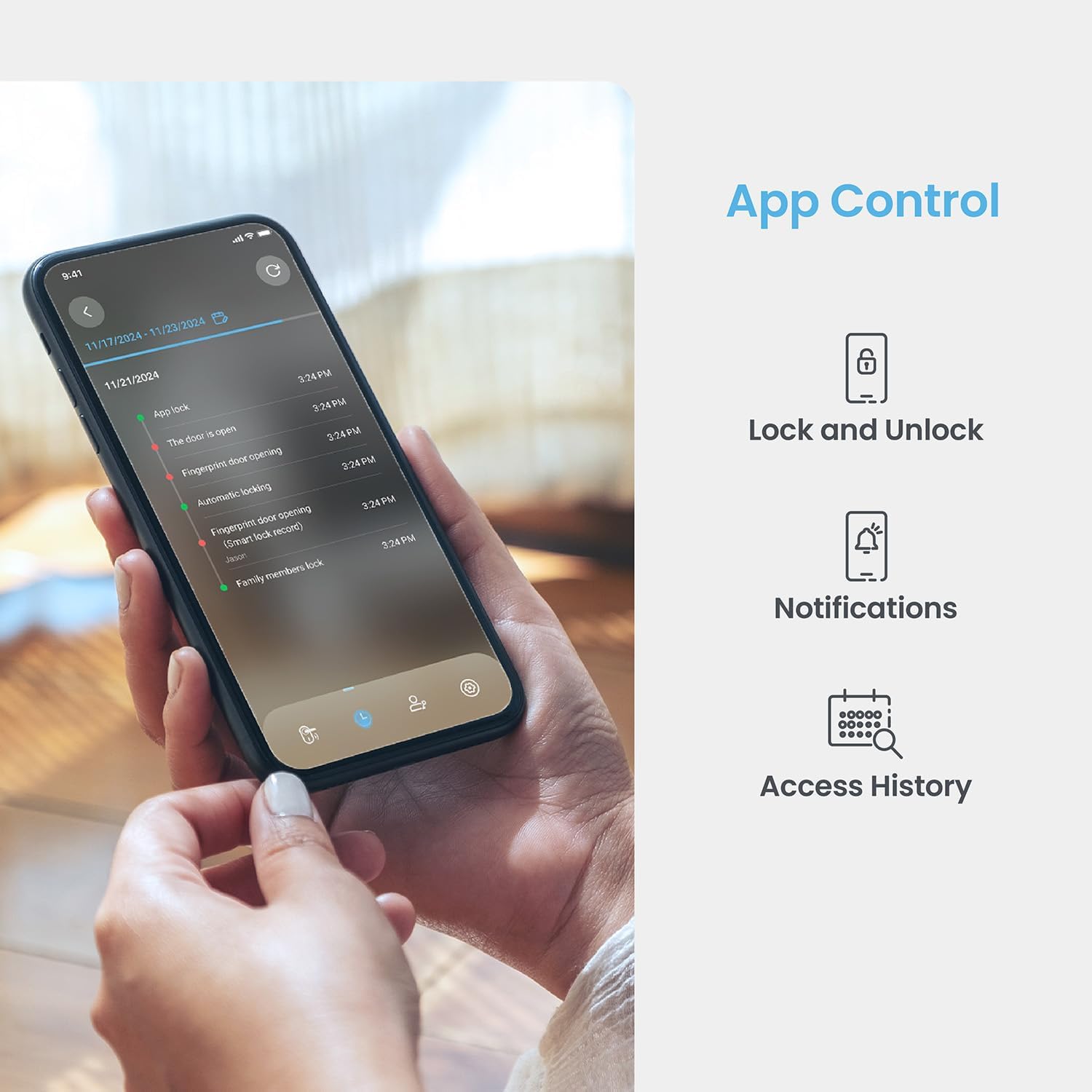
Image: A smartphone displaying the Lockly App, showing options for remote lock/unlock, notifications, and access history logs.
- Otevřít aplikaci: Spusťte aplikaci Lockly na svém smartphonu.
- Vyberte Zámek: Choose the desired lock from your device list.
- Zamknout/Odemknout: Tap the lock/unlock icon to control the deadbolt.
7.4 Odemknutí fyzickým klíčem
Two physical backup keys are provided for manual unlocking.
- Vložit klíč: Insert the physical key into the keyhole located on the exterior assembly.
- Na klíč: Otočte klíčem pro odemčení závory.
7.5 Funkce automatického uzamčení
The programmable auto-lock feature ensures your door is always secured.
- Povolit/zakázat: Configure auto-lock settings via the Lockly App.
- Nastavení zpoždění: Customize the delay time before the lock automatically engages after being closed.
7.6 Integrace hlasového ovládání
Integrate your Lockly Smart Lock with smart home assistants.
- Connect to Alexa/Google Assistant: Follow the instructions in the Lockly App to link your lock with Amazon Alexa or Google Assistant.
- Hlasové příkazy: Use voice commands to lock or unlock your door (e.g., "Alexa, lock the front door").
8. Správa uživatelů
Manage access for multiple users through the Lockly App.
- Add/Remove Users: Create or delete user profiles, assigning unique fingerprints or PIN codes.
- eKeys/eBadges: Grant temporary or permanent access to guests via eKeys or eBadges, which can be sent directly from your smartphone.
- Přístupové kódy offline: Generate time-sensitive or single-use access codes that do not require internet connectivity for the recipient.
- Záznamy aktivit: Review a detailed history of lock activity, including who accessed the door and when.
9. Údržba
9.1 Výměna baterie
The lock operates on 4 AA alkaline batteries, providing approximately 8 months of battery life. Replace batteries when the low battery indicator appears on the lock or in the app.
- Přístup k bateriovému prostoru: Sejměte kryt baterie na vnitřní sestavě.
- Vyměňte baterie: Remove old batteries and insert four new AA alkaline batteries, ensuring correct polarity.
- Zavřít obal: Nasaďte kryt baterie.
9.2 Čištění
Očistěte vnější stranu zámku měkkým hadříkemamp hadříkem. Nepoužívejte abrazivní čisticí prostředky ani rozpouštědla, která by mohla poškodit povrchovou úpravu nebo elektronické součástky.
10. Řešení problémů
- Zámek nereaguje: Check battery levels. Replace batteries if low. Ensure cables are securely connected.
- Keypad Not Activating: Ensure the screen is clean and free of debris. Try touching different areas of the screen.
- Otisk prstu nebyl rozpoznán: Ujistěte se, že máte prst čistý a suchý. Pokud problémy přetrvávají, otisk prstu znovu zaregistrujte.
- Problémy s připojením aplikace: Verify your home Wi-Fi network is active and the lock is within range. Restart the lock and your router if necessary.
- Porucha automatického zámku: Check auto-lock settings in the Lockly App. Ensure the door sensor is not obstructed.
11. Specifikace
| Funkce | Detail |
|---|---|
| Model | Secure Pro with Knob |
| ASIN | B0DZXB86LZ |
| Metody odemykání | Fingerprint, PIN Genie Keypad, Lockly App, Physical Key |
| Rozpoznávání otisků prstů | 0.2 seconds, up to 99 fingerprints |
| Keypad Technology | Patented PIN Genie (dynamic number shuffling) |
| Konektivita | Built-in Wi-Fi, Bluetooth |
| Zdroj napájení | 4 x alkalické baterie AA |
| Životnost baterie | Přibližně 8 měsíce |
| Kompatibilita tloušťky dveří | 1 3/8" - 2" |
| Kompatibilita zadní části | 2 3/8" nebo 2 3/4" |
| Hlasové ovládání | Alexa, Google Assistant compatible |
| Norma | Built-to ANSI Standard |
12. Záruka a podpora
For warranty information, technical support, or to register your product, please visit the official Lockly website or contact Lockly customer service. Keep your purchase receipt as proof of purchase.
Online podpora: www.lockly.com/support