1. Úvod
This manual provides comprehensive instructions for the installation, operation, and maintenance of your WiZ WFB RGB/8W RD4"/822-65 Smart LED Downlight. This smart downlight offers customizable and energy-efficient lighting solutions for indoor spaces, featuring tunable white light, millions of RGB colors, and smart control capabilities.

Obrázek 1: Přední strana view of the WiZ Smart LED Downlight. This image shows the circular white downlight with a colorful light emitted from its center, indicating its RGB capabilities.
2. Bezpečnostní informace
Před instalací a použitím si pečlivě přečtěte všechny bezpečnostní pokyny. Nedodržení těchto pokynů může vést k úrazu elektrickým proudem, požáru nebo jiným nebezpečím.
- Před instalací nebo údržbou se ujistěte, že je jistič vypnutý.
- Pokud si nejste jisti, měl by instalaci provést kvalifikovaný elektrikář.
- Do not use in wet locations or outdoors. This product is designed for indoor use only.
- Do not disassemble or modify the downlight.
- Uchovávejte mimo dosah dětí.
3. Obsah balení
Ověřte, zda jsou v balení přítomny všechny komponenty:
- 1 x WiZ WFB RGB/8W RD4"/822-65 Smart LED Downlight
- Uživatelská příručka (tento dokument)
4. Nastavení a instalace
4.1 Fyzická instalace
- Vypnout napájení: Před zahájením práce se ujistěte, že je napájení v místě instalace zcela vypnuto hlavním jističem.
- Příprava zahájení: Ensure you have a suitable 4-inch (10.2 cm) diameter opening in the ceiling for recessed installation.
- Připojení kabeláže: Connect the downlight's wiring to your household electrical wiring according to local electrical codes. Ensure secure connections.
- Vložit bodové svítidlo: Gently push the downlight into the ceiling opening. The spring clips on the sides will secure it in place.

Figure 2: Installation of the WiZ Smart LED Downlight. A hand is shown inserting the downlight into a ceiling cutout, demonstrating the recessed installation process.
4.2 WiZ App Setup
- Stáhnout aplikaci: Stáhněte si aplikaci WiZ z obchodu Apple App Store nebo Google Play Store.
- Vytvořit účet: Otevřete aplikaci a vytvořte si nový účet WiZ nebo se přihlaste k existujícímu.
- Přidat zařízení: Turn on the power to the downlight. In the WiZ app, tap the "+" icon to add a new device. Follow the on-screen instructions to pair your downlight with your Wi-Fi network.
- Název zařízení: Assign a name to your downlight (e.g., "Living Room Downlight") for easy identification.
5. Návod k obsluze
5.1 Using the WiZ App
The WiZ app is the primary interface for controlling your smart downlight:
- Zapnuto/Vypnuto: Tap the light icon to turn the downlight on or off.
- Jas: Adjust the brightness slider to dim or brighten the light.
- Teplota barev: Select from a range of warm white (2200K) to cool white (6500K) settings.
- Barvy RGB: Choose from millions of colors to create custom ambiances.
- Přednastavené scény: Explore and activate various preset lighting scenes like "Fireplace" or "Ocean" for immersive experiences.
- jízdní řády: Set schedules for your lights to turn on/off or change scenes automatically.
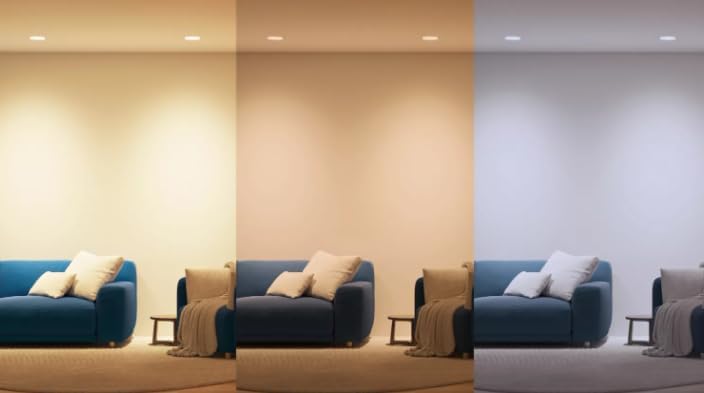
Figure 3: Controlling the WiZ Downlight via the app. A person is shown interacting with a smartphone, demonstrating the ease of controlling the smart lighting system.
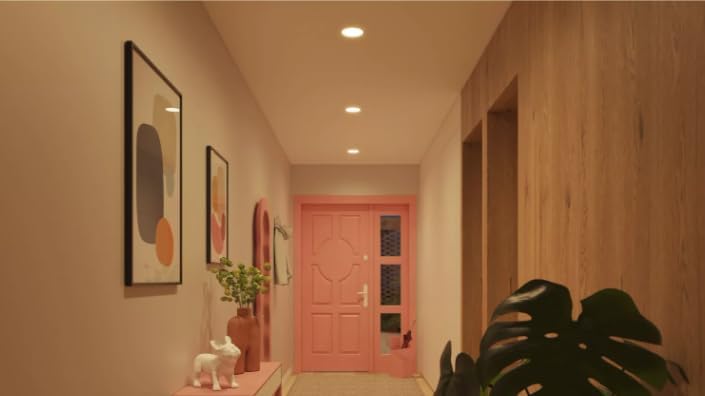
Figure 4: Room ambiance with WiZ Smart LED Downlights. This image displays a living room and kitchen area lit with different vibrant RGB colors, showcasing the downlight's ability to create diverse atmospheres.
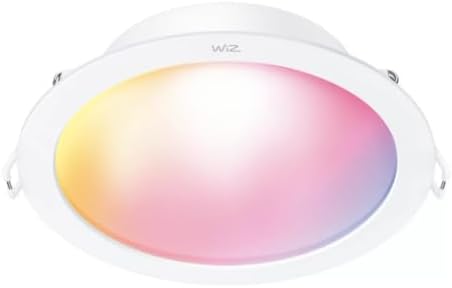
Figure 5: Tunable white light feature of WiZ Downlights. This image illustrates a room transitioning through different white light temperatures, from warm yellow to cool blue, highlighting the downlight's versatility.
5.2 Hlasové ovládání
The WiZ downlight is compatible with popular voice assistants:
- Asistent Google: Link your WiZ account in the Google Home app. Then use commands like "Hey Google, turn on [light name]" or "Hey Google, set [light name] to blue."
- Amazon Alexa: Enable the WiZ skill in the Alexa app. Use commands such as "Alexa, turn off [light name]" or "Alexa, dim [light name] to 50%."
- Zkratky Siri: Create custom Siri Shortcuts in the WiZ app for quick voice commands.
5.3 Monitorování energie
Utilize the WiZ app to track and optimize your energy consumption. Access real-time insights into your lighting usage to manage energy efficiency effectively.
6. Údržba
The WiZ Smart LED Downlight requires minimal maintenance:
- Čištění: Ensure the power is off before cleaning. Wipe the downlight with a soft, dry cloth. Do not use abrasive cleaners or solvents.
- Žádné díly opravitelné uživatelem: There are no user-serviceable parts inside the downlight. Do not attempt to open or repair it.
7. Řešení problémů
If you encounter issues with your WiZ Smart LED Downlight, refer to the following common solutions:
| Problém | Možná příčina | Řešení |
|---|---|---|
| Downlight does not turn on. | No power, loose wiring, or faulty unit. | Check circuit breaker. Ensure wiring is secure. If problem persists, contact support. |
| Cannot connect to WiZ app. | Nesprávné heslo k Wi-Fi, mimo dosah nebo problémy se sítí. | Ensure correct Wi-Fi password. Move closer to router. Restart router and downlight. Ensure 2.4GHz Wi-Fi network is used. |
| Světlo bliká nebo se chová nepravidelně. | Unstable power supply or connectivity issues. | Check power connections. Restart the downlight by turning power off and on. |
If these steps do not resolve the issue, please contact WiZ customer support.
8. Specifikace
| Funkce | Detail |
|---|---|
| Model | WFB RGB/8W RD4"/822-65 |
| Spotřeba energie | 8W |
| Teplota barev | 2200K - 6500K (laditelná bílá) |
| Možnosti barev | RGB (Millions of colors) |
| Konektivita | Wi-Fi, Bluetooth |
| Kompatibilita | WiZ App, Google Assistant, Amazon Alexa, Siri Shortcuts |
| Rozměry | 10.2 d x 10.2 š x 6.4 v centimetrů |
| Materiál | Hliník |
| Vnitřní/venkovní použití | Krytý |
| Zdroj napájení | Elektrický kabel |
9. Záruka a podpora
For warranty information and customer support, please refer to the official WiZ webnebo se obraťte na prodejce. Uschovejte si doklad o koupi pro případ reklamace.
Online podpora: Návštěva www.wizconnected.com/en-us/support pro nejčastější dotazy, průvodce řešením problémů a možnosti kontaktování.


