1. Úvod
This manual provides detailed instructions for the operation and maintenance of your Monster Open Touch Pro 100 Wireless Earbuds. Please read this manual thoroughly before use to ensure proper functionality and to maximize your listening experience.
2. Obsah balení
Ověřte, zda jsou v balení přítomny všechny položky:
- Monster Open Touch Pro 100 Wireless Earbuds (Left and Right)
- Nabíjecí pouzdro s dotykovou obrazovkou
- Nabíjecí kabel USB (typu C)
- Uživatelská příručka (tento dokument)
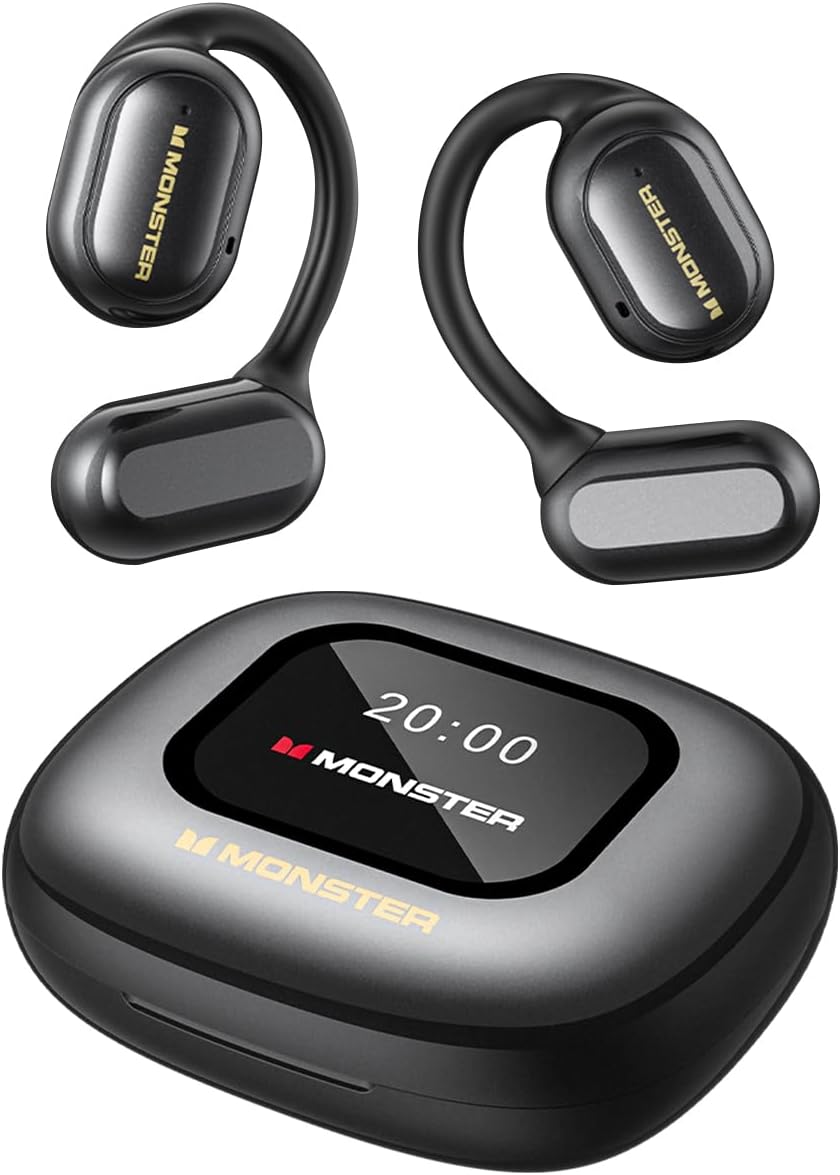
Image: The Monster Open Touch Pro 100 wireless earbuds and their charging case, illustrating the complete product package.
3. Konec produktuview
3.1 Součásti sluchátek
- Design s otevřeným uchem: Umožňuje vnímání okolí.
- Háčky za uši: Ergonomic curved design for secure and comfortable wear.
- 16.2mm dynamické ovladače: For clear sound quality.
- Mikrofony: For Environmental Noise Cancellation (ENC) during calls.
- Kontakty pro nabíjení: Pro nabíjení v pouzdře.
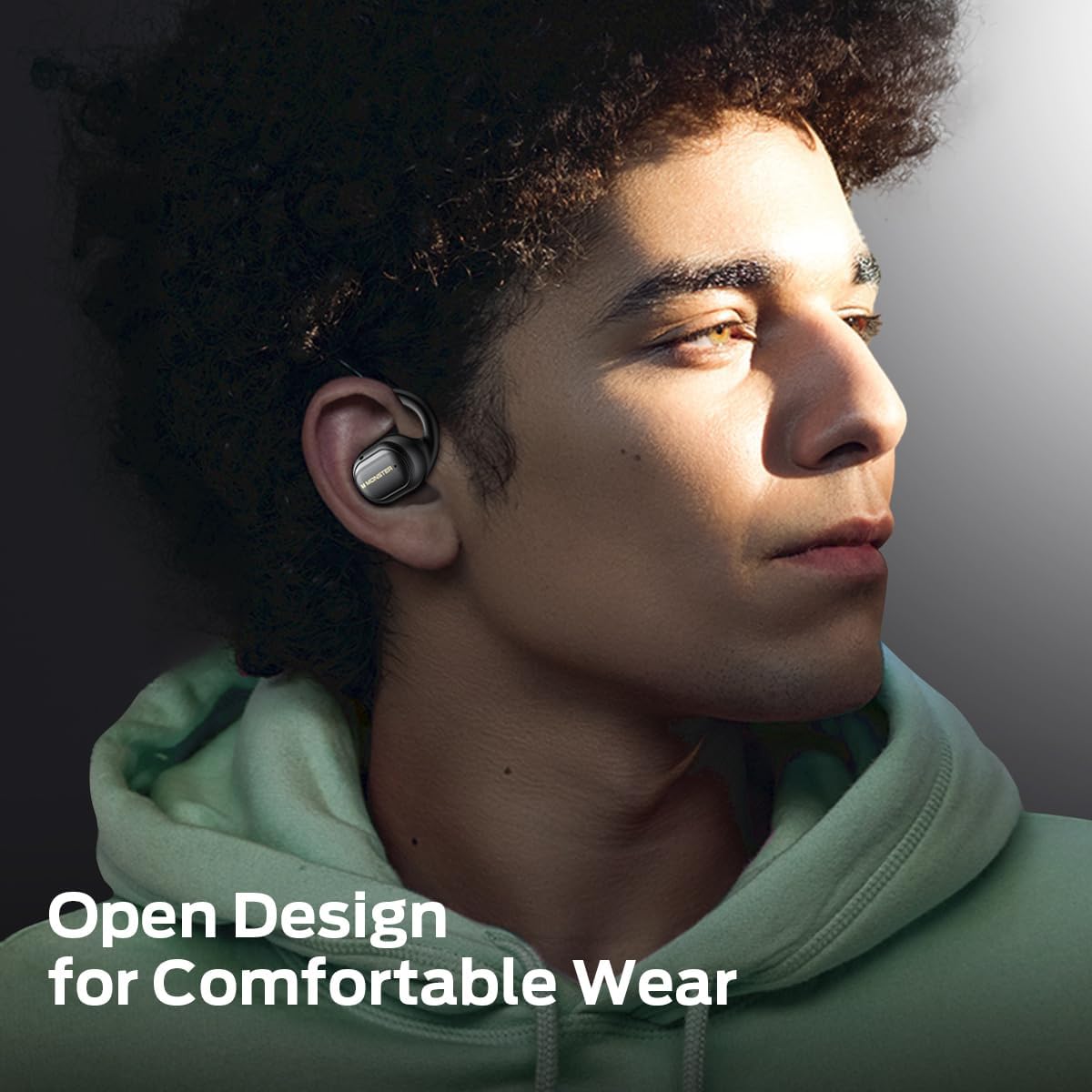
Image: A man wearing the Monster Open Touch Pro 100 earbud, demonstrating its open-ear design and comfortable fit.
3.2 Vlastnosti nabíjecího pouzdra
- LED Full-Color Smart Touch Screen: For control over music, settings, and more.
- Slot na kartu TF: Supports independent MP3 playback (TF card not included).
- Nabíjecí port USB-C: For recharging the case.

Image: The Monster Open Touch Pro 100 charging case displaying its LED full-color smart touch screen, showing various control options.
4. Nastavení
4.1 Počáteční nabíjení
Before first use, fully charge the earbuds and the charging case. Place the earbuds into the charging case and connect the USB-C cable to the charging port on the case, then connect the other end to a USB power source (e.g., computer, wall adapter).
The LED screen on the charging case will indicate the charging status. A full charge typically takes approximately 1.5-2 hours for the case and earbuds.
4.2 Zapnutí/vypnutí
- Zapnutí: Otevřete nabíjecí pouzdro. Sluchátka se automaticky zapnou a přejdou do režimu párování.
- Vypnout: Vložte sluchátka zpět do nabíjecího pouzdra a zavřete víko. Automaticky se odpojí a vypnou.
4.3 Párování Bluetooth
- Ensure the earbuds are charged and powered on (open the charging case).
- Na svém zařízení (chytrý telefon, tablet, notebook) povolte Bluetooth.
- Hledat available Bluetooth devices and select "Monster Open Touch Pro 100".
- Po připojení sluchátka signalizují úspěšné spárování a zařízení je zobrazí jako připojená.
The earbuds will automatically attempt to reconnect to the last paired device when removed from the case.
5. Návod k obsluze
5.1 Dotykové ovládání sluchátek
The earbuds feature touch-sensitive areas for controlling playback and calls:
- Přehrát/pozastavit: Single click on either L/R earbud.
- Další skladba: Double click on the Right earbud.
- Předchozí skladba: Triple click on the Left earbud.
- Přijmout hovor: Double click on either L/R earbud.
- Zavěsit: Podržte 3 sekundy na levém/pravém sluchátku.
- Aktivovat Voice Assistant: Podržte 2 sekundy na levém/pravém sluchátku.

Image: A visual guide to the touch controls on the Monster Open Touch Pro 100 earbuds, detailing actions for play/pause, track skipping, call management, and voice assistant activation.
5.2 Funkce dotykové obrazovky nabíjecího pouzdra
The full-color touch screen on the charging case provides advanced controls:
- Ovládání přehrávání hudby: Přehrávání, pozastavení, přeskakování skladeb, nastavení hlasitosti přímo z obrazovky.
- Režimy EQ: Select from multiple equalizer presets (e.g., Rock and Roll, Pop, Normal, Jazz, Classic) to customize your audio experience.
- Přepnutí jazyka: Change the system language of the case interface.
- Závěrka fotoaparátu: Use the case as a remote shutter button for your smartphone camera.
- Najít moje sluchátka: Locate misplaced earbuds by activating an audible signal.
- Nastavení: Access additional device settings.

Image: The Monster Open Touch Pro 100 charging case screen displaying the language selection interface, allowing users to switch between languages.

Image: The Monster Open Touch Pro 100 charging case screen displaying various equalizer modes such as Rock and Roll, Pop, Normal, Jazz, and Classic.
5.3 Independent MP3 Mode (TF Card)
The charging case features a TF card slot, allowing the earbuds to function as an independent MP3 player without requiring a connected phone or network.
- Insert a TF card (not included) with your music files into the designated slot on the charging case.
- On the touch screen, navigate to the "SD Music" option.
- Select and play your desired music directly from the TF card.
Note: Hot-swapping of the TF card is not supported. Ensure the device is powered off or in a safe state before inserting or removing the TF card.

Image: The Monster Open Touch Pro 100 charging case with a TF card being inserted, highlighting its independent MP3 playback capability.
6. Údržba
6.1 Čištění
- Otřete sluchátka a nabíjecí pouzdro měkkým, suchým hadříkem, který nepouští vlákna.
- Nepoužívejte abrazivní čisticí prostředky, alkohol ani chemická rozpouštědla.
- Keep charging contacts clean and dry to ensure proper charging.
6.2 Voděodolnost
The earbuds are rated IPX5 waterproof, meaning they are protected against low-pressure water jets from any direction. This makes them suitable for workouts and light rain.
Important: The charging case is NOT waterproof. Avoid exposing the charging case to water or moisture.

Image: A woman exercising while wearing the Monster Open Touch Pro 100 earbuds, illustrating their IPX5 waterproof performance against sweat and light moisture.
6.3 Skladování
Pokud sluchátka nepoužíváte, uložte je do nabíjecího pouzdra, aby byla chráněna a zůstala nabitá. Skladujte na chladném a suchém místě mimo dosah extrémních teplot.
7. Řešení problémů
| Problém | Možná příčina | Řešení |
|---|---|---|
| Sluchátka se nespárují | Sluchátka nejsou v režimu párování; Bluetooth na zařízení vypnutý; sluchátka jsou mimo dosah. | Ensure case is open and earbuds are powered on. Turn Bluetooth off and on on your device. Move closer to your device. |
| Žádný zvuk ze sluchátek | Hlasitost je příliš nízká; sluchátka nejsou připojena; média jsou pozastavena. | Increase volume on device and earbuds. Reconnect earbuds. Check media playback status. |
| Nabíjecí pouzdro se nenabíjí | Cable not connected properly; faulty cable/adapter; dirty charging port. | Ensure USB-C cable is securely connected. Try a different cable or power adapter. Clean the charging port gently. |
| Sluchátka se v pouzdře nenabíjejí | Earbuds not seated correctly; dirty charging contacts. | Adjust earbuds in case to ensure proper contact. Clean earbud and case charging contacts. |
| Dotyková obrazovka nereaguje | Dočasná softwarová závada; slabá baterie. | Restart the charging case (if possible, by closing and reopening). Ensure the case is sufficiently charged. |
8. Specifikace
| Funkce | Detail |
|---|---|
| Název modelu | Monster Open Touch Pro 100 |
| Technologie připojení | Bezdrátové (Bluetooth) |
| Verze Bluetooth | 5.4 |
| Umístění uší | Otevřete ucho |
| Typ zvukového ovladače | Dynamický měnič (16.2 mm) |
| Funkce pro potlačení hluku | Potlačení okolního hluku (ENC) |
| Kontrolní metoda | Dotek |
| Speciální funkce | LED Full-Color Smart Screen, TF Card Support, IPX5 Waterproof (earbuds only) |
| Výdrž baterie (sluchátka) | Až 8 hodin (na jedno nabití) |
| Celková doba přehrávání | Až 30 hodin (s nabíjecím pouzdrem) |
| Materiál | Silicone (ear hooks) |
| Hmotnost položky | 7.4 unce |
| Kompatibilní zařízení | Chytré telefony, notebooky, tablety, chytré reproduktory |
9. Záruka a podpora
Informace o záruce a zákaznické podpoře naleznete v dokumentaci dodané s vaším nákupem nebo navštivte oficiální webové stránky Monster. webUschovejte si doklad o koupi pro případ reklamace.
Výrobce: Netvor


