1. Úvod
Welcome to the user manual for your Diofox M10 MP3 Player. This device is designed to provide a versatile portable media experience, combining the functionality of an MP3/MP4 player with the capabilities of an Android-based system. It features a 5.0-inch touchscreen, Bluetooth, Wi-Fi connectivity, and support for various streaming applications. Please read this manual carefully to ensure proper use and maintenance of your device.
2. Konec produktuview
The Diofox M10 is more than just a traditional MP3 player. Running on an Android operating system with an 8-core chip, it offers a smooth user experience. It comes with pre-installed applications such as Spotify, Pandora, and Amazon Music, and supports other popular apps like Libby and Audible. The device includes 80GB of total storage (with an included 64GB SD card) and is expandable up to 1TB.

Obrázek 2.1: Přední view of the Diofox M10 MP3 Player.
Obrázek 2.2: Zadní view of the Diofox M10 MP3 Player.
Klíčové vlastnosti:
- Operační systém: Android 9
- Procesor: 8-core chip for smooth performance
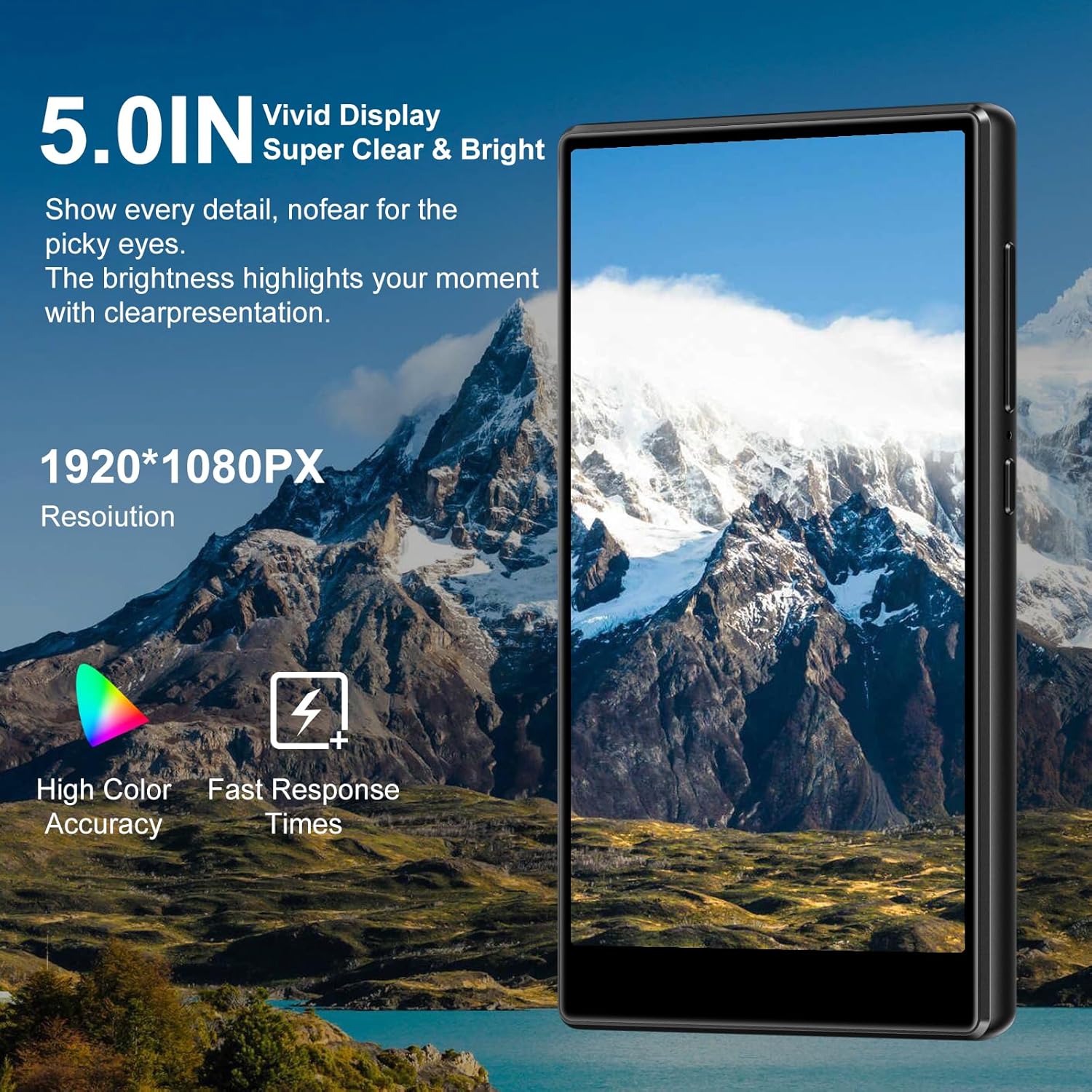
- Zobrazit: 5.0-inch touchscreen with 1920*1080PX resolution, high color accuracy, and fast response times.
- Skladování: 80GB total (64GB SD card included), expandable up to 1TB
- Konektivita: Bluetooth a Wi-Fi
- Předinstalované aplikace: Spotify, Pandora, Amazon Music
- Kompatibilita aplikací: Supports Libby, Audible, and other Android applications

Obrázek 2.3: The Diofox M10 MP3 Player showcasing its ability to run multiple applications, extending beyond basic music playback.

Obrázek 2.4: The 5.0-inch vivid display of the Diofox M10, offering clear and bright visuals.

Obrázek 2.5: Internal storage and RAM capabilities of the Diofox M10, supporting various applications and media.
3. Začínáme
3.1 Obsah balení
Než budete pokračovat, ujistěte se, že balení obsahuje všechny položky:
- Diofox M10 MP3 Player
- USB nabíjecí kabel
- Uživatelská příručka (tento dokument)
- 64GB Micro SD karta (předinstalovaná nebo samostatná)
- Earphones (may vary by package)
3.2 Nabíjení zařízení
The Diofox M10 MP3 Player comes with a built-in rechargeable battery.
- Connect the small end of the USB charging cable to the charging port on your device.
- Připojte větší konec kabelu USB k napájecímu adaptéru USB (není součástí balení) nebo k portu USB počítače.
- The battery indicator on the screen will show charging status. Allow approximately 2-3 hours for a full charge.
Poznámka: Pro optimální výdrž baterie zařízení před prvním použitím plně nabijte.
3.3 Zapnutí/vypnutí
- Zapnutí: Stiskněte a několik sekund podržte tlačítko napájení (obvykle umístěné na boku), dokud se obrazovka nerozsvítí.
- Vypnutí: Press and hold the Power button until a power-off menu appears. Select "Power off" from the options.
- Restartovat: V nabídce vypnutí vyberte možnost „Restartovat“.
- Spánek/probuzení: Briefly press the Power button to put the device into sleep mode or wake it up.
3.4 Počáteční nastavení
Po prvním zapnutí budete provedeni procesem úvodního nastavení:
- Výběr jazyka: Vyberte preferovaný jazyk.
- Wi-Fi připojení: Connect to a Wi-Fi network to access online features and app downloads.
- Přejít na Nastavení > Síť a internet > Wi-Fi.
- Vyberte požadovanou síť a v případě potřeby zadejte heslo.
- Datum a čas: Set the correct date and time, or enable automatic network-provided time.
- Google Account (Optional): Sign in with your Google account to access the Google Play Store for additional apps and services.
4. Obsluha zařízení
4.1 Základní navigace
The Diofox M10 uses a touchscreen interface for navigation.
- Klepněte na: Výběr položky nebo otevření aplikace.
- Výpad: Procházení seznamů nebo přepínání mezi obrazovkami.
- Přiblížení/zvětšení prsty: Pro přiblížení nebo oddálení obrázků nebo web stránky.
- Dlouhé stisknutí: Pro přístup k kontextovým nabídkám nebo přesun ikon aplikací.
4.2 Přehrávání hudby
You can play music stored locally on the device or stream from installed apps.
- Místní hudba: Open the "Music" app. Browse by artist, album, song, or playlist. Tap a song to play.
- Streamovací aplikace: Open apps like Spotify, Pandora, or Amazon Music. Log in to your account and stream music as you would on any other Android device.

Obrázek 4.1: Music playback interface on the Diofox M10.
4.3 Přehrávání videa
The device supports MP4 video playback.
- Open the "Video" or "Gallery" app to view locally stored videos.
- Use streaming apps like YouTube (if installed) for online video content.
4.4 Připojení Bluetooth
Připojte bezdrátová sluchátka, reproduktory nebo jiná zařízení Bluetooth.
- Přejít na Nastavení > Připojená zařízení > Bluetooth.
- Zapněte Bluetooth.
- Ujistěte se, že je vaše Bluetooth příslušenství v režimu párování.
- Select your device from the list of available devices and follow any on-screen prompts to pair.
4.5 Převod Files
You can transfer music, videos, and other files to your Diofox M10.
- Připojte zařízení k počítači pomocí kabelu USB.
- On your device, a notification will appear. Tap it and select "File transfer" or "MTP" mode.
- Your device will appear as a removable drive on your computer. You can now drag and drop files to and from the device's internal storage or the SD card.
5. Údržba
5.1 Čištění zařízení
- K otření obrazovky a těla použijte měkký hadřík, který nepouští vlákna.
- Vyhněte se používání agresivních chemikálií, abrazivních čisticích prostředků nebo aerosolových sprejů.
- Nevystavujte zařízení nadměrné vlhkosti.
5.2 Péče o baterii
- Vyhněte se extrémním teplotám, které mohou snížit výkon baterie.
- Nenechávejte zařízení delší dobu zcela vybité.
- Používejte pouze dodané nebo certifikované nabíjecí kabely.
5.3 Aktualizace softwaru
Pravidelně kontrolujte aktualizace softwaru, abyste zajistili optimální výkon a zabezpečení.
- Přejít na Nastavení > Systém > Aktualizace systému.
- Postupujte podle pokynů na obrazovce a stáhněte a nainstalujte všechny dostupné aktualizace.
6. Řešení problémů
6.1 Zařízení se nezapíná
- Ujistěte se, že je baterie nabitá. Připojte zařízení k nabíječce alespoň na 30 minut.
- Try a forced restart by holding the Power button for 10-15 seconds.
6.2 Problémy s připojením k Wi-Fi
- Zkontrolujte, zda je v Nastavení.
- Ujistěte se, že jste zadali správné heslo Wi-Fi.
- Restart your Wi-Fi router and the Diofox M10.
- Zkuste se připojit k jiné síti Wi-Fi, abyste problém izolovali.
6.3 Pády nebo zamrzání aplikací
- Zavřete a znovu otevřete aplikaci.
- Vymazání mezipaměti aplikace: Přejděte na Nastavení > Aplikace a oznámení > [Název aplikace] > Úložiště a mezipaměť > Vymazat mezipaměť.
- Pokud problém přetrvává, zkuste aplikaci odinstalovat a znovu nainstalovat.
- Ujistěte se, že zařízení má dostatek volného úložného prostoru.
6.4 Žádný zvukový výstup
- Zkontrolujte úroveň hlasitosti na zařízení.
- Ensure headphones or Bluetooth devices are properly connected and not muted.
- Try playing audio through the built-in speaker to determine if the issue is with the output device.
- Restartujte zařízení.
7. Specifikace
| Funkce | Specifikace |
|---|---|
| Rozměry produktu | 0.5 x 2.5 x 3.5 palce |
| Hmotnost položky | 7.1 unce (200 gramů) |
| Výrobce | Diofox |
| Číslo modelu | M10 |
| Baterie | Vyžaduje 1 A baterii (součástí balení) |
| Technologie připojení | Bluetooth, WiFi |
| Kapacita paměti | 80 GB (rozšiřitelné až na 1 TB) |
| Barva | Černý |
| Velikost obrazovky | 5.0 palce |
| Kompatibilní zařízení | Laptop, Personal Computer, Headphones, Earphones |
| Typ média | Interní úložiště |
| Technologie displeje | IPS or TFT LCD |
| Podporované standardy | MP3, MP4 |
8. Záruka a podpora
Your Diofox M10 MP3 Player is covered by a manufacturer's warranty. Please refer to the warranty card included in your package for specific terms and conditions.
Zákaznická podpora:
For technical assistance, troubleshooting, or warranty claims, please contact Diofox customer support through the official webstránky nebo kontaktní informace uvedené na vaší záruční kartě.
Online zdroje: For additional support and FAQs, visit the Diofox official webmísto: Diofox Store on Amazon.


