1. Úvod
This manual provides detailed instructions for the Phomemo M832 Wireless Portable Thermal Printer. It covers essential information regarding product setup, operation, maintenance, and troubleshooting to ensure optimal performance and longevity of your device. Please read this manual thoroughly before using the printer.

Image 1.1: Phomemo M832 Printer with included thermal paper rolls.
2. Konec produktuview
Familiarize yourself with the components and controls of your Phomemo M832 printer.

Obrázek 2.1: Konecview of the Phomemo M832 Portable Printer with key components labeled.
- 1. Tlačítko napájení: Press and hold for 3 seconds to turn the printer on or off.
- 2. Open Cover Button: Press on both sides simultaneously to open the printer cover for paper loading.
- 3. Napájecí port: Insert the USB-C cable here for charging the printer.
- 4. Tlačítko Reset: Press to reset the device if it becomes unresponsive.
3. Nastavení
3.1 Rozbalení
Po otevření balení se ujistěte, že jsou přítomny všechny položky:
- Přenosná termální tiskárna Phomemo M832
- Nabíjecí kabel USB-C
- Thermal Paper Rolls (typically 4 rolls of 8.5" x 11" US Letter size)
- Uživatelská příručka (tento dokument)
3.2 Nabíjení tiskárny
Before initial use, fully charge the printer. Connect the provided USB-C cable to the printer's power port (3) and the other end to a compatible USB power adapter or computer. The built-in 2600mAh rechargeable battery allows for extended use.
3.3 Vkládání termopapíru
The Phomemo M832 printer uses thermal paper and supports various types, including single sheets, continuous rolls, and thermal paper rolls with an adjustable guide.
- Press the Open Cover Buttons (2) on both sides of the printer to open the top cover.
- Insert the thermal paper roll or stack into the paper compartment, ensuring the printable side is facing the print head.
- Adjust the paper guides to fit the width of your paper securely.
- Pull a small portion of the paper out beyond the print head.
- Pevně zavřete horní kryt, dokud nezacvakne na místo.

Image 3.1: The Phomemo M832 supports various thermal paper types and sizes, including 8.5" x 11" US Letter.

Image 3.2: Dimensions of the 8.5" x 11" (216mm) US Letter rolled thermal paper.
4. Obsluha tiskárny
4.1 Zapnutí/vypnutí
To power on the printer, press and hold the Power Button (1) for approximately 3 seconds until the indicator light illuminates. To power off, press and hold the Power Button again for 3 seconds.
4.2 Připojení k zařízením
The Phomemo M832 offers two primary connection methods:
- Bluetooth Connection (for Mobile Phones & Tablets):
- Stáhněte si aplikaci „Phomemo“ z obchodu s aplikacemi ve vašem zařízení.
- Enable Bluetooth on your mobile phone or tablet.
- Open the "Phomemo" App and follow the in-app instructions to connect to your M832 printer via Bluetooth.
- USB-C Cable Connection (for Laptops & Computers):
- Connect the printer to your laptop or computer using the provided USB-C cable.
- Návštěva M832.phomemo.com to download and install the appropriate printer driver for your operating system (Windows, macOS, Chrome OS, Linux).
Note: Bluetooth wireless connection is exclusively for mobile phones and tablets, not for laptops or desktop computers.

Image 4.1: Connectivity options for the Phomemo M832, including Bluetooth for mobile devices and USB-C for computers.
4.3 Tisk
The Phomemo M832 utilizes advanced thermal technology, eliminating the need for ink, toner, or ribbons. This ensures a clean, hassle-free printing experience.
- Bezinkoustový provoz: Only thermal paper is required for printing.
- Kvalita tisku: The printer delivers clear 300DPI print quality for documents.
- Přenosnost: Its compact size and wireless capabilities allow you to print documents such as contracts, invoices, and boarding passes from various locations, including during travel, outdoors, in the office, or on campnás.

Image 4.2: Explanation of the inkless thermal printing technology used by the M832.

Image 4.3: The Phomemo M832 printer offers the flexibility to print from anywhere.
5. Údržba
5.1 Čištění tiskárny
To maintain print quality and prolong the life of your printer:
- Před čištěním se ujistěte, že je tiskárna vypnutá a odpojená od sítě.
- Gently wipe the exterior of the printer with a soft, dry, lint-free cloth.
- Pro tiskovou hlavu použijte vatový tampon lehceampošetřen isopropylalkoholem. Před zavřením krytu a zapnutím nechte zcela vyschnout.
- Vyhněte se používání agresivních chemikálií, abrazivních čisticích prostředků nebo rozpouštědel.
5.2 Thermal Paper Handling
Proper storage and handling of thermal paper are crucial for optimal print results:
- Store thermal paper in a cool, dry place away from direct sunlight, heat, and humidity.
- Avoid contact with oils, plastics, and adhesives that can degrade the thermal coating.
- Always use Phomemo-approved thermal paper for best results.
6. Řešení problémů
Pokud se s tiskárnou Phomemo M832 setkáte s problémy, podívejte se na následující běžné problémy a jejich řešení:
| Problém | Možná příčina | Řešení |
|---|---|---|
| Tiskárna se nezapne | Slabá baterie; Tlačítko napájení nebylo podrženo dostatečně dlouho. | Charge the printer; Press and hold the Power Button for 3 seconds. |
| Nelze se připojit přes Bluetooth | Bluetooth off; App not open; Incorrect device selected; Attempting to connect from PC | Ensure Bluetooth is on; Open Phomemo App; Select M832; Bluetooth is for mobile/tablet only. |
| Poor print quality / Blank prints | Paper loaded incorrectly; Non-thermal paper used; Print head dirty | Reload paper with printable side up; Use thermal paper; Clean the print head. |
| Tiskárna nereaguje | Dočasná softwarová závada | Press the Reset Button (4) to restart the device. |
If the issue persists after attempting these solutions, please contact Phomemo customer support for further assistance.
7. Specifikace
Key technical specifications for the Phomemo M832 Wireless Portable Thermal Printer:
- Model: M832
- Technologie tisku: Přímé tepelné
- Rozlišení tisku: 300 DPI
- Konektivita: Bluetooth (for mobile/tablet), USB-C (for PC/laptop)
- Baterie: Vestavěná dobíjecí baterie 2600mAh
- Životnost baterie: Approximately 150 sheets continuously on a single charge
- Typ papíru: Thermal paper (e.g., 8.5" x 11" US Letter size)
- Rozměry: 10.39 cm x 1.77 cm x 3.07 cm (přibližně)
- Hmotnost: 1.5 libry (přibližně)
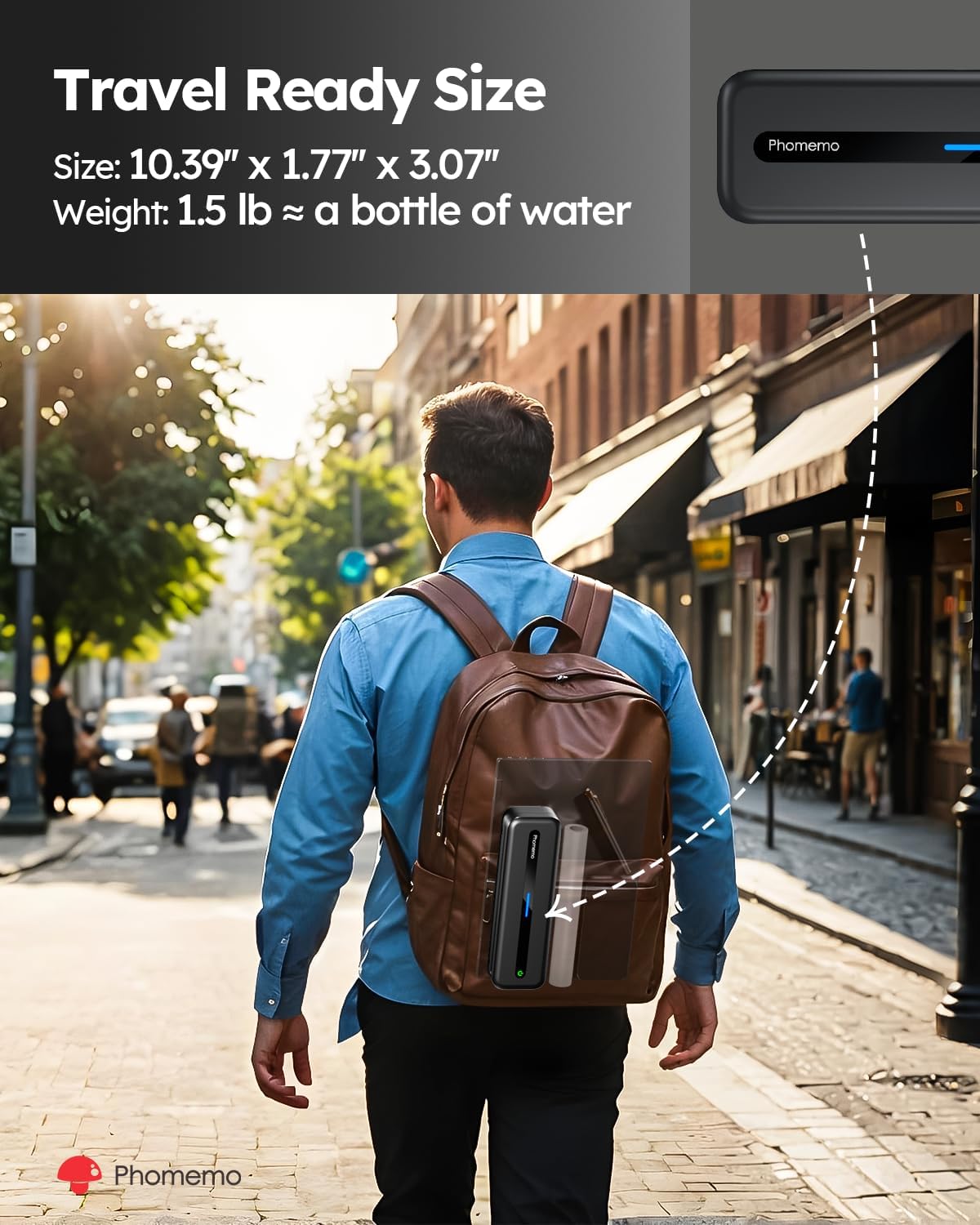
Image 7.1: The Phomemo M832's compact size makes it ideal for travel.

Image 7.2: The M832 offers enhanced 300DPI print quality for clearer results.
8. Záruka a podpora
Phomemo products are designed for reliability and performance. For information regarding warranty coverage, technical support, or service inquiries, please refer to the warranty card included with your product or visit the official Phomemo webwebu. Náš tým zákaznické podpory je vám k dispozici, abyste měli jakékoli dotazy nebo obavy.
Official Phomemo Webmísto: www.phomemo.com


