1. Úvod
The TOMLOV DM301 Max is an advanced digital microscope designed for detailed observation and analysis of microscopic specimens. Featuring a 7-inch IPS display, X-Y stage, and multiple connectivity options, it is suitable for educational, hobbyist, and professional use. This manual provides essential information for the proper setup, operation, and maintenance of your DM301 Max microscope.
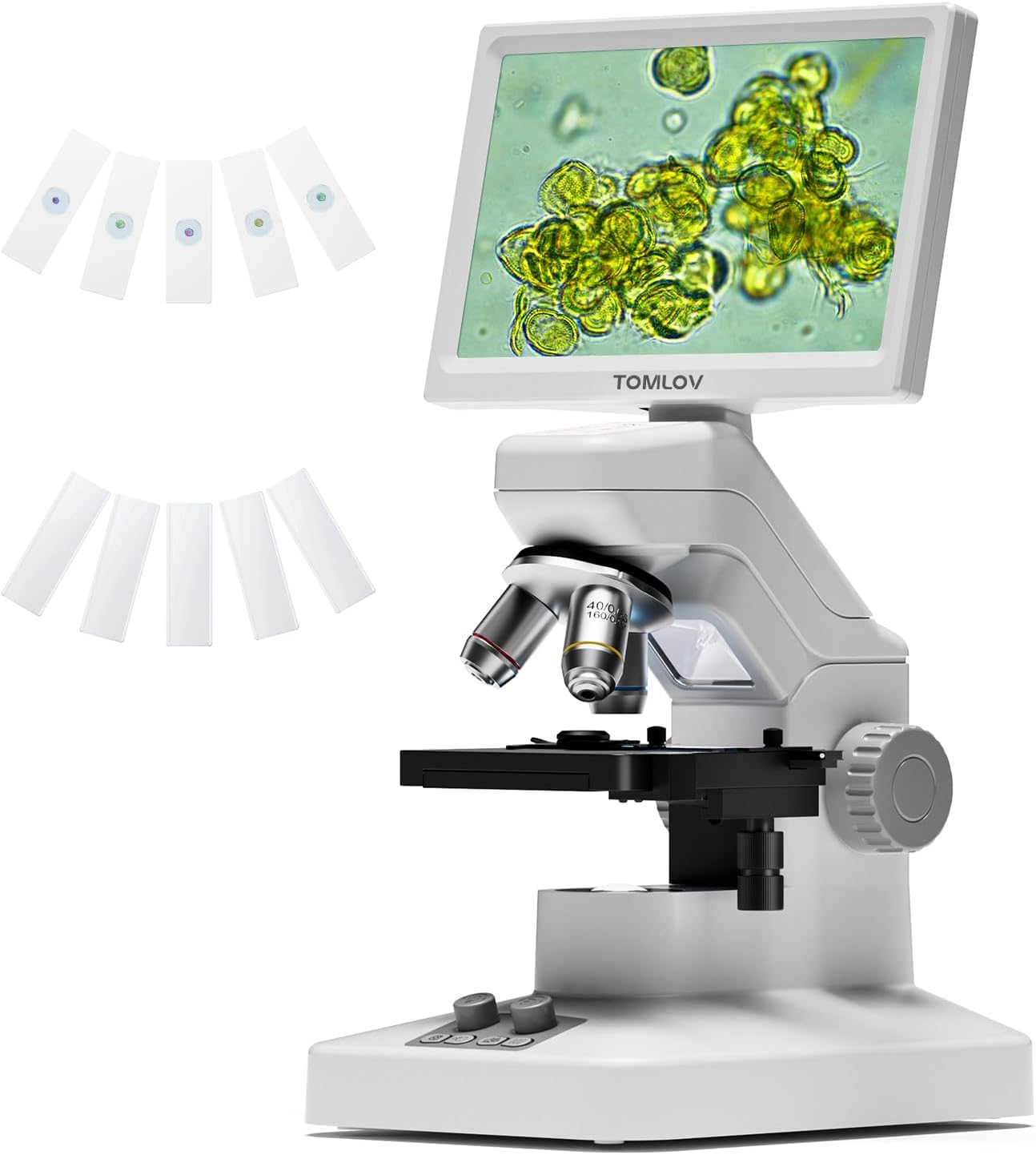
Figure 1.1: The TOMLOV DM301 Max Digital Microscope with included slides.
2. Co je v krabici
Zkontrolujte prosím, zda jsou ve vašem balení přítomny všechny níže uvedené položky:
- 1 X TOMLOV DM301 Max Biological Digital Microscope with Screen
- 1 X Napájecí kabel
- Kabel 1 X HDMI
- Napájecí adaptér 1 X
- 5 X Prepared Slides
- 5 X Blank Slides
- 1 X 32GB Micro SD Card
- 1 X Carrying Case

Figure 2.1: All components included with the TOMLOV DM301 Max microscope.
3. Průvodce nastavením
3.1 Fyzická montáž
- Opatrně vyjměte všechny součásti z obalu.
- Place the microscope base on a stable, flat surface.
- Ensure the 7-inch IPS display is securely attached to the microscope body. The display can be adjusted for optimal viewúhel.
3.2 Připojení napájení
- Connect the power cable to the microscope's power input port.
- Zapojte napájecí adaptér do standardní elektrické zásuvky.
- The microscope has a built-in 2000mAh rechargeable battery, allowing for cordless use for up to 3 hours once fully charged.
3.3 Initial Power On and Display Adjustment
- Press and hold the power button on the microscope to turn it on. The 7-inch IPS display will illuminate.
- Adjust the angle of the display for comfortable viewing. The display offers a 178-degree viewing angle to reduce eye strain during prolonged use.

Figure 3.1: The 7-inch IPS display provides a comfortable viewzkušenosti.
4. Návod k obsluze
4.1 Základní pozorování
- Place a prepared slide or specimen on the metal stage. Ensure it is centered under the objective lens.
- Adjust the focus knob (typically the larger knob on the side) to bring the specimen into sharp focus on the display.
4.2 Nastavení zvětšení
The DM301 Max features 3 achromatic lenses, providing up to 1200X magnification. Rotate the revolving nosepiece to select the desired objective lens (e.g., 4X, 10X, 40X). The total magnification is the product of the objective lens magnification and the digital magnification.
4.3 Illumination Control
The microscope is equipped with both top and bottom LED lights for versatile illumination:
- Horní světlo: Used for observing opaque objects or surfaces.
- Spodní světlo: Používá se pro viewing transparent or translucent slide specimens.
Adjust the brightness of each light source using the dedicated control knobs on the base of the microscope to achieve optimal clarity and contrast.

Figure 4.1: Top and bottom LED illumination for various specimen types.
4.4 X-Y Stage Provoz
The metal X-Y stage allows for precise movement of the specimen. Use the stage control knobs to move the slide horizontally (X-axis) and vertically (Y-axis) to scan the specimen area and center the region of interest. The stage includes 1.0mm scale divisions for accurate positioning.

Figure 4.2: Precise X-Y stage movement for specimen navigation.
4.5 Connectivity (WiFi & App)
The DM301 Max supports WiFi connectivity for real-time viewing, capturing, and sharing via a mobile app (available for Android and iOS). Download the official TOMLOV app from your device's app store. Follow the in-app instructions to connect your microscope wirelessly. Images and videos can be saved directly to your phone and the inserted SD card.

Obrázek 4.3: Bezdrátové připojení viewing and control via the mobile app.
4.6 External Display (HDMI & USB)
Pro větší viewing or collaborative demonstrations, the microscope can be connected to external displays without driver installation:
- HDMI výstup: Connect an HDMI cable from the microscope to a TV or projector.
- USB výstup: Connect a USB cable from the microscope to a laptop or PC.

Figure 4.4: Connecting the microscope to external displays via HDMI or USB.
4.7 Capturing Images & Videos
The microscope features an 8MP imaging sensor for photos and 1080P video recording. Use the dedicated buttons on the microscope or the mobile app to capture observations. Captured media is saved to the inserted 32GB Micro SD card.

Figure 4.5: Capturing and saving microscopic observations.
4.8 Measurement Function
The DM301 Max includes an on-screen measuring overlay for precise readings at different magnification levels. Additionally, when connected to a PC, specialized software can be used for more advanced measurement and analysis.

Figure 4.6: Two-way measurement capabilities of the microscope.
5. Údržba
5.1 Čištění
- Lenses and Display: Use a soft, lint-free cloth specifically designed for optical surfaces. For stubborn smudges, a small amount of lens cleaning solution can be applied to the cloth (never directly to the lens).
- Tělo: Wipe the microscope body with a soft, dry cloth. Avoid using abrasive cleaners or solvents.
- Ensure no liquids enter the microscope's internal components.
5.2 Skladování
- When not in use, store the microscope in its carrying case or cover it with a dust cover to protect it from dust and debris.
- Skladujte na chladném a suchém místě, mimo dosah přímého slunečního záření a extrémních teplot.
5.3 Péče o baterii
- To prolong battery life, avoid fully discharging the battery regularly.
- Pokud skladujete po delší dobu, nabijte baterii před uskladněním přibližně na 50 %.
6. Řešení problémů
| Problém | Možná příčina | Řešení |
|---|---|---|
| Mikroskop se nezapíná. | Žádné připojení k napájení nebo slabá baterie. | Ensure power adapter is securely connected and plugged in. Charge the battery if operating wirelessly. |
| Obraz je rozmazaný nebo nezaostřený. | Incorrect focus adjustment or objective lens. | Adjust the focus knob. Ensure the correct objective lens is selected and properly clicked into place. Clean the lens if smudged. |
| No image on external display (HDMI/USB). | Cable not connected properly or incorrect input selected on display. | Check HDMI/USB cable connections. Select the correct input source on your TV/monitor. |
| Problémy s připojením k Wi-Fi. | Incorrect app settings or network interference. | Ensure WiFi is enabled on the microscope and your mobile device. Restart both devices. Refer to the app's help section for specific connection steps. |
| LED světla nefungují. | Brightness set to minimum or malfunction. | Adjust the brightness control knobs. If still not working, contact customer support. |
7. Specifikace
| Funkce | Detail |
|---|---|
| Název modelu | DM301 Max |
| Zobrazit | 7'' IPS Display |
| Maximální zvětšení | 1200 XNUMX x |
| Objektivy | 3 Achromatic Lenses |
| Typ světelného zdroje | LED (Top and Bottom) |
| Konektivita | Wi-Fi, USB, HDMI |
| Zobrazovací senzor | 8MP (Photos), 1080P (Video) |
| Stage Typ | Metal Stage with X-Y Axis |
| Baterie | 2000mAh Lithium Ion (up to 3 hours runtime) |
| Rozměry produktu | 7.31 x 5.3 x 12.5 palce |
| Hmotnost položky | 4.9 libry |
| Materiál | 7'' IPS Display + ABS Stand |
| Barva | Bílý |
8. Záruka a podpora
TOMLOV products are designed for reliability and performance. For information regarding warranty coverage, technical support, or service inquiries, please refer to the warranty card included in your product packaging or visit the official TOMLOV webstránky. Uschovejte si prosím doklad o koupi pro případ reklamace.


