Zavedení
This user manual provides comprehensive instructions for setting up, operating, maintaining, and troubleshooting your VEIKK Studio 16 Graphics Drawing Tablet. Please read this manual carefully before using the device to ensure optimal performance and longevity.
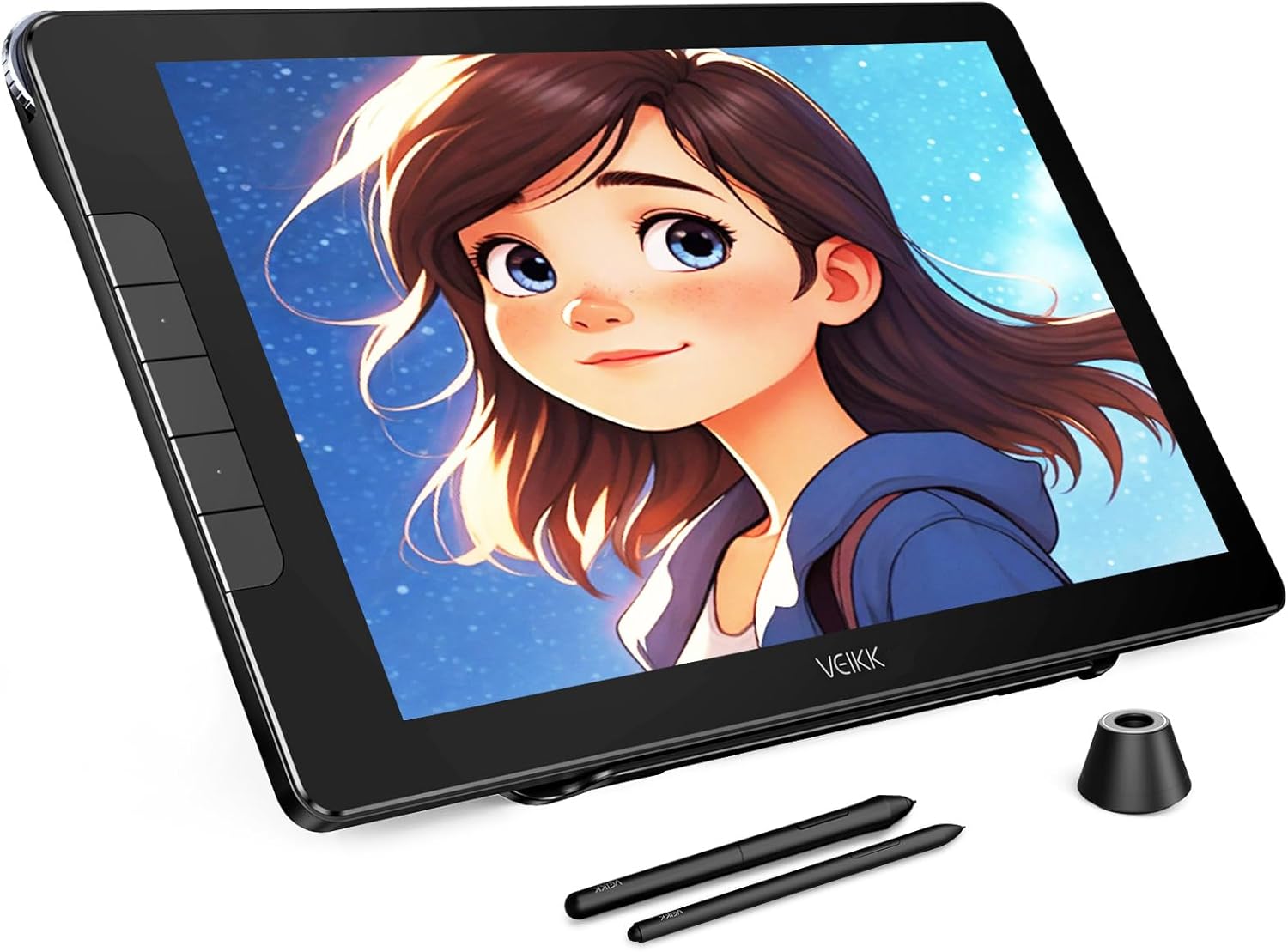
The VEIKK Studio 16 Graphics Drawing Tablet is designed for digital artists, offering a high-resolution display and precise pen input for creative work.
Obsah balení
Než začnete, ověřte si prosím, zda je v balení obsaženo vše, co je uvedeno níže:
- IPS Pen Display x 1
- S100 Stand x 1
- Pens x 2 (Battery-Free)
- Pen Box x 1
- Odstraňovač hrotů x 1
- Držák pera x 1
- Artist Glove x 1
- Čisticí hadřík x 1
- Hroty pera x 28
- USB prodlužovací kabel x 1
- 3-in-1 USB Cable x 1
- Kabel USB-C na USB-C x 1
- Stručný průvodce x 1

A visual representation of all components included in the VEIKK Studio 16 package.
Nastavení
Follow these steps to set up your VEIKK Studio 16 Graphics Drawing Tablet:
- Rozbalte zařízení: Opatrně vyjměte všechny součásti z obalu.
- Připojení k počítači:
- Using 3-in-1 Cable: Connect the HDMI, USB-A, and power (if needed) connectors to your computer and the corresponding port on the tablet.
- Using USB-C to USB-C Cable: For compatible devices, connect the tablet to your computer using a single USB-C to USB-C cable. Ensure your computer's USB-C port supports video output.
- Nainstalujte ovladače: Download and install the latest drivers from the official VEIKK website. This is crucial for proper functionality and pressure sensitivity.
- Zapnutí: Stisknutím tlačítka napájení na tabletu jej zapněte.
- Konfigurace nastavení zobrazení: Adjust your computer's display settings to extend or duplicate your desktop to the tablet.
Watch this video for a detailed guide on unboxing, connecting, and setting up your VEIKK Studio 16 Drawing Tablet.

The tablet offers flexible connectivity options, including a single USB-C cable or a 3-in-1 cable for HDMI and USB connections.
Návod k obsluze
The VEIKK Studio 16 is designed for intuitive use with its battery-free pen and customizable features.
Using the Battery-Free Pen
The tablet comes with two battery-free pens (slim and standard sizes) that offer 16384 levels of pressure sensitivity and 60° tilt support. This allows for natural and precise drawing, mimicking traditional art tools.

The included battery-free pens provide high pressure sensitivity and tilt recognition for a natural drawing experience.

Utilize the adjustable S100 stand to find the most comfortable angle for your creative workflow.
Přizpůsobení
Enhance your workflow by customizing the tablet's shortcut keys and quick dial.
Shortcut Keys and Quick Dial
The VEIKK Studio 16 features 5 customizable shortcut keys and a quick dial. These can be programmed through the driver software to perform frequently used functions, such as zooming, adjusting brush sizes, or undo/redo actions, streamlining your creative process.

The quick dial and shortcut keys can be customized to suit your individual drawing habits and preferences.
Údržba
Proper care and maintenance will ensure the longevity and optimal performance of your drawing tablet.
- Čištění obrazovky: Use the provided cleaning cloth or a soft, lint-free cloth to gently wipe the screen. Avoid abrasive materials or harsh chemicals.
- Anti-Glare and Anti-Fingerprint Screen: The full-laminated AG glass minimizes reflections and reduces smudges, keeping your screen clear.
- Hroty pera: Replace pen nibs when they show signs of wear to maintain drawing precision. Use the nib remover tool for easy replacement.
- Skladování: Pokud tablet nepoužíváte, skladujte jej na chladném a suchém místě mimo dosah přímého slunečního záření a extrémních teplot.

The full-laminated anti-glare screen enhances visibility and reduces eye strain during long drawing sessions.
Odstraňování problémů
If you encounter issues with your VEIKK Studio 16 tablet, refer to the common problems and solutions below:
| Problém | Řešení |
|---|---|
| No display on tablet screen. |
|
| Pen not responding or no pressure sensitivity. |
|
| Tablet nebyl počítačem rozpoznán. |
|
For further assistance, please visit the official VEIKK support webnebo kontaktujte zákaznický servis.
Specifikace
Detailed technical specifications for the VEIKK Studio 16 Graphics Drawing Tablet:
| Funkce | Detail |
|---|---|
| Rozměry produktu | 22.83 x 15.35 x 0.04 palce |
| Hmotnost položky | 3.11 libry |
| Číslo modelu | VK1600 |
| Technologie připojení | HDMI, typ C, USB |
| Citlivost na tlak | 16384 Levels (60 Degrees Tilt) |
| Kompatibilita operačního systému | Linux, Mac OS x 10.12 and above, Windows 7 and above |
| Speciální funkce | 1 Quick Dial & 5 Shortcuts Keys, 16K Pressure Battery Free Pen, Anti-Glare Glass Full Lamination |
| Velikost obrazovky | 15.6 palců |
| Rozlišení obrazovky | 1920x1080 Full HD |
| Barevný gamut | 125% sRGB |

Detailed dimensions of the VEIKK Studio 16 tablet for reference.
Záruka a podpora
VEIKK offers a one-year hardware service for the Studio 16 Graphics Drawing Tablet. All driver updates are provided free of charge.
For technical support, driver downloads, or warranty claims, please visit the official VEIKK website or contact their customer service team. Professional assistance is available to help resolve any issues you may encounter.
Oficiální Webmísto: www.veikk.com


