1. Konec produktuview
The OBDeleven Next Gen Pro Pack is a comprehensive Bluetooth-enabled diagnostic and customization tool designed for modern vehicles. It provides advanced functionalities for Volkswagen Group (Audi, Seat, Cupra, Skoda, Volkswagen, Bentley, Rolls-Royce, Lamborghini) and Toyota Group vehicles, accessible via a user-friendly mobile application on Android and iOS devices.
This Pro Pack includes the OBDeleven Next Gen device and a 12-month PRO VAG plan, offering features such as SFD unlock, advanced coding, adaptations, and One-Click Apps for simplified vehicle modifications.

Image: The OBDeleven Next Gen device shown next to its product packaging, highlighting its compact design.
2. Nastavení a počáteční připojení
2.1 Unboxing and Device Familiarization
Upon unboxing, ensure you have the OBDeleven Next Gen device. The device is compact and designed for easy handling.
2.2 Instalace aplikace
Download the official OBDeleven application from your device's app store (Google Play Store for Android or Apple App Store for iOS). Ensure your mobile device meets the minimum operating system requirements (Android 8.0+ or iOS 15.0+).
2.3 Připojení k vašemu vozidlu
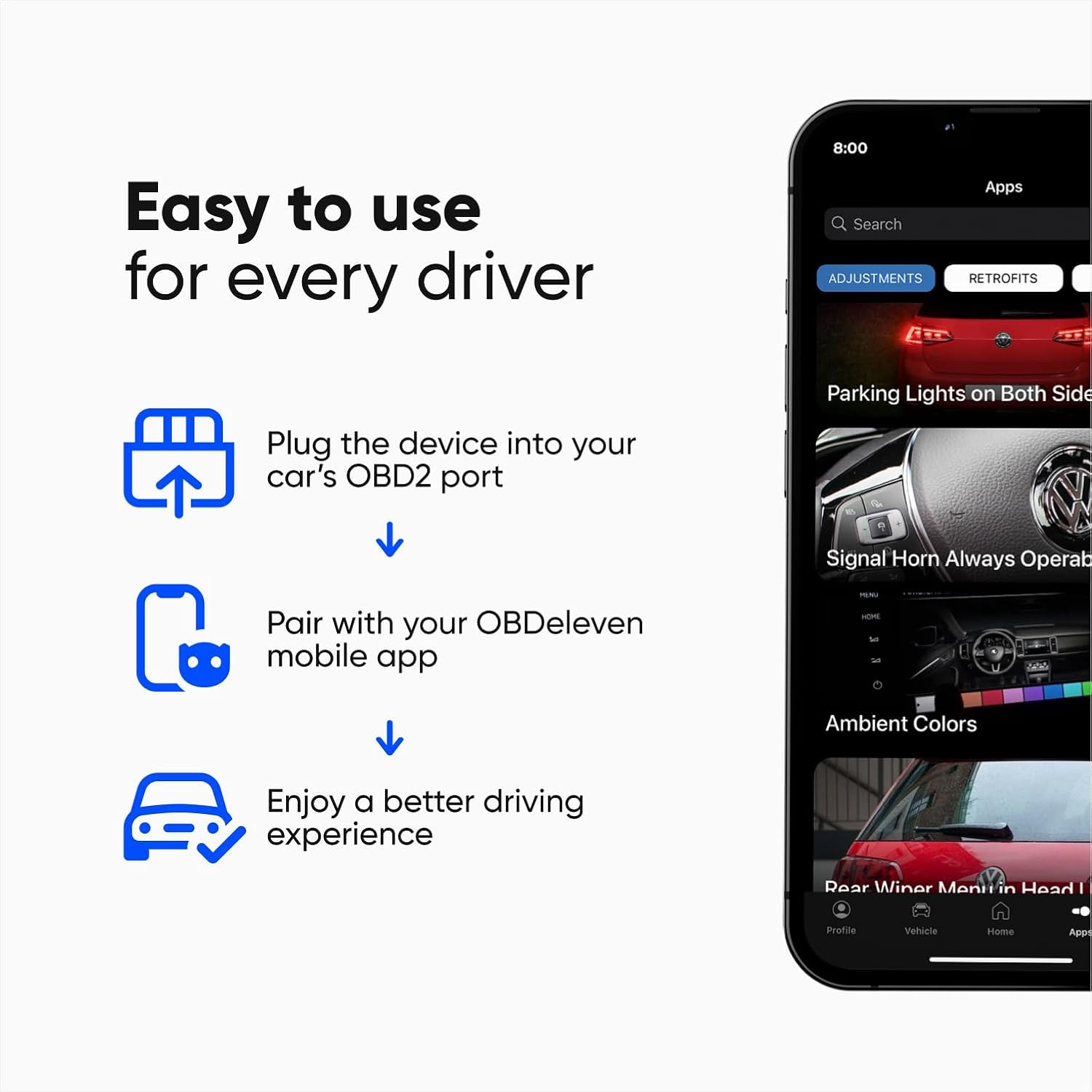
Image: A visual guide from the OBDeleven app illustrating the three simple steps: plug in, pair, and enjoy.
- Vyhledejte port OBD2 vašeho vozidla. Obvykle se nachází pod palubní deskou na straně řidiče.
- Plug the OBDeleven Next Gen device firmly into the OBD2 port. The device will power on, indicated by a blue light.
- Turn your vehicle's ignition ON (engine can be OFF).
- Open the OBDeleven app on your mobile device.
- The app will guide you through the Bluetooth pairing process. Select the OBDeleven device from the list of available Bluetooth devices.
- Once paired, the app will display a "Connected" status, and you can begin using the diagnostic and customization features.
3. Operating the OBDeleven Device
The OBDeleven app provides an intuitive interface for various vehicle functions.
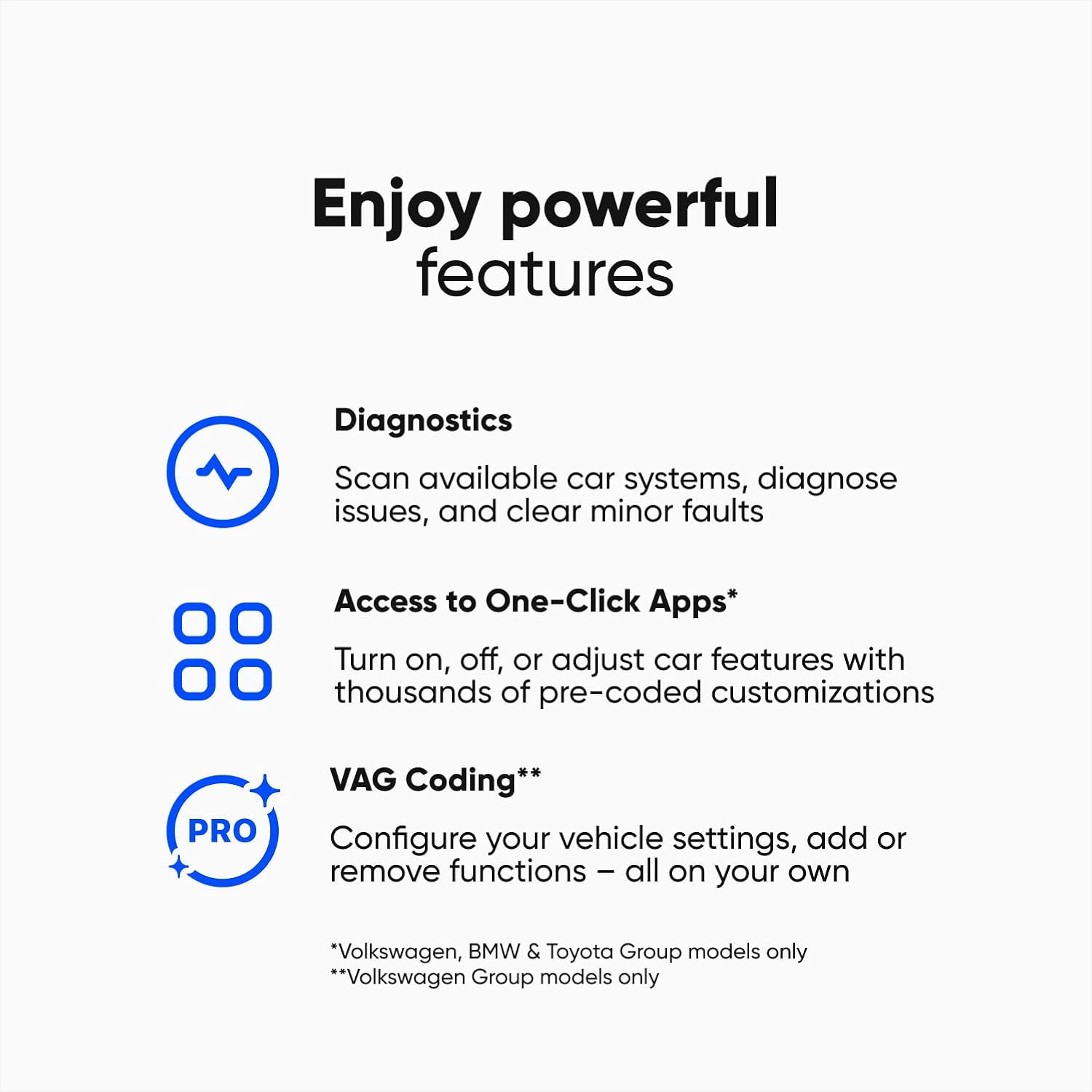
Image: A summary of key features offered by the OBDeleven app, including Diagnostics, One-Click Apps, and VAG Coding.
3.1 Diagnostika
Perform comprehensive scans of all available vehicle systems to read and clear fault codes. This helps in identifying potential issues early.

Image: Screenshot of the OBDeleven app displaying a diagnostic scan interface, indicating system checks.
3.2 One-Click Apps
One-Click Apps are pre-coded functions that allow for easy customization of your vehicle's comfort, safety, and driving features. These include activating video in motion, needle sweep gauge tests, resetting service lights, and integrating retrofitted parts.
Poznámka: One-Click Apps typically require in-app purchases (credits) to activate. They are available for Volkswagen Group, BMW Group, and Toyota Group vehicles.

Image: Multiple smartphone screens displaying the OBDeleven app's "One-Click Apps" section, showing various customization options.
3.3 Advanced Coding & Adaptations (PRO VAG Plan)
The PRO VAG plan, included with this pack, unlocks advanced coding capabilities for Volkswagen Group vehicles. This allows for manual coding, long coding, adaptations, accessing freeze frame data, and basic settings. It also includes SFD unlock for full access to locked features.

Image: A collage showing the OBDeleven device plugged into a car, a hand interacting with the app's coding interface, and a car's front end, illustrating VAG coding capabilities.
4. Údržba
To ensure optimal performance and longevity of your OBDeleven device and app:
- Aktualizace softwaru: Regularly check for and install updates for the OBDeleven app through your device's app store. Updates often include new features, bug fixes, and expanded vehicle compatibility.
- Péče o zařízení: Keep the OBDeleven device clean and free from dust and moisture. Store it in a cool, dry place when not in use. Avoid dropping the device or exposing it to extreme temperatures.
- Integrita připojení: Ensure the OBD2 port in your vehicle is clean and free of debris to maintain a stable connection.
5. Odstraňování problémů a časté dotazy
5.1 Běžné problémy
- Zařízení se nepřipojuje: Ensure the device is firmly plugged into the OBD2 port, your vehicle's ignition is on, and Bluetooth is enabled on your mobile device. Try restarting the app or your phone.
- Zamrzání/pád aplikace: Ensure your app is updated to the latest version. Clear the app's cache or reinstall the app if issues persist.
- Funkce nefungují: Verify that your vehicle is supported for the specific feature (e.g., PRO VAG plan features are for Volkswagen Group vehicles only). Ensure you have sufficient credits for One-Click Apps.
5.2 Často kladené otázky
- Does it support my car brand?
- The OBDeleven PRO Pack includes a PRO VAG subscription, designed exclusively for Volkswagen Group vehicles (Volkswagen, Audi, Seat, Skoda, Bentley, Rolls-Royce, and Lamborghini). The OBDeleven NextGen device itself works with all car brands using the CAN-bus protocol (manufactured mainly from 2008). You can find available features for your specific car brand on the official OBDeleven Features page.
- How do One-Click Apps work?
- One-Click Apps are ready-made customizations that allow you to adjust, turn on, or disable car safety, comfort, and driving features with a single click. To activate them, you'll need to purchase in-app currency (Credits). One-Click Apps are currently available for Volkswagen Group, BMW Group, and Toyota Group vehicles.
- Can I use the OBDeleven PRO Pack for multiple vehicles?
- Yes, there's no limit on how many vehicles you can connect to your account. However, keep in mind that PRO VAG plan features (like VAG coding) are designed for Volkswagen Group vehicles only.
6. Specifikace
| Funkce | Detail |
|---|---|
| Značka | OBDeven |
| Rozměry produktu | 1.57 cm D x 1.57 cm Š x 0.78 cm V |
| Kompatibilita operačního systému | Android 8.0+, iOS 15.0+ |
| Jazyk | angličtina |
| Automotive Fit Type | Universal Fit (CAN-bus protocol) |
| Výrobce | Voltas IT |
| Model | OBDeleven Pro Pack (Next Gen Device) |
| Hmotnost položky | 1.41 unce |
| Zahrnuto v krabici | OBDeleven Next Gen Device, 12-month PRO VAG plan |
7. Informace o záruce
Specific warranty details are not provided in this manual. Please refer to the official OBDeleven website or contact their customer support for comprehensive warranty information regarding your OBDeleven Next Gen Pro Pack.
8. Zákaznická podpora
For further assistance, technical support, or inquiries regarding your OBDeleven device, please visit the official OBDeleven website or contact their customer support team directly. You can often find contact information and additional resources on the manufacturer's webmísto.
Thank you for choosing OBDeleven!


