1. Úvod
Welcome to the user manual for your new Tiqvi 7-inch Digital Photo Frame. This device is designed to help you easily display and share your cherished photos and videos with family and friends, no matter where they are. Featuring a vibrant IPS touch screen, WiFi connectivity, and compatibility with the intuitive Frameo app, your digital photo frame offers a modern way to relive memories. Please read this manual carefully to ensure proper setup, operation, and maintenance of your device.

This image illustrates the Tiqvi digital photo frame in use, showcasing a vibrant family photo on its screen. Next to it, a smartphone displays the Frameo application, highlighting the seamless integration for sharing memories directly to the frame.
2. Co je v krabici?
Zkontrolujte prosím obsah balení, abyste se ujistili, že všechny položky jsou přítomny a v dobrém stavu.
- Tiqvi 7-inch Digital Photo Frame
- Napájecí adaptér
- Odnímatelný stojan
- Uživatelská příručka (tento dokument)

This image displays all items typically found inside the product packaging: the Tiqvi digital photo frame itself, its power adapter, and a detachable stand. Key dimensions of the frame are also provided for reference.
3. Průvodce nastavením
3.1 Powering On Your Frame
Connect the provided power adapter to the DC port on the back of the digital photo frame. Plug the adapter into a standard electrical outlet. The frame will automatically power on.
3.2 Připojení k Wi-Fi
Upon first power-on, the frame will guide you through the initial setup process, including connecting to your Wi-Fi network.
- Vyberte preferovaný jazyk.
- Vyberte si časové pásmo.
- Ze seznamu vyberte svou síť Wi-Fi.
- Zadejte heslo k Wi-Fi pomocí klávesnice na obrazovce a klepněte na „Připojit“.
- Once connected, the frame will display a unique Frameo ID.
3.3 Instalace aplikace Frameo
Chcete-li do rámečku odesílat fotografie a videa, musíte si do chytrého telefonu nebo tabletu stáhnout aplikaci Frameo.
- Hledat "Frameo" in the Apple App Store (for iOS devices) or Google Play Store (for Android devices).
- Stáhněte a nainstalujte aplikaci.
- Otevřete aplikaci a vytvořte si účet nebo se přihlaste.
- Add your frame by entering the unique Frameo ID displayed on your digital photo frame.

This image emphasizes the integration with the Frameo app, showing the frame alongside the Google Play and App Store logos, indicating where users can download the necessary application for managing and sharing photos.
4. Operating Your Digital Photo Frame
4.1 Odesílání fotografií a videí
Once your frame is connected to the Frameo app, you can easily send photos and short videos (up to 15 seconds) from your smartphone.
- Otevřete aplikaci Frameo ve svém chytrém telefonu.
- Vyberte fotografie nebo videa, která chcete odeslat.
- Choose your Tiqvi frame as the recipient.
- Add a caption if desired, then tap "Send".
Photos and videos will appear on your frame shortly after being sent, provided the frame is connected to Wi-Fi. You can connect up to 500 users to share memories with your frame.

This image illustrates the ease of sharing photos and videos with the Tiqvi digital photo frame. It shows a photo being sent from a smartphone to the frame, symbolizing the ability to connect and share memories with loved ones anywhere.
4.2 Navigace na dotykové obrazovce
The Tiqvi digital photo frame features an intuitive touch screen for easy navigation.
- Přejetí doleva/doprava: Navigate through photos.
- Klepněte na: Access settings, view photo details, or pause slideshow.
- Stažením prstů přiblížíte: Přiblížení nebo oddálení fotografií.
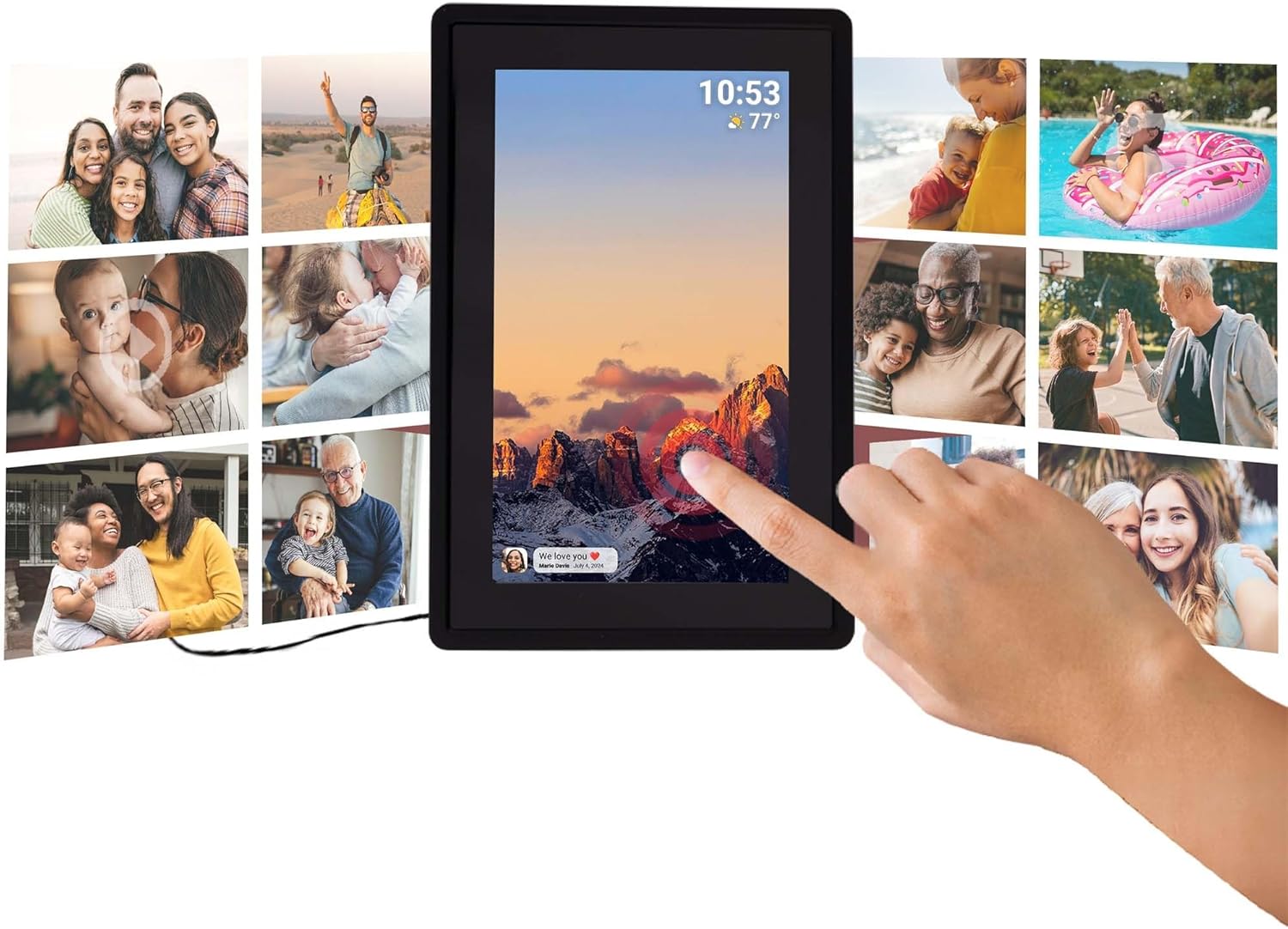
This image illustrates the intuitive touch screen functionality of the digital photo frame, showing a hand interacting directly with the display to navigate through photos and settings.
4.3 Funkce automatického otáčení
The frame automatically detects its orientation (landscape or portrait) and adjusts the display of photos accordingly, ensuring your memories are always shown correctly.

Two Tiqvi digital photo frames are shown, one in landscape and one in portrait orientation, demonstrating how the auto-rotate function automatically adjusts the photo display for perfect viewIng.
5. Skladování
Your Tiqvi digital photo frame comes with 16GB vnitřní paměti, capable of storing thousands of photos and short videos.
For additional storage, the frame includes a slot na microSD kartu, supporting cards up to 32 GB. This allows you to expand the frame's capacity significantly.

Toto podrobné view of the frame's screen highlights its key technical specifications and features, including WiFi connectivity, 16GB internal storage, the 7-inch IPS display with 1024x600 resolution, support for microSD cards up to 32GB, and compatibility with the Frameo application.

This visual demonstrates the extensive storage capability of the digital photo frame, showing a screen filled with a diverse collage of photos.
6. Specifikace
| Funkce | Specifikace |
|---|---|
| Značka | Tiqvi |
| Číslo modelu | TVH10005 |
| Velikost obrazovky | 7 palce |
| Typ zobrazení | IPS dotykový displej |
| Rezoluce | 1024x600 (16:9 aspect ratio) |
| Vnitřní paměť | 16 GB |
| Externí úložiště | MicroSD card slot (max. 32GB) |
| Konektivita | WiFi |
| Kompatibilita aplikací | Aplikace Frameo |
| Barva | Černý |
| Zdroj napájení | Elektrický (AC adaptér) |
| Rozměry produktu (D x Š x V) | 22 x 15 x 2.51 cm |
| Hmotnost produktu | 600 gramů |
7. Údržba
7.1 Čištění rámu
To keep your digital photo frame in optimal condition, follow these cleaning guidelines:
- Obrazovka: K jemnému otření obrazovky použijte měkký hadřík, který nepouští vlákna (např. hadřík z mikrovlákna). V případě odolných šmouh lehceampOmyjte hadřík vodou nebo roztokem na čištění obrazovek určeným speciálně pro elektroniku. Vyhněte se agresivním chemikáliím nebo abrazivním materiálům.
- Tělo rámu: Wipe the body of the frame with a dry or slightly damp soft cloth. Do not use excessive moisture.
- Vypnout: Always unplug the power adapter before cleaning.
7.2 Obecná péče
- Neumísťujte rám na přímé sluneční světlo nebo do blízkosti zdrojů tepla.
- Keep the frame away from water and high humidity.
- Do not drop or subject the frame to strong impacts.
8. Řešení problémů
If you encounter any issues with your Tiqvi digital photo frame, please refer to the table below for common problems and their solutions.
| Problém | Možná příčina | Řešení |
|---|---|---|
| Rám se nezapne. | Napájecí adaptér není připojen nebo je zásuvka vadná. | Ensure the power adapter is securely plugged into the frame and a working electrical outlet. Try a different outlet. |
| Nelze se připojit k Wi-Fi. | Nesprávné heslo, slabý signál nebo problém s routerem. | Zkontrolujte heslo Wi-Fi. Přesuňte rámeček blíže k routeru. Restartujte router Wi-Fi. |
| Fotografie se na rámečku nezobrazují. | Frame not connected to Wi-Fi, incorrect Frameo ID, or app issue. | Verify Wi-Fi connection on the frame. Ensure the correct Frameo ID is entered in the app. Restart the Frameo app on your phone. |
| Obrazovka nereaguje. | Dočasná softwarová závada. | Odpojte napájecí adaptér, počkejte 10 sekund a poté jej znovu zapojte, abyste restartovali rámeček. |
| Photos are blurry or low quality. | Original photo resolution is low. | Ensure you are sending high-resolution photos to the frame for best display quality. |
9. Záruka a podpora
9.1 Záruka výrobce
Your Tiqvi digital photo frame is covered by a 1letá záruka výrobce from the date of purchase. This warranty covers defects in materials and workmanship under normal use. It does not cover damage caused by misuse, accidents, unauthorized modifications, or external causes. Please retain your proof of purchase for warranty claims.
9.2 Zákaznická podpora
For further assistance, technical support, or warranty inquiries, please refer to the product packaging or the official Tiqvi website for contact information. When contacting support, please have your product model number (TVH10005) and purchase details ready.


